
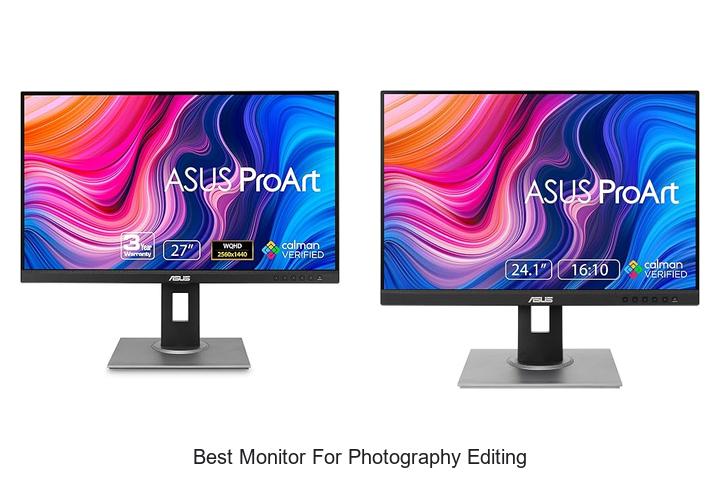
Color accuracy, wide color gamut, high resolution, and precise calibration are critical factors in achieving flawless image retouching and detailed photographic edits. For professionals and enthusiasts alike, selecting the best monitor for photography editing involves a careful balance of these technical specifications to ensure true-to-life visuals and consistent color reproduction across devices.
Understanding how contrast ratio, bit depth, and uniformity contribute to the editing workflow is essential before making an informed choice. Dive deeper into the features that distinguish the best monitor for photography editing and discover what parameters truly impact your creative output.
Top Picks to Elevate Your Visual Creativity with Precision and Clarity
| Image | Product | Price |
|---|---|---|
Our Picks 1  | ASUS ProArt PA278QV 27 Inch Monitor | Check Price On Amazon |
Our Picks 2  | ASUS ProArt PA248QV Professional Monitor | Check Price On Amazon |
Our Picks 3  | ASUS ProArt PA278CV 27-Inch QHD Monitor | Check Price On Amazon |
1. ASUS ProArt PA278QV 27 Inch Monitor
Experience unparalleled color accuracy and stunning visuals with the ASUS ProArt PA278QV 27 Inch Monitor, designed specifically for photography editing professionals and creatives. This monitor’s exceptional color precision and ergonomic features make it an ideal choice for those seeking reliable and true-to-life image reproduction.
Equipped with a 27-inch WQHD IPS panel offering 2560 x 1440 resolution, the ASUS ProArt PA278QV delivers crisp detail and wide viewing angles. Calman Verified with Delta E < 2 accuracy, it guarantees industry-standard 100% sRGB and Rec. 709 color gamut coverage.
Customizable display settings and a versatile connectivity suite complete its professional-grade features.
Pros
- Outstanding color accuracy with Calman Verified & Delta E < 2 for true-to-life photo editing
- 100% sRGB and 100% Rec. 709 color gamut coverage ensures vibrant and consistent colors across projects
- Ergonomic adjustable stand with tilt, swivel, pivot, and height options enhances comfort during long editing sessions
Cons
- Refresh rate capped at 75Hz, which may not suit fast-paced video editing or gaming demands
For photographers and content creators seeking one of the best monitors for photography editing, the ASUS ProArt PA278QV balances color precision, ergonomic design, and extensive connectivity. It stands out in its class and offers excellent value compared to similarly priced competitors that lack professional calibration or adjustable stands.
2. ASUS ProArt PA248QV Professional Monitor
Discover unmatched color precision and image clarity with the ASUS ProArt PA248QV Professional Monitor, designed specifically for photography professionals and enthusiasts. Its exceptional 100% sRGB/Rec.
709 coverage and Calman verification ensure your visual projects are rendered with true-to-life hues, making it an ideal choice for serious editing work.
Boasting a sharp WUXGA resolution of 1920 x 1200 on an IPS panel combined with Adaptive-Sync technology, this monitor delivers vibrant color reproduction and exceptional viewing angles of 178 degrees. Additional features include versatile ergonomic adjustments, multiple connectivity ports, and an anti-glare screen for comfortable, prolonged usage in any workspace.
Pros
- 100% sRGB and Rec.709 color space coverage with DeltaE < 2 for accurate color fidelity
- Calman Verified certification, ensuring professional-grade color consistency
- Ergonomic stand with tilt, pivot, swivel, and height adjustments for optimal comfort
Cons
- Brightness level of 300 cd/m² may be less ideal in extremely bright environments
With an outstanding feature set tailored to creative professionals, the ASUS ProArt PA248QV stands out as a reliable and affordable option for photography editing. Its precise color accuracy and ergonomic design make it a compelling alternative to higher-priced models without compromising essential professional qualities.
3. ASUS ProArt PA278CV 27-Inch QHD Monitor
Discover unparalleled color accuracy and clarity with the ASUS ProArt PA278CV 27-Inch QHD Monitor, designed especially for photography editing and creative professionals. This monitor brings your images to life with vibrant, true-to-life colors, ensuring every detail reflects your artistic vision precisely.
Featuring a 27-inch IPS panel with a QHD resolution of 2560 x 1440 pixels, the ProArt PA278CV offers exceptional sharpness and a spacious display for multitasking. Calman Verified with Delta E < 2 and 100% sRGB, it guarantees professional-grade color fidelity. Connectivity is versatile with USB-C, HDMI, and DisplayPort, while ergonomic design supports comfort and productivity throughout long work sessions.
Connectivity is versatile with USB-C, HDMI, and DisplayPort, while ergonomic design supports comfort and productivity throughout long work sessions.
Pros
- Calman Verified with Delta E < 2 & 100% sRGB for precise and vibrant color accuracy
- USB-C port with 65W power delivery reduces cable clutter by charging laptops and transferring data simultaneously
- Ergonomic stand with 90° pivot enables comfortable use and easy switch to vertical orientation
Cons
- Brightness of 350 cd/m² may be less optimal for extremely bright environments compared to some higher-end monitors
The ASUS ProArt PA278CV is a top-tier choice for photographers and content creators seeking precision color and reliable performance with flexible connectivity. When compared to other monitors in its class, it offers excellent value with professional features and a comprehensive warranty, making it an investment that elevates your editing workflow.
4. BenQ PD2706U 27 4K UHD Monitor

Experience unparalleled precision with the BenQ PD2706U 27 4K UHD Monitor, engineered for photography editing professionals and enthusiasts alike. Its exceptional color accuracy and high-resolution display empower creatives to achieve true-to-life visuals with stunning detail and clarity in every project.
Equipped with AQCOLOR technology, the monitor covers 95% DCI-P3 and 99% sRGB/Rec.709 color spaces, delivering Delta E ≤ 3 accuracy on an IPS panel.
Additional features include 90W USB-C connectivity for seamless data transfer and charging, built-in KVM switch for multitasking across two PCs, and ergonomic design to enhance comfort during long editing sessions.
Pros
- Wide color gamut coverage with Pantone and Calman certification ensures precise color reproduction.
- 90W USB-C port supports fast charging and efficient data synchronization via a single cable.
- KVM switch capability allows control of two computers with one keyboard and mouse setup, saving desk space.
Cons
- Brightness of 250 nits may be lower compared to some other 4K monitors optimized for HDR content.
Combining professional-grade color accuracy with user-friendly features, the BenQ PD2706U stands out as a top contender among 4K monitors tailored for photography editing. Its balanced performance and thoughtful design deliver excellent value for creators seeking reliability and precision in their workflows.
5. BenQ PD3205U Mac-Ready 32 4K UHD Monitor

Discover unparalleled visual clarity and color precision with the BenQ PD3205U Mac-Ready 32 4K UHD Monitor. Perfectly crafted for photography editing and creative professionals, this
5-inch display delivers razor-sharp imagery and accurate colors that bring your projects to life with stunning detail and vibrancy.
The 4K UHD IPS panel offers 3840×2160 resolution with 99% sRGB and 99% Rec.709 color coverage, enhanced by Calman Verified and Pantone Validated certifications to ensure true-to-life color accuracy.
Seamless connectivity options include USB-C with 90W power delivery, HDMI 0, and DisplayPort 4, while advanced features like KVM Switch, DualView, and Hotkey Puck G2 boost creative productivity and multitasking efficiency.
Pros
- Exceptional color fidelity with 99% sRGB and Rec.709 coverage plus industry certifications
- Versatile USB-C connectivity offering power delivery, video, and data transfer
- Ergonomic design including tilt, swivel, pivot, and height adjustments for comfortable long sessions
Cons
- 60Hz refresh rate may limit performance for high-frame-rate video work or gaming
Combining top-tier image quality with productivity-enhancing features, the BenQ PD3205U stands out as an outstanding choice for photographers and designers seeking reliable color accuracy and ergonomic comfort. While not geared toward fast-motion applications, its precise display and workflow-centric design make it one of the best monitors available for professional photography editing.
6. ASUS ProArt PA329CRV Professional 32 Inch Monitor

Discover unparalleled color accuracy and stunning clarity with the ASUS ProArt PA329CRV Professional 32 Inch Monitor, designed specifically for photography editing and creative professionals. Its large 4K HDR display combined with industry-leading calibration ensures you see every detail with true-to-life vibrancy.
Featuring a 5-inch 4K UHD (3840 x 2160) HDR display and a wide 178° IPS viewing angle, this monitor delivers precise color reproduction with 98% DCI-P3 wide color gamut coverage. Calman Verified factory calibration guarantees Delta E below 2, ensuring flawless consistency for professional workflows.
Pros
- Outstanding 4K HDR display with VESA DisplayHDR400 certification for enhanced contrast and brightness
- Extensive connectivity including USB-C with 96W power delivery, DisplayPort, HDMI, and USB hub for versatile setup
- Free 3-month Adobe Creative Cloud subscription included to jumpstart your creative projects
Cons
- Glossy screen finish may create reflections in brightly lit environments
With a 5-year warranty and professional-grade features, the ASUS ProArt PA329CRV stands out as an excellent investment for photographers seeking top-tier color fidelity and performance. Compared to other monitors in its class, it offers superior calibration and connectivity options that cater directly to demanding editing tasks.
7. BenQ PD2706QN 27 2K QHD Mac-Ready Monitor

Experience unparalleled color precision with the BenQ PD2706QN 27 2K QHD Mac-Ready Monitor, expertly engineered for photography editing and creative professionals. Its remarkable display quality ensures true-to-life visuals, empowering you to bring your artistic vision to life with accuracy and confidence.
Equipped with 95% P3 and 100% sRGB/Rec.709 coverage alongside factory-calibrated color accuracy (Delta E ≤ 2), this monitor guarantees consistent and vibrant images. The ICCsync feature automatically synchronizes ICC profiles with your Mac, while the matte nano panel reduces glare and enhances comfort during lengthy sessions.
A versatile USB-C connection simplifies data transfer and charging.
Pros
- Exceptional color fidelity with 95% P3 and 100% sRGB/Rec.709 factory calibration ensuring accurate editing results
- ICCsync technology seamlessly matches color profiles between Mac and monitor for consistent visuals
- Ergonomic design with tilt, swivel, pivot, and height adjustments for comfortable, customized workspace setups
- 90W USB-C connectivity enables efficient data, video transmission, and device charging through one cable
- Nano matte screen reduces glare while preserving contrast, minimizing eye strain during extended use
Cons
- Price point may be higher than basic monitors, reflecting its professional-grade features
For photographers and creatives demanding precision and ease, the BenQ PD2706QN offers an outstanding balance of color accuracy, ergonomic comfort, and advanced features. Compared to entry-level monitors, it stands out by delivering professional calibration and seamless Mac integration, making it a worthwhile investment for serious editing work.
8. Sceptre E248W-19203R 24-Inch LED Monitor

Experience vibrant and accurate color reproduction with the Sceptre E248W-19203R 24-Inch LED Monitor, designed to elevate photography editing and multimedia work. Its 99% sRGB coverage ensures precise color fidelity, while a fast refresh rate and versatile connectivity make it a powerful choice for both creative professionals and casual users.
Featuring a widescreen 16:9 aspect ratio and a glossy finish, this LED monitor delivers sharp visuals with a 250 cd/m² brightness and a wide 178-degree viewing angle. Dual HDMI and VGA ports support up to 100Hz refresh rates, enhancing image clarity in dynamic scenes.
Built-in speakers and audio jacks add convenience, while Blue Light Shift protects your eyes during long editing sessions.
Pros
- Exceptional color accuracy with 99% sRGB coverage, ideal for detailed photo editing
- Multiple input options including two HDMI ports and one VGA, supporting up to 100Hz refresh rate
- Eye comfort technology with Blue Light Shift to reduce visual fatigue over extended use
Cons
- Glossy screen finish can produce reflections in brightly lit environments
Combining excellent color performance with versatile connectivity and eye care features, the Sceptre E248W stands out as an affordable and reliable monitor for photography editing and multimedia tasks. While its glossy screen may challenge some lighting setups, the overall value makes it a competitive alternative to higher-priced models.
9. ASUS ProArt PA27JCV 27 5K USB-C Monitor

Experience unparalleled visual clarity with the ASUS ProArt PA27JCV, a 27-inch 5K USB-C monitor designed specifically for professionals seeking the best monitor for photography editing. Its high-resolution IPS panel combined with wide color gamut coverage makes it perfect for precise color-critical work.
Featuring a stunning 5120 x 2880 resolution and HDR support, this monitor delivers incredibly sharp and vivid images. Factory calibrated with Delta E<2 accuracy and Calman verification, it guarantees true-to-life colors with 99% DCI-P3, 100% sRGB, and 95% Adobe RGB coverage. Enhanced with intelligent brightness adjustment, versatile USB-C connectivity, and a built-in Auto KVM switch, it streamlines your creative workflow efficiently.
Pros
- Ultra-high 5K resolution ensures exceptional image detail for editing precision
- Wide color gamut and Calman-verified factory calibration deliver professional-grade color accuracy
- USB-C connectivity supports DisplayPort, fast data transfer, and 96W power delivery with one cable
Cons
- Price point higher compared to standard 4K monitors, which may be a consideration for budget-conscious users
For photographers and creative professionals looking to invest in reliable, accurate, and vibrant display technology, the ASUS ProArt PA27JCV delivers exceptional value through its advanced features and robust warranty, setting it apart from other monitors in its class.
10. BenQ SW272Q 27-inch Photographer Monitor

Discover exceptional clarity and color precision with the BenQ SW272Q 27-inch Photographer Monitor, designed to meet the highest demands of photography editing. Its 2K QHD resolution and Nano Matte Panel deliver an immersive viewing experience, bringing every detail and shade vividly to life for professional-grade photo editing.
Equipped with Paper Color Sync technology for screen-to-print consistency and enhanced by hardware calibration via Palette Master Ultimate software, the SW272Q ensures your edits translate perfectly to physical prints. The 99% color gamut coverage, Calman Verified accuracy, and anti-reflective coating combine to offer unmatched color fidelity and comfort during long editing sessions.
Pros
- Nano Matte Panel featuring TUV anti-reflection certification minimizes glare and simulates paper texture on screen.
- Advanced hardware calibration with Palette Master Ultimate software offers 40% faster color adjustments and flawless accuracy.
- Paper Color Sync technology ensures precise screen-to-print color matching across different printers and paper types.
Cons
- Limited 60 Hz refresh rate, which might not be optimal for video editing or fast-motion content.
For photographers seeking superior color accuracy and reliable print matching, the BenQ SW272Q stands out as a leading choice. Compared to similar monitors, its combination of color fidelity, calibration speed, and user-centric design offers exceptional value for precise photography editing.
Ultimate Guide to Choosing the Best Monitor for Photography Editing: Expert Tips for Stunning Visuals
Display Resolution and Size
Importance of high resolution for detailed editing. Ideal monitor sizes for photography. Aspect ratio considerations.A high-resolution screen is essential for detailed image work, allowing photographers to spot subtle nuances and make precise adjustments. Monitors with resolutions of 4K or higher offer more pixels, which means finer detail and sharper visuals that are crucial during the editing process. Ideal screen sizes typically range from 27 to 32 inches, providing ample workspace without overwhelming the user, striking a balance between comfort and immersion.
Aspect ratio also plays a vital role; while the standard 16:9 ratio fits most editing software perfectly, ultrawide displays with a 21:9 ratio can enhance multitasking by offering extra horizontal space for tool palettes alongside the main image.
Color Accuracy and Gamut
Understanding color spaces (sRGB, Adobe RGB, DCIP3). Calibration options and factory calibration. Color bit depth and uniformity.Having ample input options such as HDMI, DisplayPort, and USB-C ensures seamless connection to a variety of devices, including laptops, desktops, and external peripherals, which streamlines the workflow. Monitors equipped with multiple ports and the ability to daisy-chain or connect additional devices through hubs or card readers offer greater flexibility and future-proofing, especially useful for photographers who often use external storage or color calibration tools.
Additionally, the presence of built-in USB hubs can help reduce clutter and provide convenient access to essential accessories.
Panel Technology
IPS vs. VA vs. TN panels for photo editing. Viewing angles and color consistency. Response time and refresh rate relevance.Monitors designed for photo editing typically use one of three main panel types: IPS, VA, or TN, each offering distinct advantages. IPS panels are widely favored for their superior color accuracy and wide viewing angles, ensuring consistent tones and hues even when viewed from different positions—key for detailed image work.
VA panels deliver deeper contrast and richer blacks but can suffer from narrower viewing angles, which might cause color shifts when not viewed head-on. TN panels, although known for fast response times and high refresh rates, generally fall short in color reproduction and viewing angle stability, making them less ideal for precise photo editing.
| Panel Type | Color Accuracy | Viewing Angles | Response Time | Refresh Rate |
|---|---|---|---|---|
| IPS | Excellent | Wide, consistent | Moderate | Typically 60-75Hz |
| VA | Good | Moderate, may shift | Slower | Typically 60Hz |
| TN | Poor | Narrow | Fast | High (up to 240Hz) |
For photo editing, the accuracy of colors and consistency across wide viewing angles significantly outweigh the importance of ultra-fast response times or very high refresh rates, which are more critical for gaming or video-intensive tasks. Selecting a display that maintains true color representation under different viewing angles ensures more reliable visual results and smoother workflow, so focusing on the panel technology and how it handles these aspects will greatly impact overall editing precision and satisfaction.
Connectivity and Compatibility
Common ports for photography setups (HDMI, DisplayPort, USBC). Compatibility with operating systems and editing software. Ergonomics and adjustable stands.Having the right ports on a monitor is essential to ensure smooth integration with your photography gear and computer. HDMI, DisplayPort, and USB-C are among the most common interfaces, each offering different benefits such as high-resolution support, faster data transfer, or the ability to power connected devices. Compatibility with your operating system and editing software also plays a crucial role, as certain color management features and hardware acceleration functions depend on seamless communication between the monitor and your setup.
Additionally, ergonomic design with adjustable stands allows for comfortable positioning during long editing sessions, reducing eye strain and promoting better posture.
Additional Features for Photographers
Monitor hood and antireflective coatings. HDR support and its impact on editing. Builtin calibration tools and software support.Having multiple input options and ports greatly enhances a monitor’s versatility, allowing seamless connection with cameras, computers, and other devices essential for photo editing. A monitor hood and anti-reflective coatings help minimize glare and ambient light interference, ensuring accurate color perception and reducing eye strain during long editing sessions. HDR support plays a crucial role by offering a wider dynamic range and better contrast, which allows photographers to see finer details in both shadows and highlights, leading to more precise edits.
Built-in calibration tools paired with robust software support simplify maintaining color accuracy over time, which is vital for consistent results across various devices and print media. These features combined ensure that the monitor integrates smoothly with your workflow and delivers reliable performance tailored to the needs of professional image editing.
Budget and Warranty Considerations
Balancing features with price. Warranty and customer support options. Longterm reliability and brand reputation.Having the right ports and the ability to add peripherals can significantly impact your workflow efficiency and future-proof your setup. For photographers, a monitor with multiple input options like HDMI, DisplayPort, and USB-C allows easy connection to cameras, computers, and other devices without constantly swapping cables. Additionally, expansion options such as USB hubs or daisy-chaining capabilities enable smoother multitasking and better organization by reducing clutter and making accessories readily accessible.
- Versatility: Multiple connection types ensure compatibility with various devices and make the monitor adaptable to evolving tech needs.
- Convenience: Built-in hubs and ports minimize the need for external adapters, speeding up your editing process and keeping your workspace tidy.
- Future readiness: Options to expand or connect additional screens help maintain productivity as your setup grows without needing to replace your monitor.
FAQ’s
What Features Should I Look For In A Monitor For Photography Editing?For photography editing, look for a monitor with high color accuracy (covering 100% sRGB and AdobeRGB), a wide color gamut, and a high resolution (at least 1440p). Additionally, ensure it has good uniformity, an IPS panel for consistent colors, and supports hardware calibration.
Which Monitors Offer The Best Color Accuracy For Photo Editing?Monitors with IPS panels, such as the Eizo ColorEdge and AdobeRGB-certified BenQ PhotoVue series, offer the best color accuracy for photo editing. These monitors provide wide color gamut coverage and precise factory calibration to ensure true-to-life colors.
How Important Is Screen Resolution When Choosing A Monitor For Photography Editing?Screen resolution is crucial for photography editing as it determines the clarity and detail visible in images, allowing for precise adjustments. Higher resolutions provide sharper images and more workspace, enhancing accuracy and overall editing quality.
What Is The Best Size And Aspect Ratio For A Photo Editing Monitor?The best size for a photo editing monitor is typically between 27 to 32 inches, providing ample screen space for detailed work. An aspect ratio of 16:9 or 16:10 is ideal, as it offers a wide viewing area that accommodates most photo editing software interfaces efficiently.
Are There Budget-Friendly Monitors Suitable For Professional Photography Editing?Yes, there are budget-friendly monitors suitable for professional photography editing that offer accurate color reproduction and good resolution. Brands like BenQ, Eizo, and Dell provide affordable options with features such as IPS panels and factory calibration.
Conclusion
In summary, the best monitor for photography editing combines accurate color reproduction, high resolution, and excellent contrast to ensure every detail is visible. Look for features like wide color gamut support, factory calibration, and IPS panels for consistent viewing angles.

- Best Monitor for Photography Editing: Ultimate Choice Guide - October 6, 2026
- Best Monitor for Editing Photographs: Top Picks Revealed! - October 6, 2026
- Best Large Monitor Picks That Will Blow Your Mind! - October 6, 2026
