
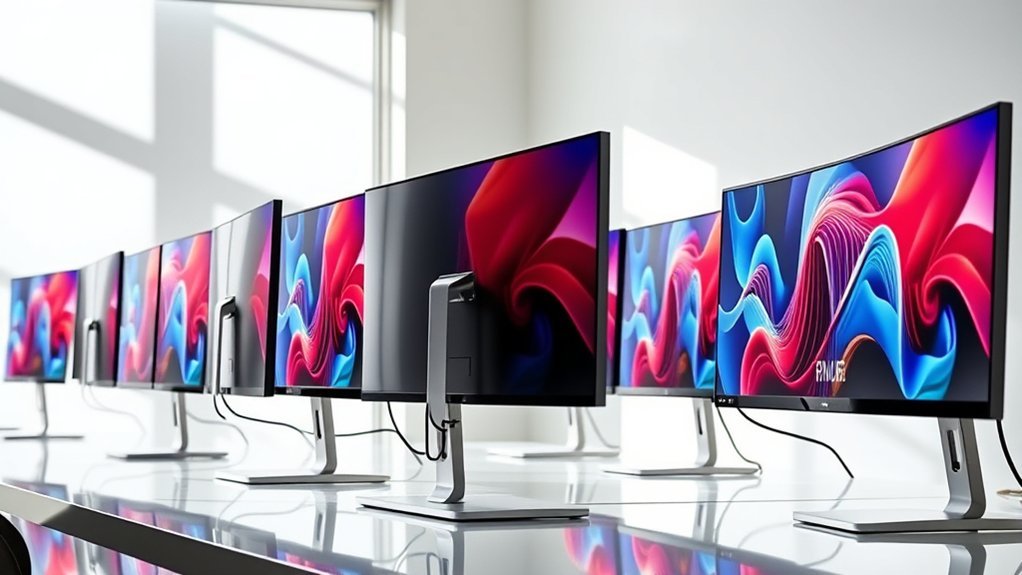
If you want a 34-inch ultrawide monitor that pairs perfectly with your MacBook Pro in 2026, look for sharp WQHD resolution, vibrant colors, and wide color gamuts like DCI-P3.
Prioritize features like USB-C with high power delivery, smooth refresh rates from 100Hz up to 200Hz, and ergonomic design with eye care tech.
Curved screens enhance immersion and reduce eye strain, making your viewing experience much more comfortable.
Also, keep an eye on connectivity options and multimedia extras to get the best overall experience.
Exploring these key factors will help you find your perfect match. It’s all about combining performance with convenience to get the most out of your setup.
Dell 34″ Curved USB-C Monitor S3425DW
The Dell 34″ Curved USB-C Monitor S3425DW offers an expansive, ultra-wide workspace that enhances productivity and entertainment. Its 3440 x 1440 resolution combined with a 21:9 aspect ratio creates immersive visuals on a 34-inch curved VA panel, making it easier to manage multiple applications without constant window switching. This design helps reduce eye strain and improves workflow efficiency.
With a 120Hz refresh rate and an ultra-low 0.03ms response time, motion appears smooth and responsive, which is crucial for detailed creative work or casual gaming. Adaptive sync technology further eliminates screen tearing, ensuring a seamless viewing experience.
Color accuracy is another strong point, with 99% sRGB and 95% DCI-P3 coverage delivering vivid and precise colors. The matte finish minimizes glare, allowing comfortable use in various lighting conditions. USB-C connectivity supports up to 65W power delivery, simplifying cable management and making it a practical choice for MacBook Pro users and other compatible laptops.
Maintenance is straightforward thanks to the durable panel and anti-glare coating, which helps keep the screen clear of smudges and reflections. However, the brightness level of 300 nits may limit visibility in very bright environments or when viewing HDR content.
Best for: Professionals and creatives seeking a vibrant, ultra-wide curved monitor with excellent color accuracy and smooth performance for both work and entertainment.
What We Like:
- Immersive 3440 x 1440 resolution on a large 34-inch curved VA panel
- Smooth visuals with 120Hz refresh rate and ultra-low 0.03ms response time
- Accurate colors with 99% sRGB and 95% DCI-P3 coverage
- USB-C connectivity with up to 65W power delivery for easy laptop integration
What We Don’t Like:
- 300 nits brightness may be insufficient for very bright environments or HDR content
- Limited 1-year warranty period
- Hefty weight and size require a sturdy desk and limit portability
Samsung 34″ ViewFinity S50GC Ultra-WQHD Monitor
Experience a new level of productivity and creativity with the Samsung 34″ ViewFinity S50GC Ultra-WQHD monitor. Its 3440×1440 resolution and HDR10 support provide exceptionally vivid and lifelike images, making color-critical work more accurate and immersive. This ultra-wide display allows you to see more of your projects at once, reducing the need for constant scrolling or window switching.
The 100Hz refresh rate combined with AMD FreeSync technology ensures smooth and fluid motion, which is useful not only for gaming but also for video editing where clarity in fast-moving scenes is essential. You can easily multitask with Picture-in-Picture and Picture-by-Picture modes, keeping multiple windows visible and accessible without clutter.
Designed with comfort in mind, this monitor includes Eye Care features such as flicker-free technology and blue light reduction. These help to minimize eye strain during extended work sessions, promoting better focus and comfort. Its sleek, borderless design complements professional setups and integrates well with devices like the MacBook Pro.
Maintenance is straightforward, thanks to its durable panel and easy-to-clean surface. While the power consumption is moderate, users should consider this when planning for energy use in demanding workflows.
Best for: Creative professionals and multitaskers who need a vibrant ultra-wide display with smooth visuals and eye care features.
What We Like:
- Sharp Ultra-WQHD resolution with HDR10 for precise color accuracy
- Smooth 100Hz refresh rate paired with AMD FreeSync for tear-free motion
- Efficient multitasking using Picture-in-Picture and Picture-by-Picture modes
- Eye Care technologies reduce fatigue during long usage periods
- Elegant, borderless design fits well in professional environments
What We Don’t Like:
- 5ms response time may not meet the demands of competitive gamers
- Limited 1-year manufacturer warranty
- Power consumption around 50 Watts could impact energy efficiency
SANSUI 34″ Curved UWQHD Gaming Monitor 200Hz
The SANSUI 34″ Curved UWQHD Gaming Monitor transforms your viewing experience with its ultra-wide 3440×1440 resolution and 1500R curved screen. This design helps reduce eye strain and immerses you deeply in games or detailed work by matching the natural curve of your eyes. The monitor’s 200Hz refresh rate and 1ms response time ensure smooth, blur-free visuals during fast-paced action, making it easier to track movement and react quickly.
Its VA LED panel offers rich contrast (3000:1) and vibrant colors with 97% DCI-P3 coverage, enhancing image clarity and color accuracy for both gaming and professional tasks. The monitor supports HDMI 2.1 and DisplayPort 1.4 inputs, allowing seamless connectivity with modern gaming consoles and PCs. Features like AI Blue Light reduction and an anti-glare matte finish protect your eyes during extended use.
Designed with user comfort in mind, the ergonomic tilt stand allows you to adjust the screen angle, although height adjustment is not available. Regular cleaning of the matte surface is simple and helps maintain visual clarity. This monitor suits users who need an immersive ultrawide display with high refresh rates and reliable color performance.
Best for: Gamers and creative professionals seeking an immersive ultrawide display with high refresh rates and vibrant color accuracy for smooth gameplay and detailed work.
What We Like:
- Smooth 200Hz refresh rate and 1ms response time for fast, fluid visuals.
- Wide color gamut (DCI-P3 97%, sRGB 130%) and strong contrast ratio (3000:1).
- Eye protection features including AI Blue Light reduction and anti-glare coating.
- Multiple connectivity options with HDMI 2.1 and DisplayPort 1.4.
What We Don’t Like:
- Brightness of 300 nits may be too low for very bright environments.
- Stand offers tilt adjustment only, lacking height customization.
- VA panel’s slower pixel transitions may reduce clarity in some fast-motion scenes.
MSI PRO MP341CQ 34″ UWQHD 120Hz Monitor
The MSI PRO MP341CQ offers an expansive 34-inch ultrawide display that enhances productivity and entertainment alike. Its sharp 3440×1440 UWQHD resolution ensures crisp visuals, while the 21:9 aspect ratio provides ample screen space for multitasking or immersive gaming experiences. This monitor’s 120Hz refresh rate with adaptive sync delivers smooth motion and reduces screen tearing, making it ideal for fast-paced content.
Designed with eye comfort in mind, the MSI PRO MP341CQ includes Flicker-Free technology and Low Blue Light filters to minimize eye strain during extended use. The matte finish helps reduce glare, maintaining clear visibility in various lighting conditions. Its VA panel offers solid contrast and wide viewing angles, supporting vivid color reproduction with 114% color gamut coverage and HDR Ready support.
Connectivity is straightforward with HDMI 2.0b and DisplayPort 1.4a ports, accommodating a range of devices, including MacBook Pro laptops. The built-in speakers provide basic audio output, while the monitor’s ergonomic tilt adjustment allows users to find a comfortable viewing position. Regular maintenance is simple, requiring only occasional screen cleaning to keep visuals clear.
Best for: Professionals and gamers seeking a large ultrawide monitor that balances smooth visuals, vibrant colors, and eye care features for long sessions.
What We Like:
- Smooth 120Hz refresh rate with adaptive sync for tear-free visuals
- Wide 34-inch UWQHD display with vibrant color support
- Eye-friendly features such as Flicker-Free tech and Low Blue Light filter
- Ergonomic tilt adjustment for comfortable viewing
What We Don’t Like:
- Brightness of 250 cd/m² may struggle in very bright rooms
- Limited connectivity with only one HDMI port
- Built-in speakers offer basic sound quality compared to external options
CRUA 34″ Ultrawide Curved UWQHD Monitor White
The CRUA 34″ Ultrawide Curved UWQHD Monitor White offers an expansive viewing experience that enhances productivity and creativity. Its ultrawide 3440×1440 IPS display provides sharp detail and vibrant colors, helping you see your work clearly and accurately. This monitor is designed to reduce eye strain with its 3800R curved screen and smooth 100Hz refresh rate, making long hours more comfortable.
This monitor excels in color precision, covering 120% of the sRGB and 92% of the DCI-P3 color spaces. These features make it a reliable choice for photo editing, video production, and other color-critical tasks. The built-in speakers add convenience for multimedia consumption without extra accessories.
Connectivity is straightforward with HDMI and DisplayPort inputs, while ergonomic tilt adjustments allow you to customize your viewing angle for comfort. Its sleek white design fits well in modern workspaces, combining style with functionality.
Maintenance is simple; the IPS panel is easy to clean, and the monitor’s design promotes good airflow to prevent overheating. However, it lacks USB-C or Thunderbolt ports, which may limit direct compatibility with some newer laptops.
Best for: Professionals and creatives needing precise color accuracy and immersive multitasking on an ultrawide curved display.
What We Like:
- Wide color gamut with 120% sRGB and 92% DCI-P3 coverage for accurate color work.
- Smooth, eye-friendly visuals at 100Hz refresh rate with AMD FreeSync support.
- Multiple connectivity options including HDMI and DisplayPort.
- Ergonomic tilt adjustment for personalized comfort.
- Sleek white design that complements modern setups.
What We Don’t Like:
- No USB-C or Thunderbolt ports for newer laptop compatibility.
- Brightness limited to 350 cd/m², which may struggle in very bright rooms.
- Warranty period of one year might be short for some users.
LG 34SR60QC-W 34″ QHD Curved Smart Monitor
Experience a wider, more immersive workspace with the LG 34SR60QC-W 34″ QHD Curved Smart Monitor. Its 3440×1440 resolution and 21:9 aspect ratio deliver sharp, detailed visuals that help reduce eye strain during extended use. The 1800R curvature wraps your view, creating a natural, theater-like experience that enhances productivity and entertainment alike.
This ultrawide monitor integrates LG webOS23, allowing you to stream content from Netflix, Apple TV, and other apps without needing extra devices. AirPlay 2 support adds convenience by enabling wireless casting from Apple devices, simplifying your setup and reducing clutter.
With a 100Hz refresh rate, the display offers smooth motion for videos and everyday tasks. Built-in speakers provide clear audio, eliminating the need for additional peripherals. Its versatile ports support multiple connections, making it easy to switch between work and entertainment.
The LG 34SR60QC-W is designed for users who want a smart, all-in-one solution. While the Magic Remote for full smart navigation and voice control is sold separately, the monitor’s features still provide a streamlined, efficient experience. Its curved design may not fit every desk, but it offers significant benefits for those seeking immersive ultrawide viewing.
Best for: users needing an immersive ultrawide monitor with smart streaming features and versatile connectivity for both productivity and entertainment.
What We Like:
- Large 34″ curved 3440×1440 QHD display with 21:9 aspect ratio for immersive viewing
- Built-in LG webOS23 and AirPlay 2 support for easy streaming and wireless casting
- Smooth 100Hz refresh rate and integrated speakers for seamless audio-visual experience
What We Don’t Like:
- Magic Remote for full smart navigation and voice control sold separately
- Lacks gaming-specific features like higher refresh rates or adaptive sync
- Curved ultrawide design may not suit all desk setups or user preferences
LG 34WR55QK-B 34″ UltraWide Curved Monitor
The LG 34WR55QK-B offers a spacious and immersive workspace with its 34-inch UltraWide curved display. This monitor’s wide 21:9 aspect ratio and high resolution provide plenty of screen space, making multitasking more efficient and reducing the need to switch between windows constantly.
Its VA panel delivers deep contrast and vibrant colors, enhancing image clarity and making content easier to view from wide angles. The inclusion of HDR10 support improves dynamic range, offering richer visuals for work and media.
Designed for comfort and convenience, it features an adjustable stand and Reader Mode to reduce eye strain during long sessions. Connectivity options like USB-C with 65W power delivery, HDMI, and DisplayPort ensure compatibility with various devices, including MacBook Pro.
Maintenance is straightforward thanks to its borderless design, which simplifies cleaning and helps keep your workspace neat. While the monitor requires a decent amount of desk space due to its size and depth, it balances that with strong ergonomic features and visual performance.
Best for: professionals and creatives who need a versatile UltraWide monitor that enhances multitasking and visual clarity.
What We Like:
- Large 34-inch curved UltraWide display improves workflow and immersion.
- USB-C with 65W power delivery supports easy connection and charging.
- HDR10 and Reader Mode enhance visual experience and comfort.
- Adjustable stand allows personalized ergonomic positioning.
What We Don’t Like:
- Brightness of 300 cd/m² may not suit very bright environments.
- Larger footprint requires ample desk space.
- One-year warranty may be shorter compared to competitors.
LG 34U650A-B 34″ UltraWide Curved Monitor
Experience enhanced productivity with the LG 34U650A-B, a 34-inch curved UltraWide monitor designed to meet the needs of multitaskers and professionals. Its expansive WQHD display delivers crisp, vibrant visuals, making it easier to manage multiple windows and applications side by side. The curved 3800R IPS panel reduces eye strain and offers consistent color accuracy with 99% sRGB coverage.
This monitor supports HDR10, enhancing image depth and contrast for clearer presentations and creative work. With a 100Hz refresh rate and 5ms response time, it maintains smooth motion during video calls and streaming sessions. The USB-C port simplifies your workspace by combining display, data transfer, and up to 96W charging in a single cable.
The slim, adjustable stand allows tilt, swivel, and height changes to customize your setup for comfort. Narrow bezels maximize screen space and contribute to a neat, distraction-free environment. The included Switch app further boosts efficiency by letting you split the screen into six sections, streamlining multitasking.
Maintenance is straightforward thanks to the durable IPS panel and simple cable management. While the brightness and contrast are suited for most office settings, they may be less effective in very bright rooms. Overall, the LG 34U650A-B balances functionality with ergonomic design to improve your workflow.
Best for: Professionals and multitaskers seeking a vibrant, immersive UltraWide display with versatile connectivity and ergonomic design for productivity and creative workflows.
What We Like:
- Large 34-inch curved UltraWide WQHD IPS display with HDR10 and 99% sRGB color accuracy
- USB-C port supports display, data transfer, and up to 96W charging, reducing cable clutter
- Adjustable slim stand with tilt, swivel, and height adjustments for ergonomic comfort
- Switch app enables efficient screen splitting into six sections
What We Don’t Like:
- Brightness of 300 cd/m² and 1000:1 contrast ratio may be insufficient in very bright environments
- Built-in speakers offer basic audio quality, not suited for high-fidelity needs
- 100Hz refresh rate and 5ms response time may not satisfy competitive gaming requirements
Philips 34″ UltraWide Curved WQHD Monitor (346E2CUAE)
Experience expansive, immersive visuals with the Philips 34″ UltraWide Curved monitor designed to elevate your workspace. The 3440 x 1440 WQHD resolution brings sharp, detailed images, while the 1500R curved VA panel enhances your field of view for a more natural and engaging experience. This setup reduces eye strain by matching the curvature of your vision.
Vibrant colors come to life thanks to Ultra Wide-Color technology, improving color accuracy for work and entertainment alike. Whether you’re editing photos or watching videos, the rich, natural hues make every detail stand out. The 100Hz refresh rate and 1ms response time ensure smooth motion, which is especially beneficial for gaming or fast-paced content.
Connectivity is simplified with the USB-C port, which manages power delivery, data transfer, and display output simultaneously. This helps keep your desk organized and supports seamless integration with devices like a MacBook Pro. Ergonomic features allow easy adjustments for comfort during extended use.
Maintenance is straightforward, with a durable design that fits both professional and home environments. The built-in speakers add convenience, though users seeking premium audio might prefer external options. The monitor’s size and curvature work best in spacious setups and may require some adaptation.
Best for: users needing a high-performance ultrawide monitor that supports immersive multimedia, productive multitasking, and ergonomic comfort.
What We Like:
- Crisp 3440 x 1440 WQHD resolution with immersive 1500R curved VA panel
- Ultra Wide-Color technology for enhanced color accuracy
- Smooth performance with 100Hz refresh rate and 1ms response time
- USB-C port streamlines connectivity and charging
- Adjustable ergonomics for comfortable long-term use
What We Don’t Like:
- 300 cd/m² brightness may struggle in very bright rooms
- Built-in speakers are basic and may not satisfy audiophiles
- Large size and curve require ample desk space and adjustment time
Sceptre 34″ Prime Monitor 3440×1440 (E345W)
Experience crisp, fluid visuals with the Sceptre 34″ Prime Monitor, designed to enhance productivity and entertainment on a vibrant ultrawide screen. Its 3440×1440 UWQHD resolution and 21:9 aspect ratio provide ample space for multitasking and immersive gaming, reducing the need to switch between windows constantly.
The VA panel delivers deep contrast with a 2000:1 ratio and wide 178-degree viewing angles, ensuring consistent image quality from almost any position. A 115Hz refresh rate keeps motion smooth, which is especially beneficial for fast-paced games and dynamic video content.
This monitor supports accurate color reproduction with 103% sRGB coverage, making it suitable for tasks that demand color precision. Its Blue-Light Shift technology helps reduce eye strain during extended use, promoting comfort for long working or gaming sessions.
Connectivity options include two HDMI ports and two DisplayPorts, offering flexibility for various devices. Built-in speakers add convenience, while the sleek, glare-resistant design fits well in creative and professional environments. Regular maintenance is simple, requiring only occasional screen cleaning to maintain clarity.
Best for: Creative professionals, gamers, and multitaskers seeking a vibrant ultrawide display with smooth visuals and eye comfort features.
What We Like:
- High-resolution 3440×1440 ultrawide display with smooth 115Hz refresh rate.
- Accurate colors with 103% sRGB and eye-friendly Blue-Light Shift technology.
- Multiple connectivity options: two HDMI and two DisplayPorts.
- Built-in speakers for added convenience.
- Wide viewing angles and strong contrast ratio for consistent image quality.
What We Don’t Like:
- HDMI ports support up to 100Hz, slightly lower than DisplayPort’s 115Hz.
- Limited 1-year manufacturer’s warranty.
- Heavier and deeper design requires more desk space.
Factors to Consider When Choosing a 34 Inch Monitor for Macbook Pro
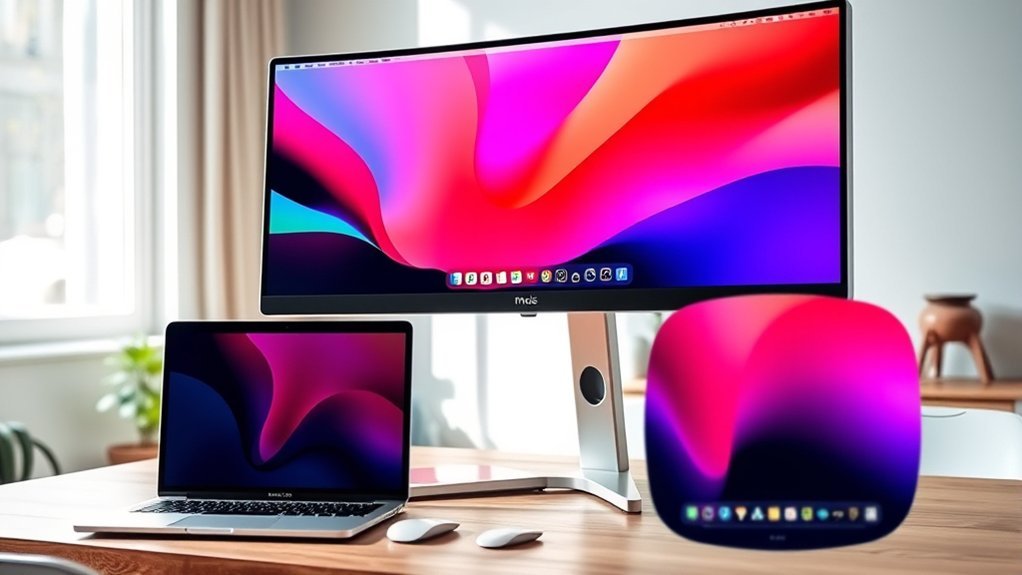
When picking a 34-inch monitor for your MacBook Pro, you’ll want to focus on display resolution and quality to get crisp visuals. Make sure the monitor’s connectivity options match your MacBook’s ports for seamless use.
Don’t forget to check color accuracy, refresh rate, and eye comfort features to enhance your overall experience. These little details can make a big difference when you’re working or streaming for hours.
Display Resolution and Quality
Because your MacBook Pro demands sharp and vibrant visuals, choosing a 34-inch monitor with a high resolution like 3440×1440 pixels is vital for detailed and crisp images. This resolution lets you see fine details clearly, which is perfect for professional and creative work.
Look for monitors supporting HDR10 or HDR readiness to enjoy a wider color range and enhanced contrast, making visuals more vivid. Accurate color reproduction is essential, so aim for wide color gamuts like 99% sRGB or DCI-P3, especially if you work in photo or video editing.
A high contrast ratio, such as 3000:1 or more, improves depth and clarity in dark and bright scenes. Remember to balance resolution and color accuracy with refresh rate and response time for smooth, high-quality visuals across tasks.
Connectivity and Compatibility
Although image quality is essential, connectivity and compatibility play an equally important role in choosing the right 34-inch monitor for your MacBook Pro. Make sure the monitor offers compatible input ports like USB-C, HDMI, or DisplayPort for seamless connection.
You’ll want to prioritize models supporting USB-C power delivery at 65W or higher. That way, you can charge your MacBook Pro while working without needing extra cables.
Also, check if the monitor integrates smoothly with macOS features such as AirPlay or screen sharing. This can really enhance your workflow and make life easier.
Don’t forget to consider VESA mounting options too. It’s a great way to customize your setup and save some precious desk space.
Ensuring these connectivity features align with your MacBook Pro’s capabilities will provide a hassle-free experience. This lets you focus on your professional tasks or entertainment without interruptions.
Color Accuracy and Gamut
Beyond connectivity and compatibility, you’ll want to focus on color accuracy and gamut to get the best visual experience from your 34-inch monitor. Look for a monitor that covers at least 99% sRGB to guarantee vibrant, true-to-life colors.
If you do creative work, support for professional color spaces like DCI-P3 or Adobe RGB is essential for precise color reproduction. Monitors with factory calibration or built-in calibration tools help maintain consistent accuracy over time.
HDR support enhances contrast and color depth, making visuals more realistic and suitable for color-critical tasks. Prioritizing high color coverage and accurate rendering minimizes color shifts, assuring your projects look consistent across different media and applications.
This focus will make your MacBook Pro’s display output truly shine.
Refresh Rate and Response
When choosing a 34-inch monitor for your MacBook Pro, you’ll want to pay close attention to refresh rate and response time, as they directly impact how smooth and clear motion appears on screen. A higher refresh rate, like 120Hz or 200Hz, delivers smoother visuals, especially for fast-paced tasks such as gaming or video editing.
Ideally, your monitor should support at least 75Hz to enhance fluidity without risking compatibility issues. Response time, measured in milliseconds, shows how quickly pixels change color—lower values (1-3ms) minimize motion blur and ghosting, which is essential during rapid action scenes.
If response time exceeds 5ms, you might notice motion artifacts. So, choosing a monitor with balanced refresh rate and response time ensures crisp, fluid motion, enhancing your overall viewing and editing experience.
Eye Comfort Features
Since you’ll likely spend hours in front of your 34-inch monitor, choosing one with eye comfort features is essential to prevent strain and fatigue. Look for models with blue light reduction technologies like Blue-Light Shift or ComfortView Plus to minimize eye strain during extended use.
Flicker-Free technology is a must, as it eliminates screen flickering that causes discomfort over time. Automatic brightness adjustment based on ambient light helps maintain ideal screen brightness, reducing eye stress.
Also, consider monitors with matte or anti-glare screens to avoid reflections in various lighting conditions. Finally, high refresh rates (100Hz or more) and low response times contribute to smoother visuals, easing your eyes during fast-moving content.
These features ensure a more comfortable viewing experience for your MacBook Pro setup.
Ergonomics and Adjustability
Although image quality and eye comfort are essential, ergonomics and adjustability play an equally important role in selecting the right 34-inch monitor for your MacBook Pro. You should look for a monitor with adjustable height, tilt, and swivel features to customize your viewing angles, reducing neck and eye strain.
An ergonomic stand that supports multiple adjustments, including pivot, offers added comfort during long work sessions. Plus, VESA mount compatibility is another key feature to consider since it gives you flexible mounting options to optimize your desk space.
Also, choose monitors with wide viewing angles (178° or more) to guarantee consistent image quality from different seating positions. Prioritizing these ergonomic features will help you stay comfortable and productive throughout your workday.
Additional Multimedia Capabilities
Choosing a 34-inch monitor with strong multimedia capabilities can considerably enhance your MacBook Pro experience. Look for models with built-in speakers to skip extra audio gear and enjoy clearer sound right away.
Make certain the monitor supports multiple audio inputs like 3.5mm jacks or HDMI ARC for flexible connections. Integrated audio tech such as DepthSound or enhanced frequency response ensures richer, more immersive sound quality.
Also, consider smart features like streaming app compatibility or wireless casting to access content directly without switching devices. Finally, choose a monitor with high-quality display specs like HDR10 and wide color gamuts to boost your visual experience, making movies, games, and creative work more vivid and engaging.
Frequently Asked Questions
Can These Monitors Charge My Macbook Pro via USB-C?
Yes, many 34-inch monitors can charge your MacBook Pro via USB-C, but you’ll want to check the wattage they provide.
Make sure it supports enough power delivery to keep your MacBook charged during use. Otherwise, your laptop might slowly lose battery even while plugged in.
Are These Monitors Compatible With macOS Ventura?
Yes, these monitors are compatible with macOS Ventura. You’ll enjoy seamless integration, crisp visuals, and smooth performance without any driver issues.
Just connect via USB-C, and your MacBook Pro will recognize them instantly. It’s really that simple!
Do These Monitors Support HDR for Macbook Pro?
Yes, many of these monitors support HDR, enhancing your MacBook Pro’s display quality with richer colors and better contrast.
Just make sure to check the specific model’s HDR capabilities for full compatibility with macOS. It’s always good to double-check before making a purchase.
What Is the Average Lifespan of a 34-Inch Monitor?
You can expect a 34-inch monitor to last around 50,000 to 60,000 hours of use. That usually translates to about 6 to 8 years with regular daily use.
After that time, you might start to notice some decline in performance. But generally, these monitors hold up pretty well over the years.
Can I Use These Monitors for Video Editing on Macbook Pro?
Yes, you can use these monitors for video editing on your MacBook Pro. They offer wide color gamuts, high resolutions, and accurate color reproduction.
This means your edits will look professional and vibrant. Plus, they work smoothly throughout your workflow.
Conclusion
Choosing the right 34-inch monitor for your MacBook Pro can really transform your workspace. It boosts productivity and enhances your viewing experience.
Whether you care more about color accuracy, refresh rates, or a sleek design, one of these top picks will fit your needs perfectly.
Think about your daily tasks and budget, then choose a monitor that complements your MacBook Pro seamlessly. With the right choice, you’ll enjoy stunning visuals and smooth performance every day.

- 10 Best Carpet Cleaners for 2026 - July 14, 2026
- 8 Best Caroma Electric Scooters for 2026 - July 13, 2026
- 10 Best Carbon Fiber Folding Electric Wheelchairs for 2026 - July 13, 2026
