
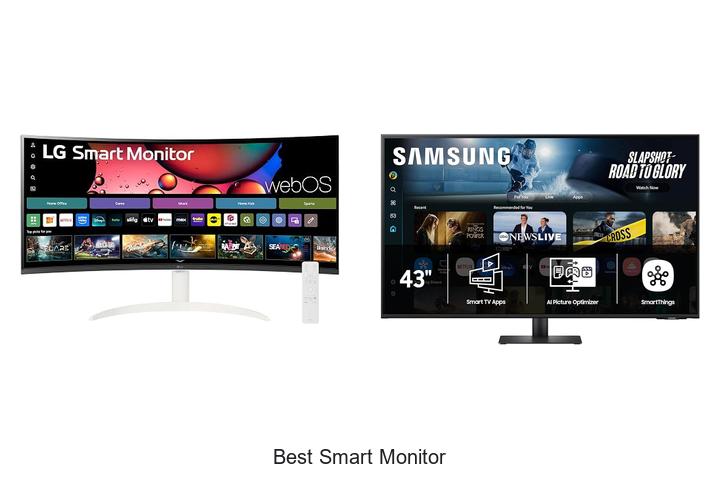
In an era where display technology intersects seamlessly with IoT connectivity, the evolution of smart monitors represents a transformative leap in user experience. Featuring high-resolution panels, adaptive refresh rates, and integrated operating systems, these devices function beyond traditional screens, offering connectivity with streaming platforms, voice assistants, and wireless peripherals. As the market increasingly demands multifunctional displays capable of supporting work, entertainment, and smart home integration, identifying the best smart monitor involves evaluating factors such as color accuracy, latency, and software compatibility.
Whether for a professional creative setup or a versatile home office, understanding the nuanced advancements that distinguish top-tier models is essential. Dive deeper into the comprehensive analysis of the best smart monitor options and discover which features are redefining productivity and entertainment.
Discover Top Picks That Elevate Your Viewing Experience to the Next Level
| Image | Product | Price |
|---|---|---|
Our Picks 1 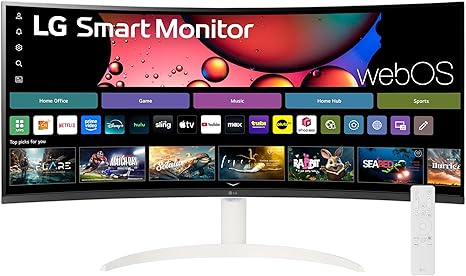 | LG 34SR60QC-W 34-inch Curved Smart Monitor | Check Price On Amazon |
Our Picks 2 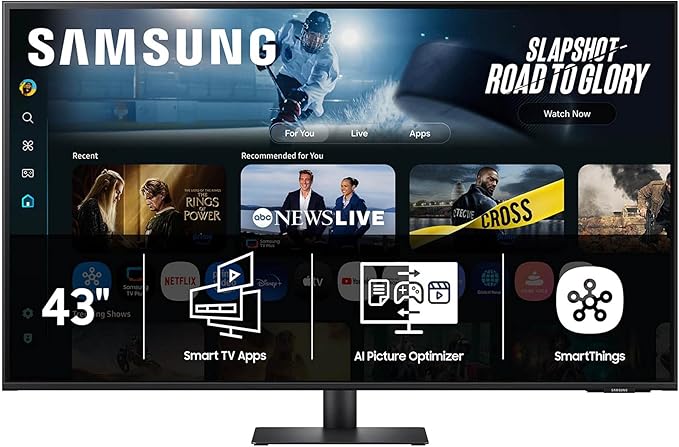 | Samsung M7 43-Inch 4K UHD Smart Monitor | Check Price On Amazon |
Our Picks 3  | Samsung 27-Inch M5 Series Smart Monitor LS27FM503ENXZA | Check Price On Amazon |
1. LG 34SR60QC-W 34-inch Curved Smart Monitor
Experience immersive productivity and entertainment with the LG 34SR60QC-W 34-inch Curved Smart Monitor. Its expansive 21:9 ultrawide QHD display offers an engaging panoramic view, designed to boost multitasking efficiency while delivering stunning visuals for gaming and streaming alike.
Equipped with LG’s webOS23, users gain instant access to popular streaming platforms like Netflix and Disney+, alongside over 300 free channels. The 1800R curved screen enhances immersion, paired with HDR10 and 99% sRGB for vibrant, true-to-life colors.
Pros
- UltraWide 21:9 QHD curved display with 1800R curvature for an expansive, cinematic experience
- Built-in webOS23 platform providing direct streaming access without needing a separate device
- High color accuracy with 99% sRGB gamut and HDR10 for enhanced picture quality
Cons
- Magic Remote sold separately, adding to the overall cost for voice control convenience
Blending style, flexibility, and vivid imagery, the LG 34SR60QC-W stands out among best smart monitors by offering a versatile solution tailored for work, entertainment, and seamless connectivity. Ideal for users who want more screen real estate with smart features built-in, it strikes a perfect balance between form and function.
2. Samsung M7 43-Inch 4K UHD Smart Monitor
Discover the Samsung M7 43-Inch 4K UHD Smart Monitor, a versatile display that transforms your workspace and entertainment setup. Combining vibrant 4K visuals with smart features, it delivers an immersive viewing experience suited for streaming, gaming, and productive multitasking, all in one sleek design.
This monitor offers instant access to streaming platforms and Samsung TV Plus for live and on-demand content. Equipped with AI Picture Optimizer, it adjusts visuals for comfortable document work or rich gaming immersion.
Secure Samsung Knox technology protects your data, while AI-enhanced audio adapts to noisy environments to ensure clear dialogue every time.
Pros
- 4K UHD resolution with HDR10 ensures stunning, detailed image quality for both work and entertainment.
- Smart home integration allows device management via a 3D Map View and energy-saving controls.
- Multiple connectivity options including USB-C, HDMI, and USB-A support seamless device connections without extra adapters.
Cons
- 60 Hz refresh rate may not satisfy users seeking ultra-high refresh rates for competitive gaming.
The Samsung M7 43-Inch Smart Monitor stands out as an all-in-one solution blending exceptional 4K visuals with smart, secure features that cater to home entertainment and productivity alike. Its rich connectivity and innovative AI capabilities position it ahead of many traditional monitors in its class.
3. Samsung 27-Inch M5 Series Smart Monitor LS27FM503ENXZA
Experience seamless entertainment and productivity with the Samsung 27-Inch M5 Series Smart Monitor LS27FM503ENXZA, a versatile display that combines streaming, gaming, and smart connectivity in one sleek package. Designed for users who want more than just a monitor, it transforms your workspace and living area alike.
Enjoy access to numerous streaming apps and free channels like Samsung TV Plus without needing extra devices. The Samsung Gaming Hub lets you dive into top games effortlessly, while Adaptive Sound enhances your audio experience by tailoring soundscapes in real-time.
Pros
- Built-in access to popular streaming apps and free Samsung TV Plus channels for diverse entertainment.
- Samsung Gaming Hub provides instant gaming without the need for a PC or console.
- Adaptive Sound technology delivers immersive, optimized audio for every scene.
Cons
- 60 Hz refresh rate may be less ideal for professional gamers seeking ultra-high performance.
The Samsung M5 Smart Monitor stands out in the crowded monitor market by integrating entertainment and productivity features rarely seen in similar models, offering excellent value for users who want a smart, all-in-one display solution at an affordable price.
4. Samsung M7 32-inch 4K UHD Smart Monitor

Discover unmatched versatility and stunning visuals with the Samsung M7 32-inch 4K UHD Smart Monitor. Designed to merge entertainment, productivity, and smart home control in one sleek display, it redefines what a monitor can do for your living and working spaces.
Featuring a 4K UHD resolution and AI Picture Optimizer, this monitor delivers crystal-clear images optimized for every use—from document work to immersive gaming. Stream your favorite shows directly or enjoy Samsung TV Plus. Smart home integration and advanced security with Samsung Knox elevate daily convenience and peace of mind.
Pros
- 4K UHD clarity with AI-enhanced picture quality ensures vibrant, detailed visuals.
- Integrated Samsung Gaming Hub enables access to top games without additional hardware.
- Smart home device control with a 3D Map View simplifies managing connected devices and energy use.
Cons
- 60Hz refresh rate may not satisfy users seeking ultra-high refresh rates for competitive gaming.
Combining productivity tools, entertainment options, and smart home management, the Samsung M7 offers exceptional value for users seeking an all-in-one monitor. It stands out against traditional monitors by integrating these innovative features that enhance everyday digital experiences.
5. Samsung 32-Inch M5 Series FHD Smart Monitor LS32FM502ENXZA

Experience seamless entertainment and productivity with the Samsung 32-Inch M5 Series FHD Smart Monitor LS32FM502ENXZA. Designed to unify streaming, gaming, and work, this versatile monitor delivers vibrant visuals and rich audio, transforming your space into a dynamic multimedia hub.
Access all your favorite streaming apps directly on the matte finish 32-inch LED screen with 1920×1080 FHD resolution. Enjoy a 178-degree wide viewing angle and HDR10 support for lifelike picture quality.
Pros
- Built-in access to multiple streaming platforms and Samsung TV Plus for diverse content options
- Adaptive Sound technology optimizes audio based on scene analysis for immersive sound quality
- Samsung Gaming Hub enables gameplay from top streaming services without needing a separate console or PC
Cons
- 60Hz refresh rate may not satisfy high-end gaming enthusiasts seeking ultra-smooth responsiveness
Offering excellent value through its all-in-one media and work capabilities, the Samsung M5 Series smart monitor stands out as a solid choice in its class. It provides an engaging viewing experience and smart features usually found in higher-priced models, making it competitive against similar mid-range smart monitors.
6. LG 34 Curved UltraWide WQHD Smart Monitor

Experience exceptional productivity and entertainment with the LG 34 Curved UltraWide WQHD Smart Monitor. Its expansive 34-inch curved display delivers immersive visuals, making multitasking, gaming, and streaming seamless and engaging. Designed for versatility, this monitor blends cutting-edge technology with user-friendly smart features for a dynamic viewing experience.
Featuring a 3440×1440 resolution and a 21:9 aspect ratio, the UltraWide screen offers 34% more viewing space than standard displays. Equipped with LG’s webOS23, it provides instant access to popular streaming platforms like Netflix, Disney+, and HBO Max.
The included LG Magic Remote enables effortless navigation and voice control, while HDR10 and 99% sRGB color gamut deliver stunning, vivid images perfect for both work and play.
Pros
- Wide 21:9 curved display enhances multitasking and immersive viewing
- Integrated webOS23 supports direct streaming from popular services without additional devices
- LG Magic Remote provides intuitive control with voice command features
Cons
- Refresh rate of 100Hz is good but may not satisfy competitive gamers seeking higher Hz options
The LG 34 Curved UltraWide Smart Monitor stands out as a versatile solution for users who demand both productivity and entertainment in one. When compared to similar ultrawide monitors, its smart features and built-in streaming capabilities offer an edge for home and office environments, making it a valuable investment at $
7. LG 32U701SB-B 32-inch 4K UHD Computer Monitor

Elevate your workspace or entertainment setup with the LG 32U701SB-B 32-inch 4K UHD Computer Monitor, designed to deliver stunning visuals and smart functionality in one sleek package. Its vibrant 4K display and integrated webOS system provide a seamless experience for work, streaming, and gaming without the need for a PC.
Featuring a 3840×2160 resolution with HDR10 and a 90% DCI-P3 color gamut, this monitor offers crisp imagery and vivid colors. The alpha 7 AI Processor 4K Gen9 optimizes picture and sound intelligently, while webOS supports office apps and popular streaming platforms.
Gamers will appreciate LG’s Gaming Portal and cloud gaming options included.
Pros
- 4K UHD display with HDR10 and 90% DCI-P3 coverage ensures lifelike colors and sharp clarity
- webOS platform enables PC-free productivity and easy streaming from top apps like Netflix and Disney+
- AI-powered picture and sound enhancements for a customized, immersive viewing experience
Cons
- Refresh rate limited to 60Hz, which may not satisfy competitive gamers seeking higher frame rates
Offering a perfect balance between impressive image quality and smart, PC-free operation, the LG 32U701SB-B stands out as an excellent choice for professionals and entertainment lovers alike. While it doesn’t cater to high-speed gaming enthusiasts, it excels where clarity and versatility matter most at a competitive price point.
8. Samsung 32 M8 Series 4K UHD Smart Monitor

Discover exceptional clarity and smart convenience with the Samsung 32 M8 Series 4K UHD Smart Monitor. Designed for seamless streaming, productive work, and immersive gaming, it blends stunning visuals with smart home integration and advanced AI features to elevate your daily digital experience.
Featuring a 32-inch 4K UHD display, this monitor delivers vibrant, detailed images enhanced by HDR10+ and AI upscaling. Its AI Picture Optimizer adjusts visuals for comfortable work and rich gaming scenes, while Active Voice Amplifier ensures clear sound even in noisy environments.
Pros
- 4K UHD resolution with HDR10+ delivers lifelike, detailed visuals for work and entertainment.
- AI-powered optimizations enhance picture quality and audio clarity in varied environments.
- Integrated Samsung TV Plus and Gaming Hub provide direct access to streaming content and games without extra devices.
- Smart home device management through a 3D Map View enhances control and energy efficiency.
- Multiple connectivity options including USB-C, HDMI, and USB-A support versatile setups.
- Samsung Knox ensures robust, multi-layered security protecting your data and IoT connections.
Cons
- 60Hz refresh rate may limit performance for fast-paced competitive gaming compared to higher refresh monitors.
The Samsung 32 M8 Series Smart Monitor offers a compelling blend of sharp visuals, intelligent sound, and smart connectivity, making it a standout choice among 4K monitors. Especially ideal for users seeking a versatile display that doubles as a smart entertainment and home control hub, it balances features and price effectively.
9. LG 34SR63QA-W 34 Inch Curved UltraWide Monitor

Experience unparalleled productivity and entertainment with the LG 34SR63QA-W 34 Inch Curved UltraWide Monitor. Its expansive 34” 21:9 curved display provides immersive visuals perfect for multitasking, gaming, or binge-watching your favorite streaming content—all in stunning QHD resolution with vivid HDR10 colors.
Designed to enhance both work and play, this smart monitor features the latest webOS23 for seamless access to Netflix, Prime Video, Disney+, and more. The 1800R curvature combined with a 3440×1440 resolution delivers a panoramic cinema experience, while versatile connectivity options like USB-C and HDMI ports keep all your devices connected effortlessly.
Pros
- Immersive 34″ UltraWide 21:9 QHD curved screen with 1800R curvature enhances viewing comfort and productivity.
- Built-in webOS23 grants instant access to popular streaming services plus 300+ free LG Channels, eliminating the need for extra devices.
- Comprehensive connectivity including USB Type-C with 65W power delivery, multiple HDMI ports, USB 3.0 ports, and headphone jack for versatile usage.
Cons
- Refresh rate capped at 100Hz may not satisfy ultra-fast gaming enthusiasts seeking 144Hz or higher.
Balancing robust smart features with a sleek design and expansive display, the LG 34SR63QA-W stands out as an excellent choice for professionals and entertainment lovers alike, offering more than just a monitor but a complete desktop solution.
10. LG 32U889SA-W Smart Monitor 32-Inch Touchscreen

Discover the LG 32U889SA-W Smart Monitor, a versatile 32-inch 4K UHD touchscreen designed to enhance your work and entertainment experience. With its sleek design, seamless touchscreen functionality, and remarkable adjustability, this monitor adapts effortlessly to any environment, whether for productivity or leisure.
Featuring a vibrant IPS display with 95% DCI-P3 color accuracy and HDR10 support, the Smart Monitor Swing offers stunning visuals and broad viewing angles. Its rolling stand with 360-degree adjustability and portrait mode caters to personalized setups, while webOS integration delivers PC-free productivity and smooth media streaming.
Pros
- Flexible stand with tilt, swivel, height, and portrait adjustments plus a stable wheeled base for effortless mobility
- Multiple connectivity options, including three USB-C ports (65W power delivery) and two HDMI inputs for versatile device support
- Smart multitasking capabilities using the Switch app, enabling up to six customizable screen splits for improved workflow
Cons
- Refresh rate capped at 60Hz, which may not suit high-frame-rate gaming enthusiasts
Ideal for professionals and casual users alike, the LG 32U889SA-W Smart Monitor combines stunning 4K visuals with smart features and unmatched flexibility. Compared to similar monitors lacking touch functionality or mobility, it delivers a dynamic, all-in-one display that enhances both productivity and entertainment.
The Ultimate Guide to Choosing the Best Smart Monitor for Your Needs
Display Quality and Size
Screen resolution and clarity. Panel type (IPS, VA, etc.). Screen size suitability for use cases.Modern monitors come with a variety of ports and wireless options that significantly impact how easily they integrate with other devices such as laptops, smartphones, gaming consoles, and sound systems. Having multiple input and output options ensures seamless switching between devices without the need for extra adapters, enhancing overall convenience. Additionally, the availability of USB hubs or expansion slots allows users to connect peripherals like keyboards, mice, or external drives directly to the screen, reducing cable clutter and improving workspace organization.
Additionally, the availability of USB hubs or expansion slots allows users to connect peripherals like keyboards, mice, or external drives directly to the screen, reducing cable clutter and improving workspace organization.
Another important aspect is the ability to upgrade or add components over time. Some monitors support additional modules or accessories that expand their functionality, such as camera attachments or enhanced audio solutions, which can extend the device’s usefulness and adapt to changing needs.
Ensuring the monitor supports future connectivity standards also helps protect your investment by maintaining compatibility with upcoming technologies.
Smart Features and Connectivity
Operating system compatibility. Builtin apps and streaming services. Connectivity options (HDMI, USB, WiFi, Bluetooth).Smart features and connectivity play a crucial role in ensuring a seamless and versatile experience with your new monitor. Compatibility with your device’s operating system guarantees smooth integration, preventing any frustrating lag or limited functionality. Many models come equipped with a variety of built-in apps and streaming services, allowing direct access to entertainment without the need for additional devices.
Equally important are the available ports and wireless options such as HDMI, USB, WiFi, and Bluetooth, which determine how easily you can connect peripherals, external drives, and other gadgets. Having a diverse range of input and output choices ensures adaptability to evolving tech needs and maximizes the monitor’s usability over time.
Audio and Multimedia Capabilities
Builtin speakers quality. Support for external audio devices. Video and audio format compatibility.Audio and multimedia capabilities play a crucial role in maximizing the performance and enjoyment of a modern monitor. High-quality built-in speakers eliminate the immediate need for additional sound systems, perfect for casual viewing or work-related tasks.
Equally important is the range of supported video and audio formats, which ensures smooth playback of various media types without compatibility issues. Monitors that accommodate a broad spectrum of codecs and file standards allow seamless streaming, gaming, or productivity without frustrating interruptions or the need for converters.
This combination of strong integrated audio and flexible multimedia support helps future-proof your setup and elevates everyday usability.
Ergonomics and Design
Adjustable stand and mounting options. Bezels and aesthetic design. Port placement and accessibility.Seamless integration with other devices and future-proofing your setup rely heavily on the ports and connection options available on a monitor. A wide variety of inputs such as HDMI, USB-C, and DisplayPort not only ensures compatibility with different gadgets but also supports various video and audio formats. Additionally, having enough USB ports or hubs built into the monitor allows for convenient attachment of peripherals without cluttering your workspace.
Additionally, having enough USB ports or hubs built into the monitor allows for convenient attachment of peripherals without cluttering your workspace.
Another key factor involves the ability to enhance your workspace with additional modules or devices. Some monitors offer expandable features that enable the addition of accessories like webcams, speakers, or docking stations. This flexibility can significantly improve productivity and user experience by transforming the monitor into a multifunctional hub.
| Aspect | Benefit | Potential Impact |
|---|---|---|
| Multiple Input Options | Supports diverse devices without adapters | Reduces hassle and setup time |
| Built-in USB Hubs | Easy connection of peripherals | Minimizes desk clutter and cable mess |
| Expandable Features | Allows integration of additional accessories | Enhances functionality and customization |
Performance and User Experience
Refresh rate and response time. User interface and remote control functionality. Multitasking and smart assistant integration.Fast refresh rates and low response times are crucial for a smooth viewing experience, especially during fast-paced content like gaming or sports. A user-friendly interface combined with intuitive remote control functionality makes navigating apps and settings effortless, enhancing convenience. Seamless multitasking capabilities, such as split-screen or picture-in-picture modes, allow users to work efficiently without constantly switching between tasks.
Additionally, seamless integration with smart assistants enables voice commands for hands-free control, making everyday interactions quicker and more intuitive.
Price and Warranty Considerations
Budget and value for money. Warranty duration and customer support. Additional costs (subscriptions, accessories).Modern smart displays often come equipped with multiple ports and slots that determine how easily you can connect various devices such as external drives, gaming consoles, or streaming sticks. Having a variety of inputs and outputs ensures seamless integration with your existing gadgets and allows you to expand your setup over time without hassle.
Additionally, the ability to add peripherals like keyboards, mice, or soundbars greatly enhances the overall user experience, turning a simple screen into a versatile entertainment or productivity hub. Without adequate options, you might find your device limiting, forcing you to invest in adapters or new equipment sooner than expected. This flexibility can save both time and money, making it a crucial aspect to review before settling on a specific model.
FAQ’s
What Are The Key Features To Look For In The Best Smart Monitor?The best smart monitor should feature a high-resolution display with vibrant colors, built-in streaming apps, and seamless connectivity options like Wi-Fi and Bluetooth. Additionally, it should offer versatile compatibility with multiple devices and include user-friendly controls for an enhanced viewing experience.
How Does A Smart Monitor Differ From A Regular Computer Monitor?A smart monitor differs from a regular computer monitor by integrating built-in apps, internet connectivity, and sometimes voice control, allowing it to function independently without needing a separate computer. In contrast, a regular computer monitor only displays output from an external device and lacks these standalone smart features.
Which Brands Currently Offer The Best Smart Monitors In The Market?Brands like Samsung, LG, and Lenovo currently offer some of the best smart monitors in the market, known for their high-resolution displays and integrated smart features. These brands provide versatile options suitable for both productivity and entertainment purposes.
What Is The Ideal Screen Size And Resolution For A Smart Monitor?The ideal screen size for a smart monitor is typically between 24 to 32 inches, providing a comfortable viewing experience for both work and entertainment. A resolution of at least 1080p (Full HD) is recommended, with 4K (Ultra HD) preferred for sharper images and detailed visuals.
Can Smart Monitors Be Used For Both Work And Entertainment Purposes?Yes, smart monitors can be used for both work and entertainment purposes, offering features like high-resolution displays and internet connectivity. They allow users to easily switch between productivity tasks and streaming media or gaming.
Conclusion
In summary, the best smart monitor combines high-resolution display, seamless connectivity, and versatile smart features to enhance productivity and entertainment. Whether for work or leisure, choosing a model with reliable performance and user-friendly interface ensures a great experience. Investing in the right smart monitor can transform your digital workspace and simplify everyday tasks effectively.

- Discover the Best Smart Monitor for Ultimate Viewing Now! - October 10, 2026
- Best Small Monitor Picks That Will Blow Your Mind Today! - October 10, 2026
- Top Picks for the Best Monitor with Webcam You’ll Love! - October 10, 2026
