
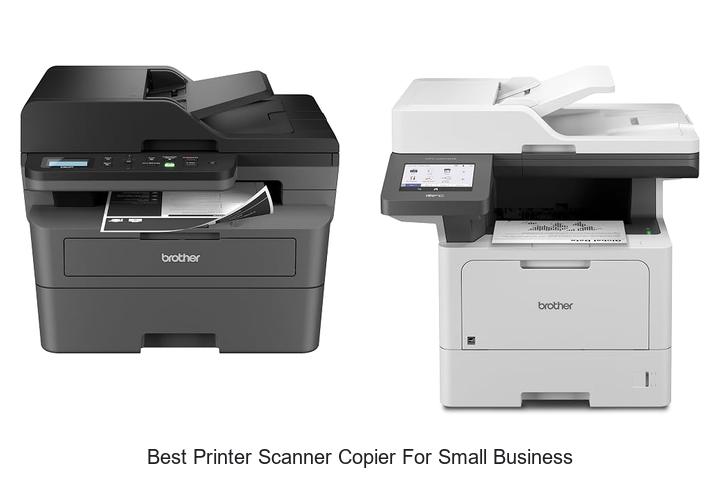
In the realm of office technology, multifunction devices that integrate printing, scanning, and copying capabilities have become indispensable tools for small business operations. When evaluating the best printer scanner copier for small business needs, factors such as print resolution, scanning speed, connectivity options, and duty cycle capacity play pivotal roles in determining efficiency and cost-effectiveness. Balancing these technical specifications with budget constraints often presents a challenge for entrepreneurs seeking to optimize workflow without compromising on quality or reliability.
Additionally, considerations around duplex functionality, wireless integration, and compatibility with various document management systems can significantly impact overall productivity. Navigating this complex landscape requires a clear understanding of how these features align with specific business demands.
Continue reading to explore the key attributes that define the best printer scanner copier for small business environments and how to select the optimal device for your unique requirements.
Explore Top Multi-Function Devices That Boost Efficiency and Save Space for Your Office Needs
| Image | Product | Price |
|---|---|---|
Our Picks 1  | Brother DCP-L2640DW Monochrome Wireless Multi-Function Printer | Check Price On Amazon |
Our Picks 2 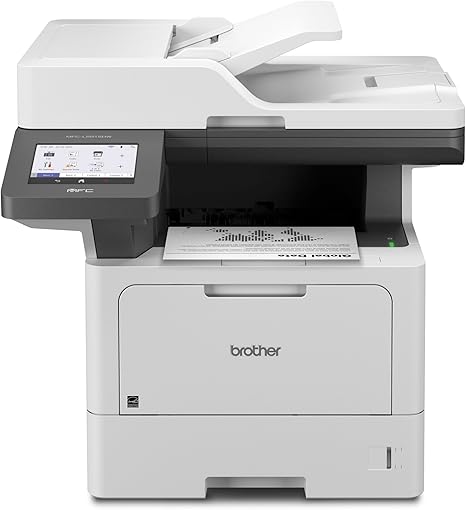 | Brother MFC-L5915DW Laser All-in-One Printer | Check Price On Amazon |
Our Picks 3  | Brother MFC-L8930CDW Color Laser All-in-One Printer | Check Price On Amazon |
1. Brother DCP-L2640DW Monochrome Wireless Multi-Function Printer
Discover the Brother DCP-L2640DW, a powerful monochrome wireless multi-function printer designed to boost productivity for small businesses. Its compact design delivers reliable, high-quality black and white prints while integrating scanning and copying capabilities to streamline everyday office tasks.
Equipped with fast print speeds up to 36 ppm and efficient scanning at 6 ipm (black) via a 50-page auto document feeder, this all-in-one solution supports dual-band wireless and Ethernet connectivity for versatile device integration. The Brother Mobile Connect app enhances remote management, ensuring smooth workflow on the go.
Pros
- High-speed printing and scanning with auto document feeder for multi-page jobs
- Flexible connection options including dual-band Wi-Fi, Ethernet, and USB
- Convenient mobile app for print and scan control, plus toner management
Cons
- Monochrome output only, limiting color printing needs
The Brother DCP-L2640DW stands out as an efficient, compact multi-function printer perfect for small business environments seeking dependable monochrome performance. Its combination of speed, connectivity, and user-friendly mobile controls make it a competitive choice among laser printers in its class.
2. Brother MFC-L5915DW Laser All-in-One Printer
The Brother MFC-L5915DW Laser All-in-One Printer is designed to meet the high demands of small business environments, delivering fast, reliable, and professional monochrome printing, scanning, and copying with ease. Its blend of speed and efficiency helps streamline your daily office tasks.
Equipped with a 5 color touchscreen and an auto document feeder capable of handling 70 pages, the device offers single-pass, two-sided scanning up to 56 images per minute. Print speeds reach up to 50 pages per minute with sharp 1200 x 1200 dpi output.
Flexible connectivity via Gigabit Ethernet and dual-band wireless networking allows seamless integration with multiple devices.
Pros
- Ultra high-yield toner cartridge reduces operating costs and increases productivity
- Fast print and scan speeds designed for busy office workflows
- Versatile connectivity options including wired, wireless, and USB host support
Cons
- Monochrome printing only, which may not suit businesses needing color output
For small businesses prioritizing speed, reliability, and cost-efficiency in black-and-white document management, the Brother MFC-L5915DW stands out as a top contender. Its balance of performance and low operating costs makes it a practical investment compared to similar multifunction printers in its class.
3. Brother MFC-L8930CDW Color Laser All-in-One Printer
Experience unparalleled efficiency with the Brother MFC-L8930CDW Color Laser All-in-One Printer, designed specifically to meet the demands of small businesses. Combining fast printing, advanced scanning, and reliable copying in a compact frame, it empowers your workspace with professional-quality color output and multifunction flexibility.
This versatile device delivers sharp color and black prints at speeds up to 33 pages per minute, supported by an intuitive 7” touchscreen. Its advanced scanning capabilities include two-sided scanning up to 104 images per minute and an 80-page automatic document feeder, perfect for high-volume tasks.
Pros
- High-speed duplex printing and advanced scanning optimize productivity for small business workflows.
- Cost-saving toner options with high-yield cartridges reduce operating expenses.
- Robust security features including NFC card reader and triple-layer protection ensure safeguarding of sensitive data.
Cons
- At 71.2 pounds, it may require dedicated space within smaller offices.
Balancing speed, security, and cost efficiency, the Brother MFC-L8930CDW stands out as the best printer scanner copier for small business environments seeking a reliable and feature-rich all-in-one device. Its combination of professional output and smart connectivity makes it a prudent investment over comparable multifunction printers.
4. Brother MFC-L2820DW Wireless Monochrome All-in-One Printer
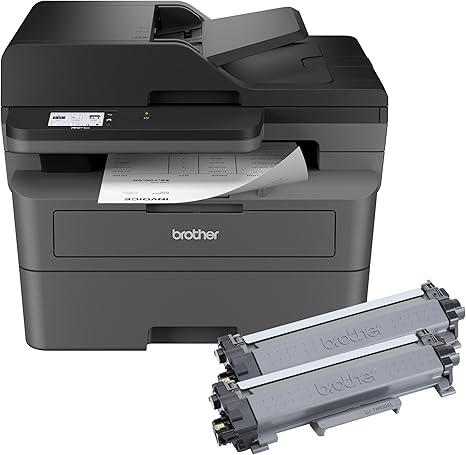
Discover the Brother MFC-L2820DW Wireless Monochrome All-in-One Printer, a powerful and compact solution tailored for small businesses seeking reliable performance. Combining printing, scanning, copying, and faxing capabilities, it offers efficient workflows without occupying excessive space, making it ideal for busy office environments.
Delivering sharp black and white laser prints at speeds up to 36 pages per minute, this multifunction device features a 50-page auto document feeder and a user-friendly 7 touchscreen. Flexible connectivity options include dual-band wireless, Ethernet, and USB, allowing seamless integration with laptops, smartphones, and tablets.
Pros
- High-yield in-box toner capable of printing up to 4,200 pages, significantly reducing operating costs
- Versatile multi-functionality incorporating copying, scanning, faxing, and auto-duplex printing for maximum productivity
- Supports cloud integration with popular apps such as Google Drive and Dropbox, streamlining business document management
Cons
- Monochrome printing only, which may limit use cases requiring color output
For small businesses prioritizing speed, efficiency, and cost-effectiveness in black and white document management, the Brother MFC-L2820DW stands out as a top option. Its combination of high yields, network-ready features, and easy operation makes it a sound investment compared to similar multi-function printers in its class.
5. HP OfficeJet Pro 8125 Wireless All-in-One Printer

Experience seamless productivity with the HP OfficeJet Pro 8125 Wireless All-in-One Printer, designed for small businesses and home offices seeking professional-quality color printing, scanning, and copying. Combining speed, smart features, and reliable connectivity, it elevates everyday document handling with ease and precision.
This all-in-one printer delivers fast output with up to 20 ppm black and 10 ppm color print speeds. The 7-inch touchscreen ensures intuitive control, while features like automatic two-sided printing and a 225-sheet input tray maximize efficiency. Wireless dual-band Wi-Fi and the HP app allow effortless printing and scanning from any device, enhanced by HP AI for perfectly formatted documents.
Pros
- High-speed printing up to 20 ppm black and 10 ppm color, ideal for busy offices
- Smart HP AI optimizes print formatting, reducing wasted pages and enhancing presentation
- Convenient wireless printing and scanning through the HP app with reliable dual-band Wi-Fi
Cons
- Requires original HP cartridges with embedded chips; non-HP cartridges are blocked
With robust security features, sustainable build using over 45% recycled plastic, and a one-year limited warranty, the HP OfficeJet Pro 8125 stands out as a valuable investment for small businesses prioritizing quality, convenience, and environmental responsibility. Its comprehensive feature set outperforms many competitors in the same category.
6. HP LaserJet Pro MFP 3101sdw All-in-One Printer

Discover the HP LaserJet Pro MFP 3101sdw All-in-One Printer, designed specifically to meet the needs of small businesses seeking efficiency and professional-quality black-and-white printing. This versatile device combines printing, scanning, and copying into one reliable machine, ensuring seamless workflow for busy small teams.
Delivering print speeds up to 35 ppm, the HP LaserJet Pro 3101sdw features wireless connectivity, a 250-sheet input tray, and a 50-sheet auto document feeder for enhanced productivity. Auto two-sided printing and a high-resolution LED display make managing documents effortless and precise.
Pros
- Fast monochrome printing at up to 35 pages per minute accelerates document handling.
- Comprehensive wireless printing support enables convenient mobile and remote operations.
- Auto duplex printing and 50-sheet auto document feeder save time and reduce paper waste.
Cons
- Compatibility restrictions require use of HP cartridges with specific chips, limiting third-party options.
Combining speed, reliability, and smart features, the HP LaserJet Pro MFP 3101sdw stands out as an ideal all-in-one choice for small businesses seeking the best printer scanner copier solution. Its balance of performance and convenience makes it a strong contender against similar office printers in its class.
7. HP OfficeJet Pro 9125 Wireless All-in-One Printer

Discover efficiency and professional quality with the HP OfficeJet Pro 9125 Wireless All-in-One Printer, tailored to meet the demanding needs of small businesses. Combining printing, scanning, copying, and faxing, it streamlines office workflows while delivering sharp, vibrant color documents at impressive speeds.
Equipped with fast print speeds up to 22 ppm (black) and 18 ppm (color), a 7-inch intuitive touchscreen, and robust wireless connectivity, this printer enhances productivity. Features like automatic two-sided printing and scanning, an auto document feeder, and HP’s AI-powered print formatting optimize performance for busy work environments.
Pros
- High-speed color and black printing ideal for professional-quality documents and marketing materials.
- Convenient 2.7-inch touchscreen with a phone-like interface simplifies navigation and operation.
- Advanced wireless capability with dual-band Wi-Fi ensures reliable connectivity and mobile device compatibility via the HP app.
Cons
- Requires use of original HP cartridges due to chip security, which may limit third-party ink options.
Balancing speed, quality, and convenience, the HP OfficeJet Pro 9125 offers exceptional value for small businesses seeking a reliable all-in-one solution. Its advanced features and secure operation make it a standout option among peer devices in its price range, ensuring optimized office productivity every day.
8. Brother Work Smart 1360 Wireless Color Inkjet All-in-One

Discover unparalleled efficiency with the Brother Work Smart 1360 Wireless Color Inkjet All-in-One, designed for the demands of small business environments. Combining printing, scanning, and copying capabilities in a compact, wireless package, it’s the perfect solution for managing everyday office documents with speed and vibrant color output.
Equipped with automatic duplex printing, a 20-sheet Automatic Document Feeder, and a 150-sheet capacity paper tray, this versatile device ensures productivity without frequent interruptions. Seamlessly connect via wireless or USB and enjoy mobile printing through the Brother Mobile Connect app, supporting popular cloud services like Google Drive and Dropbox for easy access and sharing.
Pros
- Compact all-in-one design ideal for home offices and small businesses to save space
- Supports automatic double-sided printing and a 20-sheet ADF for efficient multi-page handling
- Wireless and USB connectivity with mobile app integration for convenient remote operation
Cons
- Print speeds are moderate—up to 16 ppm black and 9 ppm color—which may be slower than some competitors in high-volume settings
For entrepreneurs seeking a reliable, space-saving device that combines quality print output with smart connectivity, the Brother Work Smart 1360 offers exceptional value. Its user-friendly features and cloud compatibility make it a strong contender for the best printer scanner copier for small business use, outpacing many similarly priced options.
9. Canon PIXMA TR7120 Wireless Color Inkjet Printer

Discover a versatile all-in-one solution designed for small business needs: the Canon PIXMA TR7120 Wireless Color Inkjet Printer combines high-quality printing, scanning, and copying in a compact, stylish package. Ideal for hybrid work environments, it delivers vibrant color output and seamless wireless functionality at an affordable price point.
Equipped with a 2-cartridge hybrid ink system, this printer provides sharp text and rich photos, while dual-band Wi-Fi ensures stable connections across your workspace. The Auto Document Feeder simplifies multi-page tasks, and automatic duplex printing helps save time and paper.
Pros
- High-quality prints with sharp text and vivid colors via hybrid ink technology
- Reliable wireless connectivity with dual-band Wi-Fi for flexible placement
- Auto Document Feeder and duplex printing boost efficiency and reduce paper use
Cons
- Maximum black-and-white copy speed of 11 pages per minute may be slower than some competitors
The Canon PIXMA TR7120 stands out as a budget-friendly, efficient choice for small businesses seeking reliable wireless printing and multifunction capabilities. Compared to similar models in its class, it offers exceptional print quality and user-friendly features, making it a practical investment for productivity and versatility.
10. Brother MFC-L3720CDW Wireless Color Laser Printer

Experience professional-grade printing with the Brother MFC-L3720CDW Wireless Color Laser Printer, designed to elevate small business productivity. Combining fast print speeds, vibrant color output, and versatile functionality, it’s perfectly suited for busy work environments demanding reliability and efficiency.
Equipped with a 50-sheet auto document feeder and a 250-sheet adjustable paper tray, this all-in-one device supports printing, scanning, and copying with automatic duplexing for double-sided output. Dual-band wireless and USB connectivity enable seamless interfacing with multiple devices, while the intuitive 5 touchscreen allows quick access to cloud services and customizable shortcuts.
Pros
- Impressive print speed of up to 19 pages per minute to handle demanding workloads efficiently.
- Advanced connectivity options including dual-band Wi-Fi and Wi-Fi Direct for versatile device integration.
- Smart 3.5″ color touchscreen with customizable shortcuts and direct cloud service access enhances workflow management.
Cons
- Relatively heavy at 44 pounds, which may affect portability for some users.
The Brother MFC-L3720CDW stands out as a reliable and feature-rich printer scanner copier ideal for small businesses seeking efficiency and quality. Compared to similar models, it offers superior connectivity and user-friendly controls, making it a smart investment for streamlined office operations.
Top Picks for the Best Printer Scanner Copier to Boost Your Small Business Efficiency
Functionality and Features
Allinone capabilities: printing, scanning, and copying. Duplex printing and scanning options. Wireless and mobile connectivity features.Devices that combine printing, scanning, and copying functions provide significant convenience and efficiency for small business environments by consolidating multiple tasks into a single machine. Features like duplex printing and scanning not only save paper but also streamline workflows by automating double-sided document handling, reducing manual effort and turnaround time. Additionally, the inclusion of wireless and mobile connection options allows employees to print or scan directly from smartphones, tablets, or laptops without the need for physical cables, promoting flexibility and ease of use across different workspaces.
Additionally, the inclusion of wireless and mobile connection options allows employees to print or scan directly from smartphones, tablets, or laptops without the need for physical cables, promoting flexibility and ease of use across different workspaces. These capabilities together enhance productivity and ensure the equipment can adapt to evolving office needs.
Print Quality and Speed
Resolution for text and images. Pages per minute (PPM) for black and color. First page out time.Print quality and speed are essential factors that significantly impact daily operations in a small business environment. High resolution ensures that both text documents and images come out crisp and professional-looking, which can enhance the perception of your brand.
For text, a resolution of at least 600 dpi is generally sufficient, while images benefit from higher dpi settings to capture finer details. Speed plays an equally vital role; printers with faster pages per minute (PPM) rates for black and color printing help reduce wait times and increase overall efficiency, especially during busy periods. Additionally, a quick first page out time means less downtime before you see your initial print, which is crucial for time-sensitive tasks.
Balancing these factors ensures that your device can keep up with the demands of a thriving small business without sacrificing quality or slowing down workflows.
Compatibility and Ease of Use
Operating system and device compatibility. User interface and touchscreen controls. Software integration and drivers.Devices that support a wide range of operating systems and multiple types of devices enhance workflow efficiency by allowing seamless printing, scanning, and copying from desktops, laptops, smartphones, and tablets alike. A user-friendly interface combined with intuitive touchscreen controls can significantly reduce the time spent navigating functions, minimizing errors and boosting productivity in a busy work environment. Additionally, reliable software integration and up-to-date drivers ensure smooth communication between the machine and your existing applications, helping to prevent compatibility issues and allowing for effortless document management across various platforms.
Cost and Consumables
Initial purchase price. Ink or toner cartridge costs and page yield. Availability of refill or highyield cartridges.Having multiple ways to connect a device to your office network or computers ensures smooth workflow and reduces downtime. Wireless options, such as Wi-Fi or Bluetooth, enable easy sharing among team members without the hassle of tangled cables, while wired ports like Ethernet provide a stable and fast connection for heavy usage.
- Wi-Fi and Mobile Printing support for flexible, remote access
- USB and Ethernet ports for direct and secure connectivity
- Additional paper trays or finishing units to handle larger volumes or specialized tasks
- Memory expansion slots to speed up complex scanning or copying jobs
| Connection Type | Advantages | Considerations |
|---|---|---|
| Wi-Fi | Wireless convenience, supports multiple users | Can experience interference or dropouts |
| Ethernet | Stable, fast data transfer | Requires cable setup, less flexible placement |
| USB | Simple plug-and-play for individual workstations | Limited to one device connection at a time |
Ensuring these features align with your office layout and workflow demands can enhance productivity and provide room for future growth without extra hassle or cost.
Size and Design
Footprint and space requirements. Paper capacity and input/output tray sizes. Build quality and durability.Modern office machines often come with various options to connect wirelessly, via Ethernet, or through USB, making it easier for multiple users to access and share resources efficiently. It’s also useful to check how many ports and slots the device offers, as this affects the ability to add external accessories such as additional paper trays, memory upgrades, or specialized finishing features. Having flexible interface options reduces workflow interruptions and supports growing business needs without frequently replacing equipment.
Having flexible interface options reduces workflow interruptions and supports growing business needs without frequently replacing equipment.
- Availability of wireless and wired connections for seamless integration with existing networks.
- Number and type of ports allowing attachment of extra hardware like memory cards or external storage.
- Compatibility with mobile printing solutions and cloud services to boost productivity.
- Future-proofing through easy upgrades and additional modules to accommodate increased workload.
Support and Warranty
Manufacturer warranty terms. Customer service and technical support. Availability of replacement parts and service centers.Reliable manufacturer warranty terms provide peace of mind by covering repairs or replacements for a specified period, protecting your investment against unexpected malfunctions. Strong customer service and technical support play a crucial role in resolving any issues promptly, minimizing downtime and ensuring smooth operation. Additionally, easy access to replacement parts and nearby service centers helps maintain the device’s longevity without long delays or excessive costs, which is especially valuable for small business environments where efficiency is key.
FAQ’s
What Are The Top Features To Look For In A Printer Scanner Copier For Small Business Use?The top features to look for in a printer scanner copier for small business use include high-quality printing and scanning resolution, fast print speeds, reliable connectivity options (such as Wi-Fi and mobile printing), and multifunction capabilities like automatic document feeders and duplex printing. Additionally, cost-effective ink or toner usage and robust security features are essential for efficient and secure business operations.
Which Printer Scanner Copier Brands Offer The Best Value For Small Businesses?Brands like Brother, Canon, and Epson offer the best value for small businesses by providing reliable, multi-functional printer scanner copiers with affordable maintenance and high-quality output. These brands balance cost-effectiveness with performance, making them ideal for everyday office tasks.
How Do All-In-One Printer Scanner Copier Machines Improve Office Efficiency For Small Businesses?All-in-one printer scanner copier machines improve office efficiency for small businesses by consolidating multiple functions into a single device, saving space and reducing equipment costs. They streamline workflows with faster document handling and simplified operation, enabling employees to complete tasks quickly and effectively.
What Is The Average Cost Of A Reliable Printer Scanner Copier Suitable For Small Business Needs?The average cost of a reliable printer scanner copier suitable for small business needs typically ranges between $150 and $400. Prices vary based on features, brand, and print volume capacity.
Are Wireless Printer Scanner Copier Models Better Suited For Small Businesses Compared To Wired Ones?Wireless printer scanner copier models offer greater flexibility and convenience for small businesses by enabling easy sharing across multiple devices without the need for physical connections. However, wired models may provide more stable and faster connections, making them better suited for environments requiring high reliability and consistent performance.
Conclusion
Choosing the best printer scanner copier for a small business depends on reliability, print quality, and multifunction features. Look for models offering fast printing, clear scanning, and efficient copying to streamline your tasks. Investing in an all-in-one device saves space and boosts productivity, making it essential for any growing small business seeking convenience and cost-effectiveness.

- Discover the Best Smart Monitor for Ultimate Viewing Now! - October 10, 2026
- Best Small Monitor Picks That Will Blow Your Mind Today! - October 10, 2026
- Top Picks for the Best Monitor with Webcam You’ll Love! - October 10, 2026
