
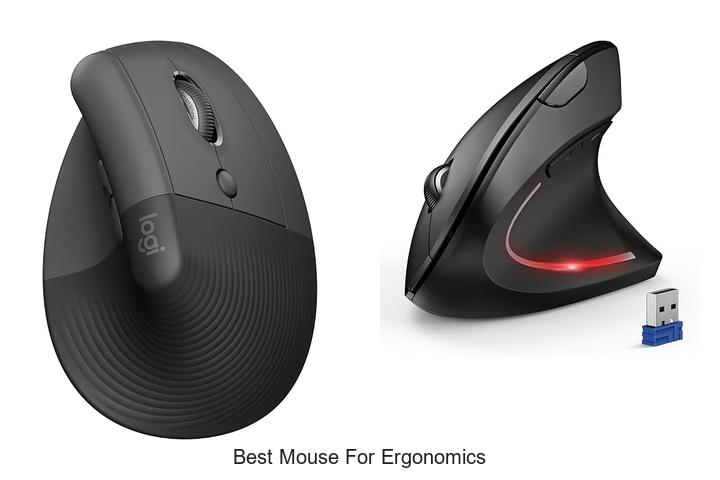
Optimal hand positioning, reduced ulnar deviation, and minimized wrist extension are critical factors in preventing repetitive strain injuries during prolonged computer use. Selecting the best mouse for ergonomics involves understanding the nuances of hand anatomy and the biomechanics of movement to promote comfort and efficiency. Ergonomic mice are engineered to align with the natural curvature of the hand, supporting a neutral wrist posture and encouraging precise control without excessive muscle tension.
As workplace health increasingly prioritizes injury prevention and productivity, identifying devices that cater to these technical requirements has become essential. Delving into the features that distinguish an ergonomic mouse from standard options reveals insights that can transform daily computer interactions and long-term well-being.
Continue exploring to uncover what truly defines the best mouse for ergonomics in today’s diverse market.
Discover the Top Picks Designed to Keep Your Hands Comfortable All Day Long
| Image | Product | Price |
|---|---|---|
Our Picks 1  | Logitech Lift Vertical Ergonomic Wireless Mouse | Check Price On Amazon |
Our Picks 2  | TECKNET Wireless Bluetooth Vertical Ergonomic Mouse | Check Price On Amazon |
Our Picks 3  | Anker Wireless Ergonomic Right-Hand Vertical Mouse | Check Price On Amazon |
1. Logitech Lift Vertical Ergonomic Wireless Mouse
Discover unparalleled comfort and productivity with the Logitech Lift Vertical Ergonomic Wireless Mouse, designed to reduce wrist strain while supporting a natural hand posture. Perfectly crafted for small to medium right hands, it redefines ergonomic design for the modern workspace.
Featuring a 57-degree vertical angle, this mouse encourages a neutral forearm position, easing daily stress on your wrist. Equipped with customizable buttons, whisper-quiet clicks, and the innovative SmartWheel, it ensures precise control and smooth scrolling. Connectivity options include Bluetooth Low Energy and Logi Bolt USB, supporting multiple operating systems with up to two years of battery life.
Connectivity options include Bluetooth Low Energy and Logi Bolt USB, supporting multiple operating systems with up to two years of battery life.
Pros
- Ergo-certified design promotes natural wrist posture and reduces fatigue.
- Long-lasting battery life of up to 24 months with included lithium polymer battery.
- Wide device compatibility including Windows, macOS, iPadOS, Chrome OS, and Linux.
Cons
- Right-hand orientation limits use for left-handed individuals.
Combining ergonomic excellence with wireless convenience, the Logitech Lift Vertical Mouse offers an ideal balance for users seeking comfort and efficiency. Compared to traditional mice, it significantly reduces wrist discomfort, making it a wise investment for long hours at the desk.
2. TECKNET Wireless Bluetooth Vertical Ergonomic Mouse
Discover exceptional comfort and seamless functionality with the TECKNET Wireless Bluetooth Vertical Ergonomic Mouse. Designed to reduce wrist strain while enhancing productivity, this mouse combines innovative ergonomic design with versatile connectivity options, making it an ideal choice for users seeking comfort and efficiency in their daily computing tasks.
Equipped with Bluetooth 0/0 and 4GHz USB modes, it supports up to three device connections, offering effortless switching. The vertical design positions your hand naturally to alleviate wrist discomfort. With six adjustable DPI levels reaching up to 4800 and near-silent clicks, the mouse ensures a smooth, distraction-free experience on multiple surfaces.
Pros
- Multi-device connectivity via Bluetooth and 2.4GHz USB for enhanced versatility and productivity.
- Ergonomic vertical design reduces wrist strain, ideal for users experiencing discomfort from traditional mice.
- Adjustable DPI settings up to 4800 allow precise control tailored to various tasks and surfaces.
Cons
- Designed exclusively for right-handed users, limiting options for left-handers.
Balancing ergonomic innovation with practical features, the TECKNET vertical mouse provides a user-friendly solution for those prioritizing wrist health without sacrificing performance. Its competitive price point and extended warranty further make it a compelling option compared to similar ergonomic mice on the market.
3. Anker Wireless Ergonomic Right-Hand Vertical Mouse
Enhance your computing experience with the Anker Wireless Ergonomic Right-Hand Vertical Mouse, designed to prioritize comfort and reduce wrist strain. Its innovative vertical design encourages a natural hand position, making long hours at the computer more comfortable and productive.
This wireless mouse connects via a 4 GHz USB receiver, offering precise optical tracking with three adjustable DPI settings: 800, 1200, and It features five buttons, including convenient next and previous page navigation, ideal for web browsing, gaming, or professional use. Energy-efficient with automatic power-saving mode, it ensures long-lasting use without frequent battery changes.
Energy-efficient with automatic power-saving mode, it ensures long-lasting use without frequent battery changes.
Pros
- Ergonomic vertical design reduces wrist and arm strain by promoting a natural handshake position
- Adjustable DPI settings (800/1200/1600) for smooth and precise cursor control across various surfaces
- Wireless connectivity with a reliable 2.4 GHz USB receiver offering up to 5 meters range
Cons
- Key click sounds may be noticeable during use, which could be distracting in quiet environments
Overall, the Anker Wireless Ergonomic Vertical Mouse stands out as a cost-effective and thoughtfully engineered solution for users seeking ergonomic comfort and responsive performance. It competes well with similar vertical mice by combining comfort, precision, and energy-saving features—all backed by an 18-month warranty for confidence in your purchase.
4. ProtoArc EM11 NL Wireless Ergonomic Vertical Mouse

Experience a new level of comfort and productivity with the ProtoArc EM11 NL Wireless Ergonomic Vertical Mouse. Designed to reduce wrist strain and align perfectly with your natural grip, it’s an ideal choice for users seeking the best mouse for ergonomics in everyday computing tasks.
Specifically tailored for small to medium hands (under 5 inches), this vertical mouse supports up to three simultaneous device connections via Bluetooth and 4G USB-A, features adjustable DPI settings for precision, and includes a rechargeable battery for extended use without interruptions.
Pros
- Ergonomic vertical design reduces wrist and forearm strain, promoting a healthier posture during long work sessions.
- Multi-device connectivity allows seamless switching between three devices using Bluetooth and USB-A receiver.
- Adjustable DPI settings (1000/1600/2400) enable precise control to suit various tasks from casual browsing to detailed graphic work.
Cons
- Initial learning curve due to vertical grip may require 1–2 weeks to fully adapt for some users.
Combining thoughtful ergonomic design with versatile connectivity and quiet operation, the ProtoArc EM11 NL stands out among vertical mice under $ It is an excellent investment for anyone looking to alleviate wrist discomfort while maintaining productivity across multiple devices.
5. Logitech MX Vertical Wireless Mouse Graphite

Experience the perfect blend of comfort and precision with the Logitech MX Vertical Wireless Mouse Graphite. Designed to promote natural wrist posture and reduce muscle strain, it redefines ergonomic usage for professionals seeking efficiency without compromising on health.
Featuring a unique 57° vertical angle and a natural handshake grip, this mouse minimizes wrist pressure and decreases muscular activity by 10%. Equipped with a high-precision 4000 DPI optical sensor, it ensures smooth tracking with 4x less hand movement, complemented by a textured rubber surface for a secure, comfortable hold throughout long work sessions.
Pros
- Ergonomist-approved design promotes improved wrist posture and reduces muscle strain
- High-precision 4000 DPI sensor allows for faster, more accurate cursor control with adjustable DPI speed
- Wireless connectivity with up to 4 months battery life and compatibility across Windows, macOS, Linux, iPadOS, and Android
Cons
- Right-hand orientation limits use for left-handed users
Combining advanced ergonomic engineering with superior tracking technology, the Logitech MX Vertical Wireless Mouse is an excellent choice for those prioritizing wrist health and productivity. It stands out among ergonomic mice, offering reliable wireless performance and long battery life for everyday professional use.
6. Logitech Lift Vertical Wireless Mouse Rose

Experience unparalleled comfort and productivity with the Logitech Lift Vertical Wireless Mouse Rose, expertly crafted to support healthy wrist posture. Ideal for small to medium right hands, this ergonomic mouse reduces strain with its vertical design, promoting a natural forearm position throughout your workday.
Featuring a softly textured grip and custom thumb rest, the Lift mouse delivers a cozy hold alongside whisper-quiet clicks and a SmartWheel for seamless scrolling. Its wireless connectivity options, including Bluetooth Low Energy and Logi Bolt USB, ensure versatile compatibility across Windows, macOS, iPadOS, Chrome OS, and Linux platforms.
Pros
- Ergonomically certified vertical design reduces wrist strain and enhances comfort
- Long-lasting battery life of up to 24 months with included rechargeable lithium polymer battery
- Customizable buttons and smooth SmartWheel scrolling optimize workflow efficiency
Cons
- Designed specifically for right-handed users, limiting ambidextrous usability
With its focus on ergonomic support and versatile connectivity, the Logitech Lift Vertical Wireless Mouse Rose is a smart upgrade for anyone seeking comfort without compromising on functionality. Compared to traditional flat mice, it encourages healthier hand positioning, making it a top choice in ergonomic peripherals.
7. Lekvey Ergonomic Rechargeable Vertical Wireless Mouse

Discover unparalleled comfort and efficiency with the Lekvey Ergonomic Rechargeable Vertical Wireless Mouse, designed specifically to reduce wrist strain and promote healthy hand positioning. Its sleek vertical design offers an innovative alternative to traditional mice, making it an ideal choice for those seeking relief from discomfort caused by extended computer use.
Featuring a scientific ergonomic build that encourages a natural handshake posture, this wireless mouse boasts customizable DPI settings (800/1200/1600) and dedicated page navigation buttons for enhanced productivity. With a rechargeable battery providing up to 150 hours of use, plus broad compatibility across Windows, Linux, and Mac OS, it seamlessly integrates into any workspace.
Pros
- Ergonomic vertical design significantly reduces wrist pain after a short adjustment period.
- Long-lasting rechargeable battery eliminates the need for disposable batteries, offering up to 150 hours per charge.
- Convenient page back and forward buttons improve web browsing efficiency.
Cons
- May require an initial adjustment period for users accustomed to traditional horizontal mice.
For individuals prioritizing ergonomic health and seamless wireless performance, the Lekvey vertical mouse stands out as a top contender. Its blend of comfort, functionality, and compatibility makes it an excellent upgrade over standard mice, especially for those experiencing repetitive strain or carpal tunnel symptoms.
8. UGREEN Ergonomic Wireless Mouse

Discover comfort and efficiency with the UGREEN Ergonomic Wireless Mouse, expertly crafted to support natural hand posture and alleviate wrist strain. Ideal for extended computer use, its vertical design promotes healthier ergonomics without sacrificing functionality, making it a top contender among ergonomic mice in its class.
Featuring a quiet 5-button layout and adjustable DPI settings (1000 to 4000), this mouse adapts seamlessly to tasks from detailed editing to fast navigation. Dual connectivity via Bluetooth and 4G wireless, combined with long battery life and broad system support, ensures versatile use for various devices and environments.
Pros
- Ergonomic vertical design reduces wrist rotation and muscle fatigue for enhanced comfort over prolonged sessions.
- Adjustable DPI levels and quiet-click buttons improve precision and maintain a distraction-free workspace.
- Dual wireless connectivity and compatibility across Windows, macOS, Linux, ChromeOS, and Android provide flexible device pairing and convenience.
Cons
- Ambidextrous design may not perfectly fit smaller hands or left-handed users looking for a tailored ergonomic shape.
Combining thoughtful ergonomic design with advanced wireless technology, the UGREEN Ergonomic Wireless Mouse offers a balanced solution for users prioritizing comfort and productivity. It stands out as an affordable alternative to premium ergonomic mice, delivering excellent value without compromising performance.
9. TECKNET Wireless Ergonomic Vertical Mouse

Discover the TECKNET Wireless Ergonomic Vertical Mouse, expertly crafted to enhance comfort and productivity. Its innovative 52° vertical design minimizes wrist strain, making it an ideal choice for those seeking ergonomic support during long hours at the computer.
Boasting versatile Bluetooth 0/0 and 4G connectivity options, this mouse ensures seamless multi-device switching. Equipped with a rechargeable 600mAh battery, whisper-quiet clicks, and adjustable 4800 DPI precision, it balances durability with exceptional performance for work, gaming, and travel.
Pros
- Ergonomic 52° vertical angle promotes a natural handshake grip, reducing forearm and wrist fatigue.
- Long-lasting rechargeable battery supports up to 2 months of usage on a 1.5-hour charge.
- Six customizable buttons with 4800 DPI sensitivity cater to diverse tasks and precise control.
Cons
- Forward and Back buttons are not functional on Mac systems.
Combining ergonomic design with advanced wireless capabilities, the TECKNET Vertical Mouse is an excellent choice for comfort-conscious users seeking efficient workflow support. Its competitive pricing and robust feature set offer a distinct advantage over similar mice lacking comprehensive connectivity or battery longevity.
10. Logitech Ergo M575S Wireless Bluetooth Trackball Mouse

Discover the Logitech Ergo M575S Wireless Bluetooth Trackball Mouse, designed to provide unmatched ergonomic comfort and precision. Its sculpted shape reduces muscle strain and encourages healthy forearm posture, making it an ideal choice for those seeking the best mouse for ergonomics during long hours of computer use.
Featuring a thumb-controlled trackball for cursor movement without hand motion, the Ergo M575S offers quiet clicks, customizable buttons, and adjustable cursor speed via the Logi Options+ app. With Bluetooth and USB connectivity, plus an 18-month battery life, it seamlessly fits into any workspace while using recycled plastic materials for sustainability.
Pros
- Ergonomically sculpted design reduces forearm muscle strain by 25%, certified by ergonomists for all-day use.
- Three customizable buttons and Smart Actions enhance productivity with personalized shortcuts.
- Long-lasting battery life of up to 18 months on a single AA battery, supporting Bluetooth and Logi Bolt USB receiver connection.
Cons
- Trackball cleaning requires manual ejection of the ball for maintenance, which may be inconvenient for some users.
The Logitech Ergo M575S stands out as a premium ergonomic mouse that combines comfort, control, and sustainability. Ideal for users who demand precision with reduced physical strain, it compares favorably against traditional mice by minimizing hand movement and supporting better posture throughout the workday.
Discover Comfort: How to Choose the Best Mouse for Ergonomics
Ergonomic Design Features
Shape and contouring for hand comfort. Thumb and pinky support. Vertical vs. horizontal mouse design. Size and weight considerations.Having multiple options for how a device connects to your computer can significantly impact both convenience and functionality. Wireless technology offers freedom of movement without cable clutter, while wired connections ensure a more stable and lag-free experience, which is especially useful during precise tasks.
Additionally, the ability to add extra peripherals or accessories through additional ports enhances the device’s versatility, allowing it to adapt as your setup evolves. This flexibility ensures that the device not only fits your immediate ergonomic needs but can also grow with your workspace, providing long-term comfort and efficiency.
Grip Style Compatibility
Understanding different grip types (palm, claw, fingertip). Matching mouse shape to grip style. Impact on comfort and wrist strain.Having multiple options to connect a mouse to your device, such as Bluetooth, USB receiver, or wired connections, ensures greater flexibility and compatibility with various setups. Additionally, the availability of extra ports or slots on the mouse can allow for attaching accessories or upgrading features, which enhances overall functionality and convenience.
- Wireless options reduce cable clutter and allow free movement.
- Wired connections can offer more stable and lag-free performance.
- Extra USB pass-through ports or customizable slots can support peripherals or enhance customization.
- Compatibility with different operating systems and devices ensures seamless integration.
Adjustability and Customization
Programmable buttons and functions. Adjustable DPI and sensitivity settings. Customizable angles and tilt options.Having programmable buttons and functions can significantly enhance productivity by allowing users to tailor the mouse to their specific workflow needs. Adjustable DPI and sensitivity settings provide the flexibility to switch between precision tasks and faster cursor movements effortlessly, ensuring comfort and efficiency throughout extended use.
Material and Build Quality
Surface texture for grip. Durability and quality of materials. Breathability to reduce sweating.Ensuring seamless interaction between the mouse and your device is crucial for maintaining productivity and comfort throughout the day. Devices that offer versatile connection options, such as Bluetooth and USB receivers, provide flexibility in various setups, allowing easy switching between multiple devices.
Reliable and fast data transmission minimizes lag, which is essential for precise cursor movements and reduces strain caused by repeated corrections. Ensuring compatibility with different systems and future-proofing your setup can save you from frequent replacements, making your investment more worthwhile in the long run.
Connectivity and Compatibility
Wired vs. wireless options. Battery life and charging features. OS and device compatibility.Ergonomic mice come with a variety of connection options, such as wired and wireless, each offering distinct advantages. Wired models provide a stable, lag-free experience without worrying about battery life, while wireless versions offer greater flexibility and a clutter-free workspace.
Battery performance is crucial for wireless devices; models with long-lasting batteries and convenient charging features like USB-C or wireless charging pads help maintain uninterrupted use throughout the day. Additionally, compatibility with different operating systems and devices ensures the mouse functions seamlessly whether it’s connected to a Windows PC, Mac, or even a tablet. Checking these features guarantees the device will integrate smoothly into your setup without unexpected limitations.
Additional Ergonomic Considerations
Wrist rest and support accessories. Impact on posture and arm position. User reviews and expert recommendations.Many ergonomic mice offer compatibility with wrist rests and support accessories, which can play a crucial role in maintaining proper posture and reducing strain on the arm during extended use. These accessories help keep the wrist in a neutral position, minimizing the risk of repetitive stress injuries and enhancing overall comfort.
Expert recommendations frequently emphasize evaluating how easily a device integrates with these accessories, as this interaction significantly influences arm position and long-term comfort.
| Aspect | Impact on Comfort | User & Expert Input |
|---|---|---|
| Wrist Rests & Supports | Maintains neutral wrist alignment, reduces strain | Positive reviews mention enhanced support and less fatigue |
| Arm Position | Promotes natural arm posture, prevents awkward angles | Experts stress importance for long-term musculoskeletal health |
| Accessory Compatibility | Ease of integration determines effectiveness of ergonomic setup | Users often recommend models designed with accessory use in mind |
FAQ’s
What Features Should I Look For In The Best Ergonomic Mouse?The best ergonomic mouse should have a comfortable, natural shape that supports your hand posture and reduces strain, along with customizable buttons and adjustable sensitivity for personalized use. Additionally, it should offer smooth tracking and a durable build to ensure long-term comfort and productivity.
How Does An Ergonomic Mouse Help Reduce Wrist And Hand Strain?An ergonomic mouse is designed to fit the natural shape of your hand, promoting a more comfortable and neutral wrist position. This reduces muscle strain and pressure on nerves, helping to prevent discomfort and repetitive stress injuries.
Which Brands Are Known For Producing The Best Ergonomic Mice?Brands like Logitech, Microsoft, and Razer are known for producing some of the best ergonomic mice. These companies focus on comfort, design, and advanced features to reduce strain during extended use.
What Is The Difference Between Vertical And Traditional Ergonomic Mice?Vertical ergonomic mice are designed to keep the hand in a natural handshake position, reducing wrist strain and promoting better posture, while traditional ergonomic mice typically have a standard shape with added contours to support the hand but do not change the wrist’s orientation as much. This makes vertical mice more effective for minimizing repetitive strain injuries compared to traditional designs.
Can An Ergonomic Mouse Improve Productivity And Comfort During Long Computer Sessions?Yes, an ergonomic mouse can improve productivity and comfort during long computer sessions by reducing strain on the hand and wrist, which helps prevent fatigue and repetitive stress injuries. This allows users to work more efficiently and with less discomfort over extended periods.
Conclusion
In summary, choosing the best mouse for ergonomics is essential to reduce strain and enhance comfort during extended computer use. Look for designs that support natural hand positions, offer adjustable features, and minimize wrist movement. Prioritizing ergonomics not only improves productivity but also helps prevent repetitive strain injuries, promoting long-term health and comfort.

- Top Best Computer Speakers with Microphone for Clear Sound! - November 11, 2026
- Best Wired Computer Speakers That Blow Your Mind! - November 11, 2026
- Top Best External Speakers for Laptop Computers Revealed! - November 11, 2026
