
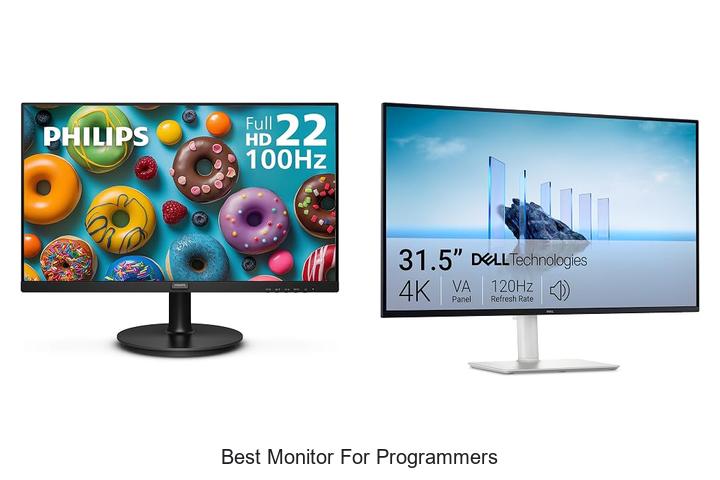
High-resolution displays, refresh rates, aspect ratios, and color accuracy are critical factors that influence the programming environment and overall productivity. When selecting the best monitor for programmers, considerations extend beyond mere screen size; variables such as pixel density, ergonomic adjustability, and connectivity options play pivotal roles in reducing eye strain and enhancing code readability. The intersection of hardware capabilities and software demands necessitates a display that supports multiple windows, intricate UI designs, and extensive text editing without compromise.
Understanding the nuances of monitor specifications can significantly impact a developer’s workflow, making it essential to evaluate the features that align with diverse programming tasks. This article delves into the key attributes and top choices that define the best monitor for programmers today, ensuring an optimized coding experience.
Top Picks to Boost Your Coding Efficiency and Comfort
| Image | Product | Price |
|---|---|---|
Our Picks 1  | Philips 221V8LB 22 Inch Computer Monitor | Check Price On Amazon |
Our Picks 2  | Dell S3225QS 32-inch 4K UHD Monitor | Check Price On Amazon |
Our Picks 3  | BenQ RD320U 32 4K Programming Monitor | Check Price On Amazon |
1. Philips 221V8LB 22 Inch Computer Monitor
Experience sharp visuals and smooth performance with the Philips 221V8LB 22 Inch Computer Monitor, an ideal choice for programmers seeking clarity and efficiency. Its Full HD display and wide viewing angles offer an immersive and comfortable workspace for extended coding sessions.
Equipped with a 100Hz refresh rate and Adaptive-Sync technology, this monitor delivers fluid visuals without stutter, enhancing your workflow and multimedia experience. The VA panel ensures vibrant contrast with deeper blacks and brighter whites, while the glossy screen finish highlights crisp details in every frame.
Pros
- Crisp Full HD 1920×1080 resolution for detailed and clear images
- 100Hz refresh rate combined with Adaptive-Sync for smooth motion and reduced screen tearing
- Wide 178° viewing angle maintains consistent colors from all perspectives
Cons
- Glossy screen finish may cause reflections under bright lighting conditions
The Philips 221V8LB strikes a balance between performance and affordability, making it a strong contender among budget-friendly monitors for programmers. Compared to other 22-inch models, its outstanding contrast ratio and fast refresh rate offer enhanced visual comfort during long work hours.
2. Dell S3225QS 32-inch 4K UHD Monitor
Experience stunning visual clarity and exceptional comfort with the Dell S3225QS 32-inch 4K UHD Monitor. Designed to elevate productivity and entertainment, this monitor combines vibrant color accuracy with modern ergonomics, making it an ideal choice for programmers and creative professionals seeking both precision and eye-friendly technology.
Offering a breathtaking 4K UHD resolution on a 32-inch VA panel, the Dell S3225QS supports 99% sRGB and 95% DCI-P3 color gamuts for lifelike visuals. The display features AMD FreeSync Premium with a 120Hz refresh rate and ultra-low 03ms response time for smooth, tear-free performance. Enhanced ComfortView Plus technology reduces harmful blue light, minimizing eye strain during extended use.
Pros
- Exceptional color accuracy with 99% sRGB and 95% DCI-P3 coverage ensures precise visuals.
- ComfortView Plus reduces blue light emissions to ≤35%, allowing longer work sessions without fatigue.
- Ultra-thin bezels and sleek ash white finish offer a refined, minimalist aesthetic suitable for modern workspaces.
Cons
- Price point is higher compared to standard monitors, reflecting its advanced features and 4K resolution.
The Dell S3225QS stands out as a premium monitor blending performance and comfort, making it a top pick for programmers and professionals who prioritize visual fidelity and eye health. While its cost is above average, the investment ensures durability and a superior viewing experience compared to typical monitors in its class.
3. BenQ RD320U 32 4K Programming Monitor
Elevate your programming experience with the BenQ RD320U 32 4K Monitor, designed specifically for developers who demand superior clarity and eye comfort. Combining a stunning 3840×2160 resolution with innovative eye-care technologies, it ensures long coding sessions remain productive and strain-free.
Engineered with a Nano Matte Panel, this monitor reduces reflections and distractions while delivering sharp visuals. Its exclusive Coding Modes feature dark and light themes that improve font distinction, complemented by advanced MoonHalo backlighting and night mode settings to protect your eyes during extended use.
Pros
- Ultra-high 4K resolution with 2000:1 contrast ratio for vibrant, detailed images.
- Specialized Coding Modes enhance font clarity and code differentiation, aiding prolonged programming tasks.
- Advanced eye-care technologies including MoonHalo backlight, night hours protection, and minimum brightness for reduced eye strain.
Cons
- Refresh rate capped at 60Hz, which might not suit users prioritizing ultra-smooth motion for gaming.
The BenQ RD320U stands out as an excellent choice for coders seeking a large, sharp display tailored for long hours of coding with optimal eye protection. Compared to other 4K monitors, its coding-specific modes and superior anti-reflective coating make it particularly programmer-friendly, offering exceptional value at its price point.
4. Sceptre Curved 24-inch Gaming Monitor C248W-1920RN

Experience immersive visuals with the Sceptre Curved 24-inch Gaming Monitor C248W-1920RN, designed to enhance productivity and comfort. Its 1800R curved display wraps the screen around your field of vision, providing an engaging and less straining viewing experience ideal for programmers and gamers alike.
Equipped with a 75Hz refresh rate, 220 cd/m² brightness, and a vibrant VA LED panel, this monitor delivers sharp, clear images with a wide 178-degree viewing angle. Multiple connectivity options including HDMI, VGA, and PC audio input ensure versatile compatibility, while its VESA mount readiness allows for flexible setup solutions.
Pros
- Immersive 1800R curved screen reduces eye strain and enhances focus during long coding sessions.
- 75Hz refresh rate with Adaptive Sync technology ensures smooth visuals and reduces screen tearing.
- Multiple input ports (HDMI, VGA, audio) provide broad compatibility for various devices and setups.
Cons
- Brightness level of 220 cd/m² may be lower than some high-end monitors, impacting performance in very bright environments.
Balancing affordable pricing with practical features, the Sceptre Curved 24-inch monitor delivers an excellent user experience for programmers seeking comfort and functionality. Compared to higher-priced alternatives, it provides a solid entry point without compromising essential display quality and versatility.
5. Acer KB220Q H2bi 21.5in FHD Office Monitor

Discover exceptional clarity and smooth performance with the Acer KB220Q H2bi 5in FHD Office Monitor.
Designed to bring vibrant visuals and seamless motion to your workspace, it enhances productivity with a sleek, nearly bezel-less design ideal for multi-monitor setups and prolonged use.
Featuring a Full HD 1920×1080 resolution and a 16:9 aspect ratio, this monitor delivers true-to-life colors and sharp details. Adaptive-Sync support ensures tear-free visuals by synchronizing the refresh rate with your graphics card, while a rapid 100Hz refresh rate and 1ms response time make transitions smooth and ghosting virtually nonexistent.
Pros
- Vibrant Full HD display with crisp color accuracy for detailed visuals
- Adaptive-Sync (FreeSync Compatible) for smooth, tear-free motion in video and gaming
- 100Hz refresh rate combined with 1ms response time reduces input lag for fluid action
- Near bezel-less ZeroFrame design maximizes viewing area and supports seamless multi-monitor setups
- Matte screen finish minimizes glare, ideal for extended work sessions
Cons
- Brightness level at 250 nits may be low for very brightly lit environments
For programmers and professionals seeking a budget-friendly yet efficient monitor, the Acer KB220Q H2bi combines essential features like crisp visuals, quick refresh rates, and adaptive sync technology. It stands out among similar models by offering enhanced motion clarity and a sleek design that suits multi-display setups.
6. BenQ RD280U 28.2 Programming Monitor

Elevate your programming experience with the BenQ RD280U 2 Programming Monitor, designed to maximize productivity and reduce eye strain. Its innovative Nano Matte Panel and specialized coding modes make it an ideal choice for developers seeking clarity and comfort during extended coding sessions.
Its innovative Nano Matte Panel and specialized coding modes make it an ideal choice for developers seeking clarity and comfort during extended coding sessions.
Engineered specifically for programmers, this monitor offers a 3:2 aspect ratio with a matte finish to minimize glare and reflections. The advanced MoonHalo backlight technology combined with Brightness Intelligence Gen2 provides eye-care features that help maintain focus and reduce fatigue. Its 60Hz refresh rate and 178-degree viewing angle deliver crisp visuals and comfortable viewing from any position.
Its 60Hz refresh rate and 178-degree viewing angle deliver crisp visuals and comfortable viewing from any position.
Pros
- Exclusive Nano Matte Panel reduces glare for clear, distraction-free coding.
- MoonHalo backlight and Brightness Intelligence Gen2 safeguard eyes during long hours.
- Optimal 3:2 aspect ratio enhances vertical space for better code visibility.
Cons
- 60Hz refresh rate may be limiting for users expecting higher frame rates.
Combining eye-care technology with programmer-centric features, the BenQ RD280U stands out as a reliable monitor for developers who prioritize comfort and code clarity. While similar offerings like standard 16:9 monitors offer wider screens, the 3:2 ratio here optimizes vertical space for efficient coding workflows.
7. BenQ RD280UA 28.2 4K Programming Monitor

Discover unparalleled clarity and comfort with the BenQ RD280UA 2 4K Programming Monitor, engineered specifically for programmers seeking an optimal coding environment. Its high-resolution Nano Matte Panel reduces glare and reflections, offering a focused, immersive workspace that elevates productivity to new heights.
Its high-resolution Nano Matte Panel reduces glare and reflections, offering a focused, immersive workspace that elevates productivity to new heights.
Featuring advanced coding modes for precise code differentiation, this monitor enhances readability and reduces eye strain. The unique MoonHalo backlight provides soothing ambient illumination, while the ergonomic arm stand allows seamless adjustments, ensuring personalized comfort during long coding sessions. Night Hours Protection and Brightness Intelligence Gen2 further safeguard vision in low-light conditions.
Night Hours Protection and Brightness Intelligence Gen2 further safeguard vision in low-light conditions.
Pros
- Exclusive Nano Matte Panel minimizes glare and reflections for clear visuals
- Advanced coding modes enhance code differentiation and readability
- Ergo Arm stand offers infinite flexibility to optimize screen positioning
- MoonHalo backlight reduces eye fatigue with balanced illumination
- Night Hours Protection and Brightness Intelligence Gen2 provide excellent eye care during extended night use
- Sharp 4K resolution with a 3:2 aspect ratio offers more vertical screen space ideal for coding
Cons
- 60Hz refresh rate may not suit users seeking high-performance gaming features
With its tailored features for programmers and thoughtful eye-care technologies, the BenQ RD280UA stands out as a leading monitor option. While primarily designed for coding, it delivers exceptional image quality and ergonomic benefits that make it a worthy investment over standard 4K displays.
8. Sceptre 34-inch Prime Gaming Monitor E345B-QU180D

Elevate your productivity and gaming with the Sceptre 34-inch Prime Gaming Monitor E345B-QU180D. Its expansive 21:9 ultrawide screen offers immersive visuals and ample workspace, perfect for multitasking professionals and passionate gamers alike who seek clarity, speed, and style in one display.
Featuring a stunning UWQHD 3440×1440 resolution and an ultra-smooth 180Hz refresh rate, this LED monitor combines vivid VA panel colors with Adaptive Sync technology to reduce screen tearing. Blue-Light Shift safeguards your eyes during extended sessions, while versatile connectivity options including dual HDMI and DisplayPort inputs support diverse setups. Integrated speakers add convenience without sacrificing desk space.
Integrated speakers add convenience without sacrificing desk space.
Pros
- Large 34-inch ultrawide display enhances multitasking and immersive viewing with a 21:9 aspect ratio.
- High 180Hz refresh rate and Adaptive Sync deliver fluid, lag-free visuals ideal for gaming and content creation.
- Blue-Light Shift technology reduces eye strain, promoting longer comfortable use.
- Multiple connectivity options including two HDMI and two DisplayPort inputs for flexibility.
- Built-in speakers provide quality audio, reducing the need for additional peripherals.
- Wall mount compatibility helps customize the setup and declutters your workspace.
Cons
- Lacks some advanced ergonomic adjustments like height adjustment or swivel.
The Sceptre E345B-QU180D delivers expansive visuals and performance at an excellent value, making it a strong choice for programming, gaming, and multimedia tasks. Compared to similarly priced ultrawide monitors, it stands out for its high refresh rate and integrated eye-care technology, ensuring a comfortable and smooth viewing experience.
9. Sceptre E248W-19203R 24-inch LED Monitor

Experience vibrant visuals and seamless performance with the Sceptre E248W-19203R 24-inch LED Monitor, designed to meet the needs of programmers and creatives alike. Its impressive color accuracy and versatile connectivity options make it an ideal contender for the best monitor for programmers seeking clarity and efficiency.
Boasting 99% sRGB coverage, this monitor delivers richer colors and sharp detail, essential for coding and graphic tasks. Equipped with dual HDMI and VGA ports supporting up to 100Hz refresh rate, it ensures smooth visuals.
Pros
- Wide 99% sRGB color gamut for accurate and vibrant color reproduction.
- Multiple ports including two HDMI and one VGA for flexible connectivity.
- Blue Light Shift technology reduces eye strain during extended use.
Cons
- Glossy screen finish can cause reflections in bright environments.
Offering great value for its price, the Sceptre E248W-19203R stands out with its color precision and ergonomic features that enhance long programming sessions. Compared to similar budget monitors, it combines essential functionalities that support both work and entertainment effectively.
10. BenQ RD280U 28.2 Programming Monitor Renewed
Discover unparalleled clarity and comfort with the BenQ RD280U 2 Programming Monitor Renewed, tailored specifically for programmers eager to boost productivity. Its high-resolution display and specialized features create an ideal environment for coding, ensuring every detail of your work is crisp and easy on the eyes.
Its high-resolution display and specialized features create an ideal environment for coding, ensuring every detail of your work is crisp and easy on the eyes.
Equipped with BenQ’s exclusive Nano Matte Panel, this monitor reduces glare and reflections, enhancing visibility during long programming sessions. Advanced coding modes improve code differentiation, while the unique MoonHalo backlight offers soothing illumination. Combined with Night Hours Protection and Brightness Intelligence Gen2, it guards your eyes against fatigue and strain effectively.
Pros
- Anti-glare Nano Matte Panel delivers sharp visuals and reduces reflections for better code clarity.
- Specialized coding modes enhance syntax differentiation, streamlining programming tasks.
- MoonHalo backlight and eye-care technologies minimize fatigue during extended use.
Cons
- Renewed model may show minor cosmetic wear compared to brand-new units.
The BenQ RD280U combines visual precision with thoughtful ergonomic features, making it a standout choice among programming monitors. While similar options may offer 4K resolution, its exclusive anti-glare nano matte surface and eye-comfort technologies position it as a best-in-class solution for developers focused on performance and health.
Top Picks and Expert Tips for Choosing the Best Monitor for Programmers
Screen Size and Resolution
Ideal screen size for coding comfort. Resolution options and their impact on clarity. Aspect ratio considerations for multitasking.Having multiple ports and the ability to connect with various devices ensures a seamless workflow, especially when integrating multiple peripherals like external keyboards, mice, or docking stations. This versatility allows programmers to easily attach additional hardware such as USB drives, external GPUs, or multiple screens without constantly unplugging and replugging cables. Moreover, monitors that support various input standards like HDMI, DisplayPort, and USB-C provide flexibility across different work setups and future-proof the device for upgrades.
Moreover, monitors that support various input standards like HDMI, DisplayPort, and USB-C provide flexibility across different work setups and future-proof the device for upgrades.
Expanding the number of available interfaces increases productivity by enabling smoother communication between devices and minimizing clutter on the desk. Many professionals benefit from monitors that incorporate built-in hubs, reducing the need for separate adapters and maintaining an organized workspace. This capability is essential for handling complex tasks and multitasking efficiently, as it supports quick transitions between different coding environments, testing machines, and even virtual meetings.
This capability is essential for handling complex tasks and multitasking efficiently, as it supports quick transitions between different coding environments, testing machines, and even virtual meetings.
Display Panel Type
Differences between IPS, VA, and TN panels. Color accuracy and viewing angles. Response time and refresh rate relevance.Having a variety of ports such as USB-C, HDMI, and DisplayPort is essential for ensuring seamless integration with multiple devices and peripherals. This flexibility allows programmers to connect laptops, external drives, keyboards, and other accessories without the need for additional adapters, streamlining the workspace and reducing clutter. Additionally, monitors that offer multiple input options support easier multitasking across different systems, which is particularly beneficial during development and testing phases.
Additionally, monitors that offer multiple input options support easier multitasking across different systems, which is particularly beneficial during development and testing phases.
Equally important is the ability to upgrade or expand the setup with features like daisy-chaining through DisplayPort or including built-in USB hubs. These capabilities enable the addition of more screens or devices in the future without significant hassle, enhancing productivity and allowing the environment to grow alongside the user’s needs.
Ergonomics and Adjustability
Height, tilt, swivel, and pivot adjustments. VESA mount compatibility. Blue light filter and flickerfree technology.Ensuring a wide range of ports and the ability to connect multiple devices directly to your screen streamlines your workflow and reduces desk clutter. Monitors equipped with various input options like HDMI, DisplayPort, and USB-C offer versatility, allowing seamless integration with laptops, desktops, and peripherals without constantly swapping cables. Additionally, a built-in USB hub or extra USB ports enhance functionality by providing easy access to keyboards, mice, or external drives.
Additionally, a built-in USB hub or extra USB ports enhance functionality by providing easy access to keyboards, mice, or external drives. This flexibility proves invaluable for multitasking and managing complex projects more efficiently.
Moreover, the option to expand your workspace through daisy-chaining multiple monitors or adding additional displays via compatible ports boosts productivity by enabling a broader view of code, documentation, and debugging tools. Investing in a screen that supports future upgrades or additional devices helps maintain a clutter-free environment and adapts to evolving workstation needs.
Connectivity and Ports
Essential input options (HDMI, DisplayPort, USBC). USB hubs and peripheral support. Daisychaining and dual monitor setups.Having the right input options is crucial for a professional display setup. Essential ports like HDMI, DisplayPort, and USB-C provide versatile ways to connect various devices, ensuring smooth compatibility with laptops, desktops, and other peripherals.
For those managing multiple screens, the ability to daisychain through DisplayPort can simplify complex setups, enabling seamless extension of the desktop across multiple displays without requiring extra cables or adapters. This feature not only enhances productivity but also creates a cleaner and more efficient workstation, especially in dual monitor configurations.
Additional Features for Programmers
Splitscreen and pictureinpicture modes. Antiglare coatings and matte finishes. Builtin speakers and cable management.A monitor equipped with splitscreen and picture-in-picture modes can dramatically enhance productivity by allowing simultaneous viewing of multiple code windows or reference materials without the need for multiple displays. Features such as antiglare coatings and matte finishes reduce eye strain during extended coding sessions by minimizing reflections and harsh light, ensuring a more comfortable viewing experience.
Budget and Warranty
Balancing features with price range. Brand reliability and customer support. Warranty coverage and return policies.Ensuring a monitor offers a variety of ports and the ability to connect multiple devices directly impacts productivity and workspace organization. Having an ample range of input options such as HDMI, DisplayPort, and USB-C allows seamless integration with laptops, desktops, and peripherals without constantly swapping cables or adapters.
Additionally, the presence of extra USB hubs and upgrade slots enables programmers to expand their setup with accessories like external drives, keyboards, or docking stations, enhancing multitasking capabilities and workflow efficiency.
- Reduced clutter and improved cable management
- Enhanced compatibility with varied devices and future-proofing
- Ability to easily add essential peripherals without additional hardware
- Greater flexibility in arranging multiple screens and input sources
| Feature | Benefit |
|---|---|
| Multiple video ports | Connect several computers or gadgets simultaneously |
| Built-in USB hubs | Easily connect peripherals without additional adapters |
| Upgradeable slots | Future-proof the setup with added functionality |
FAQ’s
What Features Should I Look For In The Best Monitor For Programming?The best monitor for programming should have a high resolution (at least 1080p or higher) for clear text and ample screen space, along with an adjustable stand for ergonomic comfort. Additionally, features like an anti-glare screen, good color accuracy, and multiple connectivity options enhance usability.
Which Screen Size Is Ideal For Programming Tasks?An ideal screen size for programming tasks is typically between 24 to 27 inches, providing sufficient space for multiple windows and code editors without excessive eye movement. Additionally, a higher resolution like 1440p or 4K enhances clarity and reduces strain during long coding sessions.
Are Curved Monitors Better For Programmers Compared To Flat Screens?Curved monitors can provide a more immersive and comfortable viewing experience for programmers by reducing eye strain and minimizing distortion at the edges of wide screens. However, the benefit depends on personal preference and the specific setup, as some programmers may prefer flat screens for tasks requiring precise straight lines.
How Important Is Screen Resolution For Coding And Debugging?Screen resolution is important for coding and debugging because higher resolutions provide more screen real estate to view multiple files, code windows, and debugging tools simultaneously, enhancing productivity. However, clarity and comfortable text size are equally crucial to reduce eye strain during long coding sessions.
What Are The Top Budget-Friendly Monitors Suitable For Programmers?Top budget-friendly monitors for programmers include the Dell UltraSharp U2422H and the Acer R240HY, both offering excellent screen clarity and ergonomic features. These models provide good resolution, color accuracy, and adjustable stands, making them ideal for coding and long hours of work without straining the eyes.
Conclusion
In summary, the best monitor for programmers combines high resolution, eye comfort features, and strong color accuracy to enhance productivity and reduce strain during long coding sessions. Look for models with adjustable stands, ample screen size, and multiple connectivity options to create an efficient and comfortable workspace tailored to your programming needs.

- Discover the Best Monitor for Programmers That Boosts Code! - October 10, 2026
- Best Monitor for Photography: Stunning Visuals Await You! - October 10, 2026
- Top Picks: Best Monitor for Image Editing Revealed! - October 10, 2026
