
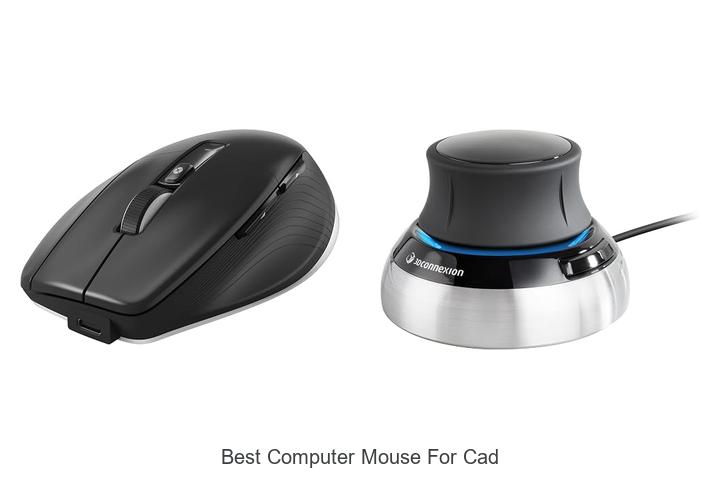
In the realm of computer-aided design (CAD), precision, ergonomics, and customizable control are paramount for optimizing workflow and ensuring accuracy. Factors such as DPI sensitivity, programmable buttons, and ergonomic design significantly impact the efficiency and comfort of CAD professionals during extended modeling sessions. The best computer mouse for CAD must seamlessly integrate with complex software environments, enabling fluid navigation through intricate 3D models and detailed blueprints.
Additionally, the ability to reduce hand fatigue without compromising responsiveness is essential for sustained productivity. As CAD demands evolve alongside technological advancements, selecting a mouse tailored specifically for such specialized tasks becomes increasingly critical.
Exploring the key features that distinguish top-performing mice in this niche will shed light on how to elevate your design experience to the next level.
Enhance Your Precision and Comfort with These Top Choices for CAD Professionals
| Image | Product | Price |
|---|---|---|
Our Picks 1  | 3Dconnexion CadMouse Pro Wireless | Check Price On Amazon |
Our Picks 2  | 3DConnexion Spacemouse Compact 3D Mouse | Check Price On Amazon |
Our Picks 3  | HP X3000 G3 Wireless Mouse | Check Price On Amazon |
1. 3Dconnexion CadMouse Pro Wireless
Experience precision and comfort tailored for CAD professionals with the 3Dconnexion CadMouse Pro Wireless. Engineered to enhance productivity, its advanced sensor and ergonomic design deliver flawless control for intricate design tasks, making it an ideal companion for detailed 3D modeling and drafting workflows.
The CadMouse Pro Wireless offers versatile connectivity options including 4 GHz RF, Bluetooth, and USB-C, ensuring seamless connection across devices. Equipped with a 7200 dpi optical sensor and a smart mouse wheel, it provides responsive and accurate navigation. With 27 customizable buttons and ambidextrous design, this mouse adapts perfectly to your working style.
Pros
- Multi-mode connectivity supports USB-C, Bluetooth, and 2.4 GHz RF for flexible device pairing
- High-precision 7200 dpi optical sensor ensures smooth and accurate cursor movement
- 27 programmable buttons and a smart mouse wheel enhance workflow efficiency
- Ergonomic ambidextrous design reduces fatigue during extended use
- Long-lasting battery life with up to 2 months on a single charge
Cons
- Price point higher than typical computer mice, reflecting its specialized features
Perfectly suited for professionals requiring precision and customization, the 3Dconnexion CadMouse Pro Wireless stands out in the CAD mouse market. While it commands a premium price, its robust feature set and seamless connectivity justify the investment, outperforming many standard mice in accuracy and functionality.
2. 3DConnexion Spacemouse Compact 3D Mouse
Experience unparalleled precision and intuitive control with the 3DConnexion Spacemouse Compact 3D Mouse, designed specifically for CAD professionals seeking enhanced 3D navigation. Its innovative six-degrees-of-freedom sensor delivers smooth, effortless manipulation of digital models, transforming the way you interact with complex designs.
Equipped with a compact, stable brushed steel base and two programmable buttons accessing customizable radial menus, this device integrates seamlessly with Windows, macOS, and various Linux systems. Its ambidextrous design and broad compatibility make it an essential tool for desktop and laptop CAD workstations, providing efficient command access and precise control.
Pros
- Six-degrees-of-freedom sensor enables intuitive and accurate 3D model navigation.
- Two programmable buttons provide quick access to up to 8 essential application commands.
- Compact form factor with a brushed steel base ensures stability without occupying much desk space.
Cons
- Higher price point compared to traditional mice may be a consideration for budget-conscious users.
Offering a specialized feature set tailored for CAD professionals, the 3DConnexion Spacemouse Compact stands out from standard mice by delivering precise 3D navigation and workflow efficiency. Its robust compatibility across multiple operating systems makes it an excellent investment for designers seeking to elevate their CAD experience.
3. HP X3000 G3 Wireless Mouse
Experience seamless productivity with the HP X3000 G3 Wireless Mouse, designed for comfort and precision. Whether for work or play, this contoured optical mouse offers ambidextrous use and reliable wireless connectivity, making it an excellent choice for users seeking accuracy and ease across multiple devices and operating systems.
Featuring 4 GHz wireless technology with a USB nano receiver that stores neatly inside the mouse, it ensures a stable connection up to 30 feet. Its 1600 dpi optical sensor delivers smooth, lag-free tracking on almost any surface, supported by multi-surface LED technology.
Pros
- Ergonomic contoured design suitable for both left- and right-handed users
- Reliable 2.4 GHz wireless connection with long-range freedom and compact USB nano receiver
- Precision 1600 dpi optical sensor with multi-surface tracking technology for accurate control
Cons
- Requires two AA batteries, which may be less convenient than rechargeable alternatives
The HP X3000 G3 Wireless Mouse blends affordability with versatile performance, making it an appealing option for CAD users and everyday computing alike. Compared to similar models, it stands out with its impressive battery life and multi-OS compatibility, delivering excellent value for its price.
4. ProtoArc EM01 NL Wireless Trackball Mouse

Discover the ProtoArc EM01 NL Wireless Trackball Mouse, designed for precision and ergonomic comfort. Perfect for professionals seeking a natural hand position during extended use, it combines innovative trackball control with wireless versatility, making it an excellent choice for CAD users and multitaskers alike.
This wireless mouse features a 0-20° adjustable hinge for personalized trackball positioning, reducing wrist strain during long sessions. Navigate effortlessly using the thumb-controlled trackball, and switch seamlessly between three devices via Bluetooth and 4G wireless modes. With 5-level DPI settings and a rechargeable battery, it ensures responsive performance without interruption.
With 5-level DPI settings and a rechargeable battery, it ensures responsive performance without interruption.
Pros
- Ergonomic adjustable angle trackball reduces wrist fatigue and supports a natural grip.
- Multi-device connectivity allows quick switching between PC, laptop, and tablet.
- Rechargeable battery with multiple DPI options delivers smooth, customizable tracking.
Cons
- Trackball requires occasional cleaning to maintain optimal precision and smoothness.
Combining ergonomic innovation with versatile wireless connectivity, the ProtoArc EM01 NL is a smart investment for anyone needing precise control and comfort in their computing setup. Its unique thumb trackball and adjustable angle make it stand out from standard mice, especially for CAD professionals and multitasking users.
5. 3Dconnexion SpaceMouse Wireless Bluetooth Edition

Enhance your CAD workflow with the 3Dconnexion SpaceMouse Wireless Bluetooth Edition, engineered for precise 3D navigation. Designed for professionals, it offers seamless control and smooth interaction with complex designs, providing an ergonomic and wireless experience that boosts productivity and comfort.
This advanced 3D mouse features wireless and USB-C connectivity, ensuring compatibility and convenience across devices. Equipped with a rechargeable battery lasting up to one month, it includes two programmable side buttons and comes with a lightweight, durable carry case for secure portability.
Pros
- Advanced 3D navigation tailored for CAD applications enhances precision and control.
- Wireless Bluetooth and USB-C connectivity provide flexible and clutter-free usage.
- Long-lasting rechargeable battery supports up to a month of continuous use.
Cons
- At a premium price point of $189, it may be less accessible for casual users.
Combining innovative features with user-centric design, the 3Dconnexion SpaceMouse Wireless Bluetooth Edition stands out as an exceptional input device for CAD professionals seeking precision and flexibility. Its balance of performance and portability makes it a valuable addition to any design toolkit.
6. 3Dconnexion CadMouse Compact

Discover precision and efficiency with the 3Dconnexion CadMouse Compact, expertly crafted for CAD professionals seeking a high-performance solution. Its ergonomic design and advanced features offer effortless control, making complex design tasks smoother and more accurate than ever before.
Equipped with 7 buttons, including 5 programmable ones, and a dedicated middle mouse button, this mouse enhances productivity. The high-resolution optical sensor and Smart Mouse Wheel 2 ensure smooth, precise navigation.
Its compact, ambidextrous shape fits comfortably for extended use, compatible with both Windows and macOS systems.
Pros
- Five programmable buttons and a dedicated middle mouse button for customizable controls.
- High-resolution optical sensor with up to 7200 DPI for precise movement detection.
- Compact ergonomic design suitable for both left- and right-handed users.
Cons
- Wired USB connectivity may limit mobility compared to wireless alternatives.
Offering a perfect balance between form and function, the 3Dconnexion CadMouse Compact is a smart investment for CAD users seeking enhanced accuracy and comfort. Compared to larger models, its portability and fully programmable controls provide distinct advantages without compromising on performance.
7. Logitech M720 Triathlon Wireless Mouse Black

Discover the Logitech M720 Triathlon Wireless Mouse Black, designed for users seeking durability, seamless multi-device control, and exceptional comfort. Its 24-month battery life and versatile compatibility make it an ideal companion for professionals and creatives alike, ensuring uninterrupted productivity every day.
Engineered for right-hand users, the M720 combines a sculpted rubber grip with hyper-fast scrolling capabilities, enabling effortless navigation through dense documents. Dual connectivity options—Bluetooth and Logitech’s Unifying receiver—allow connection to up to three devices, while customizable buttons enhance workflow efficiency to meet personalized needs.
Pros
- Impressive 24-month battery life reduces the hassle of frequent replacements
- Seamlessly switch and control up to three devices with Logitech FLOW functionality
- Comfort-focused design with a rubber body and sculpted palm rest for extended use
Cons
- Maximum sensitivity capped at 1000 DPI might limit precision for some CAD professionals
Balancing comfort, connectivity, and customization, the Logitech M720 Triathlon Wireless Mouse stands out as a reliable tool for professionals handling multiple devices. While its DPI may not satisfy ultra-high precision requirements, its robust feature set offers excellent value for everyday multitasking and productivity.
8. Transformers Vertical Ergonomic Mouse Black

Experience unparalleled comfort and precision with the Transformers Vertical Ergonomic Mouse Black, designed to reduce wrist fatigue during long hours of work. Its innovative vertical design, combined with advanced connectivity and adjustable settings, makes it an ideal choice for professionals seeking the best computer mouse for CAD and detailed design tasks.
Boasting a natural 57° tilt angle, this ergonomic mouse supports a relaxed hand posture that minimizes strain. Equipped with an LED screen, it provides real-time DPI, battery, and connectivity updates.
Seamless 4G and Bluetooth 0 connectivity allow pairing with three devices, and a rechargeable 500mAh battery ensures long-lasting use without the hassle of disposables.
Pros
- Ergonomic 57° vertical design reduces wrist strain and enhances comfort
- LED display shows DPI, battery life, and connection mode without extra software
- Supports three-device connectivity via dual-mode 2.4G and Bluetooth 5.0
Cons
- Non-programmable buttons with limited Mac OS forward/back navigation support
Combining ergonomic design with practical features, the Transformers Vertical Ergonomic Mouse is a smart investment for CAD users and professionals who demand accuracy and comfort. Its quiet operation and versatile connectivity give it an edge over traditional mice, making it a compelling option for serious work environments.
9. Logitech M185 Wireless Mouse Swift Grey

Experience seamless productivity with the Logitech M185 Wireless Mouse Swift Grey, designed for comfort and versatile use. Its compact, contoured shape fits both hands comfortably, offering a superior alternative to touchpads for enhanced control and efficiency.
Equipped with a reliable USB wireless connection and an efficient optical sensor, this mouse supports Windows, Mac, and ChromeOS devices effortlessly. Enjoy up to one year of battery life and a strong connection range of 33 feet, making it a durable and portable companion for any workspace.
Pros
- Ambidextrous design suitable for both right- and left-handed users
- Long-lasting battery life up to 12 months with smart sleep mode
- Plug-and-play simplicity with a reliable nano USB receiver delivering wireless connectivity up to 10 meters
Cons
- Limited button count (single button) may restrict advanced workflow customization
Ideal for individuals seeking a dependable and ergonomic wireless mouse, the Logitech M185 balances functionality and portability. Its broad compatibility and robust battery life make it a standout choice among entry-level mice, outperforming typical touchpad usage and rivaling more complex models at a great value.
10. Logitech B100 Wired Ambidextrous Mouse Black

Discover exceptional precision and comfort with the Logitech B100 Wired Ambidextrous Mouse Black, designed for seamless navigation and enhanced productivity. Its ergonomic design suits both left- and right-handed users, making it an ideal choice for daily tasks, from document editing to professional CAD work.
Equipped with an 800 dpi optical sensor, the B100 delivers accurate cursor movement perfect for detailed work. Its plug-and-play USB or PS/2 connectivity eliminates setup hassle. Additionally, side-to-side scrolling and zoom capabilities streamline spreadsheet management and presentations, enhancing workflow efficiency.
Additionally, side-to-side scrolling and zoom capabilities streamline spreadsheet management and presentations, enhancing workflow efficiency.
Pros
- Ambidextrous shape provides comfortable use for all hand orientations.
- 800 dpi sensitivity ensures precise control for intricate tasks like CAD design.
- Plug-and-play with USB/PS/2 connection offers effortless compatibility across devices.
Cons
- Limited to 3 buttons, which might restrict advanced customization options.
Combining reliability with thoughtful design, the Logitech B100 stands out as a budget-friendly, versatile mouse suitable for both casual users and professionals requiring accuracy. Compared to higher-end models, it offers straightforward functionality without unnecessary complexity, making it a smart pick for practical needs.
Navigate Precision: Your Ultimate Guide to Choosing the Best Computer Mouse for CAD
Ergonomics and Comfort
Hand size and grip style compatibility. Weight and balance considerations. Button placement and accessibility.Ensuring your mouse easily connects to your devices and offers room for additional features can dramatically enhance workflow efficiency, especially in detailed CAD work. Reliable wireless or wired interfaces reduce lag and interruptions, maintaining precision during intricate tasks.
These aspects not only improve overall responsiveness but also future-proof your workspace, accommodating upgrades and varying project demands seamlessly.
Precision and Sensitivity
DPI range and adjustability. Sensor type (optical vs. laser). Tracking accuracy for detailed work.For tasks requiring intricate design and detailed work, having a device that seamlessly pairs with your setup is crucial. Devices offering multiple connection options such as USB, Bluetooth, or wireless dongles allow flexibility and reduce reliance on a single port type, ensuring compatibility with various computers and workstations. Additionally, ports or slots for adding programmable buttons or customizable components can enhance efficiency by tailoring the device to specific workflow needs.
Additionally, ports or slots for adding programmable buttons or customizable components can enhance efficiency by tailoring the device to specific workflow needs. This adaptability not only streamlines the design process but also future-proofs the tool against changing hardware environments, making it a valuable investment for precision-driven projects.
Customization and Additional Features
Programmable buttons and macros. Scroll wheel functionality and tilt support. Customizable profiles and software support.Having a device that supports programmable buttons and macros can significantly enhance workflow efficiency by allowing quick access to frequently used commands, reducing the reliance on keyboard shortcuts. The scroll wheel’s functionality, including tilt support, offers smoother navigation through large CAD designs, enabling precise zooming and panning without interrupting the creative process. Equally important is the ability to create customizable profiles through dedicated software, which allows users to tailor button assignments and sensitivity settings for different projects or applications.
Equally important is the ability to create customizable profiles through dedicated software, which allows users to tailor button assignments and sensitivity settings for different projects or applications. This flexibility ensures that the device adapts seamlessly to individual preferences and various design requirements, ultimately boosting productivity and comfort during long hours of work.
Connectivity Options
Wired vs. wireless performance. Latency and signal reliability. Battery life and charging methods.Understanding the interface and adaptability of a mouse is crucial for efficient CAD work. Wired devices typically offer a stable connection with minimal latency, ensuring precise cursor movements without interference. On the other hand, wireless options provide greater freedom of movement but may experience occasional signal drops or delays, which can affect accuracy during detailed tasks. Battery life plays a significant role in wireless devices—long-lasting power reduces interruptions, while convenient charging methods, such as USB-C or wireless charging pads, contribute to continuous workflow without frequent downtime.
| Aspect | Wired Mouse | Wireless Mouse |
|---|---|---|
| Performance | Consistent with low latency | Occasional latency depending on signal strength |
| Reliability | Stable, no signal interference | Possible signal drops or interference |
| Battery | Not required | Needs charging; varies by model |
| Charging Methods | None | USB charging, wireless charging pads |
Durability and Build Quality
Material and finish quality. Longevity of switches and components. Warranty and customer support.How a mouse connects to your device can significantly impact both its ease of use and performance, especially during intricate design work. Wireless options offer freedom of movement and help reduce cable clutter, but they may introduce latency or require frequent recharging, which can interrupt workflow. On the other hand, wired mice typically provide more consistent responsiveness and don’t depend on battery life, making them reliable for extended sessions.
Additionally, having extra ports or modular features allows you to customize button layouts or add peripherals, enhancing productivity without needing separate accessories.
Considering the availability of additional ports or slots can make a big difference in how adaptable the device feels as your needs evolve. Some models come with programmable buttons or support for connecting multiple devices through USB hubs, which can streamline complex tasks.
Compatibility and Budget
Software and OS compatibility. Price range considerations. Value for money based on features.Ensuring a device works seamlessly with your operating system and design software is crucial for smooth and efficient workflow. Some devices offer plug-and-play functionality with popular OS platforms and CAD applications, while others may require additional drivers or software updates. This compatibility directly influences how quickly you can integrate the tool into your setup without interruptions or performance issues.
Price range and value for money play a big role in making a smart investment. While high-end options provide advanced features like customizable buttons and ergonomic designs tailored for extended use, more budget-friendly models often cover essential functions adequately. Balancing cost against the available features ensures you don’t overspend on unnecessary extras but still get a product that enhances productivity.
| Feature | Low Range | Mid Range | High Range |
|---|---|---|---|
| Software/OS Support | Basic compatibility | Broad support with occasional updates | Full support with regular updates and customization |
| Ergonomic Design | Standard shape | Improved comfort features | Highly customizable ergonomic options |
| Customizable Buttons | Limited or none | Several programmable buttons | Multiple programmable buttons with software integration |
Weighing these factors will help ensure the device chosen not only fits your technical requirements but also aligns well with your budget and productivity goals.
FAQ’s
What Features Should I Look For In The Best Computer Mouse For Cad?Look for a computer mouse with high precision and adjustable DPI settings to ensure accurate design work in CAD. Additionally, customizable buttons and ergonomic design are important for improving productivity and comfort during extended use.
Which Computer Mice Are Recommended For Precision And Comfort In Cad Work?For precision and comfort in CAD work, mice like the Logitech MX Master 3 and the 3Dconnexion CadMouse are highly recommended. These mice offer high accuracy, customizable buttons, and ergonomic designs tailored for extended use in design applications.
How Does A Programmable Mouse Improve Cad Productivity?A programmable mouse improves CAD productivity by allowing users to customize buttons for frequently used commands, reducing the need to switch between keyboard and mouse. This streamlines workflows and speeds up complex design tasks.
Are Wireless Or Wired Mice Better For Cad Applications?Wired mice are generally better for CAD applications because they offer more precise and consistent input with no latency issues. However, high-quality wireless mice can also perform well if low latency and reliable connectivity are ensured.
What Is The Average Price Range For A High-Quality Cad Mouse?The average price range for a high-quality CAD mouse typically falls between $70 and $150. Prices may vary based on features such as ergonomic design, programmable buttons, and precision sensors.
Conclusion
When selecting the best computer mouse for CAD, prioritize precision, ergonomic design, and customizable buttons to enhance productivity. Look for high DPI settings and smooth tracking for detailed work. Popular choices include models from Logitech and 3Dconnexion, which cater specifically to CAD professionals.
The right mouse can significantly improve comfort and efficiency during complex design tasks.

- Top Best Computer Speakers with Microphone for Clear Sound! - November 11, 2026
- Best Wired Computer Speakers That Blow Your Mind! - November 11, 2026
- Top Best External Speakers for Laptop Computers Revealed! - November 11, 2026
