
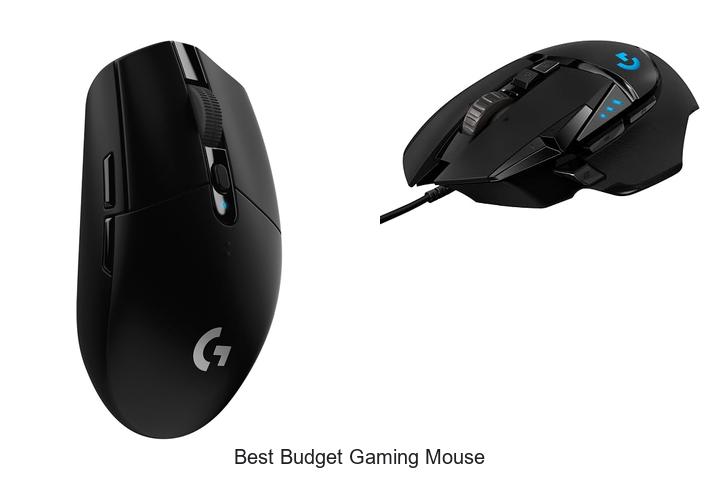
DPI sensitivity, polling rate, and ergonomic design are critical factors that define the performance of gaming peripherals. In the competitive realm of esports and immersive gameplay, having a precise and responsive mouse can significantly influence your in-game accuracy and reaction time.
Finding the best budget gaming mouse involves balancing advanced sensor technology with affordability, ensuring durability and customization without compromising on essential features like programmable buttons and low-latency connectivity. Navigating the vast array of options can be challenging, especially when technical specifications vary widely across models.
This article delves into the nuances that separate budget-friendly contenders from subpar devices, helping you identify which gaming mouse truly delivers value without breaking the bank. Keep reading to uncover what makes a budget gaming mouse stand out in today’s market.
Affordable Precision: Top Picks for Gamers on a Budget
| Image | Product | Price |
|---|---|---|
Our Picks 1  | Logitech G305 Wireless Gaming Mouse | Check Price On Amazon |
Our Picks 2  | Logitech G502 Hero Wired Gaming Mouse | Check Price On Amazon |
Our Picks 3  | Razer DeathAdder Essential Wired Gaming Mouse | Check Price On Amazon |
1. Logitech G305 Wireless Gaming Mouse
Discover exceptional gaming precision with the Logitech G305 Wireless Gaming Mouse, engineered for gamers seeking high performance without the hefty price tag. Its ultra-responsive wireless technology and advanced optical sensor make it an outstanding choice for competitive gaming and everyday use alike.
Equipped with the next-generation HERO sensor, the G305 offers up to 12,000 DPI sensitivity and 400 IPS tracking for pinpoint accuracy. The LIGHTSPEED wireless system ensures a lag-free experience with a 1 ms report rate, while the lightweight design and impressive battery life of up to 250 hours keep you gaming longer and more comfortably.
Pros
- Next-gen HERO optical sensor delivering exceptional precision and power efficiency
- LIGHTSPEED wireless technology offers ultra-fast, reliable 1 ms response for competitive play
- Lightweight design (3.4 oz) enhances maneuverability, perfect for extended gaming sessions
- Long-lasting battery life with 250 hours per AA battery, extendable up to 9 months in Endurance mode
- Compact and durable build with integrated nano receiver storage for easy portability
Cons
- No customizable RGB lighting, which may be a downside for customization enthusiasts
For budget-conscious gamers, the Logitech G305 Wireless Gaming Mouse balances affordability with advanced features typically found in premium models. It outperforms many wired and wireless options at this price point, making it a top contender for those who demand accuracy and reliability without overspending.
2. Logitech G502 Hero Wired Gaming Mouse
Experience precision and customization with the Logitech G502 Hero Wired Gaming Mouse, designed for gamers seeking high performance without breaking the bank. Featuring the advanced HERO sensor and programmable controls, this mouse offers exceptional responsiveness tailored to enhance every gaming session.
Equipped with the next-generation HERO sensor delivering up to 25600 DPI, the Logitech G502 provides accurate tracking free from smoothing or acceleration. Its 11 programmable buttons and dual-mode hyper-fast scroll wheel offer extensive control, while adjustable weights ensure a perfect balance to match your unique playing style. The LIGHTSYNC RGB lighting synchronizes with your gameplay for an immersive experience.
The LIGHTSYNC RGB lighting synchronizes with your gameplay for an immersive experience.
Pros
- Highly precise HERO sensor with up to 25600 DPI for flawless tracking
- Customizable controls via 11 programmable buttons and adjustable weights
- Dynamic LIGHTSYNC RGB lighting that enhances gamer immersion
Cons
- Corded design may limit mobility compared to wireless alternatives
For gamers seeking the best budget gaming mouse with professional-grade features, the Logitech G502 Hero stands out by combining precision, customization, and style at an accessible price. Its reliability and performance make it a worthy upgrade over basic mice in the same category.
3. Razer DeathAdder Essential Wired Gaming Mouse
Experience precision and durability with the Razer DeathAdder Essential Wired Gaming Mouse, an exceptional choice for gamers seeking high performance without breaking the bank. Its ergonomic design and advanced optical sensor deliver smooth, accurate tracking for both intense gaming sessions and everyday use.
Equipped with a 6,400 DPI optical sensor and reprogrammable DPI buttons, it allows on-the-fly sensitivity adjustments. The mouse features five programmable buttons and mechanical switches rated for up to 10 million clicks, ensuring longevity and customization through Razer Synapse software.
Pros
- Highly accurate 6,400 DPI optical sensor with adjustable sensitivity for versatile gameplay.
- Durable mechanical switches engineered to withstand up to 10 million clicks.
- Ergonomic, rubberized scroll wheel with ridges for enhanced grip and precise control.
Cons
- Wired connectivity might limit freedom compared to wireless alternatives.
Offering a compelling balance of accuracy, durability, and customization at an affordable price point, the Razer DeathAdder Essential stands out among budget gaming mice. Ideal for gamers who prioritize performance without extra frills, it competes favorably with other entry-level models like the Logitech G203.
4. Redragon M612 Wired Optical Gaming Mouse

Discover precision and comfort with the Redragon M612 Wired Optical Gaming Mouse, an exceptional choice for gamers seeking performance without breaking the bank. Designed to enhance your gameplay, it combines customizable features and ergonomic design to deliver a competitive edge at an unbeatable price.
Equipped with 11 programmable buttons, the M612 allows complete customization for rapid fire and macros to match various gaming styles. Its 5 adjustable DPI levels, adjustable up to 8000 via software, adapt effortlessly to different gaming scenarios.
Pros
- Highly customizable with 11 programmable buttons and adjustable DPI up to 8000 for precision control.
- Ergonomic design featuring a skin-friendly frosted coating and rubber-textured side grip for comfort and stability.
- Dynamic RGB backlighting with five modes adds aesthetic appeal and enhances gaming atmosphere.
Cons
- Wired connectivity may limit mobility compared to wireless options for some users.
Offering excellent value for budget-conscious gamers, the Redragon M612 stands out as a versatile and reliable gaming mouse. Its customizable features and comfortable grip make it a strong contender against other budget gaming mice, ensuring focused gameplay without sacrificing quality or style.
5. Razer Basilisk V3 Wired Ergonomic Gaming Mouse

Discover the Razer Basilisk V3 Wired Ergonomic Gaming Mouse, engineered to elevate your gaming performance with ultimate comfort and precision. Designed for avid gamers, its iconic shape and advanced features make it a standout choice for those seeking reliable control in every match.
Featuring 11 programmable buttons, a hyperscroll tilt wheel, and Razer’s signature Chroma RGB lighting across 11 customizable zones, the Basilisk V3 adapts perfectly to your unique playstyle. Powered by the Focus+ 26K DPI optical sensor and Gen 2 optical mouse switches, it delivers unmatched responsiveness and accuracy for competitive edge.
Pros
- Ergonomic design with thumb rest ensures comfortable, long gaming sessions without fatigue.
- 11 customizable buttons allow versatile macro programming for quick access to essential commands.
- Hyperscroll tilt wheel enhances navigation speed with tactile feedback for precision weapon or skill cycling.
Cons
- Wired connectivity might limit mobility compared to wireless alternatives.
Balancing ergonomic design with high-performance features, the Razer Basilisk V3 is a competitively priced choice among budget gaming mice. Its robust customization options and precision make it ideal for gamers who demand responsiveness without compromise.
6. Redragon M810 PRO Wireless Gaming Mouse

Discover the Redragon M810 PRO Wireless Gaming Mouse, designed for gamers seeking peak performance without breaking the bank. Its wireless freedom combined with high precision and customizable features ensures an edge in every gaming session. Experience fluid controls and responsive gameplay tailored to your style.
Equipped with a 4Ghz nano receiver, the M810 PRO delivers lag-free connectivity up to 10 meters. The adjustable DPI settings reach up to 10,000, allowing pinpoint accuracy across various gaming genres.
Its PAW3325 Optical Pixart sensor and long-lasting 45-hour battery boost endurance and precision for extended play.
Pros
- Wireless 2.4Ghz connection ensuring smooth and unrestricted movement
- Customizable DPI levels up to 10,000 for precise control
- Eight programmable buttons with macro support for advanced gameplay
- Long-lasting battery life up to 45 hours on a single charge
- Dynamic RGB lighting with customizable modes for a personalized setup
Cons
- Limited compatibility with older operating systems; optimal performance requires Windows 10 or newer
The Redragon M810 PRO Wireless Gaming Mouse stands out as an exceptional choice for budget-conscious gamers craving professional-grade features. Its combination of wireless convenience, customizable settings, and durable design offers remarkable value compared to similarly priced models.
7. Razer Viper V3 HyperSpeed Wireless Gaming Mouse
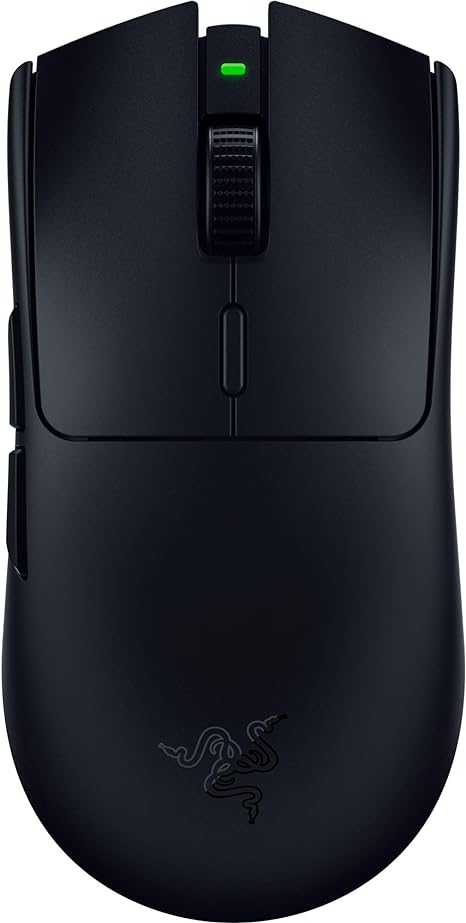
Discover precision and speed with the Razer Viper V3 HyperSpeed Wireless Gaming Mouse, engineered for gamers seeking high performance without compromising comfort. Weighing just 82 grams, it offers exceptional control and effortless swipes, delivering an edge crucial for competitive gameplay and immersive experiences.
Equipped with the advanced Focus Pro 30K Optical Sensor, the Viper V3 HyperSpeed delivers pinpoint accuracy and flawless tracking on diverse surfaces, including glass. Its HyperSpeed Wireless technology ensures a stable, low-latency connection, supported by an impressive 280-hour battery life and durable mechanical switches rated for 60 million clicks.
Pros
- Extremely lightweight design (82g) for quick and consistent movement
- Focus Pro 30K Optical Sensor provides exceptional accuracy on various surfaces
- Up to 280 hours of wireless battery life on a single AA battery
Cons
- Requires a single AA battery, which might not appeal to users preferring rechargeable options
For gamers looking to balance performance and affordability, the Razer Viper V3 HyperSpeed stands out as a top contender in the best budget gaming mouse category. Its blend of precision, speed, and wireless freedom makes it an excellent alternative to pricier models like the Logitech G Pro Wireless, delivering pro-grade features without breaking the bank.
8. Razer Basilisk V3 X HyperSpeed Wireless Gaming Mouse

Experience precision and comfort combined with cutting-edge wireless technology in the Razer Basilisk V3 X HyperSpeed Wireless Gaming Mouse. Designed for gamers seeking an ergonomic shape, customizable controls, and exceptional battery life, this mouse is built to elevate gameplay without breaking the bank.
Featuring Razer’s HyperSpeed Wireless and Bluetooth connectivity, enjoy uninterrupted low-latency performance or extended gaming sessions. Its 9 programmable buttons, Razer’s advanced 5G optical sensor, and mechanical Gen-2 switches deliver tailored precision and durability, further enhanced by immersive Razer Chroma RGB lighting effects.
Pros
- Ergonomic design supports various grip styles for comfortable long gaming hours
- Up to 285 hours of battery life with HyperSpeed Wireless and 535 hours on Bluetooth mode
- Highly customizable with 9 programmable buttons and vibrant Razer Chroma RGB lighting
Cons
- Right-handed orientation may not suit left-handed users
Offering a remarkable balance of performance, customization, and endurance, the Razer Basilisk V3 X stands out as an exceptional choice for gamers seeking the best budget wireless gaming mouse. Its advanced sensor and ergonomic design make it a competitive alternative to pricier models in the market.
9. Logitech G203 Wired Gaming Mouse

Experience precision and performance without breaking the bank with the Logitech G203 Wired Gaming Mouse. Designed to elevate your gameplay, this mouse features an 8,000 DPI optical sensor and customizable RGB lighting, making it an exceptional choice for gamers seeking reliability and style at an affordable price.
Equipped with a high-accuracy sensor that delivers zero filtering and smoothing, the G203 ensures precise tracking and enhanced control. The RGB lighting can be personalized through Logitech G HUB software, allowing synchronization with other LIGHTSYNC devices for a dynamic gaming atmosphere. Its six-button layout offers customizable commands for streamlined gameplay, while mechanical primary buttons provide consistent and responsive clicks.
Its six-button layout offers customizable commands for streamlined gameplay, while mechanical primary buttons provide consistent and responsive clicks.
Pros
- High-precision 8,000 DPI optical sensor with zero smoothing for superior accuracy
- Customizable LIGHTSYNC RGB lighting compatible with Logitech G HUB for personalized gaming ambiance
- Comfortable six-button design with assignable commands to enhance control and gameplay efficiency
Cons
- Wired design limits mobility compared to wireless alternatives
Affordable yet packed with gamer-focused features, the Logitech G203 stands out as one of the best budget gaming mice available. Its combination of precision, customization, and responsive hardware makes it a smart investment for casual and competitive players alike.
10. Redragon M602 Ergonomic Wired Gaming Mouse

Discover precision and comfort with the Redragon M602 Ergonomic Wired Gaming Mouse, crafted for gamers seeking reliable performance without breaking the bank. Its durable design and advanced features make it a top contender among budget-friendly gaming peripherals.
Equipped with a high-precision optical sensor boasting up to 7200 DPI adjustable sensitivity, this wired mouse ensures fluid, accurate tracking for both gaming and everyday tasks. The ergonomic shape supports natural hand positioning, while programmable buttons and customizable RGB lighting offer versatility and personalization through downloadable software.
Pros
- Highly adjustable DPI settings up to 7200 for tailored sensitivity.
- Ergonomic design reduces hand fatigue during extended use.
- Customizable buttons and RGB effects enhance gameplay and aesthetics.
Cons
- Wired connection limits mobility compared to wireless options.
Combining durability, precision, and customization, the Redragon M602 stands as one of the best budget gaming mouse options. It competes well against pricier models by delivering essential features without compromise, making it an excellent choice for gamers and professionals alike.
Top Picks for the Best Budget Gaming Mouse That Won’t Break the Bank
Ergonomics and Comfort
Grip style compatibility (palm, claw, fingertip). Weight and size considerations. Button placement and customization options.Devices designed for interactive tasks often vary greatly in how they connect to your system and how much they can be expanded or customized, which directly impacts their usability and future-proofing. A wired connection typically offers a more stable and lag-free experience, essential for precision in fast-paced scenarios, while wireless models provide greater freedom of movement and a tidier setup. Additionally, the ability to add or replace parts—such as extra programmable buttons or adjustable weights—can enhance functionality and tailor the device to fit individual preferences.
| Connection Type | Advantages | Potential Drawbacks |
|---|---|---|
| Wired | Consistent response time, no need for recharging | Cable can restrict movement, risk of tangling |
| Wireless | Flexible movement, cleaner setup | Possible input lag, requires battery management |
On the functional side, extra buttons and customization options allow users to assign macros, shortcuts, or commands to specific inputs, streamlining gameplay and boosting efficiency. If a device offers modular components or supports software-based customization, it can adapt to different games or tasks, increasing its versatility beyond the initial setup.
Performance and Precision
DPI range and sensitivity settings. Sensor type (optical vs. laser). Polling rate and response time.Having a reliable way to connect a gaming mouse to your system ensures smooth, uninterrupted gameplay, which is crucial for precision and responsiveness. Wireless options offer freedom of movement without cable clutter, but wired connections typically provide lower latency and more consistent performance.
Understanding the range of sensitivity settings, particularly the DPI (dots per inch), is essential as it directly affects cursor speed and accuracy. A broader DPI range allows players to adjust sensitivity according to different game genres or personal preferences, ensuring optimal control in both fast-paced shooters and slower strategy games.
| Feature | Impact on Gaming |
|---|---|
| Sensor Type (Optical vs. Laser) | Optical sensors offer more accurate tracking on most surfaces, reducing jitter, while laser sensors excel on a wider variety of surfaces but may introduce slight acceleration issues. |
| Polling Rate | Higher polling rates (measured in Hz) reduce the delay between mouse movements and on-screen response, allowing for more precise aiming. |
| Response Time | Lower response times minimize input lag, which is critical for fast reaction times during competitive gameplay. |
Overall, having a mouse that supports flexible connection options and the possibility to expand functionality, paired with advanced sensor technology and adjustable sensitivity, ensures both adaptive performance and long-term value for gamers. This combination helps maintain smooth control and accurate tracking, vital for achieving peak in-game performance.
Build Quality and Durability
Materials and finish. Longevity of buttons and switches. Cable quality and length.Reliable performance during intense gaming sessions largely depends on how well the mouse interfaces with your system and adapts to your setup. A wired or wireless connection must be stable to prevent delays or interruptions that could affect gameplay. Additionally, the quality and length of the cable play a crucial role in maintaining consistent responsiveness without restricting movement.
The materials and finish of the mouse also contribute to its lifespan, offering resistance to wear and ensuring comfortable handling during extended use. Taking these factors into account helps ensure a smooth, uninterrupted gaming experience that lasts.
Additional Features
Programmable buttons and macros. RGB lighting and customization. Wireless vs. wired options.Having programmable buttons and the ability to set macros can significantly enhance gameplay by allowing quick access to commands and complex actions with a single click. This customization adds a layer of efficiency that can give gamers an edge during intense sessions.
In addition, RGB lighting is not just about aesthetics; many models offer extensive lighting customization that can match your setup or provide visual feedback for in-game events, elevating the overall experience.
The choice between wireless and wired interfaces impacts both performance and convenience. Wired options typically offer a more stable connection with minimal input lag, which is crucial for competitive play. On the other hand, wireless models provide freedom of movement and reduce desk clutter but may require frequent charging and can sometimes introduce slight delays.
| Feature | Advantages | Considerations |
|---|---|---|
| Programmable Buttons & Macros | Enhanced control, faster actions, personalized setups | Requires software setup, may have a learning curve |
| RGB Lighting & Customization | Visual appeal, in-game notifications, mood setting | May affect battery life on wireless devices |
| Wireless vs. Wired | Wireless: Mobility and clutter-free; Wired: Reliable and low latency | Wireless: Possible lag and charging; Wired: Cable management |
Compatibility and Software
Operating system support. Software usability and feature set. Driver updates and customer support.Ensuring your new gaming mouse works seamlessly with your system starts with confirming it supports your operating system, whether it’s Windows, macOS, or Linux. Without proper compatibility, you may face issues with basic functions or miss out on advanced features.
Regular driver updates are essential for maintaining optimal performance and fixing any bugs, so a brand that actively provides these updates demonstrates reliability and commitment. Additionally, responsive customer support can make a significant difference if you encounter technical difficulties or need help configuring your device, making it a crucial aspect to weigh before committing to a mouse.
Price and Warranty
Value for money. Warranty period and coverage. Availability of replacement parts or accessories.Value for money often depends on how well a device integrates with your existing setup and the ease with which it can adapt to future needs. A mouse that supports wireless options, various connection ports, or compatibility with multiple devices can save you from additional expenses down the line.
Warranty period and coverage provide peace of mind in case technical issues arise. A longer warranty with comprehensive coverage ensures that any defects or malfunctions will be handled professionally, reducing the risk of unexpected costs.
Availability of replacement parts or accessories enhances the overall lifespan of the device. Easy access to spare parts—such as extra mouse feet, cables, or buttons—means repairs can be done quickly and affordably.
Additionally, having optional accessories like customizable weights or additional grips can improve comfort and precision, tailoring the device to your personal preferences without major expense.
FAQ’s
What Features Should I Look For In The Best Budget Gaming Mouse?Look for a budget gaming mouse with a high-precision sensor, customizable DPI settings, and responsive buttons for accurate gameplay. Additionally, ergonomic design and programmable buttons can enhance comfort and functionality without breaking the bank.
Which Are The Top-Rated Budget Gaming Mice Available In 202The top-rated budget gaming mice in 2024 include the Logitech G203 Lightsync and the Razer DeathAdder Essential, both offering excellent performance and features at an affordable price. These mice are praised for their accuracy, durability, and ergonomic designs suitable for gamers on a budget.
How Does A Budget Gaming Mouse Compare To A High-End Gaming Mouse?A budget gaming mouse typically offers basic features and decent performance suitable for casual gamers, while a high-end gaming mouse provides advanced sensors, customizable buttons, higher precision, and enhanced durability for competitive gaming. The price difference often reflects the quality, build, and additional functionalities available.
What Is The Ideal Dpi Setting For A Budget Gaming Mouse?The ideal DPI setting for a budget gaming mouse typically ranges between 800 and 1600, providing a good balance of precision and responsiveness. This range suits most gaming styles without requiring advanced hardware.
Are Wired Or Wireless Budget Gaming Mice Better For Competitive Gaming?Wired budget gaming mice are generally better for competitive gaming due to their lower latency and more reliable connection compared to wireless options. While wireless technology has improved, wired mice still offer consistent performance crucial for competitive play.
Conclusion
In summary, finding the best budget gaming mouse means balancing performance, comfort, and price. Affordable options today offer accurate sensors, customizable buttons, and ergonomic designs without breaking the bank. Whether you’re a casual player or starting competitive gaming, investing in a quality budget mouse can enhance your gameplay and provide great value for money.
Whether you’re a casual player or starting competitive gaming, investing in a quality budget mouse can enhance your gameplay and provide great value for money. Choose wisely to elevate your gaming experience.

- Top Best Computer Speakers with Microphone for Clear Sound! - November 11, 2026
- Best Wired Computer Speakers That Blow Your Mind! - November 11, 2026
- Top Best External Speakers for Laptop Computers Revealed! - November 11, 2026
