
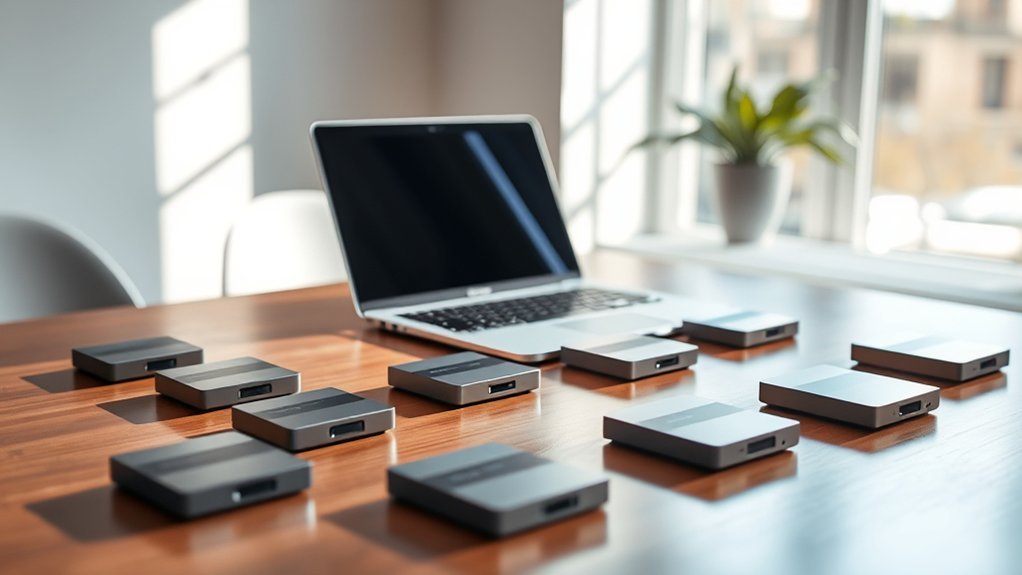
You’ll want a 1TB SSD that’s fast, reliable, and fully compatible with your MacBook Pro, like the FM13A NVMe or Samsung T7 Portable SSD.
Look for PCIe 3.0 or 4.0 support, high read/write speeds, and secure hardware encryption.
Internal drives fit seamlessly and boost performance, while external options offer portability and shock resistance.
Installation can take some skill, but plenty of kits and guides make it easier.
Keep exploring to uncover top picks and what suits your needs best. It’s all about finding the perfect balance between speed, security, and convenience for your setup.
FM13A 1TB NVMe SSD for MacBook & iMac
Experience a smooth and efficient upgrade with the FM13A 1TB NVMe SSD designed specifically for select MacBook Air, MacBook Pro Retina, and iMac models from 2013 to 2017. This SSD addresses storage limitations by offering a substantial 1TB capacity, enabling you to expand your device’s space without hassle. Its PCIe 3.0 x4 interface ensures faster data transfer speeds, enhancing your Mac’s responsiveness and overall performance.
Installation is straightforward thanks to the included DIY tools and a detailed guide, allowing users to replace their existing drives confidently. The SSD comes pre-loaded with macOS Catalina, so you can restore your system quickly without needing adapters or additional downloads. This compatibility reduces setup time and avoids potential technical issues.
Designed to precisely match original SSD interfaces, the FM13A ensures seamless integration with your device’s hardware. Maintenance is minimal, as the drive delivers reliable performance and durability, helping extend the life of your Mac while improving storage speed.
Though limited to certain Mac models and requiring macOS High Sierra or later, this upgrade is a practical solution for those seeking enhanced storage without sacrificing compatibility or ease of use.
Best for: Mac users with 2013-2017 MacBook Air, MacBook Pro Retina, or iMac models who want a high-capacity, reliable internal SSD upgrade with pre-installed macOS.
What We Like:
- Perfect fit for specific Mac models with no adapters needed
- High-speed PCIe 3.0 x4 NVMe interface for faster data access
- Includes DIY tools and clear installation instructions
- Pre-loaded with macOS Catalina for quick system restoration
What We Don’t Like:
- Only compatible with select Mac models from 2013-2017
- Requires macOS 10.13 High Sierra or newer for proper recognition
- Warranty excludes issues from misuse or tampering
1TB NVMe PCIe SSD for MacBook & Mac Pro
Experience a noticeable boost in your Mac’s performance with the 1TB NVMe PCIe SSD, tailored specifically for MacBook and Mac Pro models. This upgrade significantly reduces boot and app launch times, addressing common slowdowns in older machines. Its fast read speeds up to 2150MB/s and write speeds up to 1650MB/s ensure smooth multitasking and efficient data handling.
Designed to fit the M.2 form factor, this SSD supports PCIe Gen3.0x4, making it compatible with a range of Apple devices, including MacBook Air (2013-2017), MacBook Pro Retina (2013-2016), Mac mini (2014), iMac (2012-2018), and Mac Pro (2013). Before installation, users should back up important data and update to macOS 10.13 or later to ensure smooth setup and operation.
Maintenance is straightforward, with built-in hardware encryption protecting your data securely. The SSD also features shock resistance, contributing to long-term reliability even under regular use. While the device offers excellent performance, its compatibility is limited to specific Mac models, so careful verification is essential.
Best for: Mac users seeking a high-performance, reliable 1TB NVMe SSD upgrade for compatible MacBook, Mac mini, iMac, and Mac Pro models.
What We Like:
- Fast read speeds up to 2150MB/s and write speeds up to 1650MB/s.
- Built-in hardware encryption enhances data security.
- Shock resistance improves durability.
- Wide compatibility with several Mac models and PCIe Gen3.0x4 support.
What We Don’t Like:
- Only compatible with select Mac models from 2012 to 2018.
- Installation requires macOS 10.13 or later and technical knowledge.
- Return policy limited to 30 days with potential restocking fees.
SanDisk 1TB Extreme Portable SSD (SDSSDE61)
The SanDisk 1TB Extreme Portable SSD offers a reliable solution for those who need fast and durable storage while working on the go. It helps professionals and creatives manage large files efficiently, reducing wait times with NVMe speeds up to 1050MB/s read and 1000MB/s write. This means you can transfer high-resolution photos, videos, and project files quickly without interruptions.
Designed to withstand tough environments, this SSD features IP65 water and dust resistance and can survive drops from up to two meters. Its rugged build makes it ideal for outdoor shoots or travel, ensuring your data stays safe no matter where your work takes you. The compact and lightweight design fits easily in your bag, making portability effortless.
Data security is enhanced with 256-bit AES hardware encryption, giving you peace of mind when storing sensitive files. You can also organize and access your data conveniently with the SanDisk Memory Zone app. Maintenance is straightforward, requiring minimal effort to keep your SSD performing optimally.
Best for: professionals and creatives who need fast, durable, and secure portable storage for large files and projects while on the move.
What We Like:
- High-speed NVMe performance with up to 1050MB/s read and 1000MB/s write speeds
- Rugged IP65-rated design with two-meter drop protection
- Robust 256-bit AES hardware encryption for data security
- Easy file management via the SanDisk Memory Zone app
What We Don’t Like:
- Maximum speeds require compatible USB-C and USB 3.2 Gen 2 devices
- Encryption setup and password protection may need additional software on macOS
- Limited to 1TB capacity, which may not suit users needing larger storage options
Samsung T7 1TB Portable SSD External Drive
The Samsung T7 1TB Portable SSD offers a smart solution for fast and secure external storage. Its high-speed transfer rates up to 1,050 MB/s make moving large files quick and efficient, saving valuable time for creatives and professionals.
Designed with a compact aluminum unibody, the drive resists shocks and drops up to 6 feet, providing peace of mind when working on the go. The durable build also helps protect your data from physical damage during travel.
Maintenance is simple thanks to the included USB-C cables, ensuring easy connection across devices. The T7’s 256-bit AES hardware encryption safeguards sensitive information, making it suitable for users who prioritize data security.
This portable SSD pairs PCIe NVMe technology with USB 3.2 Gen 2 compatibility, delivering consistent performance for tasks like editing 4K videos and backing up large files. However, to reach optimal speeds, compatible host devices and cables are necessary.
Best for: Professionals and creatives needing fast, durable, and secure external storage for large media files and backups.
What We Like:
- Fast PCIe NVMe performance with up to 1,050 MB/s transfer speeds
- Durable aluminum design protects against shocks and drops up to 6 feet
- Hardware encryption with 256-bit AES for enhanced data security
What We Don’t Like:
- Requires USB 3.2 Gen 2 and UASP-compatible devices and cables for maximum speed
- Compatibility may need software updates or reformatting on some devices
- Limited to 1TB capacity, which might not suit very large storage needs
A1708 1TB SSD Hard Drive for MacBook Pro
Upgrade your MacBook Pro A1708 with this 1TB SSD hard drive designed to enhance both speed and storage capacity seamlessly. Ideal for 2016-2017 models (EMC 2978 and 3164), it addresses common issues like slow boot times and limited space, helping you work more efficiently.
This SSD comes pre-installed with macOS Catalina, making setup straightforward and compatible with macOS 10.13 or later. Its NVMe PCIe Gen3x4 interface offers fast read speeds up to 2150MB/s and write speeds around 1650MB/s, which means quicker app launches and smoother performance.
Built with durable TLC NAND flash memory and equipped with encryption support, this drive ensures your data remains secure and reliable. Its lightweight design fits perfectly into your MacBook Pro without adding bulk, maintaining the sleek profile you expect.
Installation may require some technical know-how, including backing up your data and using the included screws and manual. Regular maintenance involves keeping your macOS updated to ensure ongoing compatibility and performance.
Best for: MacBook Pro A1708 (2016-2017, non-Touch Bar) users seeking a high-capacity, fast, and reliable SSD upgrade with easy macOS installation and long-term support.
What We Like:
- Fast NVMe PCIe Gen3x4 interface with up to 2150MB/s read and 1650MB/s write speeds
- Pre-installed macOS Catalina simplifies installation
- Durable TLC NAND flash with encryption support
- Lightweight design fits perfectly in MacBook Pro A1708
What We Don’t Like:
- Compatible only with specific A1708 models (EMC 2978 and 3164)
- Requires macOS 10.13 or later, which may need updating before use
- Installation requires technical skills and careful data backup
Samsung 990 PRO 1TB PCIe 4.0 SSD
Experience the power of ultra-fast storage with the Samsung 990 PRO 1TB PCIe 4.0 SSD. Designed to handle demanding workloads, this SSD delivers exceptional speed that reduces waiting times and boosts productivity. Its advanced technology ensures smooth performance during intensive tasks like video editing and gaming.
The SSD’s efficient nickel-coated controller manages heat effectively, preventing overheating and maintaining consistent speed. This means you can rely on steady performance even during prolonged use, minimizing slowdowns caused by thermal throttling. Its sleek M.2 form factor fits seamlessly into compatible devices, saving space without compromising power.
Maintenance is straightforward, supported by Samsung Magician software that helps optimize performance and monitor health. The drive also includes AES 256-bit encryption, providing strong data protection for sensitive files. This makes it a secure choice for professionals who prioritize both speed and security.
While its 1TB capacity suits many users, those needing extensive storage might find it limiting. Compatibility requires PCIe 4.0 M.2 slots, so older systems may not support this SSD. Overall, it stands out for its balance of speed, reliability, and security.
Best for: Power users and gamers seeking lightning-fast, reliable storage with excellent thermal management and security features.
What We Like:
- Exceptional read/write speeds up to 7,450/6,900 MB/s for fast data access.
- Effective thermal management via nickel-coated controller.
- AES 256-bit encryption ensures strong data security.
- Samsung Magician software enables easy performance optimization.
What We Don’t Like:
- High price may be prohibitive for casual users.
- Requires PCIe 4.0 M.2 slot, limiting compatibility with older devices.
- 1TB capacity may not meet needs for large-scale storage.
fanxiang S101 1TB SATA III 2.5″ SSD
The fanxiang S101 1TB SATA III 2.5″ SSD delivers a practical solution for those needing a reliable storage upgrade. It enhances everyday computing by providing faster data access, which reduces waiting times and improves overall system responsiveness.
Designed with 3D NAND TLC technology, this SSD offers increased durability and consistent performance. Its 2.5-inch form factor fits easily into most laptops and desktops, including MacBook Pro models, ensuring a straightforward installation process.
Maintenance is simple due to its solid-state design, which has no moving parts and is less prone to mechanical failure. This makes it an ideal choice for users who want a hassle-free storage option that can handle regular workloads effectively.
While it supports hardware encryption for added data security and is compatible with macOS and other operating systems, the fanxiang S101 uses the SATA III interface. This means it may not match the speed of newer NVMe drives but still provides solid performance for everyday tasks.
Best for: Users seeking a dependable and efficient SSD upgrade with broad system compatibility for laptops and desktops.
What We Like:
- Fast read speeds up to 520MB/s improve system responsiveness.
- Durable 3D NAND TLC technology for reliable long-term use.
- Simple installation with a standard 2.5-inch form factor.
- Supports hardware encryption for enhanced data security.
What We Don’t Like:
- Write speeds and detailed performance metrics are not specified.
- Limited to SATA III, which is slower than NVMe SSDs.
- Warranty coverage is limited to 3 years.
SSK Portable 1TB USB-C External SSD Drive
The SSK Portable 1TB USB-C External SSD Drive offers a practical solution for fast and reliable data storage. Its high-speed transfers help reduce waiting times, making it easier to manage large files efficiently. This drive is designed to keep your workflow smooth, especially when working on multimedia projects or large datasets.
Its durable aluminum casing not only protects the drive but also aids in heat dissipation, ensuring consistent performance during extended use. The SSD supports USB 3.2 Gen 2 via both USB-C and USB-A, providing versatility for connecting to various devices. This flexibility allows seamless use across different platforms without compatibility issues.
Maintenance is straightforward, thanks to the drive’s robust build and built-in technologies like SLC caching and TRIM. These features help maintain steady speeds and prolong the lifespan of the SSD, reducing the need for frequent replacements. You can confidently rely on this external SSD for everyday use.
While the drive offers excellent performance, users should note that actual usable storage may be slightly less than 1TB due to system formatting. Additionally, it lacks built-in encryption, which may be a consideration for those needing advanced data security.
Best for: Users needing a fast, portable external SSD that works across multiple devices and operating systems, including professionals and gamers.
What We Like:
- High transfer speeds up to 1050MB/s read and 1000MB/s write.
- Sturdy aluminum enclosure with effective heat management.
- Broad compatibility with Windows, Mac, Linux, Android, and gaming consoles.
What We Don’t Like:
- Usable storage is slightly lower than advertised due to formatting.
- No advanced security or encryption features included.
- Warranty period limited to 3 years, shorter than some competitors.
OWC 1TB Aura N2 NVMe SSD Upgrade Kit
Upgrade your MacBook Pro with the OWC 1TB Aura N2 NVMe SSD Upgrade Kit, designed to enhance performance and storage capacity. This upgrade addresses slow system responsiveness and limited space, making your MacBook feel faster and more efficient. The 1TB NVMe SSD offers impressive speeds, improving everyday tasks and demanding workflows.
The kit comes with all necessary tools for a smooth installation, including an Envoy Pro enclosure and a USB cable for easy data transfer. It is tailored for internal upgrades on select MacBook Air and Pro models from 2013 to 2017, ensuring compatibility and a hassle-free experience. Maintenance is straightforward, with clear installation guides provided.
Designed for users who need reliable and fast storage expansion, this upgrade balances speed and convenience. While the enclosure supports USB 3.1 Gen 1, which may limit transfer speeds, it remains a practical solution for internal storage enhancement. The included carrying case adds protection and portability.
Best for: MacBook Air and Pro users from 2013 to 2017 looking to significantly upgrade their internal storage and performance with a reliable, high-speed 1TB NVMe SSD.
What We Like:
- High-speed NVMe SSD with fast read and write performance
- Complete upgrade kit with tools and accessories for easy installation
- Envoy Pro enclosure included for convenient data migration
- Clear, detailed installation guides for user-friendly setup
What We Don’t Like:
- Compatibility limited to select MacBook Air and Pro models from mid-2013 to mid-2017
- Enclosure supports only USB 3.1 Gen 1, which may restrict transfer speeds
- Possible restocking fees if the product is damaged or misrepresented
Crucial X9 1TB Portable USB-C SSD
The Crucial X9 1TB Portable USB-C SSD offers a reliable solution for those needing fast, durable external storage. Its high-speed read capability of up to 1050MB/s helps users manage large files and media projects with ease. This makes transferring data and backing up content much quicker and less frustrating.
Designed for active use, the SSD features IP55 water and dust resistance and can withstand drops from up to 7.5 feet. These qualities make it a solid choice for on-the-go professionals who require storage that can handle occasional bumps and exposure to the elements.
Weighing only 32 grams, the device is compact and easy to carry. It’s compatible with a wide range of devices, including MacBook Pro and other systems, via USB-C and USB-A connections. This versatility supports seamless integration into various workflows.
Maintenance is straightforward as the drive’s rugged design minimizes the risk of damage. However, users should note the 1TB capacity may limit storage for very large projects. Additionally, software included with the drive requires a purchase after a 3-month trial.
Best for: Professionals, creatives, and gamers needing fast, durable, and portable storage for handling large files on the move.
What We Like:
- Fast read speeds up to 1050MB/s for efficient data handling
- Rugged design with water, dust resistance, and drop protection
- Broad compatibility with USB-C and USB-A devices
What We Don’t Like:
- Limited to 1TB capacity, which may not suit all large storage needs
- Bundled software only includes a 3-month trial period
- Larger 2.5-inch form factor compared to ultra-compact SSD options
Factors to Consider When Choosing a 1TB SSD for MacBook Pro
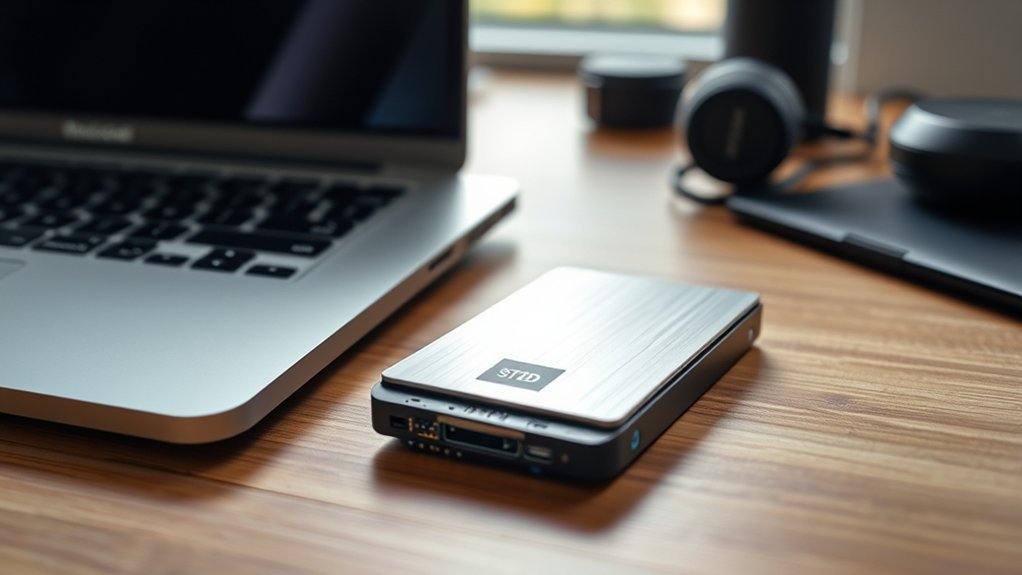
When choosing a 1TB SSD for your MacBook Pro, you’ll want to check compatibility with your specific model to avoid any issues. Pay close attention to read and write speeds to guarantee smooth performance.
Also, consider how easy it is to install, the build quality, and what kind of warranty and support the brand offers. These things can really make a difference in your overall experience.
Compatibility With Mac Models
Choosing the right 1TB SSD means making certain it fits your specific MacBook Pro model and year. Start by confirming your Mac’s EMC or model number to find compatible SSDs.
Next, check the interface type—your MacBook Pro might require NVMe PCIe Gen3x4 or PCIe 4.0 for seamless integration. Also, verify the physical form factor matches your Mac’s internal drive slot, whether it’s M.2 or 2.5-inch.
Don’t forget to review if the SSD supports macOS or comes with it pre-installed. This is especially important if you want a hassle-free upgrade.
Finally, guarantee the SSD’s firmware and hardware align with your MacBook Pro’s requirements by checking manufacturer specs. Doing this careful compatibility check helps prevent installation issues and ensures smooth performance.
Read And Write Speeds
After confirming your MacBook Pro’s compatibility with a 1TB SSD, the next step is to focus on read and write speeds. Higher speeds mean faster system boots, quicker app launches, and smoother overall performance.
Aim for SSDs offering read/write speeds above 1,000MB/s, especially if you work with large files like videos or high-resolution photos. Remember, faster read speeds speed up data retrieval, while faster write speeds improve saving and transfers.
Also, check your MacBook Pro’s interface, whether PCIe 3.0 or 4.0, to verify the SSD can reach its full potential. Keep in mind real-world speeds vary due to system setup and file sizes, so matching the SSD’s speed to your device’s specs is key to getting the best performance.
Installation And Setup Ease
Since installing a new SSD can be intimidating, you’ll want a model that makes the process as straightforward as possible. Choose an SSD that comes with clear, step-by-step installation guides and compatible tools to simplify setup.
Opt for drives offering pre-installed macOS or easy reinstallation procedures to save time. Look for plug-and-play compatibility so the SSD is recognized immediately without complex configurations.
Make sure the physical form factor and connector types match your MacBook Pro’s internal slots, avoiding the hassle of extra adapters. Also, consider SSDs providing dedicated customer support or tutorials to help you troubleshoot any issues.
Prioritizing these factors guarantees a smooth installation and setup experience, letting you get your MacBook Pro up and running quickly with your new 1TB SSD.
Durability And Build Quality
Once you’ve picked an SSD that’s easy to install, you’ll want to make sure it can handle daily wear and tear. Look for a sturdy enclosure made from materials like aluminum or reinforced plastic to protect against shocks and accidental drops.
Also, check if the SSD has water and dust resistance ratings such as IP65 or higher. These help guard the internal components from environmental damage, which is a nice bonus.
Shock resistance is essential—some SSDs can survive drops from 1.5 meters without losing performance. That kind of durability can really save you some headaches.
Don’t forget to consider the internal build quality as well. Reliable NAND chips and controllers should operate well under high temperatures and prolonged use.
Many quality SSDs even include heat sinks or thermal management systems to prevent overheating. This helps keep your drive running smoothly and extends its lifespan during heavy workloads.
Warranty And Support Options
Although durability is essential, you’ll also want to focus on the warranty and support options when choosing a 1TB SSD for your MacBook Pro. Look for a warranty period of at least three years to protect against manufacturing defects and unexpected issues.
Check if the manufacturer provides lifetime technical support; this guarantees you get help with troubleshooting and guidance long after purchase. Make sure the warranty covers both hardware failures and compatibility problems, like EFI firmware updates.
Pay attention to the return policy, especially the timeframe—usually 30 days—and conditions for defective or damaged units. Finally, review customer feedback on the manufacturer’s support responsiveness and reliability, so you’re confident they’ll assist promptly if you face any problems.
Frequently Asked Questions
Can I Install a 1TB SSD in Older Macbook Pro Models?
Yes, you can install a 1TB SSD in older MacBook Pro models, but compatibility varies by model. You’ll need the correct SSD type and tools, and sometimes a firmware update.
Always back up your data first. It’s better to be safe than sorry when making hardware changes. If you’re unsure about the process, there are plenty of guides and tutorials that can help you out.
How Do I Securely Erase Data on a 1TB SSD?
You can securely erase data on a 1TB SSD by using Disk Utility’s Secure Erase function or running the “diskutil secureErase” command in Terminal.
Always back up your data before erasing to avoid accidental loss. It’s better to be safe than sorry!
Will a 1TB SSD Affect My Macbook Pro’s Battery Life?
A 1TB SSD won’t substantially affect your MacBook Pro’s battery life because SSDs consume minimal power.
You’ll mostly notice battery usage based on your workload, not the storage capacity itself. So, whether you have 256GB or 1TB, the impact on battery is pretty much the same.
It’s really all about how you use your MacBook throughout the day.
Are There Warranty Differences Between Internal and External SSDS?
Yes, you’ll often find internal SSDs come with shorter warranties than external ones, which usually include added protection like shock resistance.
Always check specific brand policies, as warranty terms can vary widely between internal and external SSDs. It’s a good idea to compare before you buy!
How Do I Migrate macOS to a New 1TB SSD?
You’ll clone your current drive using Disk Utility or third-party software. Then, you’ll boot into macOS Recovery to reinstall macOS on the new SSD.
After that, restore your data from the backup to complete the migration smoothly. It’s a straightforward process once you get the hang of it!
Conclusion
Choosing the right 1TB SSD for your MacBook Pro can boost your performance and storage effortlessly. Whether you prefer internal upgrades like the FM13A NVMe or portable options like the Samsung T7, there’s a perfect fit for your needs.
Keep in mind speed, compatibility, and durability to get the best experience. With these top picks, you’ll enjoy faster file transfers and smoother workflows, making your MacBook Pro even more powerful in 2026.

- Best Monitor for Eyes: Top Picks That Reduce Strain Fast! - October 10, 2026
- Best Monitor for Editing Pictures: See Every Detail Now! - October 10, 2026
- Best Monitor for CAD: Ultimate Guide to Boost Your Design! - October 10, 2026
