
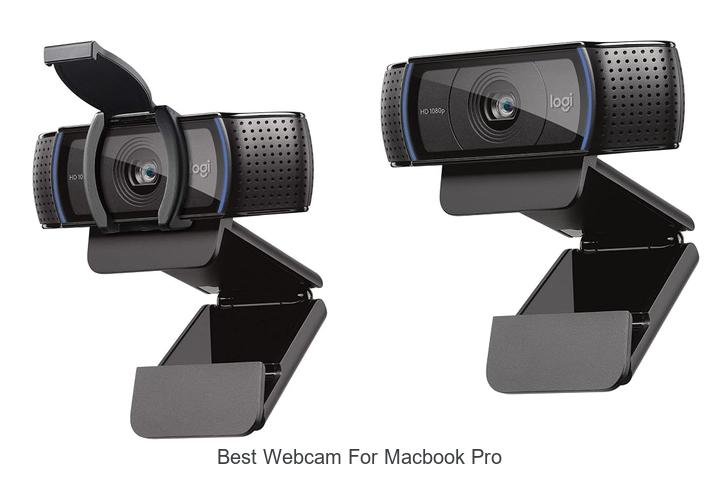
High-definition video capture, autofocus precision, and low-light performance are critical factors when choosing peripherals for a MacBook Pro, especially as virtual communication becomes integral to professional and creative workflows. The integration of advanced image sensors and adaptive frame rates directly influences the clarity and reliability of video conferencing, streaming, and content creation on macOS platforms.
Whether prioritizing seamless macOS integration or superior optical performance, understanding these nuances is essential for maximizing the device’s capabilities. Delve deeper into the key features and top contenders reshaping visual communication to discover which webcam truly complements your MacBook Pro.
Top Picks to Elevate Your Video Calls on Apple’s Powerhouse Laptop
| Image | Product | Price |
|---|---|---|
Our Picks 1  | Logitech C920S HD Pro Webcam | Check Price On Amazon |
Our Picks 2 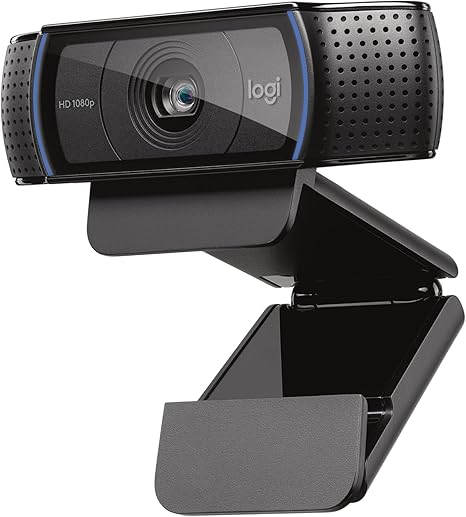 | Logitech C920x HD Pro Webcam | Check Price On Amazon |
Our Picks 3  | Logitech MX Brio Ultra HD 4K Webcam Graphite | Check Price On Amazon |
1. Logitech C920S HD Pro Webcam
Experience crystal-clear video calls and recordings with the Logitech C920S HD Pro Webcam, designed to elevate your MacBook Pro’s visual performance. Combining professional-grade optics with user-centered features, it delivers outstanding image quality and seamless connectivity for remote work, streaming, and content creation.
Equipped with full HD 1080P resolution, the webcam features a glass lens and advanced autofocus paired with light correction technology, ensuring sharp and vibrant visuals in varied lighting conditions. A privacy shutter offers peace of mind by safeguarding your lens when not in use, while dual stereo microphones capture natural, high-fidelity sound for clear communication.
Pros
- Full HD 1080P video calls and recordings with superior clarity
- Privacy shutter protects the lens and controls your visibility
- Dual stereo microphones for crisp, natural audio capture
Cons
- Does not include the 3-month XSplit VCam license
Offering robust performance and privacy features, the Logitech C920S stands out as a reliable choice for MacBook Pro users seeking quality webcams. Its competitive price and advanced capabilities make it an excellent alternative to more expensive models without sacrificing professional-grade results.
2. Logitech C920x HD Pro Webcam
Elevate your video calls and streaming sessions with the Logitech C920x HD Pro Webcam, a high-performance camera delivering stunning Full HD 1080p clarity. Designed for seamless desktop or laptop use, it offers exceptional image quality and crisp audio, making it an ideal choice for professionals and content creators alike.
Featuring advanced HD lighting adjustment and autofocus, the webcam ensures brilliant visuals even in low-light environments. Dual stereo microphones provide clear, natural sound during video conferences or recordings.
Additionally, the inclusion of XSplit VCam software allows easy background modification without needing a green screen for a polished look.
Pros
- Full HD 1080p video recording and calling at 30 fps for sharp, vibrant images
- Automatic lighting correction and fast autofocus to maintain clarity in varying conditions
- Stereo sound capture with dual microphones for natural, high-quality audio
Cons
- Lacks a physical privacy shutter, which some users may prefer for security reasons
Offering excellent video and audio performance at a competitive price, the Logitech C920x HD Pro Webcam stands out as one of the best webcams for MacBook Pro users seeking reliable, professional-grade quality. Compared to similar models, it balances affordability with advanced features, making it a smart investment for enhanced communication and content creation.
3. Logitech MX Brio Ultra HD 4K Webcam Graphite
Elevate your video calls and content creation with the Logitech MX Brio Ultra HD 4K Webcam in Graphite. Designed to deliver stunning 4K resolution and advanced AI-enhanced features, it ensures crisp visuals and clear audio, making it the best webcam for MacBook Pro users who demand professional-grade quality.
Equipped with a cutting-edge CMOS sensor and dual beamforming microphones, the MX Brio provides ultra-sharp video at up to 4K 30fps or 1080p 60fps. Its intuitive controls allow manual or automatic adjustments in lighting, color, and focus, while privacy is guaranteed with a built-in webcam cover and versatile compatibility across major operating systems.
Pros
- Ultra HD 4K resolution with 70% larger pixels for sharp, vibrant images.
- AI-enhanced image quality improves face visibility even in low light conditions.
- Integrated noise-reducing microphones ensure crystal-clear audio during calls and streams.
- Customizable video settings including ISO, shutter speed, and vibrance for a tailored appearance.
- Privacy-focused design with a physical webcam cover to block the lens when not in use.
- Wide compatibility: works seamlessly with macOS, Windows, Chrome OS, and Linux.
Cons
- Relatively higher price point compared to standard HD webcams.
For MacBook Pro users seeking exceptional video and audio performance, the Logitech MX Brio Ultra HD 4K Webcam stands out with its superior sensor technology, extensive customization, and privacy features. While it comes at a premium, its capabilities surpass many conventional webcams, making it a wise investment for professional and creative use.
4. Logitech Brio 101 Full HD Webcam

Discover crystal-clear video calls with the Logitech Brio 101 Full HD Webcam, designed for seamless compatibility and top-quality streaming. Whether for work meetings or streaming, this webcam elevates your MacBook Pro experience with impressive brightness and privacy controls, making it a smart choice for professionals and creatives alike.
Equipped with Auto-Light Balance, the Logitech Brio 101 enhances your image by boosting brightness up to 50%, minimizing shadows in any environment. The integrated sliding privacy cover ensures security when not in use, while a built-in microphone guarantees clear audio. Easy plug-and-play USB-A connectivity works smoothly on macOS, Windows, and Chrome OS.
Pros
- Advanced Auto-Light Balance improves brightness, enhancing video quality even in low light.
- Privacy slide cover provides reliable security, protecting your video privacy effortlessly.
- Built-in microphone offers clear sound, ideal for professional video conferencing.
Cons
- Lacks image stabilization, which may affect video smoothness during movement.
Offering an excellent balance between quality and convenience, the Logitech Brio 101 stands out as one of the best webcams for MacBook Pro users seeking reliable, sharp video and enhanced privacy at an affordable price point.
5. NexiGo N680E Pro 4K Webcam

Experience crystal-clear video with the NexiGo N680E Pro 4K Webcam, designed to elevate your MacBook Pro’s streaming and conferencing capabilities. Combining ultra-sharp 4K resolution with advanced autofocus and superior audio, it’s perfect for professionals and content creators demanding premium quality and reliable performance.
Equipped with a Sony 4K sensor and PDAF autofocus, this webcam delivers vibrant, true-to-life visuals at 1080p 60 fps. Enhanced by dual noise-canceling microphones and an adjustable tri-tone ring light, it ensures your image and voice stand out clearly. The built-in privacy shutter and plug-and-play USB-A connection add convenience and security across Windows, macOS, and more.
Pros
- Exceptional 4K video quality with a premium Sony sensor for crisp and vibrant streaming.
- Fast and accurate PDAF autofocus maintains sharp focus even with movement.
- Tri-tone adjustable ring light offers customizable lighting for professional appearance.
Cons
- Requires USB-A port or adapter for devices with USB-C only.
The NexiGo N680E Pro 4K Webcam stands out as a top choice for MacBook Pro users seeking outstanding image clarity, robust audio, and versatile lighting options. Its blend of advanced features and ease of use provides excellent value, rivaling other premium webcams on the market.
6. Insta360 Link 2 PTZ 4K Webcam

Discover unparalleled video quality and intelligent functionality with the Insta360 Link 2 PTZ 4K Webcam, designed to elevate your MacBook Pro experience. Perfect for professionals and creatives alike, its advanced 4K sensor and AI-driven features deliver crystal-clear visuals and seamless interaction in any setting.
Equipped with a 1/2 CMOS sensor, the Link 2 captures stunning 4K HDR visuals while adapting perfectly to low-light environments. Its Phase Detection Auto Focus ensures sharp, blur-free streaming, complemented by AI-powered noise cancellation for pristine audio.
Gesture controls and AI tracking keep you perfectly framed, enhancing productivity and engagement during calls or broadcasts.
Pros
- Superior 4K HDR video quality with excellent low-light performance
- AI-driven noise cancellation and crystal-clear audio for professional communication
- Automatic pan, tilt, and zoom with gesture and smartphone remote control
Cons
- Incompatible with ARM-based Windows systems and Windows Hello Face Recognition
The Insta360 Link 2 PTZ 4K Webcam stands out as the best webcam for MacBook Pro users seeking a versatile, high-performance device. Its advanced imaging and intuitive controls surpass many competitors, making it a wise choice for anyone serious about professional video conferencing and streaming.
7. Logitech Brio Ultra 4K HD Webcam

Experience exceptional video clarity and performance with the Logitech Brio Ultra 4K HD Webcam, designed to elevate your virtual meetings and streaming sessions. Combining superior resolution with adaptive lighting technology, it ensures you always appear professional and vibrant on camera, making it an ideal companion for MacBook Pro users seeking top-tier quality.
Boasting up to 4K resolution at 30 fps, this webcam offers autofocus and a 5x digital zoom to capture every detail crisply. The RightLight 3 feature intelligently adjusts exposure to handle challenging lighting conditions, while three adjustable fields of view allow you to customize your framing.
Pros
- Ultra HD 4K video quality with autofocus and 5x digital zoom for pristine image clarity.
- RightLight 3 technology ensures optimal lighting, even in low-light or backlit environments.
- Flexible field of view settings (65°, 78°, 90°) to capture perfect framing for any scenario.
- Dual noise-canceling microphones provide clear audio up to 1.2 meters away.
- Compatible with Mac, Windows, and ChromeOS, plus major streaming and calling apps.
- Includes an attachable privacy shutter for instant privacy protection.
Cons
- Premium price point may be higher compared to standard HD webcams.
The Logitech Brio Ultra 4K HD Webcam stands out as a premium choice for MacBook Pro users seeking superior video and audio capabilities. While it carries a higher price tag than basic models, its advanced features and versatility justify the investment for professional and streaming purposes, offering a significant upgrade over typical webcams.
8. EMEET C960 4K Webcam

Elevate your video conferencing experience with the EMEET C960 4K Webcam, designed for crystal-clear communication and seamless usability. Perfectly compatible with MacBook Pro and other devices, this webcam delivers true 4K resolution ensuring every detail is vividly captured, making remote interactions remarkably lifelike and professional.
Featuring a genuine 4K CMOS sensor, PDAF autofocus, and automatic light correction, the EMEET C960 provides sharp, well-lit images regardless of your environment. Dual omnidirectional microphones capture natural, clear audio, while the easy plug-and-play setup, privacy cover, and flexible mounting options ensure security and adaptability across multiple platforms including macOS, Windows, and Android TV.
Pros
- True 4K resolution with no artificial upscaling for ultra-clear video quality.
- Advanced PDAF autofocus and auto light correction for consistently sharp images.
- Dual omnidirectional microphones deliver clear, natural sound for professional calls.
Cons
- Default video resolution is 1080P and requires manual switching to 4K in software.
Offering a fantastic balance between high-resolution video and clear audio, the EMEET C960 4K Webcam stands out as one of the best webcams for MacBook Pro users seeking professional-grade remote communication without the premium price.
9. Logitech Brio 100 Webcam White

Elevate your video calls with the Logitech Brio 100 Webcam White, designed to deliver crisp Full HD 1080p resolution and superior clarity. Its modern aesthetic and compact design make it an excellent companion for your MacBook Pro and other devices, ensuring you look your best in every virtual meeting.
Equipped with RightLight technology, the webcam intelligently boosts brightness by up to 50%, minimizing shadows even in low-light environments. The integrated privacy shutter offers peace of mind when the camera is not in use, while the built-in microphone ensures clear audio. Compatible across major video platforms, it’s an easy plug-and-play solution crafted with recycled materials.
Compatible across major video platforms, it’s an easy plug-and-play solution crafted with recycled materials.
Pros
- Full HD 1080p resolution for sharp, vibrant video quality
- Auto-light balance with RightLight boosts visibility in dim settings
- Convenient privacy shutter for secure, reliable privacy
- Built-in microphone delivers clear audio without extra peripherals
- Compatible with Windows, macOS, ChromeOS and leading video apps
- Constructed with at least 34% post-consumer recycled plastic for eco-conscious users
- Sleek, lightweight design complements a variety of setups
Cons
- Lacks image stabilization, which may affect video smoothness during movement
With its balance of quality, convenience, and environmental responsibility, the Logitech Brio 100 Webcam White stands out as an excellent choice among webcams suitable for MacBook Pro users seeking reliable performance at an affordable price.
10. NexiGo N60 1080P USB Webcam

Experience exceptional video clarity with the NexiGo N60 1080P USB Webcam, designed to deliver sharp, vibrant footage ideal for professional and personal use. Whether for virtual meetings, streaming, or online learning, this webcam ensures you present yourself with crystal-clear quality every time.
Equipped with a 1080p full HD CMOS sensor and a 6mm glass lens, the NexiGo N60 captures crisp images optimized for distances between 20 inches to 13 feet. Compatible with multiple operating systems including macOS and Windows, it offers plug-and-play convenience with no extra drivers needed. Its built-in noise-cancelling microphone enhances audio clarity, while the privacy cover adds an extra layer of security.
Pros
- Full HD 1080p video quality with a 3.6mm glass lens for clear, sharp images.
- Wide compatibility across Mac OS, Windows, Linux, Android, and Chrome OS.
- Integrated noise-cancelling microphone ensures clear audio during calls and recordings.
Cons
- Not compatible with gaming consoles such as XBOX, PS4, and PS5.
The NexiGo N60 strikes a perfect balance between affordability and performance, making it an excellent choice among the best webcams for MacBook Pro users seeking reliable, high-quality video communication at an accessible price point.
Top Picks and Expert Tips for Choosing the Best Webcam for MacBook Pro
Compatibility with MacBook Pro
macOS support and drivers. USB types and ports (USBC, USBA). Plugandplay vs. software installation.Ensuring full support for macOS and drivers is crucial to guarantee smooth operation without frequent crashes or compatibility issues. Many webcams come with USB-C or USB-A connectors, so confirming compatibility with the MacBook Pro’s available ports can save the hassle of carrying adapters or losing video quality through converters.
- USB-C ports are standard on modern MacBook Pros, offering faster data transfer and convenience.
- USB-A connectors might require adapters, which can introduce latency or connection instability.
Additionally, some webcams offer plug-and-play functionality, allowing immediate use without additional software, which is ideal for quick setups. Others might need dedicated software installation for advanced features such as facial tracking or enhanced image controls, so verifying this beforehand helps ensure compatibility with your workflow and preferences.
Video Quality and Resolution
HD vs. 4K resolution options. Frame rate considerations (fps). Lowlight performance and image clarity.USB-C ports are the primary means of connecting peripherals to a MacBook Pro, so ensuring the webcam supports this interface or comes with the proper adapters is crucial for seamless integration. Additionally, having multiple ports or compatibility with USB hubs can be a significant advantage, allowing users to connect extra devices without constantly swapping cables.
Many webcams now offer slots for external microphones or SD cards, enhancing audio quality and providing more storage options for recordings. Evaluating these additional connection points can greatly expand the device’s usability beyond just a simple plug-and-play camera. In essence, confirming that the webcam’s connection capabilities align well with the MacBook Pro’s design ensures a hassle-free setup and a more versatile user experience.
In essence, confirming that the webcam’s connection capabilities align well with the MacBook Pro’s design ensures a hassle-free setup and a more versatile user experience.
Audio Features
Builtin microphone quality. Noise cancellation capabilities. Stereo vs. mono audio input.High-quality audio input is crucial for clear communication during video calls or recordings. A webcam with a built-in microphone that offers noise cancellation can significantly reduce background distractions, creating a more professional and crisp sound experience. Additionally, stereo audio input provides a richer and more immersive sound compared to mono, making conversations feel more natural and engaging.
Additionally, stereo audio input provides a richer and more immersive sound compared to mono, making conversations feel more natural and engaging. Considering these audio features ensures that both your voice and surroundings are captured with clarity, enhancing overall interaction quality.
Design and Build
Size and portability. Mounting options (clip, tripod, magnetic). Durability and material quality.Ensuring a camera easily connects and adapts to various devices can significantly enhance its usability with a MacBook Pro. Fast and reliable ports or wireless options prevent frustrating interruptions during important video calls or recordings.
Additionally, having the ability to add extra accessories or interfaces, such as external microphones or lighting, greatly expands the webcam’s functionality.
| Feature | Benefit |
|---|---|
| USB-C Support | Offers seamless compatibility with modern MacBook Pros without extra adapters |
| Wireless Options (Wi-Fi/Bluetooth) | Provides flexibility in positioning, reduces cable clutter |
| Additional Ports (Audio, Video) | Allows connection of microphones or lights, enhancing overall production quality |
Ensuring your device supports these features can transform the way you use it, making it far more versatile and future-proof.
Additional Features
Autofocus and zoom capabilities. Privacy shutter or lens cover. Software enhancements and customization.Additional features can significantly impact the overall experience and functionality of a webcam designed for MacBook Pro users. Autofocus and zoom capabilities ensure that video remains sharp and clear, even when moving or adjusting the frame, which is essential for professional calls or content creation.
A built-in privacy shutter or lens cover provides peace of mind by allowing users to physically block the camera when it’s not in use, protecting against unwanted surveillance. Moreover, software enhancements and customization options enable users to tailor the image quality, apply filters, adjust lighting, and optimize performance according to different environments. These features collectively enhance usability and security, making a webcam far more versatile and user-friendly beyond just its core video quality.
Price and Warranty
Budget vs. premium options. Warranty length and customer support. Value for money considerations.Ensuring the webcam easily connects with your MacBook Pro and offers room for additional devices or upgrades is crucial for a smooth user experience. Different models feature a variety of ports and compatibility options, which can affect how seamlessly the device integrates with your setup. Having versatile connection options prevents the frustration of needing extra adapters or dongles, saving both time and money.
Having versatile connection options prevents the frustration of needing extra adapters or dongles, saving both time and money.
Moreover, the ability to expand your setup with accessories like external microphones, lighting, or secondary cameras enhances the overall quality and functionality. This flexibility allows for a more professional and customizable recording or streaming environment, adapting to your needs as they evolve.
FAQ’s
What Features Should I Look For In The Best Webcam For Macbook Pro?The best webcam for a MacBook Pro should offer high resolution (at least 1080p) for clear, sharp video and excellent low-light performance for consistent quality in various lighting conditions. Additionally, look for features like autofocus, a wide field of view, and compatibility with macOS for seamless integration.
Are There Any Webcams That Are Specifically Optimized For Macbook Pro?Yes, certain webcams like the Logitech StreamCam and Elgato Facecam are optimized for MacBook Pro, offering seamless compatibility and high-quality video performance. These webcams support macOS features and provide easy plug-and-play setup for Mac users.
How Does The Built-In Macbook Pro Camera Compare To External Webcams?The built-in MacBook Pro camera offers decent video quality suitable for everyday use but typically has lower resolution and fewer features compared to many external webcams. External webcams often provide higher resolution, better low-light performance, and more advanced settings for professional-level video quality.
What Is The Best Budget-Friendly Webcam Option For Macbook Pro Users?The Logitech C920 is widely regarded as the best budget-friendly webcam for MacBook Pro users, offering excellent 1080p video quality and reliable performance. It’s compatible with macOS and provides great value for its price.
Can External Webcams Improve Video Quality For Macbook Pro During Video Conferencing?Yes, external webcams can improve video quality for MacBook Pro during video conferencing by offering higher resolution, better lenses, and enhanced image sensors compared to built-in cameras. This results in clearer, sharper video and often improved low-light performance.
Conclusion
When choosing the best webcam for your MacBook Pro, consider key features like resolution, low-light performance, and compatibility. Popular options include the Logitech Brio, Razer Kiyo, and Elgato Facecam, all offering excellent video quality for streaming and video calls. Investing in a high-quality webcam enhances your online presence and ensures clear, professional visuals every time.
Investing in a high-quality webcam enhances your online presence and ensures clear, professional visuals every time.

- Best Webcam for MacBook Pro That Will Blow Your Mind! - November 10, 2026
- Unlock Earnings with the Best Paying Webcam Jobs Now! - November 10, 2026
- Best Webcam With Light for Stunning Video Quality! - November 10, 2026
