
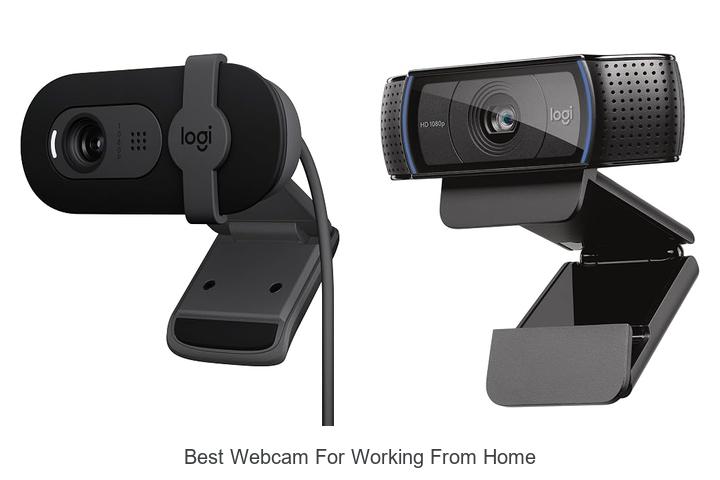
In an era where high-definition video codecs and omnidirectional microphones play a crucial role in virtual communication, selecting the best webcam for working from home has become more important than ever. Factors such as resolution, frame rate, autofocus capabilities, low-light performance, and compatibility with various operating systems all contribute to achieving crystal-clear video quality, ensuring productivity and professionalism during remote meetings.
Bandwidth optimization and plug-and-play functionality further impact the seamless integration of webcams into home office setups. As the demand for reliable and feature-rich webcams continues to grow, understanding which specifications truly matter can make all the difference in enhancing your remote work experience. Explore the key considerations that will guide you toward the best webcam for working from home.
Top Picks to Elevate Your Remote Work Video Experience
| Image | Product | Price |
|---|---|---|
Our Picks 1  | Logitech Brio 101 Webcam | Check Price On Amazon |
Our Picks 2 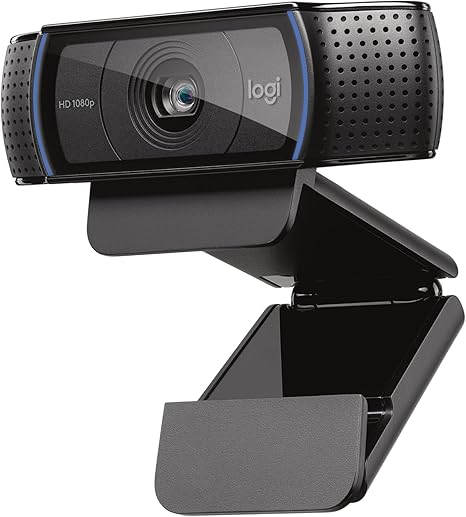 | Logitech C920x HD Pro Webcam | Check Price On Amazon |
Our Picks 3 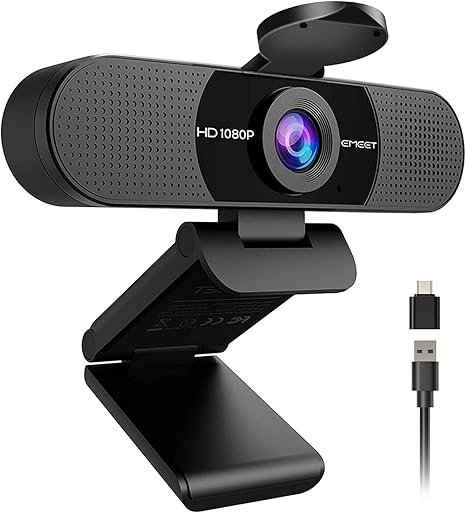 | EMEET C960 1080P Webcam with Microphone | Check Price On Amazon |
1. Logitech Brio 101 Webcam
Enhance your remote work experience with the Logitech Brio 101 Webcam, designed to deliver crystal-clear video and effortless usability. Whether for professional meetings or casual chats, this webcam ensures you present your best self with advanced lighting and privacy features that suit any home office setup.
Equipped with RightLight technology, the Logitech Brio 101 increases brightness by up to 50%, reducing shadows and optimizing your appearance in low-light conditions. Its built-in microphone guarantees clear audio, while the integrated privacy shutter offers peace of mind.
Pros
- Superior low-light correction with RightLight technology for sharper video quality
- Privacy slide shutter ensures total control over your camera when not in use
- Easy setup and compatibility across major video conferencing platforms with USB-A connectivity
Cons
- Lacks advanced image stabilization found in some higher-end models
Offering a blend of functionality, privacy, and eco-conscious design, the Logitech Brio 101 Webcam stands out as a reliable choice for anyone seeking the best webcam for working from home. Its performance and convenient features provide excellent value in a competitive market.
2. Logitech C920x HD Pro Webcam
Enhance your remote work setup with the Logitech C920x HD Pro Webcam, a reliable and versatile choice designed to deliver crisp, vibrant video quality. Perfectly suited for video conferencing, streaming, and content creation, this webcam ensures you look professional, no matter your environment or lighting conditions.
Equipped with full HD 1080p video capture at 30fps, dual microphones for clear stereo audio, and automatic HD lighting adjustments, the Logitech C920x automatically optimizes image quality, even in dim settings. Its compatibility with multiple operating systems and inclusion of advanced capture software such as XSplit VCam make it ideal for both work and play.
Pros
- Full HD 1080p video calling and recording with 30fps for sharp, detailed visuals
- Automatic lighting adjustment and autofocus for bright and clear images in all environments
- Dual stereo microphones capturing natural and balanced sound during calls and recordings
Cons
- Lacks an integrated privacy shutter, requiring separate consideration for privacy needs
Offering a blend of superior video quality and user-friendly features, the Logitech C920x HD Pro Webcam stands out as a top contender among webcams for professionals working from home. Its reliable performance and included software enhancements provide excellent value compared to other webcams in its class.
3. EMEET C960 1080P Webcam with Microphone
Experience professional-quality video conferencing with the EMEET C960 1080P Webcam, designed to enhance your work-from-home setup. Its sharp 1080p resolution and privacy cover make it an ideal choice for clear, secure, and confident virtual communication.
Equipped with a 5-layer anti-glare lens and automatic light correction, the EMEET C960 produces smooth, vivid video even in varying lighting conditions. Dual omnidirectional microphones capture clear audio, while versatile USB connectivity and broad compatibility ensure seamless integration across Windows, macOS, and Android platforms.
Pros
- High-definition 1080p video with fixed focus for crystal-clear streaming at various distances
- Built-in dual omnidirectional microphones delivering clear and natural sound quality
- Privacy cover provides peace of mind by protecting your camera lens when not in use
Cons
- Does not support Windows Hello authentication and lacks built-in speakers
Offering excellent video and audio quality at an affordable price point, the EMEET C960 Webcam stands out as a reliable and privacy-conscious option for professionals working remotely. When compared to higher-end models, it balances essential features with user-friendly design for everyday productivity needs.
4. Logitech C270 Webcam

Discover crystal-clear video quality with the Logitech C270 Webcam, designed to enhance your work-from-home experience. Its HD 720p resolution and advanced light correction ensure you look professional during every video call, making it an essential tool for productive virtual meetings.
Equipped with a noise-reducing microphone and RightLight 2 technology, the C270 delivers clear audio even in busy environments and optimizes image brightness for natural, vivid visuals. Its versatile clip attaches easily to laptops or monitors, providing flexible setup options compatible with major platforms like Zoom, Skype, and Google Hangouts.
Pros
- HD 720p video at 30 fps with 55° field of view for sharp, wide-angle shots
- RightLight 2 technology automatically adjusts to various lighting conditions
- Built-in noise-reducing microphone captures clear audio up to 1.5 meters away
Cons
- Limited to 720p resolution, which may not meet the needs of users seeking Full HD or higher quality
For anyone seeking a reliable and affordable webcam with excellent video and audio performance, the Logitech C270 offers great value. While higher-resolution alternatives exist, the balance of quality and ease of use makes it a standout choice for everyday remote work and communication.
5. NexiGo N60 1080P USB Webcam with Microphone

Enhance your remote work experience with the NexiGo N60 1080P USB Webcam, designed to deliver crisp, high-definition video and clear audio. Its sleek design and user-friendly setup make it an exceptional choice for professional video calls, online teaching, and streaming, ensuring you stay connected with confidence and clarity.
Equipped with a 1080p Full HD CMOS sensor and a 6mm glass lens, the NexiGo N60 captures sharp images at 30fps with optimal focus between 6 inches and 13 feet.
The built-in noise-cancelling microphone minimizes ambient sounds, while the privacy cover offers added security when the webcam is not in use. Compatible across multiple platforms without the need for drivers, it’s ideal for diverse setups.
Pros
- Crystal-clear 1080p video quality with 30fps for smooth streaming and conferencing
- Compatibility across Mac, Windows, Linux, Android, and Chrome OS without requiring additional drivers
- Built-in noise-cancelling microphone enhances sound clarity for professional-grade calls and recordings
- Privacy cover ensures lens protection and peace of mind when not in use
- Compact design with adjustable field of view and low-light correction for versatile indoor use
Cons
- Not compatible with gaming consoles like XBOX, PS4, or PS5, limiting use for some users
The NexiGo N60 webcam combines affordability with performance, making it a top contender among webcams tailored for home offices. Its broad device compatibility and advanced features offer excellent value, rivaling pricier models while ensuring seamless video and audio quality for work and casual use.
6. NexiGo N930AF HD USB Webcam with Microphone

Experience sharp, vibrant video calls with the NexiGo N930AF HD USB Webcam featuring advanced autofocus and 1080p resolution. Designed for seamless remote work and streaming, it ensures crystal clear visuals paired with high-quality audio to elevate your professional and personal communication.
Equipped with a 2MP CMOS sensor delivering full HD clarity at 30fps, the N930AF offers adjustable autofocus starting as close as 7cm for precision framing. A built-in noise-canceling microphone enhances sound quality, while the included privacy cover safeguards your lens when not in use.
Pros
- Autofocus system ensures consistently sharp, clear video regardless of distance.
- Privacy cover protects lens and prevents unauthorized access, adding security.
- Built-in noise-canceling microphone delivers clear audio for professional communication.
- Plug-and-play design with wide OS compatibility including Windows, Mac, Linux, and Chrome OS.
- Convenient mounting clip and 2-meter USB cable offer flexible setup on various devices.
Cons
- Does not support image stabilization, which may affect smoothness during movement.
The NexiGo N930AF webcam stands out among similar models by combining dependable autofocus and a privacy cover at an affordable price point, making it an excellent choice for professionals and content creators seeking reliable quality without complexity.
7. Logitech C920e HD Webcam

Experience crystal-clear video conferencing with the Logitech C920e HD Webcam, an ideal choice for professionals working remotely. Designed to deliver sharp visuals and natural audio, it enhances your online meetings by ensuring you remain clearly visible and heard in any environment.
Featuring a 78° fixed field of view and built-in HD autofocus, this webcam frames you perfectly while sharing presentations or projects. Dual omnidirectional microphones pick up sound clearly from up to one meter, complemented by automatic light correction for optimal image quality. The attachable privacy shutter safeguards your privacy with ease.
Pros
- High-definition video with 78° field of view and autofocus for clear, professional visuals.
- Two integrated omnidirectional microphones ensure natural audio capture from a distance.
- Attachable privacy cover enhances security by physically blocking the lens when not in use.
Cons
- Lacks advanced features such as 4K resolution and built-in ring light found in some premium models.
The Logitech C920e HD Webcam stands out as a reliable and user-friendly solution for seamless communication, balancing quality and security. Suitable for any setup, it offers great value for those seeking a dependable webcam for everyday professional use.
8. Acer A610 1080p Webcam with Microphones

Enhance your remote work experience with the Acer A610 1080p Webcam, designed for crystal-clear video calls and seamless connectivity. Its Full HD resolution and advanced CMOS sensor deliver vibrant and sharp visuals, making every virtual meeting and online session professional and engaging.
Equipped with dual noise-reduction microphones and a privacy cover, this webcam prioritizes both audio clarity and security. Its easy plug-and-play setup, versatile compatibility, and flexible 360° rotation ensure effortless use across various devices.
Automatic low-light correction keeps your image clear, even in challenging lighting environments.
Pros
- 1080p Full HD video quality with enhanced color accuracy via CMOS sensor
- Dual noise-reduction microphones for clear voice capture during calls and streams
- Built-in privacy cover and 360° adjustable positioning for convenience and security
- Easy plug-and-play installation with Type-A to Type-C adapter included
- Wide compatibility with major platforms like Zoom, Skype, and Google Meet on both Windows and Mac OS
- Automatic low-light correction and exposure adjustment for consistent image quality
Cons
- Lacks built-in speakers, requiring separate audio output devices
Offering a balanced mix of high-definition video, reliable audio, and user-friendly features, the Acer A610 Webcam stands out among budget-friendly options. Ideal for anyone seeking a dependable webcam for working from home, it combines quality and practicality without complexity or high cost.
9. Anker PowerConf C200 Webcam

Enhance your remote work experience with the Anker PowerConf C200 Webcam, designed to deliver exceptional video and audio quality. Perfect for professionals seeking crystal-clear conference calls, this webcam boosts your home office setup with advanced features tailored for effective virtual communication.
Offering stunning 2K ultra-clear resolution, the PowerConf C200 captures sharp and vibrant images while its AI-powered dual microphones reduce background noise for clear conversations. Adjustable viewing angles and superior low-light performance ensure you look your best in any environment, complemented by a convenient privacy cover for security.
Pros
- High-quality 2K resolution delivers professional-grade video clarity for virtual meetings and streaming.
- AI noise cancellation with dual microphones ensures clear audio even in noisy surroundings.
- Customizable field of view (65°, 78°, 95°) lets you frame your shot precisely.
- Excellent performance in low-light conditions without the need for additional lighting.
- Built-in privacy shutter offers quick, reliable lens protection between calls.
- Broad compatibility with Windows 7+ and macOS 10.11+ provides versatile connectivity options.
Cons
- Lacks water resistance, so it should be kept away from moisture-prone areas.
Overall, the Anker PowerConf C200 Webcam stands out as a reliable, feature-rich choice for remote professionals seeking enhanced video and audio quality. While competitors may offer similar specs, its balance of resolution, noise reduction, and customizable settings makes it an excellent investment for an upgraded home office.
10. Acer 4K Webcam with Privacy Cover

Elevate your remote work setup with the Acer 4K Webcam featuring stunning UHD resolution and advanced imaging technology. Designed for professionals and creators alike, it delivers crystal-clear visuals and superior audio, making every video call and stream an immersive experience.
The 4K webcam boasts a Sony 1/2 CMOS sensor that ensures exceptional low-light performance and exquisite detail capture. Its aerospace-grade aluminum body provides durability and effective heat dissipation, while Phase Detection Autofocus guarantees precise, blur-free imaging.
Dual high-sensitivity microphones deliver clear sound by minimizing background noise, all secured by a magnetic privacy cover.
Pros
- Ultra-sharp 4K UHD resolution for true-to-life video quality, excellent even in low light
- Robust aerospace-grade aluminum construction with fast heat dissipation for reliable performance
- Dual digital microphones with noise filtering to ensure clear, professional audio
Cons
- Higher price point compared to standard HD webcams, reflecting its premium features
The Acer 4K Webcam stands out as a top-tier choice for anyone seeking exceptional image clarity and reliable audio during remote work or streaming sessions. While it carries a premium price, its advanced features and build quality justify the investment, especially for users valuing privacy and performance.
Top Picks for the Best Webcam to Elevate Your Work-From-Home Setup
Resolution and Video Quality
Minimum resolution requirements (HD vs Full HD vs 4K). Frame rate for smooth video (30fps vs 60fps). Lowlight performance and image clarity.Most webcams offer varying degrees of image sharpness and fluidity, making it essential to ensure they can easily connect to your devices without issues and support additional peripherals if needed. USB ports, especially USB 0 or higher, provide faster data transfer rates, which are crucial for maintaining high video quality during calls. Additionally, options such as built-in microphones and external mic jacks allow for enhanced audio input flexibility.
Some models come with adjustable mounts or tripod compatibility, giving you room to upgrade your setup over time without having to replace the camera entirely.
Paying attention to the available ports and compatibility with your computer’s system ensures smooth integration and minimizes frustration during work calls. It also opens the door to expanding your video setup in the future by adding lighting, extra microphones, or multiple camera angles.
Without these factors in mind, you risk investing in a device that can’t keep up with your evolving needs or that requires inconvenient adapters and accessories to function properly.
Audio Features
Builtin microphone quality. Noise reduction and echo cancellation. Stereo vs mono sound options.Many webcams come equipped with built-in microphones, but the quality can vary significantly, impacting the clarity of your voice during virtual meetings. Models offering noise reduction and echo cancellation help minimize background sounds, ensuring your speech remains crisp and easy to understand even in less-than-quiet environments. Additionally, the choice between stereo and mono audio options plays a role in capturing natural sound; stereo microphones provide a richer, more immersive experience, especially important for multi-person calls or presentations, while mono microphones typically suffice for basic one-on-one conversations.
Paying attention to these audio features can greatly enhance overall communication quality and professionalism during remote work sessions.
Compatibility and Connectivity
Operating system support (Windows, macOS, Linux). Connection type (USBA, USBC, wireless). Plugandplay vs driver installation.Many webcams on the market differ significantly in how well they integrate with various operating systems like Windows, macOS, and Linux. Ensuring that a device supports your system natively can save you time and prevent compatibility headaches.
The type of connection also plays a crucial role; USB-A and USB-C ports are common wired options, with USB-C offering faster data transfer and future-proofing for newer laptops, while wireless models provide flexibility but may introduce latency or require battery management. Additionally, some webcams are truly plug-and-play, allowing instant use without any extra software, whereas others need driver installations that might complicate setup or limit cross-platform usability.
| Aspect | Details | Impact |
|---|---|---|
| Operating System Support | Windows, macOS, Linux compatibility varies by model | Affects ease of use and ensures smooth functionality without glitches |
| Connection Type | USB-A, USB-C, Wireless options | Determines transfer speed, device compatibility, and flexibility |
| Plug-and-Play vs Driver Installation | Instant setup vs. additional software requirements | Impacts setup time and potential technical issues |
Field of View and Mounting Options
Wideangle vs standard field of view. Adjustable mounts and clip flexibility. Tripod compatibility.USB ports and video input options play a crucial role in ensuring smooth integration with your current setup. Devices that support plug-and-play functionality and are compatible with various operating systems can save you time and frustration.
Equally important is the ability to enhance your camera’s capabilities through attachments and added features. Models that allow you to connect external microphones, lighting, or lenses offer greater versatility, allowing you to improve video quality without replacing the entire unit.
| Aspect | Why It Matters | Examples |
|---|---|---|
| Port Compatibility | Ensures ease of connection with desktops, laptops, and hubs | USB-A, USB-C, HDMI |
| Plug-and-Play Support | Reduces setup time and driver issues | Native OS drivers, no additional software required |
| Accessory Support | Enhances video and audio quality | External mics, ring lights, lens attachments |
Additional Features
Autofocus and light correction. Privacy shutter or lens cover. Software enhancements and customization options.Modern webcams come equipped with autofocus and light correction features that greatly enhance video quality, ensuring a clear and well-lit image regardless of your environment. A privacy shutter or lens cover is an essential security addition, providing peace of mind by physically blocking the camera when not in use.
Software enhancements and customization options allow you to tailor settings such as brightness, contrast, and background effects to suit your specific needs, adding flexibility and professionalism to your virtual meetings.
Price and Brand Reputation
Budget vs premium webcams. Warranty and customer support. User reviews and brand reliability.Modern webcams offer a variety of connection options, such as USB-A, USB-C, or even wireless capabilities, which directly impact compatibility and ease of use with different devices. It’s important to ensure the camera you choose fits seamlessly with your computer or laptop ports without requiring additional adapters, which can clutter your workspace and cause delays during setup.
Additionally, having ports available for other peripherals or future upgrades can make a significant difference in creating a flexible and efficient home office environment. Features like external microphone inputs or the ability to connect ring lights can enhance your video quality, making the device not just a one-trick tool but a versatile component of your remote work setup.
- Type and number of ports on the webcam and your computer
- Support for wireless connections versus wired options
- Compatibility with additional accessories to improve audio and lighting
- Ease of switching between devices, if applicable
FAQ’s
What Features Should I Look For In The Best Webcam For Working From Home?The best webcam for working from home should have high resolution (at least 1080p) for clear video quality and good low-light performance to ensure you look professional in any lighting. Additionally, features like a wide field of view, built-in microphone with noise reduction, and easy plug-and-play setup enhance your overall video conferencing experience.
Which Webcams Offer The Best Video Quality For Remote Work Meetings?Webcams like the Logitech Brio and the Razer Kiyo Pro offer the best video quality for remote work meetings, featuring 4K resolution and excellent low-light performance. These models provide clear, sharp images that enhance professional appearance during video calls.
How Important Is Microphone Quality In A Webcam For Working From Home?Microphone quality in a webcam is crucial for clear communication during remote work, ensuring your voice is heard without distortion or background noise. Poor audio can lead to misunderstandings and reduce overall meeting effectiveness.
What Is The Best Budget-Friendly Webcam For Working From Home?The Logitech C270 is one of the best budget-friendly webcams for working from home, offering 720p video quality and reliable performance at an affordable price. It’s easy to set up and provides clear audio, making it ideal for virtual meetings and video calls.
Are There Any Webcams That Work Well With Popular Video Conferencing Apps?Yes, many webcams like the Logitech C920 and Microsoft LifeCam HD-3000 are known to work seamlessly with popular video conferencing apps such as Zoom, Microsoft Teams, and Google Meet. These webcams offer reliable video quality and easy plug-and-play compatibility across multiple platforms.
Conclusion
In summary, choosing the best webcam for working from home depends on factors like video quality, microphone clarity, and ease of use. Top models offer HD or 4K resolution, noise-canceling mics, and seamless compatibility with video conferencing apps. Investing in a reliable webcam enhances professional presence and ensures smooth remote communication for productivity and collaboration.

- Best Webcam for Working from Home: Top Picks You Need Now! - November 10, 2026
- Unlock Pro Stream Setup with the Best Gaming Webcam! - November 10, 2026
- Top 7 Best Desktop Webcam Picks You Can’t Miss Today! - November 10, 2026
