
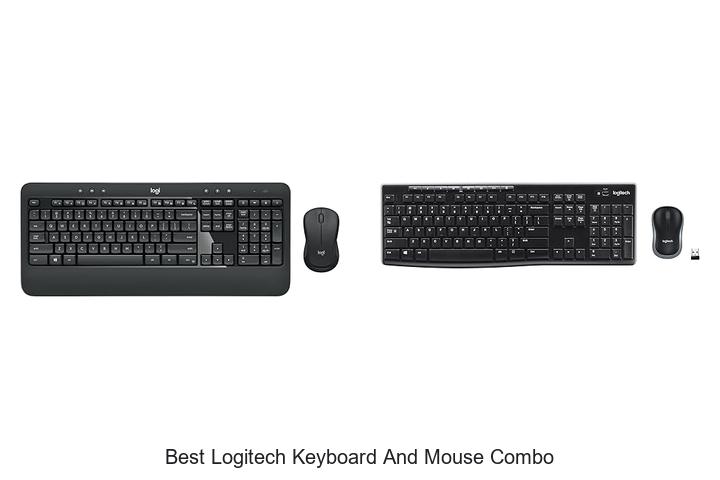
In the realm of peripheral technology, the synergy between tactile response, wireless connectivity, and ergonomic design defines the efficiency of user interaction. When optimizing workstation setups, the importance of seamless integration between input devices cannot be overstated.
Logitech’s reputation for delivering precision-engineered peripherals makes this a focal point for professionals and gamers alike. However, navigating the diverse product range to identify a model that balances performance and comfort requires a nuanced understanding of both hardware specifications and user needs.
This article delves into the critical aspects that distinguish the best Logitech keyboard and mouse combos, offering insights that will guide your next tech upgrade decision.
Discover Top-Tier Wireless Solutions That Elevate Your Workspace Efficiency
| Image | Product | Price |
|---|---|---|
Our Picks 1  | Logitech MK540 Wireless Keyboard and Mouse Combo | Check Price On Amazon |
Our Picks 2  | Logitech MK270 Wireless Keyboard and Mouse Combo | Check Price On Amazon |
Our Picks 3  | Logitech MK850 Performance Wireless Keyboard and Mouse Combo | Check Price On Amazon |
1. Logitech MK540 Wireless Keyboard and Mouse Combo
Discover seamless productivity and comfort with the Logitech MK540 Wireless Keyboard and Mouse Combo, designed to elevate your workspace. Combining precision typing and ergonomic design, this combo offers high performance and convenience, making it an excellent choice for both work and casual use.
The full-size keyboard features quiet keys, a palm rest, and a spill-resistant layout for hassle-free use. Its wireless mouse boasts ambidextrous construction with soft rubber grips for comfort and accurate tracking. With up to 36 months of keyboard battery life and 18 months for the mouse, plus a reliable 33 ft wireless range, you’ll stay connected and productive effortlessly.
Pros
- Comfortable typing experience with reduced noise and adjustable tilt legs
- Ambidextrous wireless mouse offering precise cursor control and soft grips
- Extended battery life: keyboard lasts up to 36 months, mouse up to 18 months
Cons
- Compatibility limited to Windows 7 or newer and Chrome OS; no native Mac support
The Logitech MK540 Wireless Keyboard and Mouse Combo blends durability, comfort, and efficient performance, standing out as a reliable option for everyday computing. For users seeking multi-device Bluetooth connectivity or advanced customization, the Logitech MK850 may be a worthy alternative.
2. Logitech MK270 Wireless Keyboard and Mouse Combo
Discover seamless productivity with the Logitech MK270 Wireless Keyboard and Mouse Combo, designed for comfort and reliability. Its wireless connectivity and full-size keyboard layout make typing effortless, while the ergonomic mouse suits both left- and right-handed users, ideal for both work and casual use.
Equipped with a 33-foot wireless range, spill-resistant keys, and long-lasting batteries, this combo ensures uninterrupted performance. Multimedia hotkeys provide quick access to essential functions, and eco-friendly materials highlight Logitech’s commitment to sustainability, making it a smart and durable choice for everyday computing.
Pros
- Reliable wireless connection up to 33 feet with USB plug-and-play setup
- Comfortable full-size keyboard featuring quiet, low-profile keys and a number pad
- Long battery life: up to 36 months for the keyboard and 12 months for the mouse
- Spill-resistant design and sturdy adjustable tilt legs enhance durability
- Ambidextrous compact mouse with smooth cursor control for versatile use
- 8 multimedia hotkeys for instant access to internet, email, and media controls
- Use of recycled plastic parts aligns with eco-friendly practices
Cons
- Lacks advanced ergonomic features found in premium combos like the Logitech MK540
Offering a perfect balance between comfort, reliability, and eco-conscious design, the Logitech MK270 Wireless Keyboard and Mouse Combo stands out as an excellent value. For users seeking enhanced ergonomics, upgrading to the MK540 might be worthwhile, but the MK270 remains a top contender among best Logitech keyboard and mouse combos.
3. Logitech MK850 Performance Wireless Keyboard and Mouse Combo
Experience seamless productivity with the Logitech MK850 Performance Wireless Keyboard and Mouse Combo—designed for multitaskers seeking comfort and efficiency. This combo enhances your workspace with its ergonomic build and advanced connectivity, making it an excellent choice for anyone needing reliable, high-performance input devices.
The full-size keyboard features cushioned palm rests and precisely crafted keys, ensuring hours of quiet, comfortable typing. Complemented by a contoured right-handed mouse with a hyper-fast scroll wheel, navigation across documents and web pages becomes effortless.
Both devices support multi-device and multi-OS compatibility, allowing smooth switching between computers, tablets, and smartphones with just a click.
Pros
- Ergonomic design with cushioned palm rest for extended comfort during long work sessions.
- Multi-device connectivity enables users to switch control across up to three screens seamlessly.
- Dual wireless connectivity (USB receiver and Bluetooth) guarantees versatility with current and future devices.
Cons
- The keyboard layout may require a short adjustment period for users accustomed to compact models.
Offering a perfect balance of comfort, speed, and compatibility, the Logitech MK850 combo stands out as a top contender among wireless keyboard and mouse sets. Its thoughtful features cater well to both professionals and casual users, making it a worthy investment for those upgrading their desktop setup.
Compared to similar Logitech models, it offers superior ergonomics and multi-device ease, proving its position as the best Logitech keyboard and mouse combo at an accessible price point.
4. Logitech MX Keys S Wireless Keyboard and Mouse Combo Graphite

Discover the perfect balance of speed, comfort, and precision with the Logitech MX Keys S Wireless Keyboard and Mouse Combo in Graphite. Designed for professionals and creatives alike, this combo offers a seamless typing and scrolling experience paired with advanced customization to elevate your productivity.
The MX Keys S keyboard delivers fluid, laptop-like typing with spherically-dished keys that fit your fingertips naturally. Complemented by the MX Master 3S mouse featuring Logitech’s MagSpeed scroll wheel and an 8K DPI sensor, you can effortlessly scroll through 1000 lines per second, even on glass surfaces. Enhanced backlighting adapts to your environment and hand proximity, while the Logi Options+ app allows you to automate repetitive tasks via custom Smart Actions.
Enhanced backlighting adapts to your environment and hand proximity, while the Logi Options+ app allows you to automate repetitive tasks via custom Smart Actions.
Pros
- Ergonomic design ensures comfort during extended use with stable keyboard angle and sculpted mouse shape
- Multi-device and multi-OS compatibility via Bluetooth Low Energy and Logi Bolt USB receiver
- Eco-friendly construction using certified post-consumer recycled plastics in both keyboard and mouse
Cons
- Premium pricing may not fit all budgets compared to basic keyboard and mouse combos
Overall, the Logitech MX Keys S Wireless Keyboard and Mouse Combo stands out as an exceptional choice for users seeking precision, durability, and advanced functionality in one stylish package. It rivals other premium combos by offering superior typing comfort and innovative control customization that enhances daily computing tasks.
5. Logitech MK955 Signature Slim Wireless Keyboard and Mouse Combo

Experience effortless productivity with the Logitech MK955 Signature Slim Wireless Keyboard and Mouse Combo. Designed for seamless multi-device use, this combo offers a quiet, comfortable, and eco-friendly typing and clicking experience.
Perfect for personal and professional settings, it enhances workflow with customizable features and broad platform compatibility.
Featuring a full-size, slim Bluetooth keyboard and a contoured mouse made from recycled plastic, the MK955 supports smooth transitions between up to three devices. Enjoy silent typing, smart scrolling with the M750 L Signature Plus mouse, and quick setup via Bluetooth or Logi Bolt, compatible with Windows, macOS, Android, and more.
Pros
- Multi-device support enables switching between desktop, laptop, tablet, and phone with a single tap.
- SilentTouch technology reduces clicking noise by 90% for a distraction-free environment.
- Customizable keys and shortcuts through the Logi Options+ app enhance efficiency across platforms.
Cons
- The premium price point may be a consideration for budget-conscious buyers.
Offering a blend of sleek design, eco-conscious materials, and advanced multi-device functionality, the Logitech MK955 stands out as a reliable choice for users seeking a versatile and quiet keyboard and mouse combo. Its performance and features justify the investment for those looking to upgrade their workspace.
6. Logitech MK345 Wireless Keyboard and Mouse Combo

Discover seamless productivity with the Logitech MK345 Wireless Keyboard and Mouse Combo, designed for users seeking comfort, reliability, and long-lasting performance. This combo offers a full-size keyboard and an ergonomically designed right-handed mouse, making it an excellent choice for both work and home environments.
Equipped with dependable 4 GHz wireless connectivity and an impressive 10-meter range, the MK345 ensures freedom from tangled cables. Its spill-resistant, full-size keyboard includes a palm rest and dedicated media keys for enhanced usability, while the contoured mouse provides smooth optical tracking for precise navigation across multiple operating systems.
Pros
- Reliable 2.4 GHz wireless connection with up to 10 meters of range
- Spill-resistant full-size keyboard featuring comfortable palm rest and easy-access media keys
- Long-lasting battery life—keyboard lasts up to 3 years, mouse up to 18 months—with included batteries
Cons
- Lacks backlit keys, which may affect usability in low-light environments
Offering exceptional wireless freedom, ergonomic comfort, and durable design, the Logitech MK345 Wireless Keyboard and Mouse Combo stands out as a top choice for users looking for efficiency and ease. Compared to other combos in the same price range, it excels in battery longevity and comfort, making it a smart investment for everyday computing.
7. Logitech MK335 Wireless Keyboard and Mouse Combo

Discover a seamless computing experience with the Logitech MK335 Wireless Keyboard and Mouse Combo, expertly designed for comfort and efficiency. Combining sleek aesthetics with reliable wireless technology, it’s an ideal choice for anyone seeking a dependable and quiet keyboard mouse setup for both work and play.
Featuring low-profile, whisper-quiet keys and an ambidextrous wireless mouse, this combo delivers effortless typing and precise control. Its advanced 4 GHz wireless connectivity ensures stable, lag-free performance with up to 24 months of keyboard battery life and 12 months for the mouse, complemented by multimedia hotkeys for instant access to your favorite functions.
Pros
- Long-lasting battery life—up to 24 months for the keyboard and 12 months for the mouse
- Whisper-quiet, low-profile keys provide comfortable typing suitable for quiet environments
- Reliable 2.4 GHz wireless connectivity with plug-and-forget nano receiver for minimal lag and dropouts
Cons
- Lacks backlighting, which may affect usability in low-light settings
The Logitech MK335 stands out as a highly functional and stylish wireless combo, offering exceptional battery longevity and dependable performance at a competitive price. Compared to similar sets, it delivers quiet typing and seamless connectivity, making it a smart investment for users prioritizing comfort and efficiency in a home or office environment.
8. Logitech Signature Comfort Plus MK880 Keyboard and Mouse Combo

Experience seamless productivity with the Logitech Signature Comfort Plus MK880 Keyboard and Mouse Combo, crafted for enhanced comfort and efficiency. Its ergonomic design paired with versatile connectivity options makes it an excellent choice for professionals and multitaskers seeking reliable, all-day performance.
Featuring a curved dual-foam palm rest and adjustable tilt legs, the wireless keyboard ensures natural wrist positioning to reduce strain. The sculpted right-handed mouse includes a built-in palm cushion and soft side grips, promoting comfort during extended use. Connect effortlessly via Bluetooth and switch between up to three devices using Easy-Switch for versatile workflow management.
Pros
- Ergonomic design with dual-foam palm rest for all-day typing comfort
- Multi-device Bluetooth pairing with Easy-Switch for seamless transitions
- Customizable buttons and optimized productivity features via Logi Options+ app
Cons
- Requires AAA batteries which may need periodic replacement
Combining comfort, customization, and connectivity, the Logitech Signature Comfort Plus MK880 stands out as a compelling option for users seeking a premium keyboard and mouse combo. Its features surpass many alternatives by delivering sustained performance and tailored workflow support for modern multitasking needs.
9. Logitech Signature MK650 Keyboard and Mouse Combo Graphite

Discover the perfect blend of productivity and comfort with the Logitech Signature MK650 Keyboard and Mouse Combo in Graphite. Designed for professionals seeking secure, high-performance wireless connectivity, this combo enhances work efficiency while supporting long hours of use without fatigue.
Equipped with Logi Bolt wireless technology, the combo offers enterprise-grade security and flexibility with dual connection options via USB receiver or Bluetooth Low Energy. Its ergonomic design, including an integrated palm rest and contour-shaped mouse, ensures all-day comfort complemented by a remarkable battery life lasting up to 36 months for the keyboard and 24 months for the mouse.
Pros
- Enterprise-level security with Secure Connections Only Mode for safe wireless use
- Exceptional battery longevity reduces maintenance with up to 3 years on keyboard batteries
- Cross-platform compatibility supporting Windows, macOS, Linux, Chrome OS, iPadOS, and Android
Cons
- Price point may be higher than basic keyboard and mouse sets
For teams and individuals prioritizing secure and comfortable computing, the Logitech Signature MK650 Combo stands out as an excellent investment. Its robust features and ergonomic design make it a superior choice among the best Logitech keyboard and mouse combos available today.
10. Logitech Wave Keys MK670 Wireless Keyboard and Mouse Combo

Discover unparalleled comfort and efficiency with the Logitech Wave Keys MK670 Wireless Keyboard and Mouse Combo. Designed to support medium to large hands, this ergonomic set elevates your workspace by reducing strain while enhancing productivity, making it an ideal choice for professionals seeking the best Logitech keyboard and mouse combo experience.
The compact Wave Keys keyboard features a unique wavy layout that naturally aligns your hands, wrists, and forearms for comfortable, long typing sessions. Paired with the Signature M550 L Wireless Mouse, equipped with SilentTouch technology and a SmartWheel for precise scrolling, this combo reduces noise and maximizes control. Customize shortcuts via the Logi Options+ App and enjoy versatile connectivity through Bluetooth or Logi Bolt with Easy-Switch functionality across multiple devices.
Pros
- Ergonomic wave design optimizes hand positioning and reduces wrist pressure.
- Quiet mouse with SilentTouch technology ensures a distraction-free environment.
- Multi-device connectivity and customizable shortcuts enhance workflow flexibility.
Cons
- Signature M550 L mouse lacks Easy-Switch support, limiting multi-device toggling.
The Logitech Wave Keys MK670 combo stands out with its thoughtful ergonomic design and quiet, responsive mouse—perfect for users who prioritize comfort and seamless multitasking. Compared to standard keyboard and mouse sets, this duo offers enhanced wrist support and quieter operation, making it a top contender in its category.
Ultimate Guide to Finding the Best Logitech Keyboard and Mouse Combo for Seamless Productivity
Ergonomics and Design
Keyboard layout and key type. Mouse shape and grip style. Wrist support and comfort features.Seamless interaction between your devices and ample options for adding peripherals play a crucial role in ensuring a smooth and efficient workspace. Wireless technology or USB receiver compatibility guarantees that your keyboard and mouse communicate effectively with your computer without frustrating delays or interruptions.
- Wireless vs. Wired Options: Understanding the communication method helps ensure the combo meets desk setup preferences and avoids compatibility issues.
- Device Pairing Capacity: Some combos support simultaneous connections with multiple devices, making it easier to switch between workstations or gadgets.
- Port Availability: Extra USB ports or Bluetooth support can act as gateways for expanding your setup with other peripherals like external drives or headphones.
| Feature | Benefits |
|---|---|
| Wireless Connectivity | Reduces cable clutter and increases mobility |
| Multi-Device Pairing | Enables easy switching between computers or tablets |
| Additional Ports | Expands functionality by allowing more peripherals to connect |
Connectivity Options
Wireless vs. wired combos. Bluetooth compatibility. Dongle and receiver reliability.Many modern keyboard and mouse sets offer both wireless and wired options, each with distinct advantages. Wireless setups provide greater freedom of movement and reduce cable clutter, making them ideal for flexible workspaces.
Bluetooth compatibility enhances convenience by allowing devices to connect directly to computers, tablets, or smartphones without needing a dedicated receiver. This reduces the number of USB ports occupied and simplifies the connection process across multiple devices. That said, some models include a USB dongle designed to provide a secure and reliable connection, which often surpasses Bluetooth in terms of stability and range.
| Feature | Wireless (Dongle) | Wireless (Bluetooth) | Wired |
|---|---|---|---|
| Connection Stability | High | Moderate | Very High |
| Port Usage | Uses one USB port | No USB port needed | No wireless ports required |
| Mobility | Excellent | Excellent | Limited by cable length |
| Range | Up to 10 meters | Typically up to 10 meters | Dependent on cable length |
Ensuring the connection method aligns with your device compatibility and usage habits guarantees smoother performance and long-term reliability. Whether prioritizing minimal desk clutter or the most responsive input, matching the connection type to personal needs helps maximize both comfort and productivity.
Compatibility and Software
Operating system support. Customization software availability. Macro and shortcut programming.Operating system compatibility plays a crucial role in ensuring a seamless experience with any keyboard and mouse set. Some models offer broad support for multiple platforms like Windows, macOS, and Linux, while others may have limited functionality outside their primary OS. Alongside this, the availability of dedicated customization software can dramatically enhance productivity by allowing users to tailor device settings to their workflow.
This software often unlocks features such as macro recording and the ability to program shortcuts, which can simplify repetitive tasks and improve efficiency.
| Feature | Benefits | Notes |
|---|---|---|
| Operating System Support | Ensures full functionality and driver compatibility | Check if software updates are regularly released for your OS |
| Customization Software | Enables personalized settings, lighting, and button mapping | Often proprietary; may not be cross-platform |
| Macro and Shortcut Programming | Speeds up repetitive actions and creates tailored workflows | Ideal for power users and gamers alike |
Battery Life and Power Management
Rechargeable vs. replaceable batteries. Estimated battery life duration. Power saving modes and indicators.Reliable wireless performance relies heavily on how the keyboard and mouse establish their connection to your device. Options typically include Bluetooth or a dedicated USB receiver, each with its own set of advantages. Bluetooth offers seamless pairing with multiple devices and reduces the need for extra USB ports, while a USB receiver often provides a more stable and faster response, especially in crowded wireless environments.
Bluetooth offers seamless pairing with multiple devices and reduces the need for extra USB ports, while a USB receiver often provides a more stable and faster response, especially in crowded wireless environments.
Equally important is the ability to expand your setup with additional peripherals or accessories. Some models come with extra USB ports or support for additional devices, ensuring that your workspace remains organized and future-proof. This flexibility can save you the hassle of frequently unplugging devices or investing in separate hubs.
This flexibility can save you the hassle of frequently unplugging devices or investing in separate hubs.
| Connection Type | Advantages | Limitations |
|---|---|---|
| Bluetooth | Multi-device pairing, no USB slots required | Can be susceptible to interference, slightly higher latency |
| USB Receiver | Stable connection, lower latency | Occupies USB port, limited device compatibility |
Ultimately, understanding how these features influence usability can help create a smooth and efficient workflow tailored to your specific needs.
Performance and Features
Typing responsiveness and key travel. Mouse DPI and sensitivity settings. Additional multimedia or shortcut keys.Ensuring smooth communication between your peripherals and computer plays a crucial role in overall performance. A reliable wireless or wired connection reduces input lag and connection drops, which directly affects typing responsiveness and mouse precision. Key travel and tactile feedback influence how comfortable and efficient typing feels, while adjustable mouse DPI and sensitivity settings allow for precise control suited to different tasks, from casual browsing to intense gaming.
Key travel and tactile feedback influence how comfortable and efficient typing feels, while adjustable mouse DPI and sensitivity settings allow for precise control suited to different tasks, from casual browsing to intense gaming.
Additional features to look out for include multimedia keys and shortcut buttons, which can significantly enhance productivity by providing quick access to volume control, media playback, and frequently used functions without interrupting your workflow.
| Feature | Benefit |
|---|---|
| Typing responsiveness & key travel | Comfortable and accurate typing experience |
| Mouse DPI & sensitivity | Customizable precision for different uses |
| Multimedia & shortcut keys | Quick access to controls, boosting productivity |
| Stable connection options | Minimizes lag and interruptions |
Price and Warranty
Budget vs. premium options. Warranty period and coverage. Customer support and service options.Understanding how your devices connect and expand can greatly influence your overall experience and future-proof your setup. Wireless options, such as Bluetooth or dedicated USB receivers, offer more freedom of movement and less desk clutter, while wired connections typically provide a more stable and lag-free interaction. Additionally, the ability to connect multiple devices simultaneously or easily switch between different gadgets adds a layer of convenience, especially for multitasking users. Ports or slots for adding extra peripherals, like additional buttons or programmable keys, enhance functionality and adaptability to evolving needs.
Ports or slots for adding extra peripherals, like additional buttons or programmable keys, enhance functionality and adaptability to evolving needs. Taking these factors into account ensures seamless integration with your existing hardware and reduces the need for frequent upgrades.
FAQ’s
What Are The Top-Rated Logitech Keyboard And Mouse Combos In 202The top-rated Logitech keyboard and mouse combos in 2024 include the Logitech MX Keys with MX Master 3S for premium productivity and the Logitech MK850 Performance for a versatile, ergonomic experience. Both combos are praised for their comfort, battery life, and seamless multi-device connectivity.
Which Logitech Keyboard And Mouse Combo Offers The Best Value For Money?The Logitech MK270 Wireless Keyboard and Mouse Combo offers the best value for money, providing reliable performance, long battery life, and a comfortable typing experience at an affordable price. It’s ideal for everyday use with durable build quality and a robust wireless connection.
Are There Any Wireless Logitech Keyboard And Mouse Combos Suitable For Gaming?Yes, Logitech offers wireless keyboard and mouse combos suitable for gaming, such as the Logitech G613 keyboard paired with the Logitech G604 mouse. These combos provide low-latency performance and customizable features ideal for gamers.
What Features Should I Look For In A Logitech Keyboard And Mouse Combo For Office Use?For office use, look for a Logitech keyboard and mouse combo with wireless connectivity, ergonomic design, and long battery life for comfort and convenience. Additionally, features like quiet keys, programmable buttons, and reliable Bluetooth or USB receiver compatibility enhance productivity.
How Does The Logitech Mx Keys And Mx Master Combo Compare To Other Logitech Sets?The Logitech MX Keys and MX Master combo offers a premium, ergonomic experience with advanced features like smart illumination and customizable buttons, making it ideal for power users. Compared to other Logitech sets, it provides superior build quality, comfort, and productivity enhancements, though at a higher price point.
Conclusion
In summary, the best Logitech keyboard and mouse combo offers a seamless blend of comfort, durability, and advanced features ideal for both work and gaming. With reliable wireless connectivity, ergonomic design, and long battery life, these combos enhance productivity and user experience.
Choosing the right set depends on personal preference, but Logitech’s range consistently delivers exceptional value and performance.

- Top Best Computer Speakers with Microphone for Clear Sound! - November 11, 2026
- Best Wired Computer Speakers That Blow Your Mind! - November 11, 2026
- Top Best External Speakers for Laptop Computers Revealed! - November 11, 2026
