
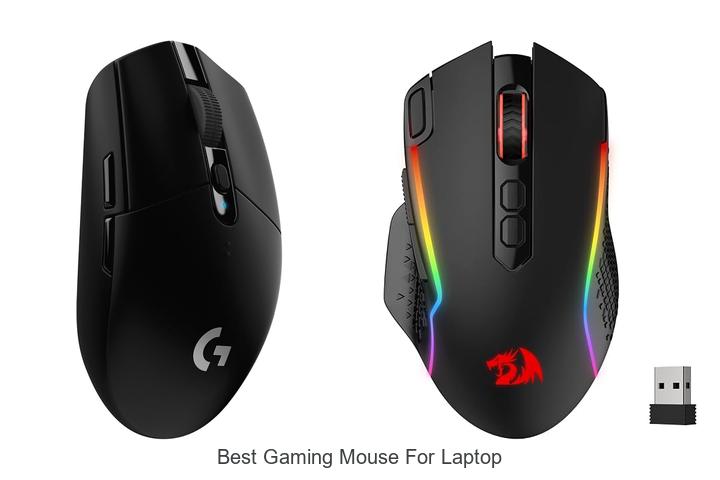
Precision tracking, DPI sensitivity, and ergonomic design are critical factors when selecting peripherals tailored for high-performance gaming setups, especially when paired with laptops. The compact nature of laptops often demands a gaming mouse that not only delivers seamless responsiveness but also complements portability without compromising on functionality. As gamers seek to optimize their control and accuracy during fast-paced gameplay, identifying the best gaming mouse for laptop use becomes essential to enhance both comfort and competitive edge.
Factors such as sensor technology, customizable buttons, and wireless connectivity further complicate the decision-making process. Delving into these technical specifications reveals crucial insights that can elevate your gaming experience—read on to discover what truly defines the best gaming mouse for laptop enthusiasts.
Level Up Your Laptop Gaming: Top Picks for Precision and Performance
| Image | Product | Price |
|---|---|---|
Our Picks 1  | Logitech G305 Wireless Gaming Mouse Black | Check Price On Amazon |
Our Picks 2  | Redragon M810 PRO Wireless Gaming Mouse | Check Price On Amazon |
Our Picks 3  | Razer Basilisk V3 Wired Ergonomic Gaming Mouse | Check Price On Amazon |
1. Logitech G305 Wireless Gaming Mouse Black
Experience superior control and precision with the Logitech G305 Wireless Gaming Mouse Black, crafted for gamers seeking top-tier performance on the go. Its advanced wireless technology and lightweight design make it an excellent companion for laptop gaming, ensuring responsiveness without the burden of cables.
Equipped with the next-generation HERO optical sensor, this mouse delivers up to 12,000 DPI sensitivity and 400 IPS tracking, providing pinpoint accuracy and smooth movement. The LIGHTSPEED wireless technology guarantees a lag-free experience with a 1 ms report rate, while an impressive 250-hour battery life makes it reliable for marathon gaming sessions.
Pros
- Ultra-fast 1 ms LIGHTSPEED wireless connection for competitive-grade responsiveness.
- Long-lasting battery life of up to 250 hours on a single AA battery, extendable to 9 months with Endurance mode.
- Lightweight design at just 3.4 oz ensures effortless maneuverability and comfort during extended gameplay.
Cons
- Lacks customizable RGB lighting found on higher-end gaming mice.
Balancing exceptional wireless performance, precision, and portability, the Logitech G305 stands out as a versatile and reliable choice for laptop gamers. Compared to other gaming mice, it offers a competitive edge through its advanced sensor technology and impressive battery endurance at an affordable price point.
2. Redragon M810 PRO Wireless Gaming Mouse
Experience unparalleled precision and freedom in your gaming sessions with the Redragon M810 PRO Wireless Gaming Mouse. Designed to elevate performance through seamless wireless connectivity and customizable features, it empowers laptop gamers to achieve pinpoint accuracy and swift reaction times.
Equipped with a high-accuracy PAW3325 Optical Pixart sensor and adjustable DPI up to 10,000, this mouse adapts to every gameplay style. Featuring 8 programmable buttons including rapid fire macro options, ultra-long battery life, and dynamic RGB lighting, it combines comfort and functionality for extended gaming marathons.
Pros
- Wireless 2.4GHz connection with a 10-meter range ensures lag-free and untethered gaming experience.
- Customizable DPI levels up to 10,000 for accurate tracking tailored to various game genres.
- Eight fully programmable buttons with macro support allow personalized controls and rapid-fire functionality.
- Long-lasting rechargeable battery provides up to 45 hours of continuous use in eco-mode.
- Dynamic RGB lighting customizable through Redragon Pro software enhances gaming ambiance.
Cons
- Minimum operating system requirement is Windows 10, limiting compatibility with older systems.
Balancing advanced features with affordability, the Redragon M810 PRO offers a stellar wireless option for laptop gamers seeking reliability and customization. Compared to similarly priced alternatives, it delivers extended battery life and greater button programmability, making it a compelling choice for both casual and competitive gaming.
3. Razer Basilisk V3 Wired Ergonomic Gaming Mouse
Experience unparalleled precision and comfort with the Razer Basilisk V3 Wired Ergonomic Gaming Mouse, crafted to elevate your laptop gaming sessions. Its iconic design offers exceptional ergonomic support, enabling hours of gameplay without fatigue, while delivering razor-sharp responsiveness tailored for competitive play.
Equipped with 11 programmable buttons, the Basilisk V3 enables seamless customization for executing vital in-game commands. Its hyperscroll tilt wheel enhances navigation, offering both free-spin and tactile modes to suit any gaming scenario. Featuring an advanced 26K DPI optical sensor alongside ultra-fast Gen 2 optical switches, it ensures precision tracking and rapid actuation.
Featuring an advanced 26K DPI optical sensor alongside ultra-fast Gen 2 optical switches, it ensures precision tracking and rapid actuation.
Pros
- Ergonomic shape with thumb rest for comfortable extended use
- 11 fully programmable buttons for personalized control
- Highly accurate Focus Plus 26K DPI optical sensor with zero smoothing
- Innovative hyperscroll tilt wheel adapting between speed and precision
- Dynamic Razer Chroma RGB lighting with 11 customizable zones
Cons
- Wired connection may limit mobility compared to wireless alternatives
For gamers seeking a high-performance, ergonomically designed mouse to optimize laptop gaming, the Razer Basilisk V3 stands out with its advanced sensor, programmable features, and customizable lighting. While some may prefer wireless options, its precision and responsiveness make it an excellent choice among the best gaming mice for laptops.
4. Logitech G305 Wireless Gaming Mouse White
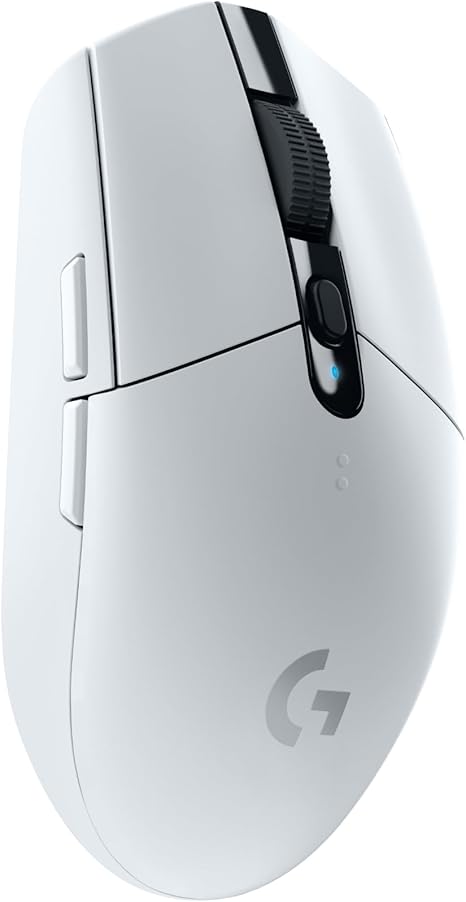
Experience unparalleled precision and speed with the Logitech G305 Wireless Gaming Mouse White, designed to elevate your laptop gaming sessions. Combining advanced sensor technology with a lightweight and ergonomic build, this mouse offers gamers the perfect blend of performance and comfort for competitive play.
Equipped with the next-gen 12,000 DPI HERO optical sensor, the G305 delivers exceptional accuracy and power efficiency. Its LIGHTSPEED wireless technology ensures ultra-fast 1 ms response times, outperforming many wired alternatives. The compact design includes built-in storage for the USB receiver, making it highly portable for gaming on the go.
Pros
- Highly accurate 12,000 DPI HERO sensor for precise tracking
- LIGHTSPEED wireless technology with a 1 ms response time for lag-free gaming
- Impressive battery life of up to 250 hours on a single AA battery
Cons
- Limited wireless range of approximately 1 meter may restrict setup flexibility
The Logitech G305 Wireless Gaming Mouse strikes an excellent balance between advanced features and affordability, making it a top contender among the best gaming mice for laptops. Its blend of speed, precision, and portability is ideal for gamers seeking reliable performance without the bulk or complexity of higher-end models.
5. Redragon M612 Wired Optical Gaming Mouse

Experience precision and customizable control like never before with the Redragon M612 Wired Optical Gaming Mouse, expertly designed to elevate your gaming sessions. Its ergonomic build and multiple programmable features cater to serious gamers seeking high performance on their laptops and PCs.
Equipped with 11 programmable buttons including rapid fire and macro keys, the Redragon M612 offers versatile customization for seamless gameplay. Adjustable DPI levels from 500 to 8000 ensure pixel-perfect accuracy, while the skin-friendly frosted surface and rubberized grip provide comfort during long hours of use. Dynamic RGB lighting adds a stylish touch to your gaming setup.
Pros
- Highly customizable with 11 programmable buttons for tailored control
- Five adjustable DPI settings with software support up to 8000 DPI for precision tracking
- Ergonomic design featuring frosted and rubberized grips for comfort and control
Cons
- Corded design may limit movement freedom compared to wireless alternatives
The Redragon M612 Wired Optical Gaming Mouse represents excellent value for gamers looking for customizable precision and comfort at an affordable price. While it lacks wireless capability found in some competitors, its programmable features and ergonomic design make it a standout choice for laptop gaming setups.
6. Razer Basilisk V3 X HyperSpeed Wireless Gaming Mouse

Experience precision and comfort with the Razer Basilisk V3 X HyperSpeed Wireless Gaming Mouse, expertly designed for gamers seeking optimal control and extended playtime. Its ergonomic shape and customizable controls elevate laptop gaming to a new level, delivering responsive performance without compromise.
Equipped with Razer HyperSpeed Wireless and Bluetooth connectivity, this mouse supports multi-device pairing with ultra-low latency. A powerful 5G Advanced 18K Optical Sensor ensures pixel-perfect accuracy, while 9 programmable buttons and vibrant Razer Chroma RGB lighting offer infinite customization for any gaming style.
Pros
- Exceptional battery life with up to 285 hours on HyperSpeed Wireless and 535 hours on Bluetooth.
- Highly durable Gen-2 Mechanical Mouse Switches rated for 60 million clicks guarantee longevity and reliable performance.
- Ergonomic design with 9 customizable controls accommodates various grip styles and complex command setups.
Cons
- Right-hand orientation may not suit left-handed users.
Blending innovative technology with ergonomic craftsmanship, the Razer Basilisk V3 X HyperSpeed is a top-tier choice for laptop gamers. Compared to other wireless mice, it stands out with superior battery endurance and programmable versatility, making it a valuable investment for serious gaming.
7. Acer Wired Gaming Mouse

Experience precision and comfort with the Acer Wired Gaming Mouse, engineered for gamers seeking reliable, responsive control. Its ergonomic design complements mid-hand grips while delivering smooth tracking, making it a top choice for competitive play and everyday computing alike.
Equipped with 8 programmable buttons and customizable RGB lighting, this mouse offers versatile control tailored to your gaming style. Adjustable DPI settings up to 12,800 ensure pinpoint accuracy, while the drag-free paracord and braided cable provide a smooth, durable connection for seamless gameplay.
Pros
- Ergonomic mid-hand design with balanced weight for comfortable extended use
- Eight programmable buttons support macros, rapid fire, and quick execution
- Customizable RGB lighting with music synchronization enhances gaming atmosphere
Cons
- Requires USB hub or adapter for seamless Mac compatibility, which may inconvenience some users
Offering a premium combination of comfort, performance, and customization at an affordable price point, the Acer Wired Gaming Mouse stands out among entry-level gaming peripherals. Its features compare favorably against similar mice in this category, making it a smart pick for laptop gamers demanding precision and reliability.
8. Logitech G502 Hero Wired Gaming Mouse

Experience ultimate precision and control with the Logitech G502 Hero Wired Gaming Mouse, engineered to elevate your laptop gaming sessions. This high-performance mouse combines customizable features and cutting-edge sensor technology, making it an excellent choice for gamers seeking superior responsiveness and comfort.
Equipped with the next-generation HERO sensor that tracks up to 25600 DPI without smoothing or acceleration, the G502 Hero offers pinpoint accuracy. Its 11 programmable buttons and dual-mode hyper-fast scroll wheel provide versatile input options, while adjustable weights let you tailor the feel to your unique play style. The LIGHTSYNC RGB lighting enhances aesthetics and syncs with gameplay for immersive effects.
Pros
- Exceptional tracking precision with HERO sensor supporting up to 25600 DPI
- Customizable controls featuring 11 programmable buttons and dual-mode scroll wheel
- Adjustable weight system allows for personalized balance and handling
Cons
- Corded design may restrict mobility compared to wireless alternatives
Combining superior accuracy, advanced customization, and dynamic lighting, the Logitech G502 Hero is a top contender for the best gaming mouse for laptop users who prioritize performance and versatility. While wired, its features often surpass many wireless counterparts in responsiveness and reliability.
9. Logitech G305 Wireless Gaming Mouse Blue

Discover exceptional gaming performance with the Logitech G305 Wireless Gaming Mouse Blue, engineered for precision and speed. Its advanced HERO sensor and LIGHTSPEED wireless technology promise a smooth, responsive experience that enhances gameplay on your laptop, making it one of the best gaming mice designed for portability and competitive use.
Equipped with the next-generation optical HERO sensor delivering up to 12,000 DPI and 400 IPS precision, the G305 ensures accurate tracking. The ultra-fast LIGHTSPEED wireless connection offers a 1 ms report rate for lag-free responsiveness, while a lightweight design (only 4 oz) and a durable build make it perfect for gaming on the go.
Pros
- Next-generation HERO sensor with exceptional precision and sensitivity
- LIGHTSPEED wireless technology ensures ultra-fast, reliable connectivity
- Lightweight and compact design ideal for laptop gamers and portability
- Impressive battery life spanning from 250 hours continuous play to 9 months in Endurance mode
- Onboard nano receiver storage enhances convenience and reduces risk of loss
Cons
- Limited wireless range of about 1 meter may restrict desk setup flexibility
Combining cutting-edge sensor technology, fast wireless performance, and impressive battery efficiency, the Logitech G305 is an excellent choice for gamers seeking a reliable, portable mouse to pair with their laptops. Compared to similarly priced wired or wireless models, it stands out for its balance of power and mobility without sacrificing responsiveness.
10. Logitech G305 Wireless Gaming Mouse Lilac

Experience precision and freedom with the Logitech G305 Wireless Gaming Mouse Lilac, designed for gamers seeking top-tier performance in a compact and portable form. Its advanced wireless technology and lightweight design make it an exceptional choice for elevating your gaming on a laptop or desktop.
Equipped with the next-generation HERO optical sensor, the mouse offers up to 12,000 DPI sensitivity and 400 IPS precision for razor-sharp accuracy. The LIGHTSPEED wireless system ensures ultra-fast, lag-free connectivity with a 1 ms report rate, while a single AA battery powers up to 250 hours of gameplay, extendable to 9 months via Endurance mode. Its sleek, ambidextrous form factor and built-in nano receiver storage make it a perfect travel companion for portable gaming setups.
Its sleek, ambidextrous form factor and built-in nano receiver storage make it a perfect travel companion for portable gaming setups.
Pros
- Outstanding HERO sensor delivers high precision and energy efficiency for competitive gaming
- LIGHTSPEED wireless technology ensures minimal lag with reliable 1 ms response time
- Lightweight at just 3.4 oz, ideal for maneuverability and long sessions without fatigue
Cons
- Lacks customizable RGB lighting found on some high-end gaming mice
The Logitech G305 Wireless Gaming Mouse Lilac balances precision, responsiveness, and portability, making it a leading contender among wireless mice for gaming laptops. Its exceptional battery life and lightweight design provide clear advantages over heavier, wired alternatives, delivering great value for gamers on the go.
Ultimate Guide to Choosing the Best Gaming Mouse for Your Laptop
Ergonomics and Design
Size and shape compatibility with laptop use. Weight and balance considerations. Grip style suitability (palm, claw, fingertip).A seamless connection with your laptop is crucial for ensuring smooth gameplay and minimal input lag. Opting for a mouse that offers versatile connection options, such as USB receiver compatibility, Bluetooth, or wired USB, allows for greater flexibility across different devices and environments. Additionally, the ability to expand functionality through extra ports or customizable buttons can enhance your gaming experience by providing quick access to macros and shortcuts.
Additionally, the ability to expand functionality through extra ports or customizable buttons can enhance your gaming experience by providing quick access to macros and shortcuts. Prioritizing these features ensures that your mouse not only pairs effortlessly with your laptop but also adapts to evolving gaming needs without requiring frequent hardware changes.
Sensor Type and Performance
DPI range and adjustability. Tracking accuracy and responsiveness. Optical vs. laser sensors.Reliable connection options and the ability to add peripherals or customize features play a crucial role in enhancing your overall gaming experience on a laptop. A stable wireless or wired link ensures minimal input lag and uninterrupted gameplay, which can be the difference between victory and defeat. Additionally, the availability of extra USB ports or compatibility with adapters allows gamers to expand functionality, such as connecting additional devices or charging accessories without compromising performance.
Additionally, the availability of extra USB ports or compatibility with adapters allows gamers to expand functionality, such as connecting additional devices or charging accessories without compromising performance. Considering these factors ensures that the mouse integrates seamlessly with your laptop setup, providing both flexibility and reliable operation during intense gaming sessions.
Connectivity Options
Wired vs. wireless (Bluetooth, RF). Battery life and charging methods. Lag and interference issues.How a gaming mouse connects to your laptop has a direct impact on performance and convenience. Wired mice typically offer a stable, lag-free experience with no interference, making them ideal for fast-paced gameplay where every millisecond counts. Wireless options, including Bluetooth and RF (radio frequency), provide greater freedom of movement but can vary in responsiveness.
Bluetooth mice excel in battery efficiency and easy pairing, though they may suffer from slight input delays and occasional connection drops. RF mice often deliver lower latency and stronger signals but require a USB receiver and can face interference from other wireless devices.
Battery life is another crucial factor, especially with wireless models. Some mice feature rechargeable batteries with USB-C or micro-USB charging ports, allowing quick top-ups during breaks. Others rely on replaceable batteries, which can be convenient but may interrupt gameplay if spares run out.
Considering how long you can game without recharging and the ease of power management helps avoid downtime.
| Connection Type | Latency | Interference | Battery/Power | Portability |
|---|---|---|---|---|
| Wired | Minimal (ideal for gaming) | None | No battery needed | Less portable due to cable |
| Wireless RF | Low latency | Possible in crowded wireless environments | Rechargeable or replaceable batteries | Highly portable, requires USB receiver |
| Wireless Bluetooth | Moderate latency | Occasional interference | Long battery life, usually rechargeable | Very portable, no extra receivers needed |
Balancing responsiveness with convenience ensures smooth gameplay without interruptions, so paying attention to connection types and power options unlocks the full potential of your gaming setup.
Programmable Buttons and Customization
Number and placement of buttons. Software support for macros and profiles. RGB lighting and aesthetic options.The number and placement of buttons on a gaming mouse can greatly impact gameplay efficiency and comfort, especially during intense sessions. Mice with well-placed, programmable buttons allow gamers to execute complex commands quickly without relying solely on the keyboard. Robust software support is essential for customizing these buttons through macros and profiles, enabling users to tailor their device to different games or play styles.
Additionally, customizable RGB lighting and aesthetic options not only enhance the overall look but can also provide visual cues for different profiles or in-game statuses, adding both style and functionality to the setup.
Compatibility and Portability
Operating system support. Size and portability for travel with laptops. Builtin storage for profiles and settings.Ensuring a device works seamlessly with your laptop’s operating system is crucial for smooth gameplay and easy customization. Different mice offer varying levels of software support, so verifying compatibility with Windows, macOS, or other platforms can prevent frustrating setup issues and unlock the full potential of programmable buttons and sensitivity settings.
Size and portability also play significant roles, especially for gamers who travel or attend LAN parties. Compact designs that slip easily into a laptop bag without sacrificing comfort or precision allow for hassle-free transportation and consistent performance on the go.
Another feature to keep in mind is onboard memory for storing profiles and settings directly on the mouse. This eliminates the need to reinstall drivers or reconfigure preferences each time you switch devices or play away from your usual setup, providing both convenience and reliability.
Durability and Build Quality
Materials and finish. Button lifespan and switch type. Warranty and brand reputation.Having multiple options for connecting to your device can significantly impact the overall gaming experience, especially when it comes to responsiveness and convenience. Wireless technology often offers freedom of movement without the clutter of cables, but ensuring compatibility with your laptop’s ports and Bluetooth capabilities is essential for seamless performance. Additionally, the ability to expand functionality through extra USB ports or features like customizable buttons and DPI settings allows the mouse to adapt to various gaming styles and preferences.
This flexibility not only enhances precision but also future-proofs your setup, making it easier to integrate with other peripherals or upgrade components as needed.
FAQ’s
What Features Should I Look For In The Best Gaming Mouse For My Laptop?Look for a gaming mouse with high DPI sensitivity for precise tracking, customizable buttons for personalized controls, and ergonomic design for comfort during long sessions. Additionally, wireless connectivity with low latency and RGB lighting can enhance both performance and aesthetics.
Are Wireless Gaming Mice Better For Laptops Than Wired Ones?Wireless gaming mice offer greater portability and freedom of movement, making them ideal for laptops on the go. However, wired mice generally provide more consistent connectivity and lower latency, which can benefit competitive gaming.
Which Gaming Mice Are Most Compatible With Laptops?Gaming mice that connect via USB or Bluetooth, such as the Logitech G Pro Wireless or Razer DeathAdder V2, are most compatible with laptops. These mice offer plug-and-play functionality without requiring additional drivers, ensuring seamless use across various laptop models.
How Important Is Dpi In Choosing A Gaming Mouse For A Laptop?DPI is important in choosing a gaming mouse for a laptop because it determines the mouse’s sensitivity and precision, affecting gameplay accuracy. However, the ideal DPI depends on personal preference and game type, so a mouse with adjustable DPI settings is often the best choice.
What Are The Top-Rated Gaming Mice For Laptop Users In 2024?The top-rated gaming mice for laptop users in 2024 include the Logitech G Pro X Superlight for its lightweight design and precision, and the Razer DeathAdder V3 Pro for its ergonomic comfort and high-performance sensors. Both offer excellent wireless connectivity and customizable features ideal for gaming on the go.
Conclusion
In summary, the best gaming mouse for laptops combines precision, comfort, and portability. Look for features like adjustable DPI, ergonomic design, and wireless connectivity to enhance your gaming experience on the go.

- Top Best Computer Speakers with Microphone for Clear Sound! - November 11, 2026
- Best Wired Computer Speakers That Blow Your Mind! - November 11, 2026
- Top Best External Speakers for Laptop Computers Revealed! - November 11, 2026
