
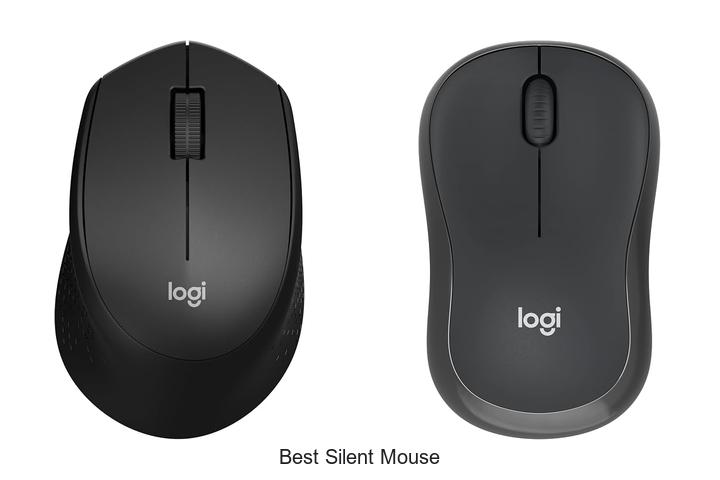
In the realm of human-computer interaction, input devices such as mice play a crucial role in enhancing productivity and user experience. Advances in noise reduction technology, tactile feedback optimization, and ergonomic design have given rise to the best silent mouse options on the market today.
These devices leverage innovative mechanisms like quiet click switches and sound-dampening materials to minimize audible distractions without compromising precision or responsiveness. Whether operating in noise-sensitive environments or striving for uninterrupted focus, selecting the right silent mouse involves an intricate balance of functionality and comfort. Exploring the technical nuances and performance benchmarks of these peripherals reveals insights that go beyond mere silence, uncovering what truly defines the best silent mouse for diverse user needs.
Continue reading to discover the essential factors shaping this evolving technology landscape.
Discover the Top Choices for Whisper-Quiet Clicking Excellence
| Image | Product | Price |
|---|---|---|
Our Picks 1  | Logitech M330 Silent Plus Wireless Mouse Black | Check Price On Amazon |
Our Picks 2  | Logitech M240 Compact Wireless Bluetooth Mouse | Check Price On Amazon |
Our Picks 3  | Logitech Signature M650 Wireless Mouse Black | Check Price On Amazon |
1. Logitech M330 Silent Plus Wireless Mouse Black
Experience seamless navigation with the Logitech M330 Silent Plus Wireless Mouse Black, expertly designed to combine quiet operation and ergonomic comfort. Ideal for professionals and students seeking a distraction-free environment, this mouse ensures smooth precision while significantly reducing clicking noise for a more focused workflow.
Equipped with Logitech’s SilentTouch Technology, the M330 SILENT minimizes clicking sounds by over 90%, offering a peaceful user experience without compromising performance. Its contoured design supports your right hand comfortably during extended use.
Enjoy up to 18 months of battery life and reliable wireless connectivity within a 33-foot range, compatible with multiple operating systems.
Pros
- Quiet clicking thanks to advanced SilentTouch Technology, ideal for noise-sensitive environments
- Ergonomic, contoured shape designed for right-handed users ensures comfortable, long-term use
- Extended 18-month battery life with auto-sleep power saving mode reduces maintenance
- High-precision optical tracking works smoothly across most surfaces within a 33-foot wireless range
- Plug-and-play USB-A receiver supports Windows, macOS, ChromeOS, and Linux for versatile compatibility
- Environmentally conscious construction incorporating certified post-consumer recycled plastic
Cons
- Exclusive right-hand orientation may not suit left-handed users
For those prioritizing quiet operation and ergonomic design, the Logitech M330 Silent Plus Wireless Mouse is a standout choice. While left-handed users might need to consider alternatives, its impressive battery life and compatibility make it a reliable and sustainable option that outperforms many standard wireless mice in similar price ranges.
2. Logitech M240 Compact Wireless Bluetooth Mouse
Discover seamless productivity with the Logitech M240 Compact Wireless Bluetooth Mouse, designed for ultra-quiet operation and versatile compatibility. Perfect for both home and office use, this sleek, ambidextrous mouse reduces noise distractions, promoting better focus and comfort throughout your day.
Featuring fast Bluetooth connectivity, the M240 instantly pairs without needing a dongle. Its silent click technology cuts noise by 90% while preserving tactile feedback.
Compatible across Windows, macOS, Linux, and more.
Pros
- Whisper-quiet clicks minimize distractions in shared environments
- Long-lasting battery with up to 18 months of use on a single AAA battery
- Broad compatibility with major operating systems including ChromeOS and iPadOS
Cons
- Compact size may feel small for users preferring larger mice
Offering a balance of silent performance, portability, and reliable Bluetooth connectivity, the Logitech M240 stands out as an excellent choice for those seeking a discreet and efficient wireless mouse. Compared to bulkier models, it excels in travel-friendliness without sacrificing functionality.
3. Logitech Signature M650 Wireless Mouse Black
Discover unparalleled precision and comfort with the Logitech Signature M650 Wireless Mouse Black. Designed for professionals and everyday users alike, this mouse offers seamless connectivity, quiet operation, and ergonomic features that enhance productivity throughout the day.
Equipped with SmartWheel technology, users can toggle between line-by-line accuracy and ultra-fast scrolling effortlessly. Its ergonomic shape, soft thumb area, and rubber grips ensure a snug fit during prolonged use, while SilentTouch technology minimizes click noise by up to 90%, perfect for quiet work environments.
Pros
- Long-lasting 24-month battery life with a single included AA battery
- Dual connectivity via Bluetooth Low Energy and Logi Bolt USB receiver for versatile use
- Customizable side buttons via Logitech Options+ to streamline workflow and shortcuts
Cons
- Right-handed design limits use for left-handed users
Balancing silent operation with ergonomic design, the Logitech Signature M650 stands out as a top choice for those seeking efficiency and comfort. Compared to other wireless mice in its price range, it offers superior quietness and customizable features, making it ideal for both office and home setups.
4. Logitech Signature M650 Wireless Mouse Large Black
Discover the perfect balance of precision, comfort, and silent operation with the Logitech Signature M650 Wireless Mouse Large Black. Designed for professionals and casual users alike, it enhances productivity with advanced scrolling and whisper-quiet clicks, making it an ideal choice for both work and home environments.
Experience precise line-by-line navigation and rapid scrolling through extensive documents or web pages, thanks to the SmartWheel switchable modes. The ergonomic design includes a soft thumb rest and rubber side grips, providing hours of fatigue-free use.
Connect effortlessly via Bluetooth or the Logi Bolt USB receiver, and enjoy a remarkable 24-month battery lifespan on a single AA battery.
Pros
- Quiet operation with SilentTouch technology reduces click noise by 90%, promoting focus in any setting.
- Customizable side buttons via Logitech Options+ enable personalized shortcuts for enhanced workflow efficiency.
- Wide device compatibility covering Windows, macOS, Linux, ChromeOS, iPadOS, and Android platforms.
Cons
- Available only in a right-handed large size, limiting options for left-handed users or those preferring smaller mice.
Combining long-lasting battery life, ergonomic comfort, and whisper-quiet clicks, the Logitech Signature M650 Wireless Mouse stands out as a top choice for anyone seeking a reliable, silent mouse. Its versatility and user-friendly features offer excellent value compared to similar models in its category.
5. Lenovo WL310 Bluetooth Silent Mouse

Discover seamless productivity with the Lenovo WL310 Bluetooth Silent Mouse, designed for comfort and quiet operation. Its ergonomic shape and silent click technology make it perfect for work, study, or gaming without disturbing others, offering an exceptional user experience whether at home or on the go.
Equipped with Bluetooth 0 connectivity, this wireless mouse delivers stable, lag-free use without the need for a USB receiver. Users can effortlessly switch between 1000, 1200, and 1600 DPI settings for customized precision.
Pros
- Ergonomic design reduces wrist strain during extended use
- Silent clicking ideal for quiet or shared workspaces
- Adjustable DPI settings for precision tailored to various tasks
Cons
- Right-hand orientation may not suit left-handed users
Offering a balance of comfort, precision, and quiet operation, the Lenovo WL310 Bluetooth Silent Mouse stands out as an excellent choice for professionals, students, and casual users seeking a reliable, portable wireless mouse. Its features position it favorably against other silent mice in the market at an affordable price.
6. Logitech M240 Bluetooth Wireless Mouse Off White

Experience the perfect blend of quiet efficiency and sleek design with the Logitech M240 Bluetooth Wireless Mouse in Off White. Engineered for minimal noise and maximum comfort, it offers a seamless connection without clutter, ideal for both work and travel.
Leveraging fast Bluetooth connectivity, this cordless mouse pairs instantly without the need for a dongle. Its silent click design reduces noise by 90% while maintaining tactile feedback.
Equipped with an 18-month battery life and ambidextrous, compact design, it supports multiple platforms for versatile use wherever you go.
Pros
- Ultra-quiet clicks minimize distractions, enhancing focus in any environment.
- Long-lasting battery with energy-efficient auto-sleep functionality reduces frequent replacements.
- Compact and ambidextrous design ensures comfortable use for both right and left hands, plus easy portability.
Cons
- Limited to Bluetooth connectivity, which may not be preferred for users seeking multi-device USB options.
The Logitech M240 stands out as a top choice among silent wireless mice, combining advanced noise reduction with durable performance and broad compatibility. Its balanced features make it a smart investment for users who prioritize quiet operation without sacrificing comfort or battery life.
7. VssoPlor Wireless Slim Mouse Black and Gold

Experience seamless productivity with the VssoPlor Wireless Slim Mouse Black and Gold, designed for users seeking precision and quiet operation. Its sleek and ergonomic design paired with advanced wireless technology ensures comfort and efficiency, making it an ideal choice for both work and travel.
Featuring a low power consumption mode and a 4 GHz wireless connection with up to 10 meters of reliable range, this mouse supports smooth tracking with 2400 DPI sensitivity. Compatible with a variety of operating systems and devices, it offers quiet clicking and compact portability for enhanced user convenience.
Pros
- Intelligent sleep mode conserves battery life by automatically entering standby after 5 minutes of inactivity
- 2.4 GHz wireless connectivity delivers a stable connection and smooth cursor tracking on most surfaces
- Ergonomic, lightweight design with a USB receiver that stores inside the mouse for easy transport
Cons
- Requires one AA battery, which is not included and must be replaced periodically
Offering a blend of portability, silent operation, and dependable wireless performance, the VssoPlor Wireless Slim Mouse Black and Gold stands out as a practical and stylish accessory. Its features make it a competitive alternative to other silent mice on the market, especially for users prioritizing quiet and efficient navigation.
8. wegear Bluetooth Silent Wireless Mouse Gray

Discover the perfect blend of comfort, precision, and silence with the wegear Bluetooth Silent Wireless Mouse Gray. Designed to support long hours of use, this ergonomic mouse enhances productivity while offering whisper-quiet performance, making it an ideal accessory for office, gaming, or casual use.
Equipped with Bluetooth 0 and Microsoft Swift Pair technology, connectivity is seamless across multiple devices. The mouse features six responsive buttons, including forward and backward navigation (Windows only), along with three adjustable DPI settings up to 1600 for flawless control.
Pros
- Ergonomic design contours comfortably to the hand, reducing strain during prolonged use
- Silent left, right, and scroll wheel buttons allow noise-free operation in shared environments
- Extended battery life of up to 24 months on a single AA battery with energy-saving sleep mode
Cons
- Forward and backward buttons are not supported on macOS, limiting full feature use for Mac users
With its quiet operation, adaptable features, and long-lasting design, the wegear Bluetooth Silent Wireless Mouse Gray stands out as a reliable choice for users seeking an efficient, disturbance-free experience. It balances functionality and comfort better than many wireless mice in the same price range.
9. Logitech M330 Silent Plus Wireless Mouse Gray

Experience seamless productivity with the Logitech M330 Silent Plus Wireless Mouse Gray, engineered for users who value quiet operation and ergonomic design. Its advanced SilentTouch technology minimizes click noise by over 90%, making it ideal for focused work environments without sacrificing performance.
Designed specifically for right-handed comfort, the contoured grips support prolonged use without fatigue. The mouse offers an impressive 18-month battery life powered by a single AA battery and features a USB-A receiver that delivers a reliable wireless connection up to 33 feet, compatible across Windows, macOS, Linux, and ChromeOS platforms.
Pros
- SilentTouch Technology reduces clicking noise by over 90% for a quieter workspace
- Ergonomic contoured design ensures long-lasting comfort for right-handed users
- Extended 18-month battery life with auto-sleep mode minimizes the need for frequent replacements
Cons
- Limited to right-handed users, which may not suit left-handed individuals
Combining silent operation, ergonomic comfort, and long-lasting battery efficiency, the Logitech M330 Silent Plus is a smart choice for anyone seeking a reliable wireless mouse that enhances productivity without ambient noise distractions. For users needing customizable features, upgrading to the Logitech Signature M650 might be considered.
10. Logitech Signature M550 Wireless Mouse Black

Discover the perfect blend of comfort and efficiency with the Logitech Signature M550 Wireless Mouse Black. Designed for those seeking a quiet, precise, and comfortable mouse experience, it seamlessly adapts to your workflow, whether you’re tackling detailed documents or scrolling through extensive web pages.
Equipped with SmartWheel technology, the M550 offers effortless switching between precise line-by-line scrolling and rapid web navigation. Its ergonomic design suits small-to-medium hands, featuring soft thumb rests and rubber grips for enhanced control.
Pros
- SilentTouch technology reduces click noise by 90%, ideal for quiet work environments.
- Extended battery life up to 24 months on a single AA battery minimizes interruptions.
- Ergonomic design with contoured shape and rubber grips provides all-day comfort.
Cons
- Designed primarily for right-handed users, which may not suit left-handed individuals.
Balancing silent operation, long battery performance, and ergonomic comfort, the Logitech Signature M550 is a standout choice for professionals who value productivity and focus. Compared to other wireless mice, it delivers quieter clicks and superior fit, making it a worthy investment for enhancing your everyday computing.
Discover the Ultimate Guide to Choosing the Best Silent Mouse for Your Workspace
Ergonomics and Comfort
Size and shape suitability. Grip style compatibility. Weight and balance considerations.Ensuring your mouse easily pairs with your devices and offers options for connecting through various ports or wireless standards is crucial for seamless use. Some models support USB receivers, Bluetooth, or both, providing flexibility across different setups and reducing delays or interruptions. Additionally, the ability to add extra features or customize with additional ports and slots can extend the mouse’s functionality, making it adaptable to changing needs or multi-device environments.
- Compatibility with multiple connection types to avoid reliance on a single method.
- Availability of extra USB ports or customization slots for enhanced utility.
- Ease of switching between devices without losing responsiveness.
| Connection Method | Advantages | Limitations |
|---|---|---|
| USB Receiver | Low latency, stable connection | Occupies USB port, risk of losing receiver |
| Bluetooth | Wireless, no dongle needed, works with many devices | Potential interference, slightly higher latency |
| Multi-Device Switching | Seamless transition between devices | May increase cost, can complicate setup |
By prioritizing flexible connection options alongside the capability to expand or customize features, the overall experience becomes more intuitive and future-proof.
Noise Reduction Features
Silent click mechanisms. Scroll wheel noise levels. Material and build quality for sound absorption.Devices with silent click mechanisms significantly reduce the distracting noise often associated with standard mouse buttons, making them ideal for quiet environments such as offices or libraries. Additionally, the amount of noise generated by the scroll wheel varies between models; smoother, well-engineered scroll wheels tend to operate more quietly, enhancing overall user comfort during extended use.
The materials used in construction also play a crucial role in dampening sound—high-quality plastics or rubber coatings can absorb vibrations better, resulting in less audible feedback. Evaluating these factors ensures a more peaceful interaction that won’t interfere with concentration or disturb others nearby.
Connectivity Options
Wired vs. wireless. Bluetooth compatibility. USB receiver range and reliability.Devices that offer various connection methods can greatly influence ease of use and overall functionality. Wired models typically provide a stable and lag-free experience, making them ideal for tasks requiring precision, but they limit mobility due to cable constraints.
On the other hand, wireless options deliver freedom of movement, often connecting via Bluetooth or a USB receiver. Bluetooth compatibility ensures seamless pairing with laptops, tablets, and even smartphones, reducing the need for additional adapters. Meanwhile, USB receivers usually offer a reliable connection with minimal interference, but their effective range varies, so it’s important to check if it meets your workspace needs.
Understanding these differences helps ensure the device you choose performs smoothly in your specific environment.
Battery Life and Power Management
Rechargeable vs. replaceable batteries. Battery life duration. Powersaving features.Wireless options often define how seamlessly a mouse integrates with your setup, impacting both convenience and performance. Devices that support multiple connection methods, such as Bluetooth and USB receivers, offer greater flexibility, allowing you to switch easily between laptops, desktops, or even tablets. Additionally, having extra USB ports or docking capabilities can enhance functionality by enabling the connection of other peripherals without cluttering your workspace.
Additionally, having extra USB ports or docking capabilities can enhance functionality by enabling the connection of other peripherals without cluttering your workspace.
For users who rely on numerous devices simultaneously, the ability to expand connectivity options ensures a more efficient, streamlined experience. Compatibility with various operating systems and easy pairing processes further contribute to hassle-free operation, making it essential to assess these features before settling on a particular model.
Performance and Sensitivity
DPI settings and adjustability. Tracking technology (optical vs. laser). Responsiveness and cursor precision.Wireless options, wired connections, and compatibility with different devices play a crucial role in ensuring smooth operation and hassle-free interaction. Choosing a device that supports multiple connection modes—such as Bluetooth and USB receivers—can provide greater flexibility across desktops, laptops, and tablets.
This level of adaptability ensures that the mouse can grow alongside evolving tech setups, making it a valuable tool for various work and entertainment environments.
Additional Features
Programmable buttons. Customizable lighting. Compatibility with operating systems.Devices equipped with programmable buttons offer greater efficiency by allowing users to assign specific commands or shortcuts, which can significantly enhance productivity and tailor the device to personal workflows. Customizable lighting not only provides an aesthetic appeal but can also serve as an indicator for different profiles or modes, improving user experience in low-light environments. Ensuring compatibility with various operating systems is crucial to guarantee smooth functionality across different setups, preventing frustrating connectivity issues and maximizing the device’s versatility.
Ensuring compatibility with various operating systems is crucial to guarantee smooth functionality across different setups, preventing frustrating connectivity issues and maximizing the device’s versatility.
FAQ’s
What Are The Top Features To Look For In The Best Silent Mouse?The best silent mouse should have noiseless or ultra-quiet click buttons and smooth, precise tracking for accurate cursor control. Additionally, ergonomic design and long battery life enhance comfort and usability during extended use.
Which Brands Offer The Quietest Wireless Mice On The Market?Brands like Logitech and Microsoft are known for offering some of the quietest wireless mice on the market, with models such as the Logitech M330 Silent Plus and Microsoft Surface Mobile Mouse specifically designed for silent clicking. These mice provide smooth performance while minimizing noise, ideal for quiet work environments.
How Does A Silent Mouse Improve Productivity In A Shared Workspace?A silent mouse reduces distracting clicking noises, creating a quieter environment that helps maintain focus for everyone in a shared workspace. This minimizes interruptions and enhances overall productivity.
What Is The Difference Between A Silent Mouse And A Regular Mouse?A silent mouse produces little to no clicking noise when the buttons are pressed, making it quieter than a regular mouse. In contrast, a regular mouse generates audible clicks with each button press.
Are Silent Mice Suitable For Gaming And Professional Use?Silent mice can be suitable for gaming and professional use if they offer precise tracking and ergonomic design, but they may lack the tactile feedback and fast-click responsiveness preferred by many gamers. For professional settings, their quiet operation is often beneficial, making them a good choice for noise-sensitive environments.
Conclusion
Summary: Choosing the best silent mouse enhances productivity by reducing noise distractions in quiet environments. Features to consider include silent click technology, ergonomic design, battery life, and connectivity options. Whether for office work or gaming, the top silent mice combine comfort and efficiency, ensuring a noise-free, smooth user experience that keeps you focused and comfortable throughout the day.

- Top Best Computer Speakers with Microphone for Clear Sound! - November 11, 2026
- Best Wired Computer Speakers That Blow Your Mind! - November 11, 2026
- Top Best External Speakers for Laptop Computers Revealed! - November 11, 2026
