
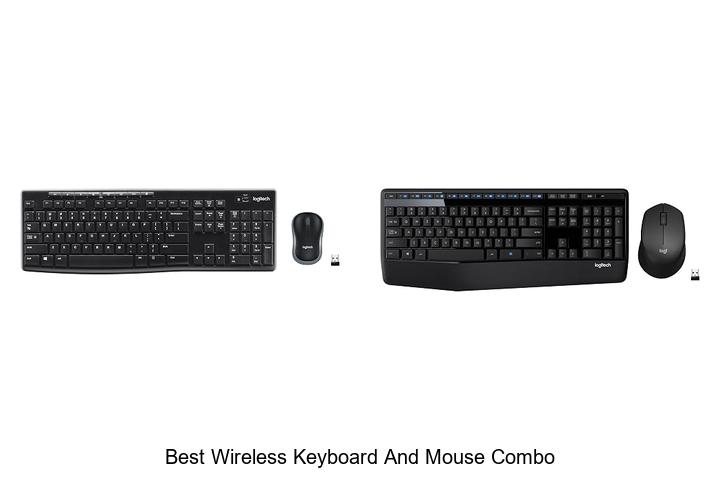
In the realm of peripheral connectivity, the integration of RF technology and Bluetooth protocols has revolutionized user interaction, offering enhanced mobility and clutter-free workspaces. The seamless synchronization between input devices and computing systems is critical for optimizing productivity and ergonomic efficiency. Selecting the best wireless keyboard and mouse combo involves a careful evaluation of latency, battery life, compatibility, and ergonomic design—factors that directly impact the overall user experience.
With an expanding market flooded with options ranging from minimalist compact sets to advanced multi-device configurations, distinguishing the ideal combo can be challenging. This article delves into the key technical specifications and user-centered features that define the best wireless keyboard and mouse combo, guiding you toward an informed decision that will elevate your digital workflow.
Discover Top Picks for Seamless Work and Play Without the Cord Clutter
| Image | Product | Price |
|---|---|---|
Our Picks 1  | Logitech MK270 Wireless Keyboard and Mouse Combo | Check Price On Amazon |
Our Picks 2  | Logitech MK345 Wireless Keyboard and Mouse Combo | Check Price On Amazon |
Our Picks 3  | Logitech MK955 Signature Slim Wireless Keyboard and Mouse Combo | Check Price On Amazon |
1. Logitech MK270 Wireless Keyboard and Mouse Combo
Discover seamless productivity with the Logitech MK270 Wireless Keyboard and Mouse Combo, designed for reliable performance and ergonomic comfort. Ideal for both work and everyday use, this combo offers impressive wireless range and durable construction to enhance your computing experience effortlessly.
The MK270 combo includes a full-size keyboard with quiet, low-profile keys and a number pad, coupled with an ambidextrous mouse featuring smooth cursor control. It connects via a USB receiver providing a stable connection up to 33 feet, while long-lasting batteries and multimedia hotkeys boost convenience during use.
Pros
- Reliable wireless connection up to 33 feet for uninterrupted workflow
- Spill-resistant, full-size keyboard with quiet keys and adjustable tilt legs
- Long battery life—up to 36 months for keyboard and 12 months for mouse
Cons
- Lacks advanced ergonomic features compared to premium models like the Logitech MK540
The Logitech MK270 combo stands out as a practical, cost-effective solution for users seeking a dependable wireless keyboard and mouse without compromising comfort or durability. For enhanced ergonomic benefits and additional customization, consider the MK540 combo as an upgrade option.
2. Logitech MK345 Wireless Keyboard and Mouse Combo
Discover seamless productivity with the Logitech MK345 Wireless Keyboard and Mouse Combo, designed for reliable performance and everyday comfort. Ideal for home or office use, this combo offers a dependable wireless connection and a full-size keyboard with thoughtful features for enhanced user experience.
Featuring 4 GHz wireless technology, the MK345 combo provides a stable connection up to 10 meters away. The full-size keyboard includes quiet keys, a palm rest, and dedicated media controls, while the ergonomic right-handed mouse ensures smooth navigation. Compatible with Windows, macOS, and Chrome OS, it supports hassle-free plug-and-play setup.
Compatible with Windows, macOS, and Chrome OS, it supports hassle-free plug-and-play setup. Battery life extends up to 3 years for the keyboard and 18 months for the mouse.
Pros
- Reliable 2.4 GHz wireless connection with up to 10 meters range
- Full-size, spill-resistant keyboard with comfortable palm rest and media keys
- Long-lasting battery life: up to 3 years for keyboard, 18 months for mouse
Cons
- Right-handed mouse design may not suit left-handed users
Combining durability, comfort, and broad compatibility, the Logitech MK345 stands out as a top choice for a practical wireless keyboard and mouse combo. It balances performance and value, making it a compelling option when compared to other combos lacking long battery life or ergonomic design.
3. Logitech MK955 Signature Slim Wireless Keyboard and Mouse Combo
Experience seamless productivity with the Logitech MK955 Signature Slim Wireless Keyboard and Mouse Combo, designed for efficiency across multiple devices. This elegant combo brings quiet, comfortable typing and smooth navigation to your workspace, making it an ideal choice for both home and office use.
Featuring Bluetooth connectivity and compatibility with Windows, macOS, Android, and more, this combo allows effortless switching between up to three devices. The full-size slim keyboard offers familiar laptop-style typing, while the contoured mouse includes SilentTouch technology for 90% less click noise, enhancing focus and comfort.
Pros
- Multi-device pairing enables smooth switching between desktop, laptop, tablet, and phone with a single tap.
- Quiet keyboard and mouse operation with SilentTouch technology minimizes distractions.
- Customizable keys and buttons via Logi Options+ app increase productivity and personalization.
Cons
- Premium price point may be a consideration for budget-conscious buyers.
The Logitech MK955 Signature Slim Wireless Combo offers a refined blend of style, functionality, and sustainability, making it one of the best wireless keyboard and mouse combos available. Its robust feature set and cross-platform compatibility make it a smart investment for users seeking efficiency and quiet operation in their workspace.
4. Logitech MK540 Wireless Keyboard and Mouse Combo

Experience seamless productivity with the Logitech MK540 Wireless Keyboard and Mouse Combo, designed for precision typing and comfortable navigation. This full-size wireless set offers silent keystrokes and an ergonomic mouse, perfect for both work and leisure without the clutter of cables.
Engineered for comfort and efficiency, the keyboard features a spill-resistant design and adjustable tilt legs, while the ambidextrous mouse provides enhanced tracking with soft rubber grips. Enjoy wireless freedom with a reliable Logitech Unifying USB receiver, supporting a connection range up to 33 feet.
Pros
- Durable battery life: keyboard lasts up to 36 months, mouse up to 18 months
- Comfort-focused design with palm rest, reduced typing noise, and ambidextrous mouse shape
- Convenient hotkeys for quick access to media, calculator, and battery status
Cons
- Does not include Bluetooth connectivity, relying on a USB receiver
Offering reliable wireless performance and ergonomic comfort, the Logitech MK540 is an excellent choice for those seeking a high-quality keyboard and mouse combo. For users needing multi-device connectivity, considering the MK850 Combo upgrade with Bluetooth might be beneficial.
5. Wireless Keyboard and Mouse Combo

Experience seamless productivity with the Wireless Keyboard and Mouse Combo, designed for efficiency and comfort in both office and home settings. Its lag-free connection and ergonomic design promote a smooth, fatigue-free workflow, making it an excellent choice for users seeking reliable wireless peripherals.
Featuring a 10-meter wireless range via a single nano USB receiver, this combo supports plug-and-play functionality without the need for additional software. The keyboard’s curved keys and silent membrane design, paired with an ambidextrous, quiet mouse offering adjustable DPI, ensure comfort and precision during extended use.
Pros
- Ergonomic keyboard with scientifically curved keys and adjustable tilt legs optimizes typing posture and reduces strain.
- Single nano USB receiver connects both devices, conserving USB ports and enabling hassle-free wireless operation up to 33 feet.
- Quiet keyboard and mouse designs allow distraction-free typing and clicking, ideal for shared workspaces.
Cons
- Requires 2 AA batteries for operation, which may need occasional replacement depending on usage.
Combining ergonomic comfort, reliable connectivity, and silent performance, this wireless keyboard and mouse combo represents a smart investment for efficient computing. Compared to similar bundles, its dual adjustable tilt legs and quiet operation provide notable advantages, making it a standout option for users prioritizing comfort and convenience.
6. Logitech Wave Keys MK670 Wireless Keyboard and Mouse Combo

Discover exceptional comfort and efficiency with the Logitech Wave Keys MK670 Wireless Keyboard and Mouse Combo. Designed for medium to large hands, this ergonomic duo enhances your workspace by promoting natural posture and reducing fatigue, perfectly suited for productive all-day use.
The compact Wave Keys keyboard features a wavy layout that supports your hands, wrists, and forearms, complemented by a memory foam palm rest. Paired with the Signature M550 L Wireless Mouse, it delivers quiet precision with SilentTouch technology and SmartWheel scrolling. Multifunctional connectivity and eco-conscious components make this combo a smart work companion.
Multifunctional connectivity and eco-conscious components make this combo a smart work companion.
Pros
- Ergonomic wave design reduces wrist strain and improves comfort during extended typing sessions
- SilentTouch technology in the mouse cuts click noise by 90%, creating a quieter work environment
- Multiple connectivity options with Bluetooth, Logi Bolt, and Easy-Switch support for seamless device switching
Cons
- Easy-Switch feature is unavailable for the Signature M550 L mouse, limiting multi-device toggling to keyboard only
Combining ergonomic design, quiet operation, and versatile connectivity, the Logitech Wave Keys MK670 is a top choice for those seeking the best wireless keyboard and mouse combo that prioritizes comfort and productivity.
7. Logitech MK335 Wireless Keyboard and Mouse Combo

Discover seamless productivity and comfort with the Logitech MK335 Wireless Keyboard and Mouse Combo, tailored for users who value quiet typing and reliable connectivity. Its sleek design and ergonomic features make it an excellent choice for home and office setups seeking enhanced wireless freedom.
Equipped with advanced 4 GHz wireless technology, this combo ensures fast data transmission with minimal delay and robust encryption. The low-profile keyboard offers whisper-quiet keys, while the ambidextrous mouse features plug-and-play nano-receiver storage, delivering convenience and portability for dynamic workspaces.
Pros
- Long-lasting battery life: up to 24 months on the keyboard and 12 months on the mouse reduces maintenance efforts.
- 11 hot keys plus 4 programmable F-keys grant instant multimedia control and customization options.
- Ambidextrous mouse design and integrated nano receiver storage enhance comfort and portability.
Cons
- Limited keyboard backlighting with only single-color support may not suit users who prefer illuminated keys.
For those comparing wireless combos, the MK335 balances dependable performance and user-friendly features at an accessible price, making it a top contender for anyone seeking a quiet, efficient wireless keyboard and mouse setup.
8. Logitech MK470 Slim Wireless Keyboard and Mouse Combo

Experience seamless productivity with the Logitech MK470 Slim Wireless Keyboard and Mouse Combo, designed to deliver exceptional comfort and functionality in a sleek, modern package. Ideal for both office and home use, it combines a compact keyboard with an ambidextrous mouse for an ultra-quiet and efficient working environment.
The keyboard features low-profile scissor keys alongside a full number pad, optimized for Windows operation, while the mouse offers high-precision optical tracking at 1000 DPI with a mechanical scroll wheel. A reliable 4 GHz wireless connection ensures freedom of movement up to 33 feet, supported by an impressive battery life lasting up to 36 months for the keyboard and 18 months for the mouse.
Pros
- Compact, modern design with full number pad and low-profile keys for comfortable typing.
- Ambidextrous 3-button mouse featuring high-precision optical tracking and mechanical scroll wheel.
- Long-lasting battery life with auto-sleep functionality—up to 36 months for keyboard and 18 months for mouse.
Cons
- Wireless range may vary depending on environmental factors, sometimes affecting connection stability.
Offering a perfect balance of reliability, precision, and quiet operation, the Logitech MK470 combo stands out as an excellent choice among similar wireless options. Its customizable FN keys via Logi Options software further personalize productivity, making it a valuable investment for users seeking an efficient and user-friendly keyboard and mouse set.
9. Wireless Keyboard and Mouse Combo

Discover the perfect balance of convenience and functionality with the Wireless Keyboard and Mouse Combo. Designed for seamless connectivity and quiet operation, this set provides a lag-free experience ideal for both home and office environments.
Featuring a full-sized keyboard with a numeric keypad and multimedia shortcut keys, this combo offers enhanced productivity. Its quiet membrane keys and adjustable tilt legs promote comfort during long use, while the silent optical mouse with adjustable DPI caters to varied sensitivity needs, all powered through a single nano USB receiver for easy plug-and-play.
Pros
- Stable wireless connection with up to 33ft range and a single nano USB receiver for both devices.
- Comfort-oriented design including adjustable keyboard tilt and quiet keys to reduce wrist strain and noise.
- Energy-efficient auto power-saving mode extends battery life, with easy wake-up functionality.
Cons
- The wireless mouse and keyboard require AA batteries, which may need periodic replacement.
Offering a reliable and comfortable wireless experience, this combo stands out for its practicality and user-friendly features. Its compatibility with multiple operating systems makes it an excellent choice compared to other wireless sets that often require separate receivers or software installations.
10. Logitech MK850 Performance Wireless Keyboard and Mouse Combo

Experience seamless productivity with the Logitech MK850 Performance Wireless Keyboard and Mouse Combo, designed to elevate work and creativity. Its ergonomic design and multi-device connectivity make it an ideal choice for professionals seeking comfort and efficiency in a full-size wireless setup.
Featuring a full-size keyboard with a cushioned palm rest and carefully crafted keys, this combo supports hours of quiet, comfortable typing. The contoured right-handed mouse offers a hyper-fast scroll wheel for effortless navigation through lengthy documents and web pages.
Both devices support multi-OS and multi-device connectivity, enabling smooth switching between computers, tablets, and phones with ease.
Pros
- Ergonomic design with cushioned palm rest reduces fatigue during extended use
- Multi-device and multi-OS compatibility allows effortless switching between up to three devices
- Logitech DuoLink software enhances workflow by linking keyboard and mouse for customized controls
Cons
- Requires battery changes, which might be inconvenient compared to rechargeable alternatives
For those seeking the best wireless keyboard and mouse combo, the Logitech MK850 delivers exceptional comfort, versatile connectivity, and enhanced productivity tools, standing out among competitors through its ergonomic features and smart software integration.
Top Picks and Expert Tips for Choosing the Best Wireless Keyboard and Mouse Combo
Connectivity Options
Bluetooth vs. USB Receiver. Wireless Range and Signal Stability. Compatibility with Devices and Operating Systems.Bluetooth and USB receiver options each bring unique advantages to the table. Bluetooth allows for a sleek, cable-free connection without needing a dedicated dongle, making it ideal for devices with limited USB ports or for users who prefer minimal clutter. On the other hand, USB receivers often provide a more stable and faster signal, which can be crucial for tasks requiring low latency, such as gaming or detailed graphic work.
The distance over which the devices maintain a reliable signal is another important factor. Wireless range can vary significantly, with most models offering between 10 to 30 feet. A longer range ensures flexibility in setting up your workspace, while signal stability helps prevent frustrating dropouts and lag during use.
Ensuring that the keyboard and mouse combo works smoothly across different devices and operating systems prevents compatibility issues. While many combos support Windows, macOS, and some mobile platforms, it’s beneficial to verify specific compatibility, including whether drivers are needed or if features like shortcut keys are supported on your preferred system.
| Aspect | Bluetooth | USB Receiver |
|---|---|---|
| Port Usage | No USB port needed | Requires USB port |
| Signal Stability | May have occasional interference | Generally more stable and faster |
| Compatibility | Broad device support, may need pairing | Plug and play on most systems |
| Wireless Range | Typically up to 30 feet | Typically up to 20 feet |
Keyboard Features
Key Type and Travel Distance. Layout and Size (Fullsize, Tenkeyless, Compact). Backlighting and Customization Options.Devices that offer seamless interaction with multiple systems or allow easy connection to various peripherals significantly enhance your overall setup. Having options such as Bluetooth compatibility alongside a dedicated wireless receiver provides flexibility, so you can switch between a laptop, desktop, or tablet without hassle. Additionally, extra USB ports or detachable components can help accommodate additional accessories, giving you room to expand your workstation without clutter.
Additionally, extra USB ports or detachable components can help accommodate additional accessories, giving you room to expand your workstation without clutter.
- Connection Methods: Support for multiple wireless protocols ensures broader device compatibility and a more stable signal.
- Port Availability: Additional USB or multimedia ports on the keyboard can reduce dependency on your computer’s limited inputs.
- Receiver Storage: A built-in compartment for the wireless dongle helps prevent loss and simplifies portability.
Mouse Features
DPI Settings and Sensitivity. Ergonomics and Grip Style. Additional Buttons and Custom Functions.Having multiple connection options and the ability to easily add more devices can greatly enhance your overall setup and user experience. Whether using USB receivers, Bluetooth, or a combination of both, flexible pairing methods ensure compatibility across different devices and reduce the hassle of switching between computers or tablets.
This versatility not only saves desk space but also keeps your workspace organized and efficient, allowing for smoother multitasking and improved productivity.
Battery Life and Charging
Rechargeable vs. Replaceable Batteries. Battery Life Duration per Charge. Charging Methods and Indicators.Devices powered by rechargeable batteries offer the convenience of reducing waste and avoiding the constant cost of replacements, but they typically require regular recharging to maintain performance. In contrast, those that use replaceable batteries allow for quick swaps without downtime, which can be handy during extended use.
Charging methods also differ, ranging from USB cables and docking stations to wireless charging pads, each providing varying levels of ease and speed. Additionally, clear charging indicators, such as LED lights or on-screen notifications, ensure you’re never caught off guard by a low battery, making day-to-day use smoother and more reliable.
Build Quality and Design
Material and Durability. Weight and Portability. Aesthetic Styles and Color Options.Having multiple ways to connect your keyboard and mouse to different devices can significantly enhance your overall experience. Options such as Bluetooth and USB receivers provide flexibility, allowing seamless switching between laptops, tablets, or desktops without hassle. Additionally, ports or slots for additional peripherals or charging cables ensure that your workspace remains tidy and efficient, eliminating the need for extra adapters or hubs.
Additionally, ports or slots for additional peripherals or charging cables ensure that your workspace remains tidy and efficient, eliminating the need for extra adapters or hubs.
| Feature | Benefit |
|---|---|
| Multiple connection modes (e.g., Bluetooth + USB dongle) | Seamless switching across devices, increased compatibility |
| Extra USB ports or charging slots | Reduced clutter and convenient peripheral management |
| Expandable options for additional devices | Future-proof setup without needing immediate replacements |
Ensuring that the combo offers versatile connection methods and room to accommodate add-ons translates to a smoother, more adaptable setup that suits evolving tech needs. This foresight can save both time and money in the long run, providing a reliable and streamlined workflow.
Price and Warranty
Budget vs. Premium Choices. Warranty Coverage and Customer Support. Included Accessories and Extras.Devices that offer versatile options for connecting to various gadgets provide greater flexibility and ease of use across different setups. Whether relying on Bluetooth or a dedicated wireless receiver, compatibility with multiple systems and interference resistance are crucial factors affecting performance. Additionally, having extra USB ports or slots for additional peripherals can extend functionality without cluttering your workspace, making it easier to integrate with existing equipment.
Additionally, having extra USB ports or slots for additional peripherals can extend functionality without cluttering your workspace, making it easier to integrate with existing equipment.
More affordable options might cover essential connectivity features but often lack the range or advanced technology that premium models offer, such as multi-device pairing or enhanced signal stability. Investing in higher-end models can lead to a smoother and more reliable user experience, especially for heavy users or professionals.
A strong warranty provides peace of mind against hardware malfunctions, while responsive customer service ensures any issues are addressed promptly. Checking the duration and terms of warranty, as well as the manufacturer’s reputation for support, can indicate the level of long-term reliability you can expect.
Bundles that include additional batteries, charging cables, or a carrying case add value and convenience without extra cost. These accessories can enhance usability and reduce the need for separate purchases, streamlining the setup process and maintenance over time.
FAQ’s
What Are The Top Features To Look For In The Best Wireless Keyboard And Mouse Combo?The best wireless keyboard and mouse combo should offer reliable connectivity, long battery life, and ergonomic design for comfortable use. Additionally, features like programmable keys, compatibility with multiple devices, and compact portability enhance overall functionality.
Which Wireless Keyboard And Mouse Combos Offer The Best Battery Life?Wireless keyboard and mouse combos like the Logitech MX Keys with MX Master 3 and the Microsoft Surface Keyboard with Arc Mouse are known for their exceptional battery life, often lasting several months to over a year on a single charge or set of batteries. These models balance power efficiency with performance, making them top choices for long-lasting use.
What Are The Most Affordable Yet Reliable Wireless Keyboard And Mouse Combos On The Market?The Logitech MK270 and Microsoft Wireless Desktop 3050 are among the most affordable yet reliable wireless keyboard and mouse combos, offering good battery life and solid performance. Both provide comfortable typing and responsive mice suitable for everyday use without breaking the bank.
How Does The Performance Of Wireless Keyboard And Mouse Combos Compare To Wired Ones?Wireless keyboard and mouse combos offer greater convenience and mobility but may experience slight input lag or connectivity issues compared to wired ones. Wired combos typically provide more consistent performance with lower latency and do not require batteries.
Are There Wireless Keyboard And Mouse Combos Specifically Designed For Gaming Or Professional Use?Yes, there are wireless keyboard and mouse combos specifically designed for gaming and professional use, offering features like low latency, customizable keys, and ergonomic designs. These combos provide both performance and convenience tailored to the needs of gamers and professionals.
Conclusion
In summary, the best wireless keyboard and mouse combo offers seamless connectivity, ergonomic design, and long battery life for an enhanced user experience. Whether for work or gaming, choosing a reliable combo ensures convenience and efficiency.

- Top Best Computer Speakers with Microphone for Clear Sound! - November 11, 2026
- Best Wired Computer Speakers That Blow Your Mind! - November 11, 2026
- Top Best External Speakers for Laptop Computers Revealed! - November 11, 2026
