
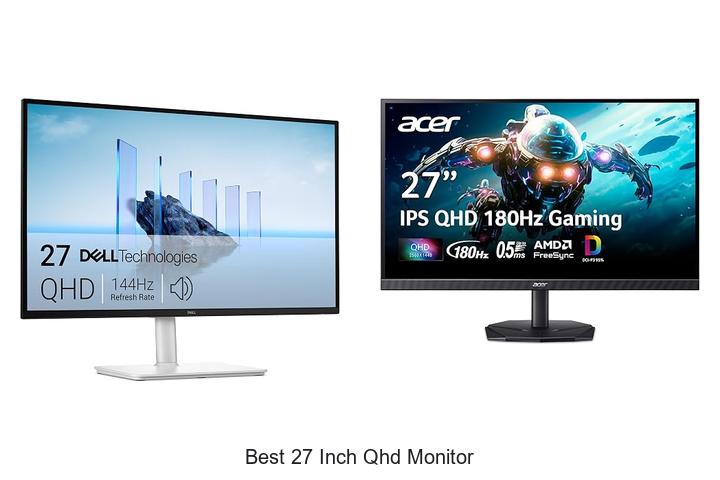
With a resolution of 2560×1440 pixels and an optimal pixel density suited for detailed visuals, the 27-inch QHD monitor strikes a perfect balance between screen real estate and image clarity. Leveraging advanced IPS or VA panel technology, these displays offer vibrant color accuracy, wider viewing angles, and enhanced contrast ratios, catering to professionals, gamers, and content creators alike. Refresh rates and response times further influence the performance, making the selection of the best 27 inch QHD monitor a critical decision in achieving immersive and productive experiences.
As the market evolves with innovations in HDR support, connectivity options, and ergonomic design, understanding these technical parameters becomes essential. This guide delves deeper into what defines the best 27 inch QHD monitor and how to pinpoint the ideal match for your needs.
Discover top-tier visuals and performance in mid-sized displays perfect for immersive work and play
| Image | Product | Price |
|---|---|---|
Our Picks 1  | Dell S2725DSM 27-inch QHD Monitor | Check Price On Amazon |
Our Picks 2  | Acer Nitro KG271U 27in QHD Gaming Monitor | Check Price On Amazon |
Our Picks 3  | LG 27U631A-B 27-inch QHD IPS Monitor | Check Price On Amazon |
1. Dell S2725DSM 27-inch QHD Monitor
Discover vivid visuals and smooth performance with the Dell S2725DSM 27-inch QHD Monitor, designed to elevate your entertainment and productivity. Featuring stunning QHD resolution and a fast 144Hz refresh rate, this monitor delivers crisp detail and fluid motion for immersive viewing experiences.
Equipped with a 1500:1 contrast ratio and 1ms Moving Picture Response Time, the IPS display ensures sharp images and minimal motion blur. Integrated dual 3W speakers enhance audio quality, while TÜV-certified eye comfort features reduce blue light exposure without sacrificing color accuracy.
Pros
- QHD resolution with 1500:1 contrast ratio for precise and vibrant images
- 144Hz refresh rate and 1ms MPRT for smooth, tear-free visuals ideal for gaming and multimedia
- TÜV-certified low blue light technology to reduce eye strain during extended use
- Built-in dual 3W speakers delivering enhanced audio performance without extra peripherals
- Highly adjustable stand ensuring ergonomic comfort throughout the day
- Dell Display and Peripheral Manager enables seamless workspace customization and device control
Cons
- Lack of advanced HDR support compared to some competitors in the same price range
Offering exceptional value at an affordable price, the Dell S2725DSM is a standout choice among 27-inch QHD monitors, balancing performance, eye comfort, and audio quality. It’s an excellent option for users seeking a well-rounded display for both work and entertainment.
2. Acer Nitro KG271U 27in QHD Gaming Monitor
Experience vivid visuals and razor-sharp performance with the Acer Nitro KG271U 27in QHD Gaming Monitor. Designed for gamers and creative professionals alike, this 27-inch IPS display offers stunning QHD resolution and immersive gameplay through a sleek, zero-frame design that maximizes your screen space.
Equipped with a 2560 x 1440 resolution and a 16:9 aspect ratio, the KG271U delivers crystal-clear images and vibrant colors supported by 95% DCI-P3 and HDR Enjoy buttery-smooth gaming with AMD FreeSync technology, an ultra-fast 180Hz refresh rate, and a 5ms gray-to-gray response time that drastically reduces motion blur and screen tearing.
Pros
- Ultra-smooth 180Hz refresh rate reduces input lag and enhances fast-paced gaming
- AMD FreeSync technology eliminates screen tearing for seamless visuals
- Vivid color accuracy with 95% DCI-P3 coverage, ideal for graphic design and multimedia work
Cons
- Brightness at 250 cd/m² may be less optimal for very bright environments
Balancing high-definition visuals and speedy performance, the Acer Nitro KG271U stands out as an excellent choice for gamers and professionals seeking sharp graphics and responsive gameplay at an affordable price. Its advanced features make it competitive against similar monitors in the 27-inch QHD category.
3. LG 27U631A-B 27-inch QHD IPS Monitor
Discover stunning visuals and smooth performance with the LG 27U631A-B 27-inch QHD IPS Monitor. Designed for professionals and gamers alike, its vibrant QHD display and advanced features deliver sharp images and seamless motion, making it an excellent choice for those seeking one of the best 27 inch QHD monitors on the market.
This monitor features a 2560×1440 resolution with IPS technology to provide vivid colors and wide viewing angles. With a 100Hz refresh rate and 5ms response time, fast-paced action appears fluid and clear. HDR10 support enriches color and contrast, while USB Type-C connectivity offers convenient device charging and streamlined setup.
HDR10 support enriches color and contrast, while USB Type-C connectivity offers convenient device charging and streamlined setup.
Pros
- Exceptional color accuracy with up to 99% sRGB gamut and HDR10 compatibility for lifelike visuals.
- 100Hz refresh rate and 5ms response time provide smooth, responsive gameplay and video playback.
- USB Type-C port supports up to 15W power delivery, simplifying connections and reducing cable clutter.
Cons
- Brightness level at 250 cd/m² may be less ideal in extremely bright environments compared to higher-end monitors.
Offering an ideal balance between vibrant image quality and performance, the LG 27U631A-B stands out as a top contender among 27-inch QHD monitors. Its combination of professional-grade color accuracy and gamer-friendly features provides excellent value for a range of users.
4. Acer KB270U E2biipx 27in QHD IPS Monitor

Discover exceptional clarity and vibrant visuals with the Acer KB270U E2biipx 27-inch QHD IPS Monitor. Designed for productivity and immersive entertainment, its 2560 x 1440 resolution offers stunning detail across a widescreen display, perfect for both work and gaming environments.
The monitor features Adaptive-Sync technology for smooth, tear-free gaming experiences alongside a rapid 100Hz refresh rate and 1ms response time that ensure crisp, fluid motion. Its near borderless ZeroFrame design enhances multi-monitor setups, while IPS panel technology delivers consistent color accuracy with wide 178° viewing angles.
Pros
- Crystal-clear 27″ QHD (2560 x 1440) resolution with IPS for stunning, accurate colors.
- Adaptive-Sync (FreeSync Compatible) eliminates screen tearing during fast-motion scenes.
- Fast 100Hz refresh rate and 1ms response time provide smooth visuals and reduced input lag, ideal for gamers.
Cons
- Brightness capped at 250 nits, which may be less ideal for very brightly lit environments.
Balancing performance and design, the Acer KB270U offers a premium viewing experience at a competitive price point. When compared to similar 27-inch QHD monitors, its combination of Adaptive-Sync support and sleek ZeroFrame aesthetics makes it a compelling option for both casual users and enthusiasts.
5. Samsung Odyssey G5 27 QHD Monitor

Experience stunning visuals and fluid gameplay with the Samsung Odyssey G5 27 QHD Monitor, designed for passionate gamers seeking unrivaled immersion. Its sharp QHD resolution, rapid refresh rate, and advanced sync technologies make every frame come alive with vivid detail and smooth motion, elevating your gaming setup instantly.
Featuring a 27-inch IPS display with 2560 x 1440 resolution, this monitor delivers crisp images and vibrant colors across a wide 178° viewing angle. The 180Hz refresh rate combined with a 1ms response time ensures exceptionally smooth gameplay, while FreeSync and G-Sync compatibility reduce screen tearing and input lag for competitive advantage.
Pros
- Immersive QHD resolution with stunning color accuracy on an IPS panel
- High 180Hz refresh rate and 1ms response time for ultra-smooth, responsive gaming
- Adaptive sync (FreeSync and G-Sync compatible) eliminates screen tearing and lag
Cons
- Lacks built-in speakers, requiring separate audio solutions
Combining performance and visual brilliance, the Samsung Odyssey G5 27 QHD Monitor stands out as a top contender among mid-range gaming monitors. Its exceptional refresh rate, ergonomic adjustments, and display enhancements make it a smart investment for gamers ready to upgrade beyond standard 1080p displays.
6. ViewSonic VS2725-2K 27 Inch QHD Monitor

Discover exceptional visual clarity and performance with the ViewSonic VS2725-2K 27 Inch QHD Monitor, designed to elevate your workspace or gaming setup. Offering stunning 2560 x 1440 resolution and a sleek frameless design, this monitor blends productivity and style seamlessly.
Featuring a vibrant 27-inch IPS panel with a smooth 100Hz refresh rate, the ViewSonic VS2725-2K delivers consistent colors and wide viewing angles, complemented by VESA Adaptive Sync for tear-free visuals. Advanced eye care technologies and versatile connectivity options round out its comprehensive suite of features for long-term use.
Pros
- High-resolution QHD display with 100Hz refresh rate for crisp and fluid visuals
- Edge-to-edge frameless design enhances multi-monitor productivity setups
- Integrated Flicker-Free and Blue Light Filter technologies reduce eye strain
- VESA Adaptive Sync ensures smooth gameplay with reduced screen tearing
- Multiple connectivity options including HDMI, DisplayPort, and daisy-chaining support
- 3-year industry-leading warranty with responsive US-based customer service
Cons
- Brightness level of 250 nits may be insufficient in very bright environments
Balancing impressive display technology with user-friendly features, the ViewSonic VS2725-2K stands out as a top choice among 27-inch QHD monitors. Its combination of smooth performance, elegant design, and eye comfort makes it an ideal investment for professionals and casual gamers alike seeking quality and reliability.
7. AOC Q27G4 27-inch Gaming Monitor
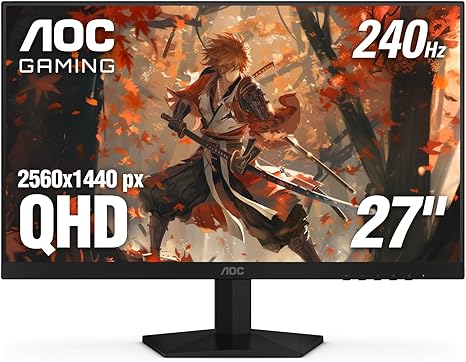
Experience exceptional visuals and lightning-fast responsiveness with the AOC Q27G4 27-inch Gaming Monitor, designed for gamers seeking vibrant Quad HD clarity and ultra-smooth gameplay. Its combination of a 27-inch IPS panel and 240Hz refresh rate ensures every frame is rendered with precision and fluidity for an immersive gaming experience.
Boasting a 2560×1440 QHD resolution and wide viewing angles, the AOC Q27G4 delivers crisp, accurate colors in any lighting condition. Featuring a rapid 3ms response time and Adaptive-Sync support, it reduces screen tearing and input lag, while versatile connectivity and ergonomic tilt adjustment provide a fully customizable setup for all gaming preferences.
Pros
- Stunning 2560×1440 QHD resolution on a vibrant 27” IPS panel
- Super-smooth 240Hz refresh rate with ultra-fast 0.3ms response time perfect for competitive gaming
- Adaptive-Sync technology ensures tear-free visuals compatible with both AMD and NVIDIA GPUs
Cons
- Lacks built-in speakers, requiring external audio solutions
Combining speed, clarity, and ergonomic design, the AOC Q27G4 stands out as a top contender among best 27-inch QHD monitors, offering gamers a balanced and immersive display without compromising on performance or aesthetics.
8. Dell S2725DC 27-inch QHD USB-C Monitor

Discover stunning visuals and seamless connectivity with the Dell S2725DC 27-inch QHD USB-C Monitor. Designed to elevate your entertainment and productivity, this monitor delivers crisp QHD resolution and a fast 144Hz refresh rate, making it ideal for creative work, gaming, or everyday use.
Boasting a 1500:1 contrast ratio and IPS panel technology, the display ensures vibrant colors and wide 178-degree viewing angles. Integrated dual 3W speakers enhance audio quality, while TÜV certification minimizes harmful blue light, protecting your eyes during extended sessions. Simplified USB-C connectivity reduces cable clutter and supports up to 65W power delivery.
Pros
- QHD resolution with 144Hz refresh rate and 1ms MPRT for smooth, clear visuals
- Integrated dual speakers providing immersive sound without extra peripherals
- USB-C port supports up to 65W power delivery and easy device connection
Cons
- Lacks advanced ergonomic adjustments found in some higher-end models
Combining sharp visuals, thoughtful eye-care features, and versatile connectivity, the Dell S2725DC stands out as a compelling choice among the best 27 inch QHD monitors available, especially for users seeking a balance between performance and convenience at an attractive price point.
9. Samsung Odyssey G5 27 Gaming Monitor

Experience immersive gaming and crystal-clear visuals with the Samsung Odyssey G5 27 Gaming Monitor. Designed to deliver sharp QHD resolution and smooth, responsive gameplay, this 27-inch display is ideal for gamers seeking both performance and stunning image quality in a sleek, ergonomic design.
Featuring a QHD resolution of 2560 x 1440, the monitor offers 7 times more pixel density than Full HD, ensuring vibrant, pinpoint details. Its 180Hz refresh rate and 1ms response time minimize motion blur and lag, while AMD FreeSync technology eliminates screen tearing for seamless gaming action. The ergonomically adjustable stand and features like Black Equalizer add comfort and visibility advantages during long sessions.
Pros
- High-resolution QHD display delivers crisp and detailed images for an enhanced gaming experience.
- Fast 180Hz refresh rate combined with 1ms response time ensures ultra-smooth gameplay and quick reactions.
- AMD FreeSync technology effectively reduces screen tearing and stuttering during fast-paced sequences.
- Ergonomic stand supports tilt, pivot, and height adjustments for optimal comfort.
- Black Equalizer feature improves visibility in dark scenes, helping locate opponents more easily.
Cons
- The color gamut coverage is on the lower side (0.72), which may affect color vibrancy for professional content creators.
Overall, the Samsung Odyssey G5 27 Gaming Monitor stands out as a solid choice for gamers prioritizing fast performance, sharp visuals, and comfort. It competes well against other QHD monitors in the market, offering a compelling balance of features at a reasonable price point, making it a valuable addition to any gaming setup.
10. Dell S2725DS 27 Inch QHD Monitor

Experience vibrant visuals and immersive sound with the Dell S2725DS 27 Inch QHD Monitor. Combining a crisp 2560×1440 resolution with integrated high-quality speakers, this display is designed to elevate productivity and entertainment on a 27-inch screen that’s gentle on the eyes for extended use.
Equipped with an IPS LED panel featuring a 16:9 aspect ratio and 100Hz refresh rate, the monitor delivers sharp images and smooth motion. Its TÜV Rheinland 4-star eye comfort certification minimizes eye strain, while a matte finish reduces glare.
The wide 178-degree viewing angles and 99% color gamut ensure accurate and consistent visuals, making it ideal for work and play.
Pros
- Crystal-clear QHD resolution offers 1.77 times more detail than Full HD for enhanced image clarity.
- Integrated dual 5W speakers provide rich audio without needing external devices.
- Eye comfort certification reduces fatigue during extended viewing sessions.
Cons
- Brightness level at 1199.1 lumens might be insufficient in very bright environments.
Offering excellent color accuracy, reliable performance, and built-in sound, the Dell S2725DS stands out as a top-tier choice among 27-inch QHD monitors. It strikes a fine balance between productivity and multimedia functionality, making it a worthwhile investment for professionals and casual users alike.
Top Tips to Choose the Best 27 Inch QHD Monitor for Stunning Visuals
Display Quality and Resolution
QHD resolution benefits and clarity. Panel types: IPS vs. VA vs. TN. Color accuracy and gamut coverage.Having a variety of input options and ports significantly enhances the monitor’s versatility, making it easier to connect multiple devices such as gaming consoles, laptops, and peripherals without constantly swapping cables. This flexibility ensures smoother multitasking and a streamlined workspace, especially for users who rely on a single screen for both work and entertainment.
Moreover, future-proofing the setup by opting for monitors with the latest video standards and multiple connection types helps avoid compatibility issues with new hardware down the line. Some models offer adaptable hub features or support for various display inputs including HDMI, DisplayPort, and USB-C, which is invaluable for maintaining a seamless user experience as devices evolve.
Efficient port layout and expansion options can also impact ergonomics and cable management, contributing to a cleaner, more organized desk environment.
Refresh Rate and Response Time
Importance for gaming and multimedia. Typical refresh rates available on 27inch QHD monitors. Response time considerations for smooth visuals.A smooth and immersive visual experience heavily depends on how swiftly your monitor updates the displayed image and reacts to changes. Most 27-inch QHD monitors offer refresh rates ranging from 60Hz to 165Hz, with higher numbers delivering noticeably smoother motion—a crucial factor for gaming enthusiasts and multimedia fans who enjoy fast-paced action. Response time, usually measured in milliseconds, determines how quickly a pixel can change from one color to another.
Monitors with lower response times (around 1ms to 5ms) minimize motion blur and ghosting, ensuring crisp and clear visuals during rapid movements. Balancing these two specifications helps maintain fluid gameplay and vivid multimedia playback, effectively reducing eye strain and enhancing overall viewing comfort.
Connectivity Options
Common ports: HDMI, DisplayPort, USBC. Compatibility with different devices. Additional features like USB hubs and audio out.Most modern 27-inch QHD monitors come equipped with multiple ports such as HDMI, DisplayPort, and USB-C, allowing seamless connection to a wide range of devices including laptops, desktops, and gaming consoles. Ensuring a monitor has versatile input options guarantees compatibility across your tech setup, reducing the need for adapters or extra cables.
Additional features like built-in USB hubs provide convenient access to connect peripherals directly through the monitor, while audio output ports enable easy connection to external speakers or headphones without cluttering your workspace. These functionalities enhance usability and streamline your overall experience, making it easier to manage multiple devices and accessories from one central screen.
Ergonomics and Design
Adjustable stands: height, tilt, swivel, pivot. VESA mount compatibility. Bezel size and overall aesthetics.Monitors equipped with adjustable stands that offer height, tilt, swivel, and pivot functions provide a tailored viewing experience, reducing neck and eye strain during extended use. Compatibility with VESA mounts adds versatility by allowing the screen to be attached to wall mounts or adjustable arms, freeing up desk space and promoting better posture. Additionally, the bezel size plays a key role not only in aesthetics but also in creating a seamless multi-monitor setup, while the overall design can complement your workspace style, blending functionality with visual appeal.
Additional Features and Technologies
HDR support and impact on picture quality. Eye care technologies (blue light filter, flickerfree). Builtin speakers and extras.Modern 27-inch QHD monitors often come equipped with HDR support, which significantly enhances picture quality by offering richer colors and deeper contrasts. This feature brings visuals to life, making movies, games, and creative work much more immersive. Additionally, eye care technologies such as blue light filters and flicker-free screens play a crucial role in reducing eye strain during extended use, ensuring comfort during long working or gaming sessions.
Many models also include built-in speakers and extra ports that allow easy connection to various devices without the need for additional accessories. These extras not only help declutter your workspace but also make it simpler to set up a complete multimedia experience directly through the monitor.
| Feature | Benefits |
|---|---|
| HDR Support | Enhanced color accuracy and contrast for vivid visuals |
| Eye Care Technologies | Reduced blue light and flicker to minimize eye fatigue |
| Built-in Speakers & Extras | Convenient multimedia setup without extra peripherals |
Price and Warranty Considerations
Budget vs. premium models. Warranty terms and customer support. Value for money based on feature set.Modern monitors often come with a variety of ports such as HDMI, DisplayPort, and USB-C, which can significantly impact how easily they integrate with other devices in your setup. Having multiple connection options ensures compatibility with laptops, desktops, gaming consoles, and peripherals without needing additional adapters.
This flexibility not only simplifies cable management but also future-proofs your setup as new devices are added over time.
- Check the type and number of input ports to match your existing devices.
- Look for support of high data transfer standards that enhance performance, especially for gaming or professional use.
- Consider additional connection slots that enable expansion without needing a docking station.
- Ensure that the monitor supports power delivery through USB-C if you want to charge compatible laptops or devices directly.
FAQ’s
What Are The Key Features To Consider When Choosing The Best Inch Qhd Monitor?When choosing the best inch QHD monitor, key features to consider include resolution quality, refresh rate, and panel type for clear visuals and smooth performance. Additionally, factors like connectivity options, ergonomic design, and color accuracy are important for an optimal user experience.
Which Inch Qhd Monitors Offer The Best Color Accuracy For Graphic Design?The best inch QHD monitors for graphic design with excellent color accuracy include the Eizo ColorEdge CS2740 and the Dell UltraSharp U2723QE. Both offer wide color gamut support, factory calibration, and consistent color performance ideal for professional design work.
What Is The Best Inch Qhd Monitor For Gaming In Terms Of Refresh Rate And Response Time?The best inch QHD monitor for gaming typically features a 27-inch display with a refresh rate of 165Hz or higher and a response time of 1ms. Models like the ASUS ROG Swift PG279QM excel in delivering smooth gameplay with ultra-fast response times.
How Does A Inch Qhd Monitor Compare To A Monitor In Everyday Use?A 27-inch QHD monitor offers sharper and more detailed images compared to standard Full HD monitors, enhancing productivity and gaming experiences. Its higher resolution provides more screen real estate, allowing for better multitasking and clearer visuals in everyday use.
What Are The Top Affordable Inch Qhd Monitors Available In 2024?The top affordable 27-inch QHD monitors in 2024 include the Dell S2723D, LG 27QN600, and AOC Q27G2S, which offer excellent color accuracy and performance for their price. These models are highly praised for balancing quality and affordability for both work and gaming needs.
Conclusion
In summary, the best 27 inch QHD monitor offers a perfect balance of sharp resolution, vibrant colors, and ample screen space, ideal for gaming, professional work, and entertainment. When choosing one, consider factors like refresh rate, color accuracy, and connectivity options to find the perfect fit for your needs and budget.

- Best 27 Inch QHD Monitor for Stunning Visuals Revealed! - October 17, 2026
- Best 27 Inch PC Monitor: Top Picks You Can’t Miss! - October 16, 2026
- Best 27 Inch Monitor for Home Office – Top Picks Revealed! - October 16, 2026
