
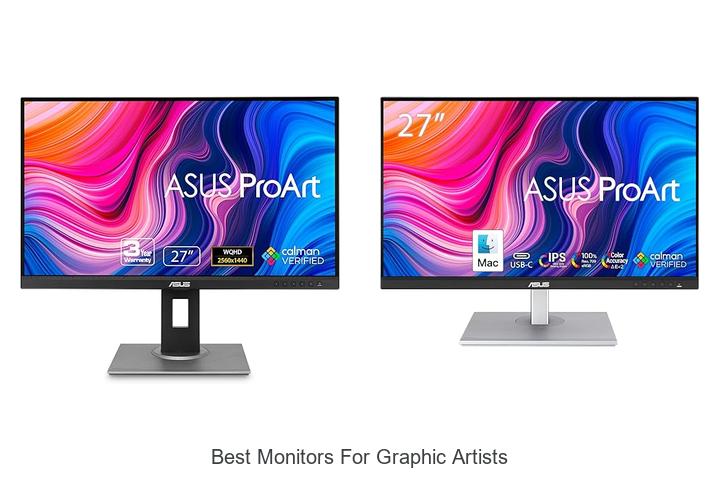
Color accuracy, high resolution, and wide color gamut are critical specifications that define the effectiveness of a display in the realm of digital artistry. For graphic artists, selecting a monitor that excels in these areas ensures precision in design work and faithful representation of visual elements. The best monitors for graphic artists often boast features such as 4K UHD resolution, IPS panels for consistent viewing angles, and factory calibration to maintain color fidelity across projects.
Additionally, support for standards like Adobe RGB and DCI-P3 plays a pivotal role in achieving professional-grade results. Understanding the nuanced interplay of these technical aspects is essential for professionals seeking an optimal workspace.
Delve deeper to uncover which monitors stand out as the best monitors for graphic artists in today’s competitive market.
Unlock Your Creative Potential with These Top Display Choices
| Image | Product | Price |
|---|---|---|
Our Picks 1  | ASUS ProArt PA278QV 27-Inch Monitor | Check Price On Amazon |
Our Picks 2  | ASUS ProArt PA278CV 27 QHD USB-C Monitor | Check Price On Amazon |
Our Picks 3  | ASUS ProArt PA279CRV 27 Inch 4K UHD Monitor | Check Price On Amazon |
1. ASUS ProArt PA278QV 27-Inch Monitor
Discover unparalleled color accuracy and professional-grade performance with the ASUS ProArt PA278QV 27-Inch Monitor, designed specifically for graphic artists, photographers, and video editors who demand precision and clarity in every pixel. Its wide color gamut and crisp WQHD resolution make it a standout choice for creative workflows.
Equipped with Calman Verified < 2 Delta E color accuracy and 100% sRGB plus 100% Rec. 709 coverage, this 27-inch IPS display ensures your visual projects maintain true-to-life colors and consistent brightness. Features such as ASUS ProArt Preset, extensive connectivity options, ergonomic adjustments, and eye care technology enhance usability during long studio sessions.
Pros
- Exceptional color precision with Calman Verified calibration and wide color gamuts ideal for professional editing.
- Ergonomic stand offering tilt, swivel, pivot, and height adjustments for a tailored and comfortable viewing experience.
- Multiple connectivity ports including DisplayPort, HDMI, Mini DP, and an integrated USB hub streamlining workstation setup.
Cons
- Refresh rate limited to 75Hz, which may not be optimal for fast-paced gaming beyond creative applications.
With its combination of superb color fidelity, flexible ergonomics, and versatile connectivity, the ASUS ProArt PA278QV stands out as a top contender for those seeking reliable and accurate displays tailored to graphic artistry. Competitively priced at $225, it offers excellent value compared to other professional monitors in its class.
2. ASUS ProArt PA278CV 27 QHD USB-C Monitor
Discover the ASUS ProArt PA278CV 27-inch QHD USB-C Monitor, expertly designed to meet the demands of graphic artists and creative professionals. With its vibrant color accuracy and versatile connectivity, this monitor delivers exceptional visual performance, making it a top contender among the best monitors for graphic artists.
Featuring a Calman Verified Delta E < 2 and 100% sRGB color gamut, the ProArt PA278CV provides true-to-life colors essential for precise photo editing and graphic design. Its 27-inch QHD (2560 x 1440) IPS panel offers sharp, detailed visuals with wide viewing angles, while the USB-C port supports 65W power delivery, streamlining workspace setup.
Pros
- Exceptional color precision with Delta E < 2 and 100% sRGB for professional-grade visual accuracy.
- USB-C connectivity with 65W power delivery simplifies connections and reduces cable clutter.
- Ergonomic design with adjustable stand and 90° pivot supports comfortable, versatile workspace setups.
Cons
- Refresh rate capped at 75Hz, which may not suit fast-paced gaming or ultra-smooth motion needs.
The ASUS ProArt PA278CV combines superior color fidelity, thoughtful ergonomic features, and seamless connectivity options, positioning it as an excellent choice for professional graphic artists. Compared to other monitors in this category, it offers a balanced mix of performance and practicality to elevate any creative workspace.
3. ASUS ProArt PA279CRV 27 Inch 4K UHD Monitor
Experience exceptional visual clarity and color accuracy with the ASUS ProArt PA279CRV 27 Inch 4K UHD Monitor, designed specifically for graphic artists and creative professionals. Its stunning 4K resolution combined with wide color gamut coverage ensures every detail is rendered precisely for outstanding digital artistry.
Featuring a 27-inch 3840 x 2160 LED display with an IPS panel and HDR support, this monitor delivers vibrant and true-to-life colors with 99% DCI-P3 and Adobe RGB coverage. Factory calibrated to Delta E < 2 and Calman Verified, it offers professional-grade color fidelity. Extensive connectivity options including USB-C with 96W power delivery and DisplayPort daisy-chaining make it versatile and workspace-efficient.
Pros
- Exceptional color accuracy with 99% DCI-P3 and Adobe RGB coverage, ideal for color-critical work
- 4K UHD resolution on a 27-inch IPS panel provides wide viewing angles and sharp detail
- Multiple connectivity options including USB-C with power delivery and daisy-chain support for streamlined setup
- Factory calibrated and Calman Verified for professional-grade color precision out of the box
- Ergonomically adjustable stand enhances comfort during extended creative sessions
- Comes with a 3-month Adobe Creative Cloud subscription and extended 5-year warranty
Cons
- Limited 60Hz refresh rate may not suit users prioritizing high-frame-rate gaming or video editing
Overall, the ASUS ProArt PA279CRV stands out as a top-tier choice for graphic artists seeking reliable, precise color representation and versatile connectivity. It competes strongly with other professional monitors in its class at a competitive price point, making it a smart investment for creatives demanding accuracy and efficiency.
4. ASUS ProArt 27 WQHD Professional Monitor

Discover unparalleled visual precision with the ASUS ProArt 27 WQHD Professional Monitor, designed specifically for graphic artists and creative professionals. Its 27-inch WQHD IPS display offers exceptional clarity and color accuracy, making it an ideal companion for intricate photo editing, video production, and design projects.
Equipped with a factory-calibrated panel verified by Calman, this monitor delivers 100% sRGB and Rec.709 color accuracy with ΔE<2, ensuring consistent true-to-life colors.
Pros
- 27-inch WQHD IPS display offers sharp detail and wide 178° viewing angles for accurate visuals.
- Factory-calibrated and Calman Verified with 100% sRGB & Rec.709 color accuracy ensures true-to-life color reproduction.
- Ergonomic stand with tilt, swivel, pivot, and height adjustments enhances comfort during extended use.
- ASUS Eye Care Technology featuring flicker-free and low blue light modes reduces eye fatigue.
- Multiple input options including DisplayPort, HDMI, DVI, and USB hub simplify connectivity with various devices.
Cons
- Refresh rate capped at 75Hz may not satisfy users seeking ultra-smooth motion for video editing or gaming.
Offering a perfect balance of color precision, ergonomic design, and versatile connectivity, the ASUS ProArt 27 WQHD Professional Monitor stands out as a reliable choice among the best monitors for graphic artists. Its competitive price point and professional-grade features make it an excellent investment for design-focused professionals seeking consistent performance.
5. Dell S2725QC 27-Inch 4K UHD Monitor

Experience stunning visual clarity and exceptional performance with the Dell S2725QC 27-Inch 4K UHD Monitor, a perfect choice for creative professionals and graphic artists. Combining ultra-high definition resolution with advanced color accuracy, it elevates your workspace with vibrant, true-to-life images and effortless connectivity.
Boasting a 27-inch UHD display with in-plane switching technology, the monitor delivers 99% sRGB coverage and a 1500:1 contrast ratio for vivid, nuanced visuals. Features like AMD FreeSync Premium, a 120Hz refresh rate, and a rapid 03ms response time ensure fluid motion, while ComfortView Plus reduces harmful blue light without compromising color fidelity.
Pros
- Exceptional 4K UHD resolution with IPS technology for wide viewing angles and accurate colors.
- Low blue light emission via ComfortView Plus enhances eye comfort during prolonged use.
- Seamless connectivity through a single USB-C cable providing up to 65W power delivery to reduce desktop clutter.
Cons
- Built-in speakers are improved but may not replace dedicated external audio solutions for audiophiles.
With its outstanding color accuracy, smooth refresh capabilities, and streamlined connectivity, the Dell S2725QC stands out as a reliable and versatile monitor that effectively meets the demanding needs of graphic artists seeking both performance and comfort.
6. LG 27UP850K-W 27-inch 4K UHD Monitor

Discover exceptional clarity and vibrant color with the LG 27UP850K-W 27-inch 4K UHD Monitor, designed to meet the demands of graphic artists and creative professionals. Its stunning 4K resolution combined with wide color gamut support delivers precise and immersive visuals for creative projects and entertainment alike.
Featuring a 27-inch UHD 4K display with 95% DCI-P3 color gamut and VESA DisplayHDR 400 compatibility, this IPS monitor offers true-to-life colors and enhanced brightness. The USB-C port supports up to 90W power delivery, alongside multiple connectivity options including DisplayPort and HDMI.
Ergonomic adjustments and the intuitive Switch app elevate productivity and comfort.
Pros
- Accurate color reproduction with 95% DCI-P3 coverage ideal for graphic design
- Multiple connectivity ports including USB-C with 90W power delivery for easy device integration
- Ergonomic stand allowing height, tilt, and pivot adjustments for user comfort
Cons
- 60Hz refresh rate may not satisfy high-frame-rate gaming enthusiasts
Balancing professional image quality, versatile connectivity, and ergonomic design, the LG 27UP850K-W stands out as an excellent choice for graphic artists seeking reliable 4K UHD monitors without premium gaming-focused specs. Its features provide a superior creative workspace at an accessible price point.
7. LG 27US500-W 27-Inch 4K UHD Monitor

Discover unparalleled clarity and vibrant color accuracy with the LG 27US500-W 27-Inch 4K UHD Monitor, designed specifically for graphic artists seeking precision and detail in their work. Its UltraFine display and wide viewing angles offer a flawless visual experience, elevating creative projects to new heights.
The 4K UHD resolution combined with a 1000:1 contrast ratio delivers deep blacks and vivid imagery, ideal for professional digital art. Featuring HDR10 support and up to 90% DCI-P3 color gamut coverage, it ensures true-to-life colors. The ergonomic stand and user-friendly Onscreen Control make workspace customization effortless and comfortable for extended use.
The ergonomic stand and user-friendly Onscreen Control make workspace customization effortless and comfortable for extended use.
Pros
- Stunning 4K UHD resolution with 1000:1 contrast for sharp, vivid visuals
- Wide color gamut (up to 90% DCI-P3) and HDR10 support enhances color accuracy
- Ergonomic stand with tilt adjustment for optimal viewing comfort
- User-friendly Onscreen Control for easy workspace customization
- Matte IPS display with wide 170-degree viewing angles reduces glare and color shift
Cons
- 60Hz refresh rate may be limiting for motion-heavy video editing or gaming
For graphic artists prioritizing color fidelity and screen real estate, the LG 27US500-W offers an excellent balance of performance and comfort at a competitive price. While it doesn’t cater heavily to fast-motion scenarios, its precise color rendering and ergonomic design make it a top choice among best monitors for graphic artists.
8. Dell S2725DSM 27-inch QHD Monitor

Discover exceptional clarity and performance with the Dell S2725DSM 27-inch QHD Monitor, designed to elevate your graphic artistry and entertainment experience. Its vibrant QHD display and rapid refresh rate ensure stunning visuals and seamless motion, perfectly suited for creative professionals seeking precision and comfort.
Equipped with a 2560 x 1440 resolution and an impressive 1500:1 contrast ratio, the Dell S2725DSM delivers deep colors and sharp details. The 144Hz refresh rate alongside a 1ms Moving Picture Response Time guarantees fluid, tear-free images, while integrated dual 3W speakers provide rich audio without external accessories.
Pros
- High-resolution QHD panel with 99% color gamut ensures accurate color representation ideal for graphic artists.
- 144Hz refresh rate and 1ms response time offer smooth, lag-free visuals enhancing creative workflows and gaming.
- Eye comfort features including TÜV certification and blue light reduction support prolonged use without fatigue.
Cons
- Brightness level of 350 nits might be less suitable for extremely bright or sunlit work environments.
Blending sharp imagery, responsive performance, and user comfort, the Dell S2725DSM stands as a compelling choice among the best monitors for graphic artists. Its feature set rivals other premium models but at a competitive price point around $189, making it a smart investment for both professionals and enthusiasts.
9. ViewSonic VP2766-2K 27 Inch IPS Monitor

Experience superior visual clarity and color accuracy with the ViewSonic VP2766-2K 27 Inch IPS Monitor, designed to elevate graphic artists’ workflow. Its 2K QHD resolution and professional-grade color calibration make it an exceptional choice for detailed design, photo editing, and video production tasks.
Offering a 27-inch matte display with a 2560 x 1440 resolution and a 120Hz refresh rate, this monitor delivers crisp images and smooth motion. Pantone Validated and factory calibrated for 100% sRGB coverage, it ensures on-screen colors precisely match final prints.
Pros
- Factory hardware calibration and Pantone validation guarantee unmatched color accuracy.
- USB-C port supports 90W power delivery, enabling single-cable connection and charging for laptops.
- Ergonomic stand with tilt, swivel, pivot, and height adjustments ensures comfortable long-term use.
Cons
- Lacks built-in advanced HDR support found in some competing monitors.
Combining professional color precision, versatile connectivity, and ergonomic design, the ViewSonic VP2766-2K stands out as one of the best monitors for graphic artists seeking reliable performance and visual fidelity without overspending.
10. Asus ProArt Display PA248QV Monitor

The Asus ProArt Display PA248QV Monitor is a top-tier choice for graphic artists looking for precision and vibrant visuals. Its 1-inch 16:10 WUXGA IPS panel delivers exceptional clarity and color accuracy, making it ideal for demanding creative workflows that require true-to-life representations.
Featuring 100% sRGB and 100% Rec. 709 color gamut coverage, this monitor boasts factory pre-calibrated Calman Verified color accuracy with a ΔE < The exclusive ProArt Preset and Palette allow customization for various color parameters, while extensive connectivity options ensure versatility for any setup.
Pros
- Excellent color precision with 100% sRGB and Rec. 709 gamut coverage
- Ergonomic design featuring tilt, swivel, pivot, and height adjustments for comfortable viewing
- Wide array of input ports including DisplayPort, HDMI, and USB 3.0 for seamless connectivity
Cons
- Glossy screen finish may cause reflections in brightly lit environments
Combining unmatched color accuracy, flexible ergonomics, and comprehensive connectivity, the Asus ProArt PA248QV stands out as a compelling monitor for graphic professionals. It rivals other options in its class by offering factory calibration and an exclusive color adjustment suite at a reasonable price point, delivering excellent value.
Ultimate Guide to Choosing the Best Monitors for Graphic Artists: Crisp Colors and Precision Performance
Display Resolution and Screen Size
Importance of high resolution for detailed work. Ideal screen sizes for graphic artists. Balancing workspace and desk space.The ability to connect multiple devices and easily add peripherals can significantly impact the workflow of a graphic artist. Modern creative work often involves using various hardware, such as drawing tablets, external storage, or color calibration tools, which require multiple input options and ports on the display.
Having sufficient options for USB ports, HDMI, DisplayPort, or Thunderbolt ensures seamless integration with other equipment, reducing clutter and minimizing the need for adapters or frequent cable swaps.
Moreover, the option to expand functionality through additional slots or hubs attached to the screen can future-proof the setup, allowing artists to upgrade their tools without replacing the entire monitor. This flexibility can enhance productivity by keeping all essential devices connected and powered from a single hub, cutting down on downtime and offering a more organized workspace.
- Improved workflow efficiency through simplified device management
- Enhanced compatibility with a variety of peripherals essential for creative tasks
- Greater convenience with fewer cables and better desk organization
- Long-term adaptability to evolving technology and equipment needs
Color Accuracy and Calibration
Understanding color gamut (sRGB, Adobe RGB, DCIP3). Factory calibration vs. user calibration options. Tools and software for maintaining color accuracy.Graphic artists rely heavily on accurate color representation, which is influenced by the variety and type of ports available on a monitor. Having multiple and versatile inputs like HDMI, DisplayPort, and USB-C ensures seamless compatibility with different devices, enabling easy integration into existing setups without extra adapters. Additionally, ports for peripherals such as USB hubs or card readers turn a monitor into a convenient workspace hub, reducing cable clutter and enhancing efficiency.
Options to connect external displays or facilitate daisy-chaining can also expand productivity by providing extended screen real estate, which is crucial for detailed design work. Taking these capabilities into account guarantees that the device will not only serve current needs but also adapt to future hardware upgrades, making it a more flexible and long-lasting investment.
Panel Type and Viewing Angles
Differences between IPS, VA, and TN panels. Why wide viewing angles matter for graphic design. Impact of panel technology on color consistency.Understanding the interface options and adaptability of a monitor is crucial for ensuring a seamless workflow in graphic design. Modern graphic work often involves connecting multiple devices such as color calibrators, external drives, or drawing tablets, making it essential that the display supports various ports like HDMI, DisplayPort, USB-C, and even USB hubs. This versatility prevents frequent unplugging or reliance on adapters, saving valuable time and reducing frustration.
This flexibility also caters to different working environments, whether in a studio or on the go, providing consistent performance across devices. Ensuring that the display can seamlessly connect and expand with your existing gear guarantees smooth color management and efficient multitasking, both of which are vital for delivering precise and professional design work.
Connectivity and Compatibility
Essential input ports (HDMI, DisplayPort, USBC). Compatibility with various devices and graphic tools. Considerations for multiple monitor setups.Having multiple input options like HDMI, DisplayPort, and USB-C ensures seamless integration with a range of devices, from high-end graphics tablets to laptops and desktops. This versatility allows artists to connect their equipment without the need for adapters, preserving signal quality and reducing clutter. Additionally, compatibility with popular graphic tools and software is crucial, as certain monitors offer features tailored to creative workflows, such as color calibration support and stylus responsiveness.
For those working with more than one screen, the ability to easily set up multiple monitors through daisy-chaining or multiple ports can significantly enhance productivity by expanding workspace and facilitating multitasking.
Ergonomics and Build Quality
Adjustable stands (height, tilt, swivel, pivot). Monitor weight and build materials. Antiglare coatings and eye comfort features.A monitor equipped with multiple ports and the ability to support additional peripherals can significantly enhance a graphic artist’s workflow by allowing seamless connection to various devices such as drawing tablets, external drives, and color calibration tools. This flexibility ensures compatibility with both current and future hardware, reducing the need for constant upgrades or adapters. Expanding the range of available ports also enables easier multitasking and improves organization by minimizing cable clutter on the desk.
Choosing a display that offers versatile input options, such as USB-C, HDMI, and DisplayPort, provides the convenience of connecting laptops, desktops, and other gadgets without hassle, making the creative process smoother and more efficient.
Additional Features and Budget Considerations
Builtin calibration tools and software. Blue light filters and flickerfree technology. Finding the best balance between features and price.Modern monitors designed for creative professionals often come equipped with built-in calibration tools and dedicated software, ensuring colors remain accurate and consistent throughout long design sessions. Features such as blue light filters and flicker-free technology play a crucial role in reducing eye strain and fatigue, which can significantly improve comfort during extended use. Evaluating these elements alongside the overall cost helps in striking the ideal balance between advanced functionalities and budget constraints, allowing for a smart investment that supports both performance and well-being.
FAQ’s
What Features Should Graphic Artists Look For In A Monitor?Graphic artists should look for monitors with high color accuracy, wide color gamut coverage, and consistent color calibration. Additionally, they should consider features like high resolution, good contrast ratio, and adjustable ergonomic design for comfortable long hours of work.
Which Monitors Offer The Best Color Accuracy For Graphic Design Work?Monitors with IPS panels, such as the Eizo ColorEdge and Dell UltraSharp series, offer the best color accuracy for graphic design work. These monitors provide wide color gamut coverage and factory calibration to ensure precise and consistent colors.
How Important Is Screen Resolution And Size For Graphic Artists?Screen resolution and size are crucial for graphic artists because higher resolution provides greater detail and accuracy, while a larger screen offers more workspace for intricate designs. Together, they enhance precision and reduce eye strain, improving overall productivity and creativity.
What Are The Top Budget-Friendly Monitors Suitable For Graphic Designers?Top budget-friendly monitors suitable for graphic designers include the Dell UltraSharp U2422H and the ASUS ProArt Display PA248QV, both offering excellent color accuracy and wide color gamut at an affordable price. These monitors provide reliable performance for design work without breaking the bank.
How Do Different Panel Types (Ips, Oled, Va) Affect Graphic Design Work?IPS panels offer accurate color reproduction and wide viewing angles, making them ideal for graphic design. OLED panels provide deeper blacks and higher contrast, enhancing detail visibility, while VA panels have higher contrast ratios but narrower viewing angles, which may affect color consistency in design work.
Conclusion
In summary, the best monitors for graphic artists combine accurate color reproduction, high resolution, and wide color gamut to ensure precision and vivid visuals. Models with IPS panels, 4K resolution, and factory calibration stand out for professional use.
Investing in such monitors enhances creative workflow, delivering impeccable detail and color fidelity essential for graphic design excellence.

- Best Monitors for Graphic Artists You Can’t Miss Today! - October 13, 2026
- Best Monitor Size for 1440p: Find Your Perfect Fit Now! - October 12, 2026
- Discover the Best Monitor Screen for Ultimate Viewing! - October 12, 2026
