
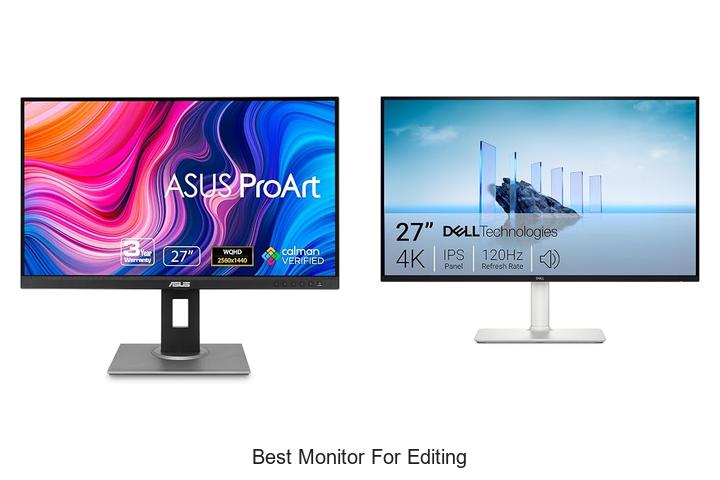
Color accuracy, resolution, refresh rate, and panel technology are critical factors when selecting the best monitor for editing. Professionals in photo and video post-production demand displays that deliver precise color reproduction with wide color gamut coverage, often favoring IPS or OLED panels for their superior viewing angles and contrast ratios.
Additionally, features like hardware calibration support and uniformity compensation play a pivotal role in achieving consistent results. Choosing the optimal monitor for editing involves balancing these technical specifications to suit specific workflow requirements.
Delve deeper as we explore what distinguishes top-tier monitors and how to align their capabilities with your editing needs.
Discover the Top Displays That Bring Every Pixel to Life
| Image | Product | Price |
|---|---|---|
Our Picks 1  | ASUS ProArt PA278QV 27-Inch Professional Monitor | Check Price On Amazon |
Our Picks 2  | Dell S2725QS 27-inch 4K UHD Monitor | Check Price On Amazon |
Our Picks 3  | Dell S3225QS 32-Inch 4K UHD Monitor | Check Price On Amazon |
1. ASUS ProArt PA278QV 27-Inch Professional Monitor
Discover unparalleled color accuracy and stunning detail with the ASUS ProArt PA278QV 27-Inch Professional Monitor, designed specifically for creatives seeking the best monitor for editing. Its WQHD IPS display and industry-standard color gamut deliver precise visuals that enhance every photo and video project.
Equipped with Calman Verified color accuracy and 100% sRGB & Rec. 709 coverage, this monitor guarantees vibrant and true-to-life colors right out of the box. The ergonomic adjustable stand and extensive connectivity options streamline your workspace, while ASUS Eye Care technology minimizes eye strain during long sessions.
Pros
- Exceptional color precision with Delta E < 2 and Calman verification
- 27-inch WQHD IPS panel delivers sharp visuals with wide viewing angles
- Multiple connectivity ports including DisplayPort, HDMI, DVI-D, Mini DP, and USB hub
Cons
- 75Hz refresh rate may feel limited for high-frame-rate video editing or gaming tasks
With robust features tailored for professional editing and a competitive price point of $225, the ASUS ProArt PA278QV stands out as a versatile and reliable choice. Its blend of accuracy, ergonomic design, and connectivity outshines many rivals, making it a valuable investment for serious creatives.
2. Dell S2725QS 27-inch 4K UHD Monitor
Discover the Dell S2725QS 27-inch 4K UHD Monitor, designed for creators and professionals seeking exceptional clarity and color precision. This monitor combines stunning 4K resolution with advanced eye comfort features, making it an ideal choice for intensive editing and immersive viewing experiences.
Equipped with an IPS panel boasting 99% sRGB coverage and HDR readiness, the Dell S2725QS delivers vibrant colors and impressive contrast with a 1500:1 ratio. Its ultra-thin bezel design and matte screen enhance aesthetics and reduce glare, while features like AMD FreeSync Premium and a 120Hz refresh rate ensure smooth, tear-free visuals.
Pros
- Enhanced ComfortView Plus technology reduces harmful blue light emissions without compromising color accuracy, enabling long hours of comfortable use
- Dynamic visuals with 4K UHD resolution, 99% sRGB gamut, and HDR-ready display for precise and vibrant image editing
- Fast 120Hz refresh rate with AMD FreeSync Premium and a 0.03ms response time ensures smooth performance for both work and entertainment
Cons
- Price point may be higher compared to some competitors with similar specs
With its blend of exceptional color accuracy, smooth performance, and user comfort enhancements, the Dell S2725QS stands out among 27-inch 4K monitors for editing tasks. It offers reliable, high-quality visuals that suit professional workflows better than many alternatives in the same segment.
3. Dell S3225QS 32-Inch 4K UHD Monitor
Discover the Dell S3225QS 32-Inch 4K UHD Monitor, a top-tier display crafted for professionals and creatives who demand exceptional visual fidelity and comfort. Its expansive screen, vibrant color accuracy, and thoughtful eye-care features make it an outstanding choice for detailed editing tasks and immersive multimedia experiences.
Featuring a 32-inch VA panel with 4K resolution, this monitor delivers stunning visuals with 99% sRGB and 95% DCI-P3 color coverage. The ultra-thin bezel design enhances workspace aesthetics, while ComfortView Plus technology reduces harmful blue light emissions without compromising color precision.
Pros
- Exceptional color accuracy with 99% sRGB and 95% DCI-P3 coverage for true-to-life visuals
- ComfortView Plus reduces blue light emissions to promote eye comfort during long editing sessions
- AMD FreeSync Premium and 120Hz refresh rate deliver smooth, responsive performance without screen tearing
Cons
- Matte screen finish may produce slight glare under intense direct lighting conditions
Combining high resolution, precise color reproduction, and ergonomic features, the Dell S3225QS 32-Inch 4K UHD Monitor stands out as an excellent choice for editors and content creators seeking performance and comfort. Compared to similar monitors in its class, it offers a compelling balance of advanced visual technology and user-friendly design at a competitive price point.
4. ASUS ProArt PA247CV 24-Inch Professional Monitor

Experience unparalleled color precision and vibrant visuals with the ASUS ProArt PA247CV 24-Inch Professional Monitor, designed to elevate creative workflows. Ideal for photo editors, video professionals, and graphic designers, this monitor delivers exceptional accuracy and consistency to meet the demands of professional editing tasks.
Featuring a 24-inch Full HD IPS panel with a 178° wide viewing angle, the ASUS ProArt PA247CV ensures vivid imagery across every angle. Its 100% sRGB and 100% Rec. 709 wide color gamut, combined with Calman Verified factory calibration for Delta E < 2 accuracy, guarantees faithful color reproduction.
Extensive connectivity includes USB-C with 65W power delivery, DisplayPort, HDMI, and a USB 1 hub, supporting seamless multi-monitor setups through DisplayPort daisy-chaining.
Pros
- Professional-grade color accuracy with factory calibration and Calman verification
- Versatile connectivity options including USB-C with power delivery and multi-display support
- Complimentary 3-month Adobe Creative Cloud subscription enhances creative potential
Cons
- Full HD resolution might lag behind higher-resolution monitors for ultra-detailed editing
Balancing professional color accuracy and connectivity, the ASUS ProArt PA247CV is a robust choice for editors seeking reliable performance without breaking the bank. While not featuring 4K resolution, its precise calibration and excellent color reproduction place it ahead of many entry-level monitors in creative workflows.
5. ASUS ProArt PA248QV Professional Monitor

Discover unparalleled color accuracy and professional-grade performance with the ASUS ProArt PA248QV Professional Monitor, designed specifically for creators who demand precision. Its vibrant display and ergonomic design make it an ideal choice for photographers, videographers, and graphic designers seeking the best monitor for editing tasks.
Featuring 100% sRGB and Rec.709 color space coverage alongside Calman verification, this WUXGA (1920 x 1200) IPS panel delivers vivid, true-to-life images with a DeltaE < 2 for exceptional color fidelity.
Versatile connectivity options and a customizable stand ensure comfort and convenience during extended editing sessions.
Pros
- Ultra-accurate color reproduction with 100% sRGB/Rec.709 coverage and Calman verification ensures reliable editing results.
- Ergonomic stand with tilt, swivel, pivot, and height adjustments for personalized viewing comfort.
- Multiple input options including DisplayPort, HDMI, and D-Sub enhance connectivity across various devices.
Cons
- Limited refresh rate of 75Hz may not suit high-frame-rate gaming or fast-motion video editing.
With its excellent color accuracy, ergonomic features, and comprehensive connectivity, the ASUS ProArt PA248QV stands out as a reliable and efficient choice for professionals seeking quality and performance. Compared to similar monitors in its price range, it offers exceptional value, especially with the added Adobe Creative Cloud subscription.
6. Philips 27 Computer Monitor 271V8LB

Discover exceptional clarity and vivid visuals with the Philips 27 Computer Monitor 271V8LB, designed to elevate your editing workspace. Its large 27-inch Full HD screen delivers stunning detail and vibrant colors, making it an ideal choice for creative professionals seeking precision and immersive viewing.
Equipped with a VA panel, this monitor offers superior contrast with deeper blacks and brighter whites, ensuring lifelike images. The ultra-wide 178° viewing angle guarantees consistent color fidelity from virtually any perspective, while its sleek, near bezel-free design allows for seamless multi-monitor configurations to boost productivity.
Pros
- Full HD 1920×1080 resolution for crisp, detailed visuals ideal for editing tasks
- VA panel technology delivers excellent 3000:1 contrast ratio with vibrant 16.7 million colors
- Wide 178° viewing angles prevent color distortion, enhancing multi-angle usability
- Virtually bezel-free design on three sides for an immersive viewing experience and easy multi-monitor setup
- 100Hz refresh rate ensures smooth motion, beneficial for video editing and playback
- EasyRead mode enhances comfort when reviewing lengthy documents, reducing eye strain
Cons
- Glossy screen finish may produce reflections in bright environments
The Philips 271V8LB monitor offers a compelling balance of high-quality display technology and ergonomic features at an affordable price point. For editors seeking an efficient, vibrant workspace without breaking the bank, it stands out as a practical and reliable choice compared to other monitors in its class.
7. ASUS ProArt PA278CV 27 Inch Professional Monitor

Discover unparalleled color accuracy and professional-grade performance with the ASUS ProArt PA278CV 27 Inch Professional Monitor. Designed for creatives who demand precision, this QHD monitor combines expert calibration with versatile connectivity to elevate your editing and design workflow seamlessly.
Equipped with a 27-inch IPS panel offering a sharp 2560 x 1440 resolution, the ASUS ProArt PA278CV delivers lifelike visuals with Calman Verified Delta E < 2 and 100% sRGB color gamut. Its ergonomic stand supports a 90-degree pivot for adaptable viewing angles, while USB-C with 65W power delivery simplifies your workstation by enabling charging and data transfer through a single cable.
Pros
- Outstanding color accuracy with factory calibration, ideal for photo and video editing
- USB-C port supports 65W power delivery and data transfer, reducing desk clutter
- Ergonomic design includes adjustable height and a 90° pivot for versatile positioning
Cons
- Refresh rate capped at 75Hz, which may not suit high-frame-rate gaming needs
Blending precise color fidelity with professional ergonomics and comprehensive connectivity, the ASUS ProArt PA278CV stands out as a leading choice for content creators. When compared to other monitors in its class, it offers exceptional value, particularly for those focused on editing and design accuracy.
8. LG 27UP850K-W 27-inch 4K UHD IPS Monitor

Discover unparalleled visual clarity with the LG 27UP850K-W 27-inch 4K UHD IPS Monitor, designed to elevate your editing experience. Thanks to its stunning 4K resolution and broad color gamut, it offers photographers, videographers, and designers the precision needed for detailed and vibrant image work.
Boasting a 27-inch UHD 4K display with 95% DCI-P3 color coverage and DisplayHDR 400 certification, this IPS monitor delivers true-to-life color and enhanced brightness. Connectivity options include USB Type-C with 90W power delivery, dual HDMI ports, and versatile ergonomic adjustments to customize your workspace perfectly.
Pros
- Exceptional 4K UHD resolution with 95% DCI-P3 for accurate color grading and vibrant visuals
- Multiple connectivity ports including USB-C, DisplayPort, and HDMI for flexible device integration
- Ergonomic stand allowing height, tilt, and pivot adjustments to suit prolonged editing sessions comfortably
Cons
- 60 Hz refresh rate may not satisfy competitive gamers seeking ultra-smooth motion
Combining superb image fidelity with extensive connectivity, the LG 27UP850K-W stands out as an excellent choice for content creators who prioritize color accuracy and ergonomic flexibility. Its competitive price point further enhances its appeal against similar high-end monitors.
9. CUNPU 27 4K IPS Photo Video Editing Monitor

Experience exceptional clarity and vibrant colors with the CUNPU 27 4K IPS Photo Video Editing Monitor. Designed for creative professionals seeking precision, its 27-inch 4K display delivers impressive detail and color accuracy to elevate photo and video editing workflows effortlessly.
Featuring 100% DCI-P3 color coverage and over a billion displayable colors, this monitor ensures rich and true-to-life visuals. Its ultra-thin bezels and wide 178° viewing angle enhance collaboration, while multiple input options including DisplayPort and HDMI enable seamless connectivity with gaming consoles and PCs alike.
Pros
- Stunning 27-inch 4K IPS panel with 100% DCI-P3 color gamut for accurate photo and video editing
- Picture-by-Picture (PBP) and Picture-in-Picture (PiP) modes boost multitasking efficiency
- Wide 178° viewing angles combined with ultra-thin bezels ideal for shared viewing and immersive work setups
Cons
- Refresh rate capped at 70 Hz, which may be lower than some gaming-focused monitors
Combining outstanding color accuracy with versatile display options, the CUNPU 27 4K monitor is a compelling choice for editors seeking a high-quality, cost-effective workstation upgrade. For those needing higher refresh rates specifically for gaming, alternative models might be worth exploring, but this model excels in professional editing scenarios.
10. Sceptre E275W-FW100T 27-inch Gaming Monitor

Discover the perfect balance of vibrant color accuracy and smooth performance with the Sceptre E275W-FW100T 27-inch Gaming Monitor. Designed to elevate both editing precision and gaming excitement, this display offers a stunning 100% sRGB color gamut and a fast 100Hz refresh rate for impeccable visuals.
Equipped with dual HDMI and a DisplayPort, it supports up to 100Hz, ensuring fluid motion during intense gaming or detailed graphic projects. Blue Light Shift technology minimizes eye strain during prolonged use, while built-in speakers and customizable game modes enhance your multimedia experience.
Its VESA compatibility allows flexible installation to optimize your workspace.
Pros
- 100% sRGB color gamut offers excellent color accuracy for editing and design
- 100Hz refresh rate combined with DisplayPort and HDMI connectivity ensures smooth visuals
- Blue Light Shift reduces eye fatigue, enhancing comfort during extended sessions
- Built-in speakers save desk space without compromising sound quality
- VESA wall mountable for flexible positioning and clutter-free setups
Cons
- Lacks ultra-high resolution (e.g., 4K) which some professional editors prefer for detailed workflows
Overall, the Sceptre E275W-FW100T offers an excellent package for users seeking reliable color fidelity and smooth performance at an affordable price point. Compared to higher-end monitors, it delivers great value without compromising essential features, making it a strong contender for the best monitor for editing on a budget.
Ultimate Guide to Choosing the Best Monitor for Editing Like a Pro
Display Resolution and Screen Size
Choosing the right resolution (4K, QHD, FHD). Optimal screen size for detailed editing. Impact of pixel density on image clarity.Having multiple ports and options for connecting external devices is crucial for a smooth and efficient workflow in any editing setup. Monitors equipped with a variety of inputs such as HDMI, DisplayPort, and USB-C allow seamless integration with different computers, peripherals, and color calibration tools. This versatility ensures compatibility with a range of devices without needing constant adapter swaps.
Additionally, the ability to extend functionality through additional USB hubs or daisy-chaining capabilities provides room for growth as editing needs evolve. Expanding connectivity options means fewer interruptions and greater flexibility in managing multiple sources and accessories simultaneously, directly enhancing productivity and convenience during intricate editing tasks.
Color Accuracy and Calibration
Importance of color gamut coverage (sRGB, Adobe RGB, DCIP3). Factory calibration vs. manual calibration options. Support for hardware calibration tools.Ensuring a monitor supports a wide range of color gamuts such as sRGB, Adobe RGB, and DCI-P3 is essential for accurate color representation, which directly affects the quality and precision of any editing work. A factory-calibrated display provides a reliable starting point, offering consistent color accuracy right out of the box, while the option for manual calibration allows users to fine-tune settings to match specific project requirements or personal preferences. Additionally, compatibility with hardware calibration tools offers a professional level of adjustment, helping maintain color fidelity over time and across different devices.
Panel Type and Viewing Angles
Differences between IPS, VA, and TN panels. How viewing angles affect color consistency. Panel response time considerations.Different panel technologies greatly influence the overall visual experience and accuracy crucial for editing tasks. IPS panels stand out for their excellent color reproduction and wide viewing angles, ensuring colors remain consistent even when viewed from the side.
VA panels offer deeper contrast levels, producing richer blacks, but their viewing angles are narrower, which can lead to color shifts when seen off-center. TN panels usually provide the fastest response times, beneficial for fast-paced action, but they often suffer from limited color accuracy and much narrower viewing angles, causing noticeable changes in color and brightness as the screen is viewed from different positions.
Response time also plays a vital role: faster response rates help reduce motion blur, which is important for video editing or animations, while slower response times may result in ghosting effects that distract from fine details. Balancing the trade-offs between panel type and response time ensures that the display performs well in both color fidelity and smooth image transitions, which are essential for professional editing work.
Connectivity and Compatibility
Essential ports for video editing (HDMI, DisplayPort, USBC). Compatibility with your editing hardware and software. Daisychaining and multiple monitor setups.Having the right ports on a monitor ensures smooth integration with your editing setup and prevents frustrating delays. Essential options like HDMI, DisplayPort, and USB-C let you connect a variety of devices, from high-resolution cameras to external storage and color calibrators. Compatibility extends beyond physical connections; the monitor must work seamlessly with your editing software and hardware, avoiding any lag or color inconsistencies that could impact your workflow.
Compatibility extends beyond physical connections; the monitor must work seamlessly with your editing software and hardware, avoiding any lag or color inconsistencies that could impact your workflow. For professionals who use multiple screens, the ability to daisychain monitors through DisplayPort can greatly simplify cable management and expand your digital workspace without clutter. Ensuring these features are present from the start saves time and enhances productivity during intensive editing sessions.
Ergonomics and Build Quality
Adjustable stands for height, tilt, and swivel. VESA mount support for flexible positioning. Build material and durability.Having multiple ports such as HDMI, DisplayPort, and USB hubs on a monitor ensures seamless connections with various devices like computers, cameras, and external drives, which is crucial for an efficient editing workflow. The availability of different input and output options allows users to easily switch between sources without constantly unplugging cables, saving valuable time. Additionally, the ability to connect peripheral devices directly to the monitor through USB ports enhances convenience and reduces desk clutter.
Equally important is the option to expand the workstation with daisy-chaining capabilities or additional input slots. This flexibility supports the integration of multiple monitors or other accessories, enabling a more immersive and productive editing environment.
Monitors that offer versatility in ports and upgrade possibilities future-proof your setup, accommodating new gear and evolving workspace needs without requiring immediate replacement.
Additional Features and Price Considerations
HDR support and its benefits for editing. Antireflective coating and blue light filters. Balancing budget with musthave features.Having multiple input options such as HDMI, DisplayPort, and USB-C ensures compatibility with various devices and allows seamless switching between sources, which is crucial for a smooth editing workflow. The ability to connect peripherals directly through the monitor, like USB hubs, can reduce desk clutter and improve efficiency.
Furthermore, having extra ports for future accessories or upgrades means the monitor can adapt as your setup evolves without needing immediate replacement.
HDR support enhances color accuracy and contrast, revealing more detail in both shadows and highlights — an invaluable advantage for editors striving for true-to-life visuals. An antireflective coating reduces glare and eye strain when working in brightly lit environments, while blue light filters help protect your eyes during extended sessions. These features contribute significantly to comfort and precision.
- HDR ensures richer, more accurate color representation.
- Antireflective coatings minimize distracting reflections.
- Blue light filters reduce eye fatigue over long editing hours.
Balancing a reasonable budget with essential functionalities means prioritizing where to invest. It’s often better to allocate funds towards display quality and ergonomic features than unnecessary bells and whistles. A well-chosen monitor can serve both present needs and future demands without overspending.
A well-chosen monitor can serve both present needs and future demands without overspending.
FAQ’s
What Features Should You Look For In The Best Monitor For Editing?The best monitor for editing should have accurate color reproduction with wide color gamut support and high resolution for detailed visuals. Additionally, it should offer good brightness, contrast ratios, and adjustable settings to ensure precise and comfortable editing.
Which Monitor Brands Are Most Recommended For Photo And Video Editing?For photo and video editing, brands like Eizo, BenQ, and Dell are most recommended due to their accurate color reproduction and professional-grade features. Additionally, Apple’s Retina displays are favored for their high resolution and color accuracy.
What Is The Ideal Screen Size And Resolution For An Editing Monitor?The ideal screen size for an editing monitor is typically between 27 to 32 inches, providing ample workspace without excessive desk strain. A resolution of 4K (3840 x 2160) is preferred for sharp, detailed images and accurate color representation.
How Important Is Color Accuracy When Choosing A Monitor For Editing?Color accuracy is crucial when choosing a monitor for editing, as it ensures that the colors displayed are true to life and consistent across different devices. This accuracy helps editors make precise adjustments and produce visually reliable content.
Are There Budget-Friendly Monitors That Offer Professional-Grade Editing Performance?Yes, there are budget-friendly monitors that provide professional-grade editing performance by offering accurate color reproduction and high resolution. Brands like ASUS, Dell, and BenQ offer models with features such as IPS panels and factory calibration at a reasonable price.
Conclusion
In summary, the best monitor for editing combines accurate color reproduction, high resolution, and a wide color gamut to ensure precise and vibrant visuals. Features like adjustable stand, multiple connectivity options, and eye-care technology enhance comfort and usability. Investing in a quality monitor tailored for editing significantly improves workflow efficiency and the overall creative experience.

- Discover the Best Monitor Size for Ultimate Productivity! - October 3, 2026
- Unlock Stunning Clarity: Discover the Best Monitor Resolution! - October 3, 2026
- Best Monitor for Working From Home: Top Picks You Need Now! - October 3, 2026
