
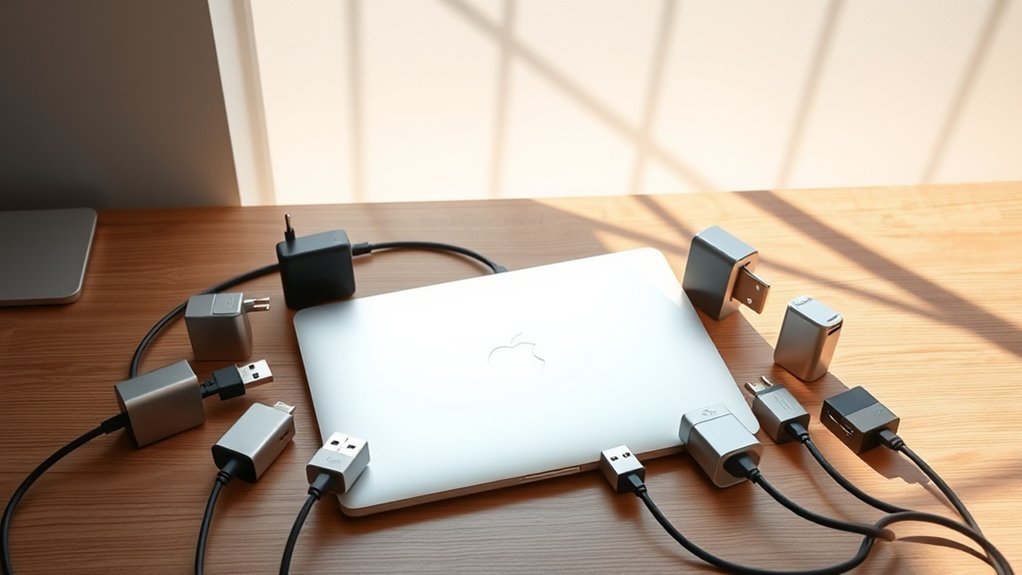
You’ll want a USB adapter that boosts your MacBook Pro’s connectivity with fast data transfer, 4K HDMI support, and up to 100W charging.
Top picks like the Syntech USB C to USB 3.0 Adapter and UANTIN 7-in-1 HUB balance versatility and speed.
Options like MOKiN or Anker offer higher resolutions and more ports.
They work well across macOS, Windows, and USB-C devices, perfect for multitasking and content creation.
Explore these models to find the ideal fit for your needs.
It’s all about matching the adapter to what you do most!
Syntech USB C to USB 3.0 Adapter (2-Pack)
Connecting older USB-A devices to modern USB-C ports can be challenging without the right adapter. The Syntech USB C to USB 3.0 Adapter (2-Pack) offers a simple solution for users who want seamless compatibility. These adapters enable fast data transfers and device charging, helping you stay productive without interruptions.
Designed for durability, each adapter features a zinc alloy housing with anti-slip embossments. This design ensures a secure grip and can handle up to 10,000 plug cycles, making it a dependable companion for daily use. The compact size fits easily into bags or pockets, while the included foam case keeps them safe during travel or storage.
Setup is straightforward with a plug-and-play design that requires no additional drivers. This adapter works well with a variety of devices, including MacBook Pro, iPhones, iPads, Samsung Galaxy, and other USB-C equipped gadgets. However, it supports USB 3.0 speeds, which are sufficient for most tasks but not the fastest available.
While it only converts USB-C to USB-A connections and does not support USB-C to USB-C, its versatility across multiple device types makes it a practical accessory. Keep in mind the compact adapters can be easy to misplace without the included case.
Best for: Users needing a reliable and durable adapter to connect USB-A devices with USB-C ports on laptops, tablets, and smartphones.
What We Like:
- Supports fast USB 3.0 data transfer and charging.
- Durable zinc alloy housing with anti-slip embossments.
- Plug-and-play with broad device compatibility.
- Comes with a protective foam case for travel and storage.
What We Don’t Like:
- Limited to USB 3.0 speeds, slower than newer USB standards.
- Only supports USB-C to USB-A connections, no USB-C to USB-C.
- Small size may be easy to lose without the foam case.
Hiearcool 7-in-1 USB-C Hub for MacBook
The Hiearcool 7-in-1 USB-C Hub offers a practical solution for expanding your MacBook’s connectivity options. It transforms a single USB-C port into multiple useful ports, allowing you to connect various devices without hassle. This hub helps streamline your workspace by reducing the need for multiple adapters.
Designed with a durable aluminum casing in Space Grey, it complements the MacBook’s sleek look while ensuring long-lasting use. Its compact and lightweight form makes it easy to carry, ideal for users who work both at a desk and on the move. You can maintain it easily by wiping with a soft cloth to keep the surface clean.
This hub supports 4K HDMI output, enabling clear video display, and includes SD and TF card readers, which are beneficial for photographers and content creators. However, the HDMI output is limited to 30Hz, which might not meet the demands of high-frame-rate videos. It also features a USB-C port with 100W pass-through charging, keeping your laptop powered during extended use.
While the hub has broad compatibility with MacOS, Windows, and other systems, some non-Apple devices may experience limited functionality. The inclusion of only two USB 3.0 ports may restrict users with several peripherals, but it efficiently balances versatility with portability.
Best for: Users who need a compact, versatile USB-C hub with fast charging and multiple connectivity options for MacBooks and other Type-C devices.
What We Like:
- Supports 4K HDMI output and fast USB 3.0 data transfer up to 5Gbps
- Includes SD and TF card readers, ideal for content creators
- Provides 100W pass-through charging to keep laptops powered
What We Don’t Like:
- HDMI output limited to 30Hz, not suited for high-frame-rate video
- Only two USB 3.0 ports may be insufficient for multiple peripherals
- Compatibility may vary with some non-Apple devices despite broad OS support
Apple USB-C to USB Adapter
Apple’s USB-C to USB Adapter addresses the common challenge of connecting traditional USB devices to modern MacBook Pros with USB-C or Thunderbolt 3 ports. It offers a simple solution, letting you plug in standard USB accessories without hassle. This adapter enhances your workflow by enabling smooth data transfer from flash drives, cameras, and other peripherals.
The compact design weighs just 1.13 ounces, making it easy to carry wherever you go. Its minimalist build fits seamlessly with Apple’s aesthetic and delivers consistent performance. Connecting and syncing your iPhone, iPad, or iPod is straightforward when using Lightning to USB cables, simplifying device charging and data management.
Maintenance is minimal due to its durable construction and solid Apple design. Just keep the adapter clean and avoid exposure to moisture or extreme conditions to ensure long-lasting functionality. This product is focused on providing reliable USB connectivity without extra bulk or complexity.
While it only supports USB connections and lacks additional port options, it excels in delivering a straightforward solution for users needing to bridge older USB accessories with newer Apple hardware.
Best for: MacBook Pro users and Apple device owners who require a compact and dependable adapter for connecting standard USB accessories to USB-C or Thunderbolt 3 ports.
What We Like:
- Compact, lightweight design for easy portability
- Reliable syncing and charging for iOS devices via Lightning to USB cables
- Designed by Apple ensuring compatibility and consistent performance
What We Don’t Like:
- Limited to USB-C and Thunderbolt 3 ports; not compatible with USB-A without extra adapters
- More expensive compared to generic third-party options
- Only supports USB connections, no additional port types or multi-function features
Anker 5-in-1 USB-C Hub with 4K HDMI
The Anker 5-in-1 USB-C Hub offers a practical solution for expanding connectivity on MacBook Pro and other USB-C laptops. It simplifies working with multiple devices by consolidating ports into one compact hub. This design helps reduce cable clutter and makes it easier to connect essential peripherals.
Featuring a 4K HDMI port, the hub enables crisp external display streaming, ideal for presentations or multimedia use. Two USB-A 3.0 ports and a USB-C data port allow fast and reliable file transfers at speeds up to 5 Gbps. This ensures smooth handling of large files and quick device syncing.
The USB-C PD-IN port supports pass-through charging up to 85W, so your laptop stays powered during intensive work sessions. While the hub requires an external charger, it maintains seamless power delivery without interrupting your workflow. Its lightweight build enhances portability for users on the move.
Maintenance is straightforward due to its durable finish, which resists fingerprints and scratches. The hub supports macOS (12+), Windows, and ChromeOS systems, providing versatility across popular platforms. However, it does not support Linux and USB-C ports are limited to data transfer only, not video output.
Best for: Users seeking a compact USB-C hub with 4K HDMI output and fast data transfer for efficient multitasking and travel.
What We Like:
- Crisp 4K@30Hz HDMI support for quality external displays
- Fast 5 Gbps data transfer via USB-A and USB-C ports
- Pass-through charging up to 85W keeps devices powered
- Compact and lightweight for easy portability
What We Don’t Like:
- Not compatible with Linux operating systems
- USB-C ports do not support video output
- Requires external charger for power delivery (charger not included)
UANTIN 7-in-1 USB-C Hub with 4K HDMI
The UANTIN 7-in-1 USB-C Hub offers a practical solution for expanding connectivity on your MacBook Pro. It transforms a single USB-C port into multiple useful connections, including a 4K HDMI output, three USB-A ports, SD and TF card readers, and a USB-C PD port with 100W pass-through charging. This versatility helps streamline your workspace by reducing the need for multiple adapters.
With support for 4K video at 30Hz and fast data transfers up to 5Gbps, the hub is well-suited for creative tasks and multimedia work. Its lightweight aluminum design provides durability while remaining portable. The plug-and-play setup means you can start using it right away without extra software.
Maintenance is simple due to the sturdy build and minimal moving parts. The hub is compatible with MacBooks and many other USB-C devices, supporting multiple operating systems. However, the HDMI output is limited to 30Hz at 4K, and there is no Ethernet or audio port, which may restrict some connectivity needs.
Overall, the UANTIN hub enhances your device’s functionality with reliable performance and convenience in a compact form.
Best for: Users needing versatile, high-speed USB-C expansion with 4K video output for MacBooks and other USB-C devices.
What We Like:
- Supports 4K HDMI output at 30Hz and fast 5Gbps data transfer speeds.
- Provides 100W USB-C power delivery pass-through for charging while connected.
- Durable, lightweight aluminum design with easy plug-and-play use.
What We Don’t Like:
- HDMI output limited to 4K at 30Hz, not ideal for higher refresh rate needs.
- Only three USB-A ports, potentially insufficient for heavy USB legacy device use.
- Lacks Ethernet and audio ports, limiting some connectivity options.
MOKiN 7-in-1 USB C Hub Adapter
The MOKiN 7-in-1 USB C Hub Adapter offers a simple solution for expanding connectivity on your MacBook Pro or other USB-C devices. It combines multiple essential ports into one compact, lightweight aluminum hub, reducing the need to carry several adapters. This hub helps streamline your workspace and keeps your devices connected efficiently.
With support for 4K@60Hz HDMI output, it allows you to extend or mirror your display with clear, high-resolution video. The inclusion of two USB 3.0 ports and a USB-C data port enables fast data transfer, which is essential for handling large files or connecting peripherals. Additionally, SD and TF card readers make transferring photos and videos convenient for creative professionals.
Power delivery up to 87W keeps your laptop charged while you work, though it might not suffice for some high-power devices. The hub’s design focuses on compatibility with macOS 14 Sonoma, Windows, and Linux, making it versatile across different operating systems. Its maintenance is straightforward, requiring only occasional cleaning to keep the aluminum surface free of dust.
This adapter is tailored for users who need reliable, multiport connectivity in a sleek device. However, it lacks Ethernet and audio ports, which may limit use cases for some. It works only with USB-C devices, so older USB-A peripherals need adapters.
Best for: Professionals and creatives who need versatile, high-speed connectivity and power delivery for MacBook Pro, other USB-C laptops, and devices, especially photographers and designers.
What We Like:
- Supports 4K@60Hz HDMI output for sharp video display.
- Multiple USB and card reader ports for fast data transfer.
- Up to 87W power delivery to keep laptops charged.
- Compact and lightweight aluminum design.
- Compatible with macOS, Windows, and Linux.
What We Don’t Like:
- Power delivery limited to 87W, not suitable for all laptops.
- Only compatible with USB-C devices.
- No Ethernet or audio ports included.
USB C Hub Adapter for MacBook Pro/Air
Discover a practical solution for expanding your MacBook Pro or Air’s connectivity without compromising style. This USB C Hub Adapter is crafted to seamlessly integrate with models from 2016 to 2025, offering a compact, durable design that complements your device’s sleek aluminum body.
The hub provides multiple ports to simplify your workspace. It includes HDMI supporting 4K at 30Hz and Thunderbolt 3 for 5K at 60Hz, along with USB 3.0, USB-C, USB 2.0, and both SD and Micro SD card readers. These options allow easy connection to various peripherals, enhancing productivity.
Maintenance is straightforward due to the hub’s robust aluminum enclosure, which resists wear and tear. It supports fast charging up to 100W PD and data transfer speeds reaching 40Gbps, keeping your workflow uninterrupted and efficient.
While it supports dual monitor setups, this feature is not available on MacBooks with M1 chips. Users should also note the HDMI port’s resolution is limited to 4K at 30Hz, which is lower than the Thunderbolt 3 port’s capability. Avoid connecting high-power devices to maintain stable performance.
Best for: MacBook Pro and Air users from 2016 to 2025 seeking a stylish, versatile USB C hub that enhances connectivity and charging efficiency.
What We Like:
- Durable aluminum design matching MacBook aesthetics.
- Wide range of ports including HDMI, Thunderbolt 3, and dual card readers.
- Supports fast 100W PD charging and high-speed 40Gbps data transfer.
What We Don’t Like:
- No dual monitor support on M1 MacBook models.
- HDMI port limited to 4K at 30Hz resolution.
- High-power devices may cause connection instability.
JSAUX USB-C to USB 3.0 Adapter (2 Pack)
JSAUX USB-C to USB 3.0 Adapter (2 Pack) delivers a simple and effective solution for connecting various USB-C devices to USB-A ports. This adapter helps you bridge the gap between older and newer technology, making it easier to transfer data without hassle. With support for speeds up to 5Gbps, it efficiently handles large files, HD videos, and music transfers.
The adapters are designed with durability in mind. Their nylon braided cables and aluminum alloy bodies resist wear and tear, ensuring long-lasting use. This robust design means less worry about frequent replacements or damage from everyday use. Maintenance is straightforward—just keep them clean and avoid bending the cables excessively to maintain optimal performance.
These adapters are compact and lightweight, making them easy to carry and use across different devices like MacBooks, smartphones, and tablets. They offer plug-and-play functionality, which eliminates the need for additional drivers or software. However, they do not support video output, so they are not suitable for connecting to monitors or TVs.
Each pack includes two adapters, providing convenience for users with multiple devices or setups. This makes it easier to manage connections in various locations without constantly swapping adapters.
Best for: Users needing a reliable, fast, and durable USB-C to USB 3.0 adapter for connecting a variety of devices including laptops, smartphones, and peripherals.
What We Like:
- Supports fast USB 3.0 data transfer speeds up to 5Gbps
- Durable nylon braided cable and aluminum alloy construction
- Includes two adapters per pack for multiple device use
- Plug-and-play design for easy, driver-free setup
What We Don’t Like:
- Lacks video output capability, limiting display connectivity
- Slim, lightweight design may increase risk of misplacement
- Warranty details beyond Amazon’s 30-day return policy are limited
USB-C to USB 3.0 Adapter, 3-Pack
Experience seamless connectivity with this 3-pack of USB-C to USB 3.0 adapters designed to keep your devices linked effortlessly. These adapters provide high-speed data transfer and reliable charging, addressing common compatibility issues between USB-C ports and older USB accessories.
Each adapter features a slim, zinc alloy metallic housing that prevents blocking adjacent ports, making it easy to use multiple devices side-by-side. The robust construction from spacecraft-grade aluminum alloy ensures durability, lasting through up to 10,000 plug cycles for long-term use.
Maintenance is simple with these adapters, as the premium materials resist wear and corrosion, keeping connections stable. Their compact and lightweight design makes them convenient to carry, ideal for professionals and casual users needing quick, dependable connections on the go.
While these adapters support fast USB 3.0 speeds, they do not offer the enhanced speeds or video output capabilities of newer USB standards. Still, they provide a practical solution for connecting USB-C devices like MacBook Pro models post-2016 and the iPhone 15 series to USB 3.0 accessories.
Best for: Users needing durable, high-speed USB-C to USB 3.0 adapters for multiple devices including MacBooks and the iPhone 15 series.
What We Like:
- Durable zinc alloy and aircraft-grade aluminum construction withstands frequent use.
- Slim design prevents port blockage, allowing simultaneous device connections.
- Supports fast data transfer and charging across various USB-C enabled devices.
What We Don’t Like:
- Limited to USB 3.0 speeds, slower than newer USB standards.
- Does not support USB-C video output or advanced USB-C features.
- Only includes three adapters, which may be insufficient for multiple simultaneous connections.
LENTION USB C Hub with 100W Charging (CB-CE18)
Experience seamless connectivity and powerful charging with the LENTION USB C Hub, designed to enhance your workspace efficiency. This 7-in-1 hub combines essential ports into one compact device, making it ideal for users juggling multiple peripherals. It supports 100W pass-through charging, ensuring your laptop and accessories stay powered without interruption.
The hub features USB 3.0 and USB 2.0 ports, alongside SD and Micro SD card readers, simplifying data transfers and media management. Its 4K@60Hz HDMI port enables smooth display extension or mirroring, perfect for presentations or multitasking on larger screens. The aluminum enclosure is both durable and lightweight, suitable for desktop setups or on-the-go use.
Maintenance is straightforward thanks to its plug-and-play design and Stable Driver 3.0, which minimizes interference and manages heat efficiently. Surge protection adds an extra layer of safety, providing consistent performance without the need for additional drivers or software. While it supports a wide range of USB-C devices, compatibility depends on your system’s USB-C ports and operating system.
Best for: users who require a high-power, versatile USB-C hub with reliable 4K video output and fast data transfer for MacBooks, Surface devices, and other Type-C gadgets.
What We Like:
- Supports up to 100W pass-through charging for laptops and peripherals
- Includes multiple ports: USB 3.0, USB 2.0, SD/Micro SD card readers, and 4K@60Hz HDMI
- Durable aluminum build with compact design
- Stable Driver 3.0 ensures interference-free and cool operation
- Plug-and-play setup with built-in surge protection
What We Don’t Like:
- Limited to devices with USB-C ports and compatible operating systems
- USB 2.0 ports offer slower data transfer speeds than USB 3.0
- Lacks Ethernet and audio ports found in some competing hubs
Factors to Consider When Choosing a USB Adapter for MacBook Pro
When choosing a USB adapter for your MacBook Pro, make certain it’s fully compatible and offers the ports you actually need. Pay attention to data transfer speeds and whether it supports power delivery for charging.
Also, consider the build quality to guarantee durability and long-term use. You want something that will hold up well over time, right? It’s all about finding the right balance between functionality and reliability.
Compatibility With Macbook
Because MacBook Pro models vary considerably in their port types and operating systems, choosing a USB adapter that matches your specific model and year is crucial. First, confirm the adapter supports your MacBook Pro’s operating system for smooth performance.
Check that its connection type—USB-C, Thunderbolt, or USB-A—aligns with your laptop’s ports. Newer MacBook Pros often require Thunderbolt 3 or 4 compatibility, so don’t overlook this detail.
Also, verify the adapter handles the data transfer speeds and power delivery your tasks demand. Opt for adapters explicitly designed for MacBook Pro to avoid hardware mismatches and connectivity problems.
Port Variety Offered
How many different devices do you need to connect to your MacBook Pro at once? Choosing a USB adapter with a variety of ports lets you connect keyboards, mice, external drives, and SD cards simultaneously without juggling multiple dongles.
Look for adapters offering USB-A, USB-C, HDMI, SD, and TF ports to maximize compatibility with both new and older devices. This variety enables you to handle data transfer, charging, and display output all through one hub, making your setup cleaner and more efficient.
Plus, a diverse port selection helps future-proof your MacBook Pro, so you won’t need to buy new adapters as technology evolves. Make sure the adapter includes the essential ports you use daily to streamline your workflow and reduce clutter.
Data Transfer Speeds
Having a variety of ports lets you connect multiple devices, but the speed at which data moves between them can make a big difference in your workflow. USB adapters with USB 3.0 or higher offer speeds up to 5Gbps, perfect for quick backups and file sharing.
If you need faster transfers, USB 3.1 and 3.2 provide up to 10Gbps and 20Gbps, respectively. For the fastest option, Thunderbolt 3 and 4 adapters deliver up to 40Gbps, ideal for large files and high-res video editing.
Power Delivery Support
When choosing a USB adapter for your MacBook Pro, power delivery support is one of the most critical features to take into account. Make certain the adapter supports Power Delivery (PD) with at least 87W to meet your MacBook Pro’s charging needs efficiently.
Check that its PD port is fully compatible with your MacBook’s USB-C port to ensure safe, reliable charging. Confirm the adapter follows the USB Power Delivery standard for maximum compatibility and safety.
Look for pass-through charging capabilities, so you can charge your MacBook and transfer data simultaneously without unplugging. Also, prioritize adapters that support fast charging to reduce downtime and maintain steady power during heavy use.
This way, you keep your workflow smooth and uninterrupted.
Build Quality Materials
Although many USB adapters might look similar at first glance, the build quality materials play an essential role in their durability and performance. When you choose an adapter made with zinc alloy or aluminum alloy housing, you get a product that resists wear and corrosion effectively.
These metals also help dissipate heat, preventing overheating during extended use, which is critical for maintaining reliable performance. A well-built adapter can handle around 10,000 to 20,000 plug and unplug cycles, so it won’t wear out quickly.
Plus, quality materials reduce the risk of bending or breaking when you handle the adapter regularly. Investing in a USB adapter with premium materials means you won’t need to replace it often, ensuring long-term reliability for your MacBook Pro.
Size And Portability
Since you’ll likely carry your USB adapter wherever your MacBook Pro goes, choosing a compact and lightweight design makes transportation hassle-free and keeps your workspace tidy. Pay attention to the adapter’s size relative to your bag or carrying case to confirm it fits easily.
While smaller adapters are more portable, make sure they still offer all the ports you need. A foldable or retractable design can further reduce bulk, making it simpler to slip the adapter into pockets or small bags.
Avoid oversized or bulky models, especially if you want a device that travels effortlessly with you. Prioritizing size and portability helps you stay organized and ready to connect anywhere without the hassle of carrying extra weight or clutter.
Warranty And Support
Portability means little if your USB adapter fails when you need it most. That’s why you should prioritize warranty and support when choosing one for your MacBook Pro. Look for a clear warranty period, ideally 1-2 years, covering both parts and labor.
This guarantees you’re protected against defects or malfunctions without hidden costs. Check if the manufacturer offers responsive customer support to help troubleshoot any issues quickly. Also, review the return policy—30 days or longer is best—to make exchanges or refunds hassle-free.
Finally, consider additional support resources like online FAQs, user guides, or dedicated help lines. These extras can save you time and frustration, giving you confidence that your adapter will work smoothly whenever you plug it in.
Frequently Asked Questions
Are USB Adapters Compatible With All Macbook Pro Models?
USB adapters aren’t compatible with all MacBook Pro models because ports vary by year and design. You’ll need to check your specific model’s ports to choose an adapter that fits and works correctly with your device.
It’s a good idea to look up your MacBook Pro’s release year and port types before buying an adapter. That way, you can avoid any compatibility issues and make sure everything connects smoothly.
Can USB Adapters Support Fast Data Transfer Speeds?
Yes, USB adapters can support fast data transfer speeds if you choose ones with USB 3.1, USB 3.2, or Thunderbolt compatibility.
Just make sure your adapter and cables match your MacBook Pro’s port capabilities for peak performance. That way, you’ll get the most out of your setup without any slowdowns.
Do USB Adapters Affect Macbook Pro Battery Life?
Yes, USB adapters can slightly affect your MacBook Pro’s battery life since they draw power when connected.
However, high-quality adapters minimize this impact, so you won’t notice significant battery drain during regular use.
It’s nothing to worry about, really! Just make sure you’re using a good adapter.
Are These USB Adapters Safe for Long-Term Use?
Yes, you can safely use these USB adapters long-term if you choose reputable brands with proper certifications. They won’t damage your MacBook Pro or battery.
But, avoid cheap, uncertified ones to guarantee consistent performance and safety. It’s always better to be cautious when it comes to your devices.
How Do I Update the Firmware on a USB Adapter?
You’ll usually update your USB adapter’s firmware by downloading the manufacturer’s update tool from their website. Then, connect the adapter to your MacBook.
After that, run the tool and follow the on-screen instructions carefully. It’s pretty straightforward once you get started.
Conclusion
Choosing the right USB adapter for your MacBook Pro can make all the difference in convenience and productivity. Whether you need multiple ports, fast charging, or 4K HDMI support, there’s an option here that fits your needs.
Keep your setup sleek and efficient by picking an adapter that matches your workflow. With these top choices, you’re set to stay connected and powered up wherever you go.

- 10 Best Carpet Cleaners for 2026 - July 14, 2026
- 8 Best Caroma Electric Scooters for 2026 - July 13, 2026
- 10 Best Carbon Fiber Folding Electric Wheelchairs for 2026 - July 13, 2026
