
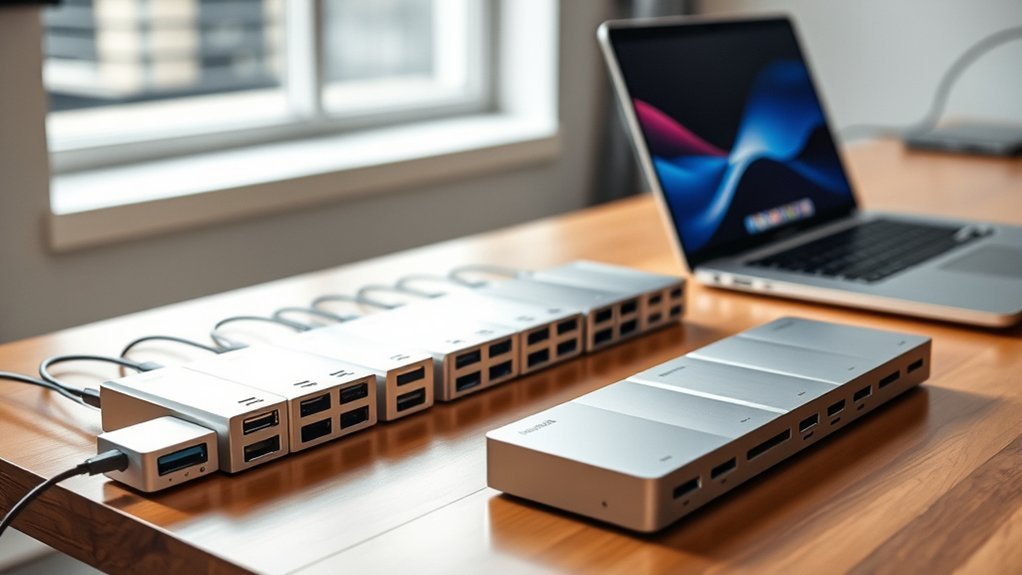
You’ll want a Thunderbolt 5 dock that boosts your MacBook Pro with fast data transfer, versatile ports, and strong power delivery up to 140W or more.
Options like Anker Prime TB5 and iVANKY’s 23-in-1 offer robust multi-display support and durable builds with effective cooling.
Plugable and UGREEN bring compact, fanless designs ideal for seamless macOS use.
To find the perfect balance of connectivity, performance, and design for your setup, keep exploring the top choices in detail.
Anker Prime TB5 14-in-1 Thunderbolt 5 Dock
The Anker Prime TB5 14-in-1 Thunderbolt 5 Dock offers a seamless way to expand your MacBook Pro’s connectivity. It eliminates the hassle of juggling multiple adapters by combining numerous ports into one compact hub. This dock supports ultra-fast data transfer, ensuring your workflow remains smooth and efficient.
Designed to handle a wide range of devices, it features Thunderbolt 5, USB-C, USB-A, SD/TF card readers, Ethernet, and audio ports. Its compatibility with MacBooks (M1, M2, M3, Pro, Max) and Thunderbolt 4/5 Windows laptops makes it versatile for different users. The dock’s robust design supports dual 8K displays on compatible Windows laptops, enhancing visual productivity.
Maintenance is straightforward due to its durable build, though the dock’s weight might impact portability. It delivers powerful 140W charging, keeping your devices powered without extra clutter. While MacBooks with M1, M2, or M3 chips support only a single external display, the dock still provides extensive connectivity options.
Best for: Professionals and creatives needing high-speed docking solutions and multi-device connectivity for MacBook Pro and Thunderbolt 4/5 Windows laptops.
What We Like:
- Ultra-fast Thunderbolt 5 data transfer speeds up to 150GB in 25 seconds
- Dual 8K@60Hz display output for compatible devices
- Strong 140W charging capacity for multiple devices
- Wide range of ports including USB-A, USB-C, Ethernet, and card readers
What We Don’t Like:
- Dual 8K display support limited to Thunderbolt 5 Windows laptops
- Heavier weight (2.4 pounds) reduces portability
- Advanced features require newer devices, limiting use with older laptops
Plugable Thunderbolt 5 Docking Station (TBT-UDH2)
Plugable’s Thunderbolt 5 Docking Station (TBT-UDH2) is designed to streamline your workspace by consolidating multiple connections into one compact hub. It addresses the common problem of limited ports on modern laptops, allowing users to connect a variety of devices effortlessly. This dock supports ultra-high-resolution displays, making it ideal for professionals who demand crystal-clear visuals.
With six USB-C ports, including two front-facing ones with 30W charging, you can power and connect peripherals without hassle. The dual HDMI 2.1 ports enable smooth output up to 8K at 60Hz, enhancing both productivity and multimedia experiences. A 2.5GbE Ethernet port ensures fast and stable wired internet connectivity.
The dock delivers up to 140W of power to laptops, reducing the need for separate chargers. Its fanless design means silent operation, while the driverless setup simplifies installation and maintenance. Compact and TAA-compliant, it fits well in both home offices and enterprise environments.
Best for: Professionals and hybrid workers who require versatile connectivity, ultra-high-resolution display support, and reliable power delivery for modern Mac and Windows laptops.
What We Like:
- Supports dual HDMI 2.1 output up to 8K 60Hz for high-quality visuals
- Provides 140W power delivery with six USB-C ports for versatile device connectivity
- Fanless and driverless design ensures silent operation and easy setup
- Compact and TAA-compliant, suitable for enterprise and home use
What We Don’t Like:
- Compact size may cause tight port spacing and cable management challenges
- Limited to Windows 11 or newer and macOS 13+ compatibility
- Higher price point compared to simpler docking solutions
UGREEN Maxidok Thunderbolt 5 Hub 10-in-1
The UGREEN Maxidok Thunderbolt 5 Hub 10-in-1 offers a powerful solution for users needing versatile, high-speed connectivity. It simplifies connecting multiple devices and monitors to your MacBook Pro, reducing clutter and improving workspace efficiency. With support for dual Thunderbolt 5 ports, this hub handles demanding workflows with ease.
Designed to support multi-display setups up to 8K resolution, it enhances productivity for professionals working with high-resolution content. Transferring large files becomes seamless thanks to Thunderbolt 5 speeds up to 120Gbps. The hub also delivers up to 140W power, including 100W for laptop charging, keeping your devices powered during extended sessions.
The aluminum alloy construction with fanless cooling ensures quiet operation and long-term stability. Maintenance is straightforward as the solid build resists wear and overheating. However, its weight of about 1.6 kilograms might reduce portability compared to lighter hubs.
The UGREEN Maxidok hub requires macOS 15 or later for some Mac models, which could limit compatibility with older systems. It’s best suited for users who need extensive connectivity rather than casual or minimal setups.
Best for: professionals and power users requiring fast, versatile connectivity and multi-display support for MacBook Pro or compatible laptops in complex workflows.
What We Like:
- Ultra-fast Thunderbolt 5 data transfer speeds up to 120Gbps.
- Wide range of ports including USB-A, dual Thunderbolt 5, DP2.1, Ethernet, and SD/TF card readers.
- High power delivery up to 140W with efficient fanless cooling for quiet operation.
What We Don’t Like:
- Heavier weight at approximately 1.6 kilograms limits portability.
- Requires macOS 15+ for compatibility with certain Mac models.
- Advanced features may be unnecessary for users with simple connectivity needs.
iVANKY 23-in-1 Thunderbolt 5 MacBook Docking Station
The iVANKY 23-in-1 Thunderbolt 5 MacBook Docking Station is designed to streamline your workspace. It expands your MacBook’s connectivity effortlessly, solving the common problem of limited ports. This dock supports triple 6K displays, letting you maximize screen real estate for multitasking and creative work.
With ultra-fast Thunderbolt 5 data transfer speeds up to 120Gbps, file transfers and backups become quicker and smoother. The dock’s multiple USB ports and SD/TF card slots cover all your peripheral needs, replacing the hassle of carrying multiple adapters.
Its hybrid cooling system keeps the device cool during long work sessions, maintaining performance and preventing overheating. The dock’s durable copper and metal build in a sleek Midnight Blue finish ensures it withstands daily use while complementing your MacBook’s style.
Maintenance is straightforward thanks to the robust design, requiring minimal care to keep it running reliably. This docking station is intended for MacBook models from 2020 onward with M1 to M5 chips, focusing on users who need versatile, high-speed connectivity in a compact solution.
Best for: MacBook users with M1 to M5 chips seeking a high-performance, versatile docking station that supports multiple 6K displays and extensive connectivity options.
What We Like:
- Supports up to triple 6K@60Hz displays for enhanced productivity.
- Ultra-fast Thunderbolt 5 data transfer speeds up to 120Gbps.
- Multiple USB ports and SD/TF card slots for diverse connectivity.
- Hybrid cooling system ensures stable performance during extended use.
- Durable copper and metal construction with stylish Midnight Blue finish.
What We Don’t Like:
- Limited to use with Mac devices; incompatible with Windows and Chrome OS.
- Supports connection to only one Mac device at a time.
- Higher price point compared to simpler docking stations.
UGREEN Maxidok Thunderbolt 5 17-in-1 Docking Station
The UGREEN Maxidok Thunderbolt 5 17-in-1 Docking Station offers a powerful solution for users needing extensive connectivity and fast data transfer. It consolidates multiple devices into one hub, reducing clutter and simplifying your workspace. This dock ensures seamless connection to various peripherals, enhancing productivity for both professionals and creatives.
Designed with versatility in mind, it supports up to triple monitor setups on Windows and dual displays on Mac, helping you expand your visual workspace efficiently. The built-in M.2 NVMe slot allows for speedy storage expansion up to 8TB, making large file transfers and backups quicker and easier.
Its robust power delivery system provides up to 240W, ensuring your devices stay charged during intensive work sessions. The aluminum body incorporates an AI cooling system, maintaining optimal temperatures for reliable performance and longevity.
Maintenance is straightforward thanks to its durable build and smart cooling, which reduces the risk of overheating. While Mac users should note the requirement for macOS 15+ for full compatibility, the dock remains a versatile addition for mixed device environments.
Best for: Professionals and creatives needing a reliable, high-performance docking station with extensive connectivity and multi-monitor support.
What We Like:
- Wide range of 17 ports including Thunderbolt 5 and 2.5GbE Ethernet
- Supports up to 120Gbps data transfer and 8TB NVMe SSD storage
- High power delivery up to 240W for charging multiple devices
- AI-driven cooling system maintains stable operation
- Supports triple monitors on Windows and dual on Mac
What We Don’t Like:
- Full triple monitor support limited to Windows users
- Requires macOS 15+ for Mac compatibility
- Higher price point due to advanced features and premium build
CalDigit TS5 PLUS Thunderbolt 5 Dock, 20 Ports
The CalDigit TS5 PLUS Thunderbolt 5 Dock offers a powerful solution for professionals who need extensive connectivity in one device. Its 20 versatile ports simplify workspace organization and reduce the hassle of juggling multiple adapters. This dock supports high-speed data transfer and video output, allowing users to connect a range of peripherals efficiently.
Designed to power demanding laptops, the dock delivers up to 140W of power to your MacBook Pro while charging additional accessories through downstream ports. Its aluminum chassis ensures effective heat dissipation, maintaining performance during extended use. Dual USB controllers help prevent data bottlenecks, enhancing workflow speed and reliability.
The TS5 PLUS supports dual 8K 60Hz displays on macOS and multiple high-resolution monitors on Windows, catering to users needing advanced multi-display setups. However, Ethernet requires driver installation on Windows and is limited to Thunderbolt or USB4 hosts with PCIe support. The dock’s robust design and broad compatibility make it a practical choice for power users.
Maintenance is straightforward due to its durable build and efficient thermal design, reducing the risk of overheating and hardware issues. This dock is ideal for those seeking a comprehensive, high-performance docking station for demanding workflows.
Best for: Professionals and power users who require extensive high-speed connectivity, multi-display support, and high wattage power delivery for their laptops and accessories.
What We Like:
- Wide range of 20 ports including Thunderbolt 5, USB-A/C, DisplayPort 2.1, and 10Gb Ethernet.
- Up to 140W power delivery for charging laptops and accessories simultaneously.
- Aluminum chassis and dual USB controllers for efficient heat management and data transfer.
- Supports dual 8K 60Hz displays on macOS and multiple high-res monitors on Windows.
What We Don’t Like:
- Ethernet requires driver installation on Windows and limited to Thunderbolt/USB4 hosts with PCIe support.
- Higher price point due to extensive port selection and power capabilities.
- Multi-display support varies by operating system, with some limitations on Windows.
Kensington EQ Pro Thunderbolt 5 Dock for MacBook
The Kensington EQ Pro Thunderbolt 5 Dock is designed to elevate your MacBook’s connectivity and productivity. It solves the common challenge of juggling multiple devices by offering high-speed data transfer and extensive port options in one compact hub. This dock seamlessly integrates with macOS, ensuring smooth operation for creative and professional workflows.
With support for up to one 8K or two 6K monitors, it delivers stunning visuals while handling bandwidth-intensive tasks. The dock’s advanced 80Gbps bandwidth, expandable to 120Gbps, ensures fast and reliable connections for all your peripherals. Its robust design includes 19 versatile ports, making it easy to connect everything from external drives to network cables.
Power delivery of up to 140W keeps your MacBook charged efficiently during intensive use. A lockable PCIe M.2 SSD slot adds secure storage expansion, protecting your data without cluttering your workspace. Maintenance is simple, with durable construction and customizable buttons accessible through Kensington Konnect software to streamline your workflow.
While the dock is tailored specifically for MacBooks with Thunderbolt 5 and macOS 14.5 or later, this focus ensures optimal performance and compatibility. Some accessories like the mounting bracket and SSD are sold separately, allowing for flexible customization based on your needs.
Best for: MacBook users with Thunderbolt 5 seeking high-speed connectivity and versatile device management for professional creative and productivity tasks.
What We Like:
- Supports one 8K or two 6K monitors with expandable Thunderbolt 5 bandwidth.
- Up to 140W power delivery with KonstantCharge technology.
- Lockable PCIe M.2 SSD slot for secure storage expansion.
- 19 versatile ports for comprehensive device connectivity.
- Customizable buttons via Kensington Konnect software.
What We Don’t Like:
- Mounting bracket sold separately, adding to setup cost.
- PCIe M.2 SSD not included, requiring additional purchase.
- Limited to MacBooks with Thunderbolt 5 and macOS 14.5 or later.
WAVLINK Thunderbolt 5 Docking Station with 8K Display
The WAVLINK Thunderbolt 5 Docking Station redefines workspace efficiency with its ultra-fast data transfer and extensive connectivity options. It is designed to support MacBooks equipped with M1, M2, or M3 chips, as well as other USB-C devices, ensuring seamless integration across platforms. This dock eliminates bottlenecks by delivering blazing 120Gbps transfer speeds, making large file handling effortless.
Its powerful 140W laptop charging capability, combined with multiple Thunderbolt 5 ports, allows simultaneous charging of several devices. This feature keeps your workspace tidy and your devices powered without the clutter of multiple adapters. The dock also supports stunning 8K@144Hz displays or dual 8K@60Hz setups, enabling professionals to work on high-resolution projects with ease.
Designed for durability and security, the docking station comes with anti-slip pads and a Kensington lock slot. These features ensure stability and protection in busy work environments. Maintenance is simple, with a white plastic enclosure that is easy to clean but may show wear more visibly than metal alternatives.
The inclusion of a 2.5G Ethernet port, SD 4.0 card reader, and legacy USB-A ports offers versatile connectivity for various peripherals. However, triple display support is limited to Windows 11, which may restrict multi-monitor setups for macOS users.
Best for: Professionals and creatives who require ultra-fast data transfer, high-resolution multi-display setups, and versatile connectivity for demanding workflows.
What We Like:
- Supports 8K@144Hz single display or dual 8K@60Hz setups for high-resolution work.
- 140W laptop charging plus simultaneous charging via multiple Thunderbolt 5 ports.
- Robust 2.5G Ethernet, SD 4.0 card reader, and legacy USB-A ports for diverse peripherals.
What We Don’t Like:
- Triple display support limited to Windows 11, restricting macOS multi-monitor use.
- White plastic enclosure may show wear or discoloration more easily than metal.
- Premium features and Thunderbolt 5 compatibility may come at a higher cost.
Satechi Thunderbolt 5 CubeDock™ Dock Station Silver
Experience seamless connectivity and ultra-fast storage with the Satechi Thunderbolt 5 CubeDock™. This compact dock is designed to solve common workspace challenges by combining high-speed data transfer and versatile ports in a sleek aluminum cube. It simplifies multi-device setups and enhances productivity without clutter.
The CubeDock supports Thunderbolt 5 and USB4 v2, making it compatible with MacBook Pro and many other devices. It enables impressive multi-display support, handling up to triple 8K screens on Windows and dual 6K on macOS. This flexibility meets the needs of professionals who require crisp visuals across multiple monitors.
Maintenance is straightforward thanks to the built-in NVMe SSD enclosure, which supports up to 8TB of storage with speeds reaching 6000MB/s. The active cooling system keeps temperatures low and noise minimal, ensuring reliable performance during intensive tasks.
Thanks to 140W host charging, the dock powers your laptop while managing connected devices. Its durable design and quiet operation make it ideal for demanding workflows, though users should note the specific SSD requirements for optimal speed.
Best for: professionals and creatives needing a compact, high-performance dock with multi-display support and fast storage for intensive workflows.
What We Like:
- Supports Thunderbolt 5 and USB4 v2 with backward compatibility.
- Built-in NVMe SSD enclosure up to 8TB at 6000MB/s.
- Active cooling system with quiet operation (20-40 dB(A)).
- 140W host charging to power laptops and devices.
- Compact aluminum design for durability and portability.
What We Don’t Like:
- Premium price compared to simpler docking stations.
- Limited to dual 6K display support on macOS.
- Requires specific M.2 PCIe 4×4 SSDs for maximum performance.
- Multi-display support varies by operating system.
Kensington SD5000T5 Thunderbolt 5 Docking Station
The Kensington SD5000T5 Thunderbolt 5 Docking Station is designed to enhance your MacBook Pro workspace with robust connectivity and efficient multi-display support. It addresses the common challenge of limited ports by offering multiple Thunderbolt 5 connections, allowing seamless integration of peripherals and high-speed data transfer.
This dock supports dual 6K displays at 60Hz, providing crisp visuals ideal for creative professionals and those requiring detailed screen real estate. Its ability to deliver up to 140W of charging power ensures your MacBook Pro and connected devices stay powered without interruption.
Crafted from recycled aluminum, the docking station combines durability with a sleek, modern look that fits neatly into any workspace. It also features dual SD card readers and a 2.5Gbps Ethernet port, expanding your options for data input and network connectivity.
Maintenance is straightforward, with no moving parts requiring regular attention. While security cable lock slots are available, they are sold separately, which may be a consideration for users prioritizing physical security.
Best for: MacBook Pro users seeking high-performance multi-display support, fast data transfer, and versatile connectivity in a sustainable and secure docking solution.
What We Like:
- Supports dual 6K displays at 60Hz for detailed, professional workflows.
- Provides up to 140W Power Delivery for efficient device charging.
- Multiple Thunderbolt 5 and USB-A ports plus dual SD card readers enhance connectivity.
- Sleek recycled aluminum design blends durability with modern aesthetics.
What We Don’t Like:
- Security cable lock slots are sold separately, adding extra cost.
- Some users have reported occasional issues, reflecting mixed feedback.
- Compact size may limit cooling and expansion for very demanding setups.
Factors to Consider When Choosing a Thunderbolt 5 Dock for MacBook Pro
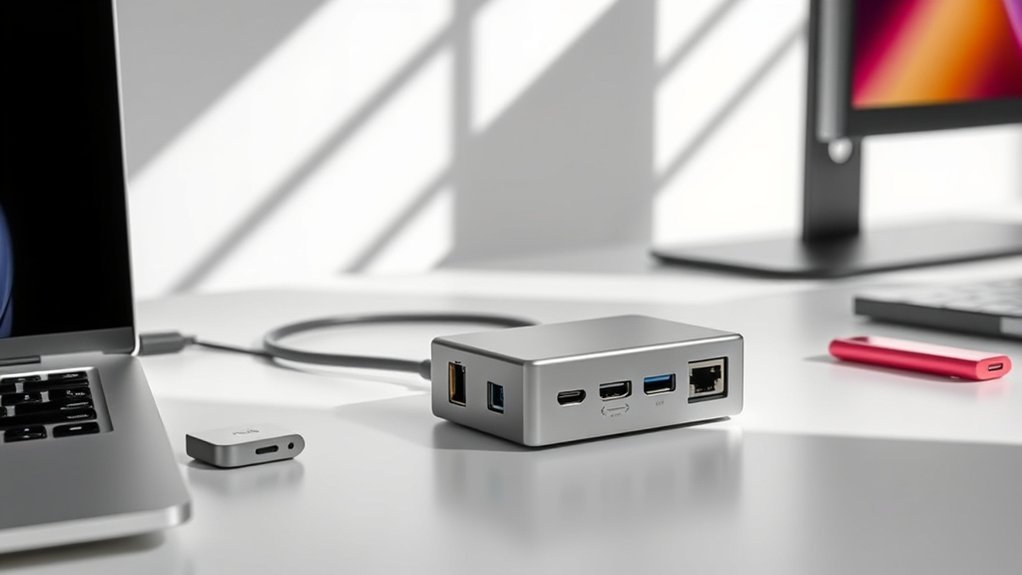
When choosing a Thunderbolt 5 dock for your MacBook Pro, you’ll want to check compatibility and the variety of ports it offers. It’s important to make sure it fits your setup perfectly.
Also, consider display support options and whether the power delivery meets your device’s needs. You don’t want to be caught with a dock that can’t keep your MacBook charged.
And don’t forget to pay attention to build quality and cooling. These factors help guarantee reliable performance over time.
Compatibility With MacBook
Choosing the right Thunderbolt 5 dock means making sure it fully supports your MacBook Pro’s hardware and software. First, check that the dock explicitly states compatibility with MacBook models featuring M1 through M5 chips. This way, you’ll guarantee smooth functionality.
You’ll also want to verify that it supports macOS 10.15 Catalina or later. Older versions might not handle Thunderbolt 5 features properly, so it’s worth double-checking.
Power Delivery up to 140W is super important for charging your MacBook Pro efficiently while you work. Make sure the dock can deliver that to keep your workflow uninterrupted.
Also, see if the dock supports Mac-specific display setups, like dual 6K or single 8K resolutions. This helps you match your MacBook’s capabilities perfectly.
Finally, look for Mac-friendly features like secure mounting options and compatibility with macOS peripherals. These little details ensure seamless integration and a hassle-free experience overall.
Port Selection Variety
Beyond compatibility, the variety of ports on your Thunderbolt 5 dock determines how well it fits into your workflow. You’ll want multiple Thunderbolt 5 downstream ports to connect high-speed storage and other devices simultaneously.
Including HDMI or DisplayPort outputs also helps you link various monitors without headaches. Make sure the dock offers both USB-C and USB-A ports, so you can easily hook up newer gadgets and legacy peripherals.
If you work with media, card readers for SD or TF cards are essential for quick transfers. Additionally, audio jacks provide convenient options for headphones or speakers.
Choosing a dock with diverse ports means you won’t need extra adapters, and your workspace stays neat and efficient, no matter your device lineup.
Display Support Options
Although a Thunderbolt 5 dock offers impressive connectivity, you’ll want to carefully check its display support to match your MacBook Pro’s needs. Thunderbolt 5 docks can handle single 8K displays at 60Hz or dual 6K displays at 60Hz, perfect for ultra-high-resolution setups.
Many also support triple 4K displays at 120Hz or 144Hz, which is ideal if you need high refresh rates for gaming or video editing. Keep in mind, the number of displays you can connect depends on the dock’s chipset and whether it uses Thunderbolt 5 or earlier standards like Thunderbolt 4 or USB4.
Also, your MacBook Pro’s chip (M1 through M5) affects multi-display compatibility. Look for docks with multiple video output ports like HDMI 2.1 and DisplayPort 2.1 to create flexible, multi-monitor configurations.
Power Delivery Capacity
One key factor to take into account when picking a Thunderbolt 5 dock for your MacBook Pro is its power delivery capacity. Make certain the dock offers at least 140W of Power Delivery to fully charge high-power MacBook Pro models while running multiple peripherals.
Check if it supports the latest Power Delivery protocol, like PD 3.1, to ensure fast and efficient charging. Also, verify how the dock allocates power across its ports, especially if you need to charge several devices simultaneously.
It’s important that the dock sustains high workloads without throttling or disconnecting. Ultimately, consider if it supports KonstantCharge or similar tech, so your devices keep charging even when your MacBook is undocked.
This guarantees seamless power management for your setup.
Build Quality Cooling
Power delivery isn’t the only aspect that keeps your Thunderbolt 5 dock running smoothly—build quality and cooling play a major role too. A well-designed dock with effective cooling prevents overheating during intense data transfers or long use.
Look for active cooling features like internal fans or copper heat plates that efficiently dissipate heat and maintain peak performance. Durable, ventilated enclosures made from aluminum or metal also enhance heat dissipation and improve overall build quality.
Without proper thermal management, your dock risks thermal throttling, which slows performance and could damage components over time. So, by choosing a dock with solid build quality and reliable cooling, you guarantee it stays stable and dependable, even under heavy workloads.
This way, you’re protecting your investment and maximizing efficiency. It’s a smart move for anyone who relies on their dock day in and day out.
Frequently Asked Questions
Can Thunderbolt 5 Docks Charge Macbook Pro at Full Speed?
Yes, Thunderbolt 5 docks can charge your MacBook Pro at full speed if they support adequate power delivery, typically up to 140W.
Just make sure your dock’s specs match your MacBook’s charging requirements for ideal performance.
It’s pretty straightforward, but double-checking helps avoid any slow charging issues or compatibility hiccups.
Are Thunderbolt 5 Docks Compatible With Older Macbook Models?
Yes, Thunderbolt 5 docks work with older MacBook models, but you might face slower speeds or limited features.
You’ll want to check your Mac’s Thunderbolt version to verify full compatibility and peak performance.
It’s a good idea to keep in mind that some advanced features may not be supported on older machines. Just make sure to double-check before buying!
Do These Docks Support Dual 8K External Monitors?
Yes, you can connect dual 8K external monitors with these Thunderbolt 5 docks. They offer enough bandwidth and support for high-resolution displays.
Just make sure your MacBook Pro’s GPU can handle the output smoothly. Otherwise, you might run into performance issues.
What Is the Typical Warranty Period for Thunderbolt 5 Docks?
You’ll typically get a one to two-year warranty on Thunderbolt 5 docks. Some brands might offer extended coverage, so check before buying.
This protects you against defects and guarantees peace of mind with your investment. It’s always good to know what kind of support you’re getting upfront.
Can I Use These Docks With Windows Laptops as Well?
Yes, you can use Thunderbolt 5 docks with Windows laptops, as long as your laptop supports Thunderbolt 5.
Just make sure your Windows device has compatible ports and drivers to fully utilize the dock’s features. It’s pretty straightforward once you have the right setup.
Conclusion
Choosing the right Thunderbolt 5 dock for your MacBook Pro can seriously boost your productivity and convenience. Whether you need multiple ports, 8K display support, or a compact design, there’s a dock on this list that fits your needs.
Keep your workflow smooth by picking a dock that matches your device setup and lifestyle. With these options, you’ll easily expand your MacBook Pro’s capabilities and stay connected wherever you are.

- 10 Best Carpet Cleaners for 2026 - July 14, 2026
- 8 Best Caroma Electric Scooters for 2026 - July 13, 2026
- 10 Best Carbon Fiber Folding Electric Wheelchairs for 2026 - July 13, 2026
