
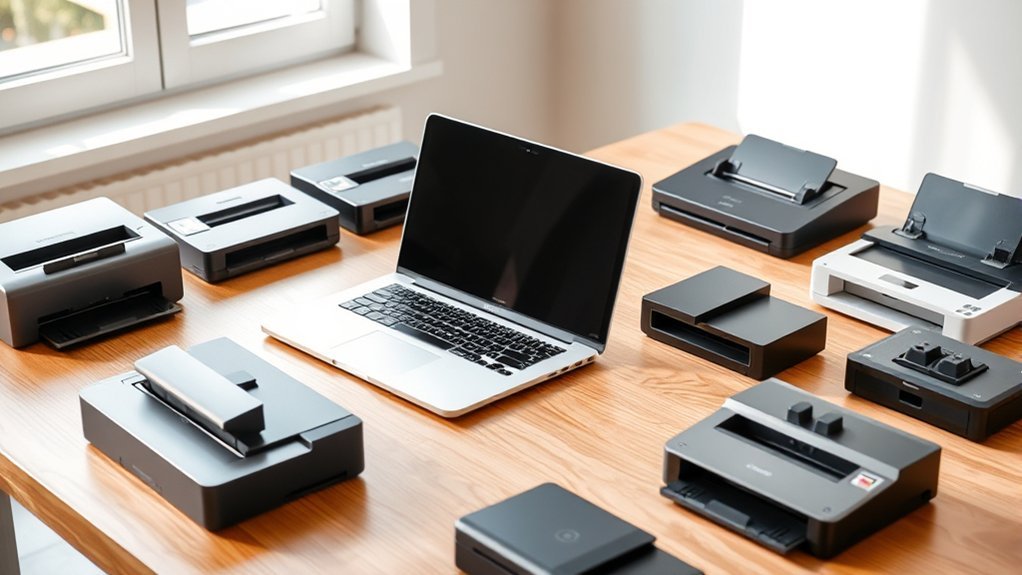
You’ll want a scanner that balances speed, resolution, and Mac compatibility for your 2026 MacBook Pro. The Canon LiDE 300 offers sharp scans and easy USB setup.
Epson’s ES-50 and Canon R10 deliver portable, on-the-go convenience. Perfect if you need something lightweight and quick to carry around.
For heavy use, ScanSnap iX2500 and Fujitsu models handle high volumes with advanced features. They’re built to keep up with serious scanning sessions.
HP’s versatile options suit various workflows too. So, whether you’re scanning photos, documents, or receipts, there’s something for you.
If you want to match your exact needs with top tech and seamless software, there’s plenty to explore ahead. Finding the right fit is easier than ever!
Canon Canoscan Lide 300 Scanner (PDF, AUTOSCAN, Copy, Send)
The Canon CanoScan LiDE 300 offers a compact and efficient solution for digitizing documents and photos. Its high-resolution scanning at 2400 x 2400 dpi ensures sharp, clear images that meet professional and personal needs. The Auto Scan Mode simplifies the process by detecting the type of item being scanned, saving time and effort.
Designed for ease of use, this scanner features four EZ buttons for quick access to copying, scanning, sending, and PDF creation. It handles a variety of media, including photos, receipts, business cards, and documents. Image enhancement options like fade correction and dust reduction further improve scan quality.
Maintenance is straightforward thanks to its lightweight, USB-powered design, which eliminates the need for an external power source. This makes it ideal for both home and office environments where space and convenience matter. The built-in OCR functionality also converts scans into searchable PDFs, enhancing productivity.
While the single-sheet capacity limits batch scanning, the device works well for users who prioritize quality and simplicity over volume. USB connectivity might require adapters for newer MacBook Pro models, but overall, the scanner integrates smoothly with modern systems.
Best for: users seeking a compact, high-resolution scanner with easy-to-use features for quick digitization of various document types.
What We Like:
- Sharp 2400 x 2400 dpi scanning with image enhancement features
- Auto Scan Mode and four EZ buttons for intuitive operation
- Built-in OCR for editable, searchable PDFs
- Lightweight, USB-powered design suitable for home or office use
What We Don’t Like:
- Single-sheet scanning limits batch processing efficiency
- USB connection may need adapters for newer MacBook Pro models
- Full software compatibility requires Windows 7 or newer, limiting older systems
Epson Workforce ES-50 Portable Document Scanner
The Epson Workforce ES-50 offers a practical solution for professionals who need to scan documents quickly and efficiently while on the move. Its lightweight design, weighing just 0.59 pounds, makes it easy to carry in a bag or briefcase without adding bulk. This portable document scanner enables users to digitize important papers anytime, reducing dependency on bulky office equipment.
Designed to handle documents up to 8.5 x 72 inches, the ES-50 scans a single page in about 5.5 seconds. Its USB-powered operation allows seamless connection to MacBook Pro and Windows computers. This setup eliminates the need for batteries or external power sources, streamlining mobile scanning tasks.
Maintenance is minimal, thanks to its simple design and automatic feeding mode, which helps avoid paper jams during multi-page scanning. Epson’s ScanSmart software enhances functionality by allowing users to edit scans and create searchable PDFs using OCR technology, improving document management and accessibility.
The compact form factor is ideal for mobile workflows, but it is limited to feeding one sheet at a time. Additionally, reliance on USB power means it requires a connected device to operate, which may restrict use in some situations.
Best for: mobile professionals and individuals needing a compact, efficient scanner for digitizing documents, receipts, and IDs on the go.
What We Like:
- Extremely lightweight and compact for excellent portability.
- Fast scanning speed of approximately 5.5 seconds per page.
- Includes user-friendly ScanSmart software with OCR for searchable PDFs.
What We Don’t Like:
- Single-sheet feeding limits scanning volume at one time.
- Requires USB connection for power, limiting standalone use.
- Potential compatibility issues with the latest operating systems.
Canon imageFORMULA R10 Portable Document Scanner
The Canon imageFORMULA R10 portable scanner offers a practical solution for professionals who need quick and reliable document digitization on the move. Its compact and lightweight design makes it easy to carry, fitting seamlessly into a mobile workflow without adding bulk. Setting it up is straightforward with a simple USB connection, ideal for MacBook Pro and other laptop users.
This scanner handles a variety of media types, from receipts to legal documents, ensuring versatility in everyday use. It scans both sides of a page in color at speeds up to 12 pages per minute, delivering sharp images at 600 dpi resolution. These features help reduce time spent managing paperwork and improve overall productivity.
Maintenance is user-friendly with built-in software that allows instant preview and editing of scanned files. You can quickly create searchable PDFs or JPEGs, making document management more efficient. The device is energy-efficient and ENERGY STAR certified, supporting environmentally conscious use.
While the automatic document feeder holds up to 20 sheets, this may limit large batch scanning. The scanner is designed primarily for standard documents and is not suited for photographic media. Its suggested daily volume of around 500 scans fits moderate use rather than heavy office demands.
Best for: professionals and mobile users who need a lightweight, fast, and versatile portable scanner for digitizing various documents on the go.
What We Like:
- Compact and lightweight for easy portability
- Simple USB setup compatible with MacBook Pro
- Duplex color scanning at 12 pages per minute with 600 dpi
- Built-in software for instant preview and searchable PDFs
- Energy-efficient and environmentally friendly design
What We Don’t Like:
- Limited 20-sheet automatic document feeder capacity
- Not suitable for scanning photographic media
- Moderate daily volume may not meet high-volume office needs
ScanSnap iX2500 Wireless Document Scanner with Touchscreen
The ScanSnap iX2500 Wireless Document Scanner is designed to streamline your scanning tasks with speed and ease. Its 45 pages-per-minute scanning capability helps you handle large volumes quickly, reducing downtime and boosting productivity. The large 5-inch touchscreen mimics smartphone usability, making profile selection and scan management straightforward.
With Wi-Fi 6 and USB-C connectivity, you can place the scanner wherever it suits your workspace and connect seamlessly to your MacBook Pro or cloud platforms. This flexibility ensures your documents are accessible and organized without extra hassle. The 100-sheet feeder combined with a brake roller system and multi-feed sensor minimizes paper jams for consistent, smooth operation.
Maintenance is simple, thanks to its durable build and smart design that detects feeding issues early. The iX2500 supports multiple platforms and automatically optimizes files, helping you maintain an efficient workflow. Its sleek design complements professional environments while offering reliable performance every day.
Best for: Professionals and businesses needing a fast, reliable document scanner with advanced connectivity and automated file handling.
What We Like:
- Fast double-sided scanning at 45 pages per minute with an intuitive touchscreen
- Flexible Wi-Fi 6 and USB-C connections for easy device and cloud integration
- Effective paper handling with brake roller and multi-feed sensor to prevent jams
What We Don’t Like:
- Limited to a 1-year manufacturer warranty, which may be short for heavy users
- Higher cost compared to basic scanners due to advanced features and premium design
- Requires recent operating systems, limiting compatibility with older devices
Epson Perfection V19 II Flatbed Photo Scanner
The Epson Perfection V19 II is designed for users who need a versatile scanner that fits into any space. Its lightweight build at just 3.1 pounds makes it easy to move and store. The removable high-rise lid allows you to scan thick books and albums effortlessly, solving the common issue of scanning bulky items.
With a high 4800 dpi optical resolution, the scanner captures sharp, detailed images, making it perfect for preserving old photos or creating enlargements. The LED light and CIS sensor work together to produce vibrant colors and smooth grayscale, ensuring your scans look true to the original.
Maintenance is straightforward since the scanner is USB-powered, eliminating the need for extra cables or adapters. Its compact design includes a built-in kickstand, which supports vertical storage, saving desk space when not in use. Epson’s ScanSmart software simplifies the scanning process, offering one-touch scanning to PDFs or emails and OCR to convert scans into editable Office documents.
The Easy Photo Fix feature helps restore faded colors with a single click, making photo restoration accessible for users of all skill levels. Although it only scans one sheet at a time and supports Windows 7 and later, it provides reliable, high-quality scans for everyday photo and document digitization.
Best for: Individuals seeking a lightweight, portable scanner capable of handling photos, documents, and bulky items like books with high-resolution and easy-to-use software features.
What We Like:
- Sharp, detailed scans with 4800 dpi optical resolution.
- Removable high-rise lid for scanning thick items.
- User-friendly ScanSmart software with OCR and Easy Photo Fix.
- Compact design with built-in kickstand for vertical storage.
What We Don’t Like:
- Single-page scan capacity limits batch scanning speed.
- USB-powered only, restricting connectivity options.
- Compatible only with Windows 7 and later, no macOS or Linux support.
HP Small USB Document & Photo Scanner (HPPS100)
The HP Small USB Document & Photo Scanner offers a practical solution for capturing sharp, high-resolution scans wherever you are. Its compact, lightweight design makes it easy to carry, ideal for professionals and students who need to digitize documents on the go. With a simple USB 2.0 connection, setting up and operating the device is straightforward and hassle-free.
This scanner handles a variety of paper sizes, from business cards to legal-size documents, making it versatile for different tasks. Users will appreciate the fast scanning speed of up to 15 pages per minute, which helps save time during busy workflows. The included HP WorkScan software supports both Mac and PC, allowing easy editing and saving of files in popular formats like PDF and JPG.
Maintenance is minimal thanks to its durable, slim design, which fits easily into bags or backpacks without risk of damage. However, the scanner only supports simplex scanning, which means it scans one side of a page at a time. It also has a limited sheet capacity of 10 pages, which may not suit large batch scanning needs.
Best for: Professionals, students, and small business owners who require a portable, easy-to-use scanner for quick, high-quality document and photo digitization on the go.
What We Like:
- Lightweight and compact, perfect for travel and mobile use
- Sharp scans up to 1200 dpi with a fast 15 pages per minute speed
- User-friendly HP WorkScan software compatible with Mac and PC
What We Don’t Like:
- Supports only simplex (one-sided) scanning
- Limited sheet capacity of 10 pages
- Uses USB 2.0 connection, which is slower than newer USB standards
HP PS150 Portable Duplex Document Scanner USB Wireless
The HP PS150 Portable Duplex Document Scanner offers a smart solution for quickly digitizing double-sided documents. Its duplex scanning capability lets you capture both sides of a page in a single pass, reducing the time spent on repetitive tasks. This makes it ideal for handling invoices, contracts, or photos with ease.
Designed for mobility, the scanner connects via USB or wireless Wi-Fi Direct, enabling smooth operation with devices like the MacBook Pro. Its compact size and light weight of just 1.3 pounds make it easy to carry between different locations without hassle.
Maintenance is straightforward with the HP WorkScan software, which automates scanning and optimizes image quality. This ensures consistent results while minimizing manual adjustments. The device’s resolution of 300 dpi balances clarity and file size for everyday document needs.
While suitable for quick, on-the-go scanning, it may not handle very large or bulk scanning volumes efficiently. Its portable design focuses on convenience rather than heavy-duty capacity.
Best for: Professionals and mobile users needing a lightweight, portable scanner for quick duplex document and photo scanning on the go.
What We Like:
- Efficient duplex scanning at 15 pages per minute with clear 300 dpi resolution
- Flexible connectivity via wireless Wi-Fi Direct and USB cables
- Compact, lightweight design enhances portability
- User-friendly HP WorkScan software streamlines scanning and image optimization
What We Don’t Like:
- Limited feeder capacity may restrict large batch scanning
- Wireless setup may require occasional troubleshooting
- Compact size limits handling of larger media or high-volume tasks
HP PS100W Portable Wi-Fi Document Scanner
The HP PS100W Portable Wi-Fi Document Scanner is designed for professionals who need efficient scanning on the move. Its compact size makes it easy to carry, allowing quick digitization of important documents, photos, and business cards wherever you are. This scanner delivers clear, high-resolution scans up to 8.5 x 14 inches at 300 dpi, ensuring your files are sharp and readable.
With built-in Wi-Fi Direct, the device connects securely without requiring a router, simplifying setup and use with compatible laptops like the MacBook Pro. This wireless feature enhances mobility and reduces cable clutter. The lightweight design fits easily into bags, making it ideal for travel or remote work environments.
Maintenance is straightforward, as the scanner’s simple design involves minimal upkeep. The included HP WorkScan software allows easy editing, cropping, and scan optimization, helping you manage your digital files efficiently. Users can quickly adjust scans to meet their needs without extra tools.
While it offers convenience and good portability, the PS100W is limited to scanning documents no larger than 8.5 x 14 inches and operates at a moderate speed of 15 pages per minute. Additionally, it supports only Mac and Windows systems, which may restrict compatibility for some users.
Best for: Mobile professionals and remote workers who require a compact, wireless document scanner for quick and clear digitization on the go.
What We Like:
- Secure Wi-Fi Direct connectivity for easy, router-free setup
- Compact and lightweight design ideal for travel
- HP WorkScan software simplifies scan editing and optimization
What We Don’t Like:
- Maximum scan size of 8.5 x 14 inches limits larger documents
- Scan speed of 15 pages per minute may be slow for heavy workloads
- Compatible only with Mac and Windows operating systems
HP ScanJet Pro 2000 s1 Sheet-Feed OCR Scanner
The HP ScanJet Pro 2000 s1 is designed to streamline high-volume document scanning with speed and precision. It scans up to 30 pages per minute, making it ideal for busy offices that require fast, reliable results. Its 50-page automatic feeder helps manage large batches efficiently, reducing downtime for manual input.
This scanner delivers crisp 600 dpi resolution, ensuring clear, detailed images for both text and graphics. The built-in OCR technology converts scanned documents into editable text or secure PDFs, simplifying file management and editing tasks. This functionality saves time by eliminating the need for separate conversion software.
With a compact, space-saving design, the HP ScanJet Pro 2000 s1 fits neatly on any desk. One-touch customizable profiles allow users to quickly repeat common scanning tasks, improving workflow efficiency. Maintenance is straightforward, supporting consistent performance with minimal user intervention.
The scanner connects via USB, providing a stable, straightforward setup compatible with MacBook Pro and Windows systems. While it lacks wireless options, its focus on dependable wired connectivity supports professional environments focused on document accuracy and speed.
Best for: professionals and businesses needing fast, reliable, high-volume document scanning with OCR capabilities in a compact desktop design.
What We Like:
- Fast scanning speeds of up to 30 pages per minute with a 50-page automatic feeder.
- Built-in OCR for converting scans into editable text and secure PDFs.
- Compact size with one-touch customizable profiles for efficient workflow.
- Sharp 600 dpi resolution for clear and detailed scans.
What We Don’t Like:
- USB-only connectivity limits wireless or network options.
- 50-page feeder capacity may require frequent refills during very large jobs.
- Limited explicit Mac compatibility beyond basic USB connection.
HP ScanJet Pro N4000 2-Sided Scanner (6FW08A)
The HP ScanJet Pro N4000 2-Sided Scanner is designed to streamline high-volume scanning tasks with speed and reliability. It handles duplex scanning at up to 40 pages per minute, making it ideal for busy offices that require efficient processing of multiple document types. Whether you need to scan receipts, photos, or business cards, this scanner adapts smoothly to varied media.
Its 50-page automatic document feeder is paired with an ultrasonic sensor to prevent misfeeds and ensure consistent operation. The intuitive 2.8-inch color touchscreen offers easy control and simplifies your scanning workflows. Built-in OCR technology extracts data during scanning, reducing manual input and improving productivity.
Connectivity options include Ethernet, Wi-Fi, and USB 3.0, allowing seamless integration into different office environments. The scanner supports macOS as well as other operating systems, ensuring broad compatibility. Lightweight and energy-efficient, it suits small businesses aiming to scan up to 4,000 pages daily with minimal maintenance.
Best for: Small businesses and professionals who require fast, reliable duplex scanning of diverse media types with high daily volume capacity.
What We Like:
- Fast duplex scanning at up to 40 ppm with a reliable 50-page auto document feeder.
- Built-in OCR and color touchscreen enhance workflow efficiency and data extraction.
- Multiple connectivity options including Ethernet, Wi-Fi, and USB 3.0.
- Broad operating system compatibility, including macOS.
What We Don’t Like:
- Limited information on physical dimensions may complicate workspace planning.
- Power usage at 24 watts is higher than some energy-saving alternatives.
- One-year limited warranty may not meet the needs of all users.
Factors to Consider When Choosing a Scanner for MacBook Pro
When choosing a scanner for your MacBook Pro, you’ll want to check that it’s fully compatible with macOS and offers convenient connectivity options like USB or Wi-Fi.
It’s super important to make sure it works smoothly with your system. Plus, having easy ways to connect means less hassle when you’re setting it up.
Pay attention to scanning speed and image resolution to guarantee efficiency and quality.
Nobody wants to wait forever for scans, right? And crisp images make all the difference, whether you’re digitizing documents or photos.
Also, consider the scanner’s size and portability if you need something easy to carry around.
If you’re often on the go, a bulky scanner won’t cut it. So, pick one that fits your lifestyle and workspace.
Compatibility With macOS
Although many scanners claim broad compatibility, you should prioritize models that explicitly support macOS versions like High Sierra, Sierra, El Capitan, or newer. This guarantees the scanner works smoothly without unexpected glitches.
Make sure the scanner supports Mac-specific drivers such as TWAIN or ISIS. These allow seamless integration with macOS apps you rely on.
It helps if the scanner offers native macOS support or includes macOS-compatible scanning software. That way, you won’t need third-party tools that might complicate your workflow.
Before buying, review user feedback and manufacturer specs to confirm driver stability and reliable performance on your MacBook Pro. Focusing on these compatibility factors will save you headaches and ensure your scanner fits perfectly into your macOS environment.
Connectivity Options
Since seamless connectivity is essential for efficient scanning, you should choose a scanner that offers compatible options like USB-C, USB 3.0, or wireless standards such as Wi-Fi Direct to easily connect with your MacBook Pro.
Look for models that support macOS-specific drivers or software to guarantee full functionality. Scanners with multiple ports, like dual USB Type-C and USB-A, give you flexibility across different MacBook Pro models and accessories.
If you prefer wireless, pick scanners supporting AirPrint or other macOS-compatible wireless protocols for cable-free operation. Also, verify that the scanner offers easy setup and stable connections to avoid interruptions during your scanning sessions.
Prioritizing these connectivity features will make your scanning experience smooth and hassle-free.
Scanning Speed Efficiency
Choosing a scanner with fast scanning speeds can dramatically boost your productivity by cutting down the time it takes to digitize large batches of documents or photos. Look for scanners that offer high pages per minute (ppm), ideally 30 ppm or more, to handle heavy workloads efficiently.
Duplex scanning is another key feature—it lets you scan both sides of a page simultaneously, halving your scanning time for multi-page documents. Keep in mind that scanning resolution affects speed; higher dpi settings slow down scanning, so find a balance that fits your needs.
Finally, the type of connection—USB or wireless—can impact how quickly scanned files transfer to your MacBook Pro, influencing overall efficiency during large scans. It’s all about finding the right combo that suits your workflow.
Image Quality Resolution
When you want crisp, clear scans on your MacBook Pro, resolution plays a crucial role in determining image quality. Higher resolution scanners, typically 2400 dpi or more, produce sharp, detailed digital copies that let you enlarge images without losing clarity—perfect for photo reproductions.
For text and standard documents, a minimum of 600 dpi works well, but if you’re scanning artwork or photos, aim for 1200 dpi or higher. Higher resolution also gives you flexibility in editing and cropping without degrading quality.
Keep in mind, though, resolution isn’t the only factor; sensor technology and color depth considerably impact scan accuracy and vibrancy. Choosing a scanner with balanced specs ensures your MacBook Pro captures every detail beautifully.
Portability And Size
High-resolution scans mean little if your scanner isn’t practical to carry alongside your MacBook Pro. You should consider the scanner’s weight and size carefully to guarantee it fits your lifestyle.
Opt for compact, lightweight models that slip easily into bags, backpacks, or briefcases. Ideally, select one with a slim profile—under 2 inches thick—to maximize portability without losing functionality.
Think about your typical workspace, whether at home, the office, or on the go, and make sure the scanner complements it. Portable scanners with foldable or removable parts are great for saving space and making transport easier.
Software Features Included
Although hardware quality is essential, the software bundled with your scanner can make or break your MacBook Pro experience. You’ll want software that’s fully compatible with macOS and offers features like OCR, image editing, and efficient file management.
Look for automatic document detection, multi-page scanning, and preview options to speed up your workflow. It’s important the software integrates smoothly with cloud services and supports saving files in popular formats such as PDF, JPEG, or searchable PDFs.
A user-friendly interface with customizable profiles tailored for Mac users will enhance usability. Also, make sure the software receives regular updates and reliable technical support to maintain compatibility with future macOS versions.
Choosing a scanner with robust software ensures a seamless, productive scanning experience on your MacBook Pro. It really makes all the difference!
Supported Media Types
Beyond software capabilities, the types of media your scanner can handle considerably impact your workflow on a MacBook Pro. You’ll want a scanner that supports a variety of media types like photos, receipts, business cards, and thick or textured documents.
Make certain it accommodates different sizes—from standard letter and legal to smaller formats like business cards. Also, check if it handles special media such as embossed cards or fragile papers without damage.
Consider the scanner’s media capacity to match your typical scanning volume and reduce frequent reloads. Features like automatic media detection and adjustable guides can save time and improve accuracy.
Choosing a scanner with versatile media support ensures smooth, efficient scanning tailored to your everyday needs. It really makes a difference in keeping things running without a hitch.
Frequently Asked Questions
Can These Scanners Digitize Large Artwork or Only Documents?
You can digitize large artwork with some scanners, especially those with wide-format capabilities. Most are designed for documents, but many high-end models handle oversized pieces.
What Are the Warranty and Customer Support Options for These Scanners?
You’ll get at least a one-year warranty with most scanners, and many offer extended options.
Customer support is usually responsive via phone, email, or chat, ensuring you won’t struggle if issues arise or you need help.
Are These Scanners Compatible With macOS Ventura or Later Versions?
Yes, these scanners are compatible with macOS Ventura and later versions. You’ll find that their drivers and software are regularly updated to guarantee smooth integration.
How Do These Scanners Perform With OCR Accuracy for Handwritten Notes?
You’ll find these scanners offer decent OCR accuracy for handwritten notes, especially with clear writing.
However, they might struggle with messy or cursive text, so you’ll need to proofread and edit the results for best accuracy.
Can These Scanners Integrate With Cloud Storage Services Automatically?
Yes, these scanners can automatically integrate with popular cloud storage services like Google Drive, Dropbox, and iCloud. You’ll save time by setting up seamless uploads.
This way, your scanned documents stay accessible and organized wherever you go. It’s super convenient and keeps everything in one place.
Conclusion
Choosing the right scanner for your MacBook Pro depends on your specific needs—whether you want portability, high resolution, or fast duplex scanning. From the Canon Canoscan Lide 300’s easy PDF creation to the wireless convenience of the ScanSnap iX2500, there’s a perfect fit for every user.
Keep your workflow smooth by picking a scanner that integrates seamlessly with macOS and suits your scanning habits. You’ll enjoy hassle-free document management in no time.

- 10 Best Carpet Cleaners for 2026 - July 14, 2026
- 8 Best Caroma Electric Scooters for 2026 - July 13, 2026
- 10 Best Carbon Fiber Folding Electric Wheelchairs for 2026 - July 13, 2026
