
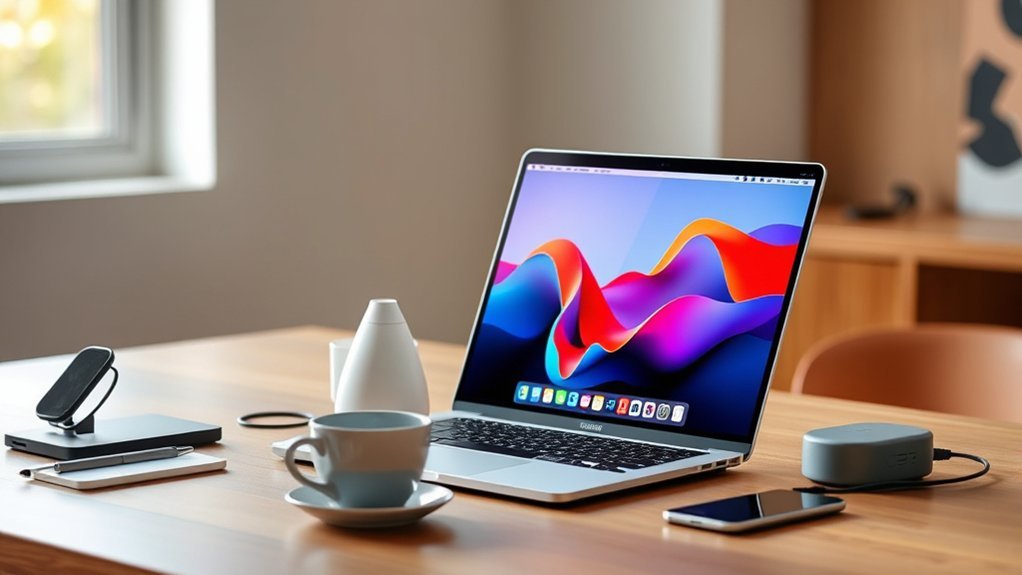
If you want to boost your MacBook Pro’s productivity with a portable monitor, look for models offering crisp 15.6″ to 18.5″ Full HD IPS displays.
USB-C connectivity with power delivery is a must, along with features like HDR and blue light filtering for eye comfort.
Lightweight, slim designs with adjustable stands and multiple display modes fit your on-the-go lifestyle.
Whether for work or gaming, the right monitor seamlessly expands your workspace.
Keep exploring to find the best options tailored for you. You’ll be surprised how much a good portable monitor can change your daily workflow.
MNN 15.6″ FHD Portable Monitor with Speakers
The MNN 15.6″ FHD Portable Monitor with Speakers offers a convenient solution for expanding your MacBook Pro’s screen space without sacrificing portability. Its vibrant 15.6-inch Full HD IPS matte display ensures clear, accurate visuals with wide 178° viewing angles. This makes it easier to work or enjoy multimedia in various lighting conditions.
Designed for on-the-go use, the monitor’s slim and lightweight build fits easily into your travel setup. The durable smart cover doubles as a stand, providing stability and protection during transport. Maintenance is simple, with the matte screen reducing glare and fingerprints for clearer viewing.
HDR mode enhances brightness and color depth, improving your experience with games and videos. The built-in speakers add audio convenience, eliminating the need for extra equipment in casual settings. However, the 60Hz refresh rate and 5 ms response time are best suited for everyday tasks rather than competitive gaming.
Best for: professionals and creatives needing a portable, high-quality external monitor with built-in audio for enhanced productivity and multimedia use.
What We Like:
- Bright and accurate 15.6″ Full HD IPS matte display with HDR support.
- Multiple connectivity options including dual USB-C and HDMI ports.
- Lightweight, slim design with a durable smart cover stand.
What We Don’t Like:
- Refresh rate limited to 60Hz, not ideal for high-performance gaming.
- Built-in speakers offer convenience but lack depth and quality of dedicated audio.
- 5 ms response time may not suit fast-paced competitive gaming.
cocopar 15.6″ Portable FHD Monitor with Speakers
The Cocopar 15.6″ Portable FHD Monitor offers a practical solution for those needing a lightweight and versatile second screen. Its slim profile and low weight make it easy to carry, ideal for both travel and home use. This monitor enhances productivity by expanding your workspace without adding bulk.
It features a 1920×1080 IPS display that delivers vibrant colors and clear visuals, supporting HDR and FreeSync for smooth image rendering. The low blue light technology helps reduce eye strain during extended use, making it suitable for long work or gaming sessions.
Multiple connectivity options include two USB-C ports with power pass-through and an HDMI input, allowing seamless connection to laptops, gaming consoles, and mobile devices. The magnetic cover doubles as a stand, providing a simple setup and adjustable viewing angles.
Maintenance is straightforward, with a durable design and easy cleaning requirements. The monitor is compatible with VESA mounts, offering ergonomic flexibility for various environments. However, it requires an external power source and has a 60Hz refresh rate, which may limit use in very bright settings or by competitive gamers.
Best for: users needing a portable, high-quality secondary display for laptops, gaming consoles, and mobile devices, especially those who value lightweight design and versatile connectivity.
What We Like:
- Lightweight and ultra-thin for easy portability
- Vibrant 1080p IPS screen with HDR and low blue light
- Dual USB-C ports with power pass-through and HDMI input
- Magnetic cover that doubles as a stand
- VESA mount compatibility for ergonomic setups
What We Don’t Like:
- Brightness may be low for outdoor or very bright environments
- Limited to 60Hz refresh rate, not ideal for competitive gaming
- No built-in battery; requires external power source
KYY 15.6″ FHD Portable Gaming Monitor USB-C
The KYY 15.6″ FHD Portable Gaming Monitor delivers sharp, vibrant visuals with its full HD 1920×1080 resolution and HDR support. Its 15.6-inch IPS display ensures consistent colors and wide 178° viewing angles, making it ideal for gaming and creative work on the go. The anti-glare matte finish helps reduce reflections, enhancing visibility in various lighting conditions.
This monitor’s fast 1ms response time minimizes motion blur, providing smooth gameplay and video playback. Its lightweight design, weighing just 1.7 pounds and measuring 0.3 inches thick, makes it easy to carry and fits perfectly into any travel setup. The included PU leather cover doubles as a sturdy stand, offering convenience without extra bulk.
Connectivity is versatile with dual USB-C ports and a Mini-HDMI input, allowing seamless plug-and-play use with laptops, gaming consoles, and other devices. No additional drivers are required, simplifying setup and use. Eye-care features like blue light filtering further enhance comfort during extended sessions.
Regular maintenance is simple, with the durable screen surface resistant to fingerprints and smudges. The slim design and protective cover also help prevent damage during transport, ensuring long-term reliability.
Best for: Gamers and creative professionals seeking a portable, high-performance monitor with vivid HDR visuals and comfort features for extended use.
What We Like:
- Lightweight, slim design with a PU leather cover that doubles as a stand
- Fast 1ms response time with HDR on a 15.6-inch IPS display
- Wide 178° viewing angles and anti-glare matte finish
- Dual USB-C ports and Mini-HDMI for easy, driver-free connectivity
What We Don’t Like:
- Brightness of 300 Candela may struggle in very bright environments
- Standard 1000:1 contrast ratio may lack deep blacks for some users
- Limited warranty and return period may be short for certain buyers
VisionOwl 18.5″ Portable USB-C HDMI Monitor
The VisionOwl 18.5″ Portable USB-C HDMI Monitor offers a vibrant 1080p display that enhances your viewing experience with sharp, colorful images. Its large IPS screen, paired with a 100Hz refresh rate and 125% sRGB color support, helps deliver smooth visuals that reduce eye strain during extended use.
Designed for ease of use, this monitor connects effortlessly via multiple ports, including USB-C and HDMI. The ultra-thin, lightweight design makes it easy to carry, perfect for working on the go or setting up a second screen quickly. The built-in stand and VESA mount provide flexible placement options to suit various workspaces.
Maintenance is simple thanks to its durable build and straightforward setup. The monitor’s 320-nit brightness works well indoors, though it may be less suited for very bright outdoor environments. With a quick 3ms response time and FreeSync support, it also supports casual gaming without lag or screen tearing.
This portable monitor improves your workflow by expanding screen real estate and offering versatile connectivity, making it a practical choice for professionals and travelers alike.
Best for: Users needing a portable, high-quality 1080p monitor with versatile connectivity for work, travel, and casual gaming.
What We Like:
- Vibrant 18.5″ IPS display with 100Hz refresh rate and strong color accuracy.
- Multiple connectivity options including Thunderbolt 3/4/5 USB-C and HDMI.
- Lightweight and slim design with built-in stand and VESA mount for flexible use.
What We Don’t Like:
- Brightness of 320 nits may limit outdoor visibility.
- Smaller 18.5″ screen size may not suit users needing larger displays.
- Lacks advanced gaming features such as HDR support.
ASUS ZenScreen 15.6” Portable Monitor (MB169CK)
The ASUS ZenScreen 15.6” Portable Monitor (MB169CK) is designed to extend your workspace effortlessly. Its 15.6-inch Full HD IPS display delivers clear, vibrant visuals with wide 178-degree viewing angles. This makes it easier to collaborate or stay productive on the go without compromising screen quality.
This monitor also prioritizes eye comfort during long use. With flicker-free technology and low blue light filters, it reduces eye strain, making it suitable for extended work sessions or travel. The anti-glare screen further enhances visibility in various lighting conditions.
Portability is a key strength. Weighing just 960 grams and only 11.8mm thick, it fits easily into a bag without adding bulk. The dual USB-C and mini-HDMI ports provide flexible connectivity options, simplifying setup with different devices.
The built-in 360° kickstand and auto-rotate feature improve ergonomic use by adjusting the screen orientation quickly. Regular maintenance is minimal—just a gentle wipe to keep the screen clear. This model balances portability, display quality, and user comfort for professionals on the move.
Best for: professionals and travelers needing a lightweight, eye-friendly portable monitor with versatile connectivity.
What We Like:
- Lightweight and slim design for easy transport
- Full HD IPS display with wide viewing angles
- Eye care features including flicker-free and low blue light
- Multiple connectivity options (USB-C and mini-HDMI)
- 360° kickstand and auto-rotate for ergonomic use
What We Don’t Like:
- USB-C video requires DisplayPort Alt Mode, limiting device compatibility
- Brightness of 300 nits may struggle in very bright environments
- Screen size limited to 15.6 inches, which may be small for some users
KEFEYA 14″ FHD Portable Laptop Screen Extender
Experience enhanced productivity with the KEFEYA 14″ FHD Portable Laptop Screen Extender, designed to give you extra workspace wherever you go. This compact monitor solves the common issue of limited screen space, allowing for smoother multitasking on devices like the MacBook Pro.
Its 1920×1080 IPS display delivers sharp images and vibrant colors, while the wide 178° viewing angles ensure clear visibility from different positions. The screen supports versatile modes such as mirror, extension, and portrait, along with 180° rotation for adaptable setups.
Setting up is straightforward with plug-and-play USB-C and HDMI connectivity, making it compatible with various laptops without complicated installations. The lightweight design makes it easy to carry, perfect for remote work, gaming sessions, or multimedia consumption on the move.
Maintenance is simple due to its durable build, although users should note the brightness level of 300 nits may be less effective in bright environments. Additionally, the 72% NTSC color gamut may not meet the demands of professional color-critical tasks.
Best for: Professionals and gamers needing portable dual-screen functionality for multitasking, remote work, and multimedia on the go.
What We Like:
- Crisp 14″ FHD IPS display with vibrant colors and wide viewing angles.
- Multiple display modes and 180° rotation for flexible use.
- Easy plug-and-play setup via USB-C and HDMI.
- Lightweight and portable design for on-the-go productivity.
What We Don’t Like:
- Requires an extra USB-A to USB-C cable to power HDMI input.
- Brightness of 300 nits may struggle in very bright settings.
- Limited 72% NTSC color gamut not ideal for professional color work.
ForHelp 15.6″ Portable Monitor USB-C HDMI
ForHelp’s 15.6″ portable monitor is designed to expand your workspace effortlessly. Whether you’re working remotely or gaming on the go, this slim display solves the challenge of limited screen space. Its versatile connectivity allows seamless linking to various devices, including laptops, consoles, and smartphones.
Equipped with two full-featured USB-C ports and a Mini HDMI, it supports Thunderbolt 3/4 and USB 3.1 DP ALT Mode. This flexibility ensures you can connect without hassle, enhancing productivity and entertainment. The 1920×1080 IPS matte screen delivers clear, vivid visuals with HDR support, providing a sharp and comfortable viewing experience.
The monitor’s lightweight aluminum body, weighing just 1.52 pounds, makes it easy to carry and maintain. The included PU leather cover doubles as a sturdy stand, protecting the screen during travel and enabling hands-free use. Built-in speakers add value by improving multimedia playback without extra accessories.
While the 60Hz refresh rate suits most tasks, it may not meet the demands of competitive gamers. Also, full functionality depends on device compatibility with specific protocols. Brightness at 300 cd/m² is sufficient indoors but may be less effective in direct sunlight.
Best for: MacBook Pro users and gamers needing a portable secondary display with versatile connectivity and quality HDR visuals.
What We Like:
- Multiple USB-C and Mini HDMI ports support broad device compatibility
- Lightweight aluminum design with protective PU leather cover stand
- Sharp 15.6″ IPS display with HDR and built-in speakers for enhanced viewing
What We Don’t Like:
- Limited 60Hz refresh rate may not satisfy competitive gaming needs
- Requires compatible devices supporting Thunderbolt 3/4 or USB 3.1 DP ALT Mode
- Moderate brightness of 300 cd/m² may struggle outdoors in bright light
InnoView 15.6″ FHD Portable Monitor with Case
The InnoView 15.6″ FHD Portable Monitor is designed to enhance your MacBook Pro experience by adding a lightweight, high-resolution second screen. It offers vivid colors and wide viewing angles thanks to its 15.6-inch IPS display with HDR support. This makes it easier to work on detailed projects or enjoy media with better clarity.
Connecting to your device is simple with USB-C or HDMI options. The included PU leather case not only protects the monitor but also serves as an adjustable stand, providing flexibility in how you set up your workspace. Its slim profile and weight of just 2.7 pounds make it easy to carry and use on the go.
The monitor includes eye protection technologies that help reduce strain during extended use. Built-in speakers add convenience for casual audio needs, reducing the need for extra accessories. However, when using HDMI, an external power cable is necessary but not included.
With a brightness of 250 candela, the screen performs well indoors but may be less visible in very bright environments. The refresh rate is capped at 60Hz, which suits most tasks but may not meet the needs of fast-paced gamers.
Best for: MacBook Pro users needing a portable, sharp display for work, travel, or casual gaming.
What We Like:
- Vibrant 15.6-inch IPS display with HDR and wide viewing angles
- USB-C and HDMI connectivity with easy plug-and-play setup
- Slim, lightweight design with protective PU leather case and adjustable stand
- Eye protection features for comfortable long-term use
- Built-in speakers for added convenience
What We Don’t Like:
- Requires external power cable when connected via HDMI (not included)
- Brightness of 250 candela may struggle in very bright settings
- Refresh rate limited to 60Hz, less ideal for fast-paced gaming
Upperizon 18.5″ Portable FHD Monitor with Speakers
Experience clear and vibrant visuals on the go with the Upperizon 18.5″ Portable FHD Monitor. Its 1080p IPS display delivers sharp images and vivid colors with 125% sRGB coverage, enhancing your viewing whether working or gaming. The smooth 100Hz refresh rate reduces motion blur, ensuring fluid transitions and less eye strain.
Designed for portability, this monitor features an ultra-slim aluminum body weighing just 2.76 pounds. It comes with a protective sleeve and an adjustable kickstand, making setup quick and simple wherever you are. The durable build helps withstand everyday use, while easy cleaning keeps the screen clear and bright.
Connecting your devices is seamless with both USB-C and HDMI ports, supporting plug-and-play functionality. Built-in speakers provide decent sound without extra accessories, and eye-care features like a Blue Light Filter and Anti-Glare coating help reduce fatigue during long sessions.
While the 18.5-inch size suits compact spaces, it may feel small for users who prefer larger displays. Brightness peaks at 320 cd/m², which may be less effective in very bright environments. A power adapter is recommended for stable, flicker-free performance.
Best for: Professionals and gamers needing a lightweight, portable monitor with accurate colors and smooth performance for travel or remote work.
What We Like:
- Vivid 18.5″ FHD IPS screen with 125% sRGB and 100Hz refresh rate
- Slim, sturdy aluminum design with protective sleeve and kickstand
- USB-C and HDMI connectivity with plug-and-play ease
- Built-in speakers and eye-care features for comfort
What We Don’t Like:
- Smaller screen size may not suit all users
- Requires optional power adapter for flicker-free use
- Brightness limited to 320 cd/m², less ideal for bright settings
Lenovo L15 15.6″ Portable Full HD Monitor
Experience enhanced productivity with the Lenovo L15, a portable Full HD monitor designed to expand your workspace effortlessly. Its 15.6-inch IPS display delivers sharp, clear visuals that help reduce eye fatigue during extended use. The wide 178-degree viewing angles ensure consistent image quality from almost any position.
This lightweight monitor weighs just 4.7 pounds, making it easy to carry and ideal for working on the go. Its slim profile fits smoothly into tight spaces, perfect for small desks or mobile setups. The adjustable stand allows you to customize your viewing angle, promoting comfort and reducing strain.
Connectivity is simple with two USB-C ports that support video and power, streamlining your workspace by minimizing cables. The flicker-free technology combined with a 60Hz refresh rate provides smooth visuals, enhancing your viewing experience whether for work or entertainment.
Maintenance is straightforward, thanks to its durable design and easy-to-clean surface. While it excels in most indoor environments, the brightness of 250 nits might not be sufficient under strong outdoor light. The monitor’s features balance portability and performance for everyday multitasking needs.
Best for: users seeking a compact, high-quality secondary display to boost productivity and multimedia experience, especially laptop users like MacBook Pro owners.
What We Like:
- Lightweight and slim, perfect for travel and small workspaces.
- Clear Full HD IPS screen with wide viewing angles for consistent image quality.
- Dual USB-C ports simplify connectivity and reduce cable clutter.
- Adjustable stand improves ergonomic comfort.
- Flicker-free technology supports longer, comfortable use.
What We Don’t Like:
- 250 nits brightness can be limiting in bright outdoor settings.
- 60Hz refresh rate may not meet demands of high-frame-rate gaming.
- Limited ergonomic adjustments compared to larger monitors.
Factors to Consider When Choosing a Portable Monitor for MacBook Pro
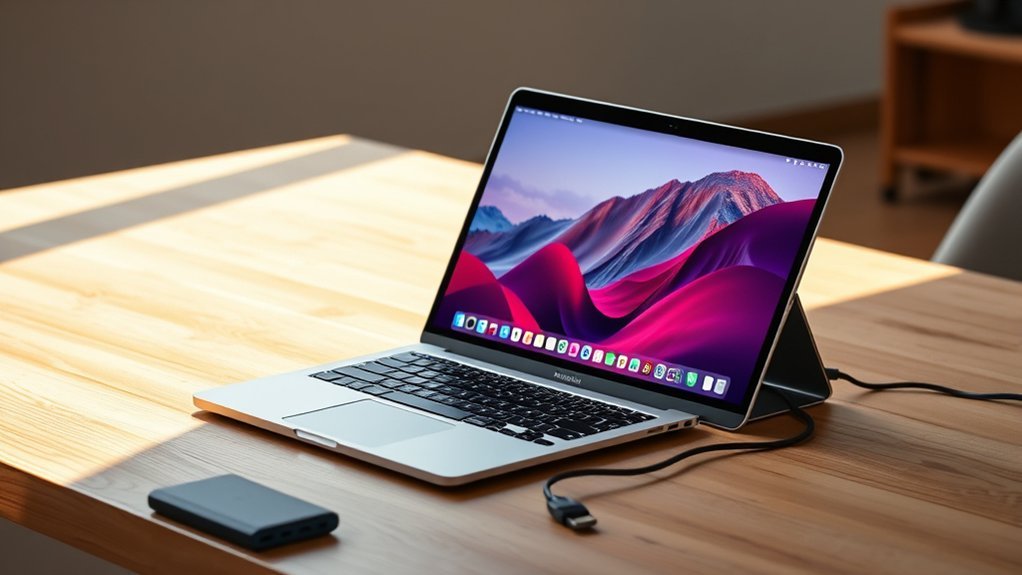
When choosing a portable monitor for your MacBook Pro, you’ll want to focus on display resolution and quality to guarantee crisp visuals. Check the connectivity options to make sure it pairs seamlessly with your device.
Also, consider portability, compatibility, and eye care features to get the best experience on the go. These factors really make a difference when you’re working or streaming away from your desk.
Display Resolution And Quality
Because your MacBook Pro delivers stunning visuals, choosing a portable monitor with high display resolution and quality is essential to maintain that clarity on the go. Aim for at least 1920×1080 (Full HD) resolution to enjoy clear, detailed images.
An IPS panel is a smart choice since it offers wider viewing angles and more accurate color reproduction. This keeps your visuals vibrant from any perspective.
Look for HDR support, which enhances contrast and color depth, making images more lifelike. A high contrast ratio, like 1000:1 or above, helps distinguish light and dark areas clearly.
Also, prioritize brightness levels of 250 nits or higher to ensure your screen stays visible in different lighting conditions. This combination guarantees your portable monitor matches your MacBook Pro’s impressive display quality.
Connectivity Options Available
Maintaining top display quality means nothing without reliable connectivity to your MacBook Pro. Make sure the portable monitor has USB-C ports compatible with Thunderbolt 3 or 4, as these are standard on MacBook Pros.
Look for USB-C ports that handle both power and video signals to minimize cables and keep your setup neat. It’s also smart to check if the monitor supports power pass-through, letting you charge your MacBook Pro while using it.
Don’t overlook HDMI inputs, which offer extra connectivity if USB-C ports are limited. And finally, consider monitors with multiple ports—including USB-C, HDMI, and audio—to maximize compatibility and functionality with various devices you might use alongside your MacBook Pro.
Portability And Weight
Although performance and connectivity matter, portability and weight play essential roles in choosing a portable monitor for your MacBook Pro. If you travel or commute frequently, a lightweight monitor under 2 pounds makes a huge difference, reducing fatigue and making extended use comfortable.
Slim profiles, typically around 0.2 to 0.3 inches thick, let your monitor slip easily into your backpack or laptop case without adding bulk. Compact dimensions also help you pack and store the monitor alongside your MacBook Pro, especially in tight spaces.
Keep in mind that heavier models demand extra effort or support to carry, which can be inconvenient. So, prioritizing a slim, lightweight design guarantees your portable monitor complements your on-the-go lifestyle without weighing you down.
Compatibility With MacBook
How do you guarantee a portable monitor works smoothly with your MacBook Pro? First, make sure it has USB-C ports supporting Thunderbolt 3 or USB 3.1 with DisplayPort Alt Mode for a seamless connection.
Also, confirm the monitor is fully compatible with macOS, including features like automatic display rotation and resolution scaling. These little things make a big difference.
Check if it offers USB-C power delivery so you can charge your MacBook Pro while using the monitor. It’s super convenient to keep everything powered up without extra cables.
Don’t forget to verify that the monitor’s firmware and software stay updated to match macOS updates. This helps ensure reliable performance over time.
Finally, prioritize monitors with macOS-specific features such as extended desktop support and intuitive menu navigation. This way, you get the most out of your setup without any hiccups.
Focusing on these compatibility points guarantees a smooth, hassle-free experience.
Eye Care Features
Beyond compatibility, paying attention to eye care features can make a big difference when using a portable monitor with your MacBook Pro. You should look for monitors with blue light filtering technology that reduces eye strain during long sessions.
Flicker-free displays are essential because they prevent screen flickering at all brightness levels, minimizing eye fatigue. Monitors offering low blue light modes specifically target harmful blue light emissions, promoting healthier vision over time.
An anti-glare matte screen also helps by cutting down glare and reflections, making it easier to view content for hours. Finally, adjustable brightness and contrast settings let you customize the display for your comfort, adapting to different lighting environments and reducing eye discomfort.
Prioritizing these features ensures a more comfortable and healthier viewing experience. It’s all about making long hours in front of your screen easier on your eyes.
Power Supply Methods
When choosing a portable monitor for your MacBook Pro, how the device is powered plays an essential role in convenience and usability. USB-C-powered monitors are often the best choice since they combine power delivery and video transmission in a single cable, cutting down on clutter.
Some models even offer power pass-through, letting you charge your MacBook or other devices while using the monitor. On the other hand, HDMI-powered monitors usually need an external power source, like a power adapter or USB power supply, which can be less convenient on the go.
Keep in mind that power consumption varies, typically between 5V and 12V. So, ensuring compatibility with your MacBook Pro’s USB-C output is fundamental to avoid carrying extra chargers or adapters.
Build Quality And Design
Although performance and connectivity are essential, the build quality and design of a portable monitor considerably impact your overall experience with a MacBook Pro. You’ll want a durable monitor made from high-quality materials like aluminum or metal to guarantee longevity and a sleek look.
Slim, lightweight designs make it easy to carry your setup wherever you go without added bulk. Also, consider VESA compatibility if you want flexible mounting options for a more ergonomic workspace.
A sturdy stand or a smart cover that doubles as a protective case offers stability and safeguards your monitor during travel. Plus, a matte or anti-glare finish helps reduce reflections and eye strain, especially in different lighting conditions.
That way, you can keep your viewing comfortable throughout the day without any hassle.
Additional Functional Features
The build and design of your portable monitor set the foundation, but the additional functional features can considerably enhance your MacBook Pro experience. Look for HDR support, blue light filtering, and flicker-free technology to boost visual quality and reduce eye strain during long sessions.
An adjustable stand or VESA mount lets you position the monitor comfortably, promoting better ergonomics. Built-in speakers or audio jacks improve your multimedia experience without extra devices.
Multiple display modes like mirror, extend, or portrait give you flexibility for different tasks, increasing productivity. Also, guarantee the monitor supports various connection ports such as USB-C, HDMI, or Thunderbolt for seamless integration with your MacBook Pro and other gadgets.
These features make your portable monitor not just an accessory, but a versatile productivity tool. So, it’s worth paying attention to these extras when making your choice.
Frequently Asked Questions
How Do I Calibrate Color Settings on a Portable Monitor for Macbook Pro?
You’ll open System Preferences, select Displays, then Color. Choose or create a calibrated profile using the built-in calibration tool or a colorimeter for accuracy.
It’s also a good idea to adjust brightness and contrast to match the MacBook Pro’s display. This way, colors look consistent across both screens.
Can Portable Monitors Charge My Macbook Pro via USB-C?
Yes, some portable monitors can charge your MacBook Pro via USB-C, but it really depends on the monitor’s power delivery capacity.
You want to make sure the monitor supports enough wattage to keep your MacBook charged while you’re using it. Otherwise, it might just drain your battery instead of charging it.
Are Portable Monitors Compatible With Macbook Pro’s Retina Display?
Yes, portable monitors work well with your MacBook Pro’s Retina display. They support high resolutions and color accuracy, so you’ll enjoy sharp, vibrant visuals.
Just make sure the monitor’s specs match your Retina quality for the best experience. That way, everything looks crisp and clear without any compromise.
What Is the Average Battery Life of Portable Monitors?
You’ll find that the average battery life of portable monitors ranges between 4 to 8 hours, depending on brightness and usage. Some models offer longer endurance, but most require charging after a workday’s use.
Do Portable Monitors Support Macbook Pro’s Touch Bar Features?
No, portable monitors don’t support the MacBook Pro’s Touch Bar features directly. The Touch Bar is built into the laptop itself, so when you use an external monitor, you won’t get those interactive controls.
It’s kind of like the Touch Bar lives only on your MacBook Pro. So, even if you connect a portable monitor, those special Touch Bar functions won’t show up there. You’ll still be able to use your MacBook as usual, just without that extra interactive strip on the external screen.
Conclusion
Choosing the right portable monitor for your MacBook Pro can seriously boost your productivity and entertainment on the go. Whether you prioritize crisp visuals, built-in speakers, or sleek design, there’s an option that fits your needs perfectly.
Keep your workflow smooth and your setup lightweight by picking one of these top portable monitors. You’ll enjoy the extra screen space without compromising portability, making your MacBook Pro experience even better wherever you work or play.

- 10 Best Carpet Cleaners for 2026 - July 14, 2026
- 8 Best Caroma Electric Scooters for 2026 - July 13, 2026
- 10 Best Carbon Fiber Folding Electric Wheelchairs for 2026 - July 13, 2026
