
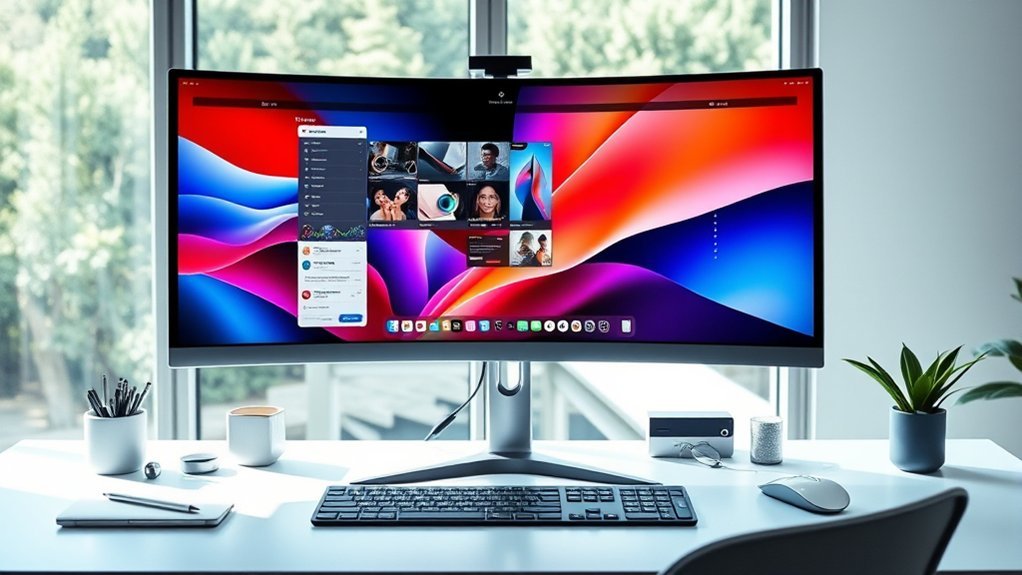
If you want the best 4K curved monitors for your MacBook Pro in 2026, options like the CRUA 32″, Samsung Odyssey G7 37″, and LG Ultragear 37″ deliver vivid color, sharp resolution, and smooth motion with high refresh rates.
INNOCN and ZZA models add excellent color accuracy and ergonomic designs.
Dell’s ultrawide screens suit multitasking, while Samsung’s connectivity keeps you flexible.
Keep exploring and you’ll find details to match your specific needs perfectly.
CRUA 32″ 4K Curved Monitor with Speakers
Experience immersive visuals like never before with the CRUA 32″ 4K Curved Monitor. Its curved design wraps around your field of view, reducing eye strain and enhancing focus during long hours of work or entertainment. The 1500R curvature creates a natural viewing experience that keeps you engaged.
This monitor delivers crisp 4K UHD resolution and vibrant colors with 120% sRGB coverage. The VA panel ensures deep contrast, making details pop even in darker scenes. You’ll benefit from consistent image quality from wide 178-degree viewing angles, perfect for collaborative work or shared media viewing.
Integrated speakers simplify your setup by eliminating the need for external audio devices. This clean, streamlined design helps maintain a clutter-free workspace. The matte screen finish cuts down on glare, reducing distractions in brightly lit rooms.
AMD FreeSync technology and a fast 1ms response time provide smooth, tear-free visuals during video playback and casual gaming. While the 60Hz refresh rate suits general use, competitive gamers may find it limiting. The monitor’s sleek white curved frame fits well on desks or wall mounts, adding a modern touch.
Best for: users seeking a high-resolution immersive curved monitor with built-in speakers ideal for casual gaming, media consumption, and professional tasks.
What We Like:
- Sharp 4K UHD clarity with wide color accuracy and strong contrast
- Built-in speakers for a neat, simplified audio setup
- AMD FreeSync and quick response time for smooth visuals
What We Don’t Like:
- 60Hz refresh rate may not meet competitive gaming needs
- Moderate brightness level may struggle in very bright environments
- One-year warranty period is relatively short compared to some rivals
Samsung Odyssey G7 37” Curved 4K Gaming Monitor
Experience stunning visuals and smooth performance with the Samsung Odyssey G7 37” Curved 4K Gaming Monitor. Its 37-inch 1000R curved VA panel wraps around your field of view, creating a more immersive experience that reduces eye strain during long sessions. The vivid 4K UHD resolution delivers sharp details with deep blacks and bright whites, enhancing both gaming and creative work.
Designed for fluid motion, the monitor features a 165Hz refresh rate and a 1ms response time. This combination minimizes lag and ghosting, making fast-paced gameplay and video editing feel seamless. AMD FreeSync Premium Pro technology further eliminates screen tearing for a consistent, smooth display.
Connectivity is straightforward with multiple ports including HDMI, DisplayPort, and USB, making it easy to connect various devices such as MacBook Pros. The adjustable ergonomic stand allows you to customize height and tilt for comfortable viewing angles, while the sleek black finish adds a professional look to any setup.
Maintenance is simple—regular cleaning of the curved screen and ensuring proper ventilation will keep the monitor performing optimally. Its size and weight call for a sturdy desk or mount, so plan your workspace accordingly.
Best for: Gamers and creative professionals seeking an immersive, high-resolution curved display with fast refresh rates and accurate color performance for smooth gameplay and detailed visual work.
What We Like:
- Immersive 37-inch 1000R curved 4K UHD VA panel with excellent contrast and vivid colors
- High 165Hz refresh rate and 1ms response time for smooth, lag-free performance
- Wide connectivity options including HDMI, DisplayPort, and USB for versatile use
- Adjustable ergonomic stand for comfortable viewing angles
What We Don’t Like:
- Large and relatively heavy, requiring ample desk space and sturdy mounting
- Brightness level of 350 cd/m² may be less effective in very bright rooms
- Standard one-year warranty period, shorter compared to some competitors
INNOCN 27″ 4K USB-C Monitor with Speakers
The INNOCN 27″ 4K USB-C Monitor with Speakers offers a vibrant and precise display designed to enhance creative workflows. Its 27-inch 4K UHD IPS screen delivers clear, sharp images with support for HDR400, improving contrast and detail for professional tasks. This monitor helps users see every nuance in their work, making color-critical projects easier to manage.
Connectivity is streamlined with multiple ports, including USB-C with 65W power delivery, HDMI 2.1, and DisplayPort. This variety allows seamless connection to devices like MacBook Pros, reducing cable clutter and simplifying setup. The USB-C power delivery also means fewer adapters and a cleaner workspace.
Ergonomic design is a key feature, with an adjustable stand that supports comfortable long hours of use. Built-in speakers add convenience by eliminating the need for external audio devices, making this monitor suitable for multimedia consumption and video conferencing.
Maintenance is straightforward due to its solid build and easily accessible ports. The monitor’s standard contrast ratio and 60Hz refresh rate are sufficient for most professional applications but may not meet the demands of high-frame-rate gaming or specialized video editing that requires deeper blacks.
Best for: Creative professionals and multimedia users who require vibrant color accuracy, high-resolution display, and versatile connectivity for seamless workflow.
What We Like:
- Crisp 27-inch 4K UHD IPS display with HDR400 for enhanced image quality
- Multiple connectivity options including USB-C with 65W power delivery
- Adjustable ergonomic stand for comfortable long-term use
- Built-in speakers reduce the need for external audio devices
What We Don’t Like:
- Limited to a 60Hz refresh rate, not ideal for high-frame-rate gaming
- Power consumption around 65 Watts, higher than some energy-efficient monitors
- Standard 1000:1 contrast ratio may not satisfy deep black requirements for some video editing tasks
LG 37-Inch Ultragear 4K Curved Gaming Monitor
The LG 37-inch Ultragear 4K curved gaming monitor offers a vibrant and immersive viewing experience. Its 3840 x 2160 resolution with 95% DCI-P3 color coverage produces sharp and accurate visuals, ideal for both gaming and creative work. The curved design gently wraps your field of view, enhancing immersion and reducing eye strain during extended use.
With a 165Hz refresh rate and a 1ms response time, the monitor delivers smooth motion and reduces blur, helping gamers stay competitive. AMD FreeSync Premium Pro technology eliminates screen tearing, while Black Stabilizer improves visibility in dark scenes, making gameplay clearer and more enjoyable.
The monitor is designed for comfort and convenience. Its ergonomic stand allows height and tilt adjustments, supporting long hours of use without discomfort. A USB-C port with 65W power delivery adds versatility by charging compatible devices like a MacBook Pro while connected.
Maintenance is straightforward with the nearly borderless design, which fits well in multi-monitor setups and keeps your workspace organized. However, its relatively heavy build means a sturdy desk or mounting solution is necessary.
Best for: Gamers and creative professionals seeking a high-resolution, color-accurate curved monitor with smooth motion and ergonomic design.
What We Like:
- Sharp 4K UHD resolution with wide color gamut and DisplayHDR 600 support
- Smooth 165Hz refresh rate and 1ms response time for fluid gaming visuals
- AMD FreeSync Premium Pro and Black Stabilizer enhance gameplay clarity
- Ergonomic stand with multiple adjustments for user comfort
- USB-C port with 65W power delivery for convenient device charging
What We Don’t Like:
- Heavier weight requires a strong desk or mounting option
- Only a 1-year manufacturer warranty, shorter than some competitors
- Built-in speakers may not satisfy users needing higher audio quality
ZZA 32″ 4K Curved Gaming Monitor UHD
Experience immersive visuals with the ZZA 32″ 4K Curved Gaming Monitor UHD, designed to enhance both work and play. Its 4K UHD resolution delivers sharp, detailed images, while the 3000R curved screen wraps your view for a more engaging experience. This setup helps reduce eye strain by bringing the screen closer to your natural field of vision.
The monitor supports HDR10 and offers a 3000:1 contrast ratio, ensuring vibrant colors and deep blacks. It’s equipped with a flicker-free display and a low blue light filter, making it easier to work or game for extended periods without discomfort. These features contribute to better eye comfort and less fatigue.
Connectivity is straightforward with multiple options, including DisplayPort 1.4 and HDMI 2.0, providing compatibility with a range of devices. The ultrathin bezel and minimalist design reduce distractions and maintain focus on your content. Maintenance is simple due to the sleek exterior, which is easy to clean and keep dust-free.
Though the monitor offers only tilt adjustment, its quick 2ms response time and AMD FreeSync support enhance smooth, tear-free visuals. Keep in mind that the 60Hz refresh rate may not meet the demands of competitive gamers, and there are no built-in speakers, so external audio devices are necessary.
Best for: Gamers and content creators seeking a vibrant, immersive 4K curved display with excellent color accuracy and smooth performance for extended use.
What We Like:
- Sharp 4K UHD resolution with HDR10 and high contrast for vivid visuals
- Eye-friendly flicker-free screen and low blue light filter for long sessions
- Multiple connectivity options including DisplayPort 1.4 and HDMI 2.0
- Fast 2ms response time with AMD FreeSync for smooth graphics
What We Don’t Like:
- Limited to 60Hz refresh rate, less ideal for competitive gaming
- No built-in speakers, requiring external audio solutions
- Only offers tilt adjustment, lacking height or swivel ergonomic options
INNOCN 45C1R 45″ Ultrawide Curved Gaming Monitor
Experience a new level of productivity and immersion with the INNOCN 45C1R, a 45-inch ultrawide curved gaming monitor designed to enhance your workspace. Its expansive 5120×1440 resolution delivers sharp and vibrant visuals, making multitasking and gaming more efficient and engaging. The curved VA panel reduces eye strain by matching the natural curve of your vision, offering comfortable long-term use.
This monitor’s 1500R curvature and 120Hz refresh rate with a 1ms response time provide smooth motion clarity, ideal for fast-paced gaming and seamless workflow transitions. The HDR400 support and 99% sRGB coverage ensure colors remain vivid and contrast-rich, elevating both creative tasks and entertainment experiences.
Versatile connectivity options include USB-C with 65W power delivery, HDMI 2.1, and DisplayPort, allowing easy connection to multiple devices like a MacBook Pro. Its adjustable stand and multitasking modes, such as Picture-in-Picture (PIP) and Picture-by-Picture (PBP), help you organize your workspace efficiently.
Maintenance is straightforward with a durable screen and ergonomic design that adapts to your setup. While its large size demands ample desk space, it offers a flexible and immersive environment for work and play.
Best for: users seeking a large, immersive ultrawide monitor ideal for multitasking, gaming, and productivity with versatile connectivity and ergonomic comfort.
What We Like:
- Crisp 5120×1440 resolution with HDR400 and 99% sRGB for vibrant, accurate colors.
- Smooth visuals thanks to 1500R curvature, 120Hz refresh rate, and 1ms response time.
- Wide connectivity options including USB-C with 65W charging, HDMI 2.1, and DisplayPort.
- Adjustable ergonomics and multitasking modes like PIP and PBP enhance productivity.
What We Don’t Like:
- Only a 1-year manufacturer warranty may be limiting.
- Built-in speakers lack premium audio quality for immersive sound.
- Large physical footprint requires significant desk space.
Samsung 27″ Essential S3 4K Curved Monitor
The Samsung 27″ Essential S3 4K Curved Monitor offers a more immersive viewing experience thanks to its 1800R curved design. This curvature gently wraps around your field of vision, helping to reduce distractions and improve depth perception during work or entertainment. Its 27-inch FHD display provides clear visuals that support productivity and multimedia tasks.
With a 100Hz refresh rate combined with AMD FreeSync technology, the monitor minimizes lag and screen tearing. This feature ensures smoother motion during gaming or video playback, enhancing overall visual performance. Eye Saver Mode and flicker reduction technologies help reduce eye strain, making it easier to work through long sessions without discomfort.
The monitor supports connectivity through HDMI and VGA ports, allowing easy attachment to devices such as a MacBook Pro. Its sleek black design complements any workspace, blending style with functionality. While it offers solid performance for everyday use, the monitor’s native resolution is Full HD rather than true 4K, which may not meet professional color accuracy needs.
Best for: users seeking an immersive, eye-friendly curved monitor with smooth performance and versatile connectivity for everyday productivity and multimedia use.
What We Like:
- 1800R curved screen enhances depth perception and reduces distractions
- 100Hz refresh rate with AMD FreeSync delivers smooth visuals
- Eye Saver Mode and flicker reduction improve viewing comfort
What We Don’t Like:
- Native resolution is 1920×1080 (FHD), not true 4K
- Limited to HDMI and VGA ports, missing modern connections like DisplayPort or USB-C
- Contrast ratio of 1000:1 limits black depth and dynamic range for color-critical work
Dell U-Series 38″ 4K UltraWide Monitor (U3818DW)
Experience immersive visuals with the Dell U3818DW, a 38-inch curved UltraWide monitor designed to enhance your workspace. Its expansive curved screen offers a wide field of view, reducing the need for multiple monitors and creating a seamless multitasking environment. The sharp WQHD+ resolution of 3840×1600 delivers clear, detailed images that improve productivity and visual comfort.
This monitor features a 99% wide color gamut, ensuring vibrant and accurate colors for creative professionals. Its anti-glare coating and ergonomic curvature help minimize eye strain during extended use. The USB Type-C port simplifies your setup by combining power, audio, and video into a single cable, reducing desktop clutter and streamlining connectivity.
Dell Easy Arrange software assists in organizing multiple applications efficiently, while KVM support allows control of two PCs with one keyboard and mouse. The sleek design fits well in professional settings, and VESA compatibility offers flexible mounting options. Maintenance is straightforward, with the anti-glare screen requiring simple cleaning to keep visuals clear.
Best for: MacBook Pro users and creative professionals needing a large, color-accurate UltraWide monitor for multitasking and detailed work.
What We Like:
- Expansive 38-inch curved 4K WQHD+ display with 99% wide color gamut for precise visuals
- USB Type-C port offers single-cable power, audio, and video connectivity
- Dell Easy Arrange and KVM support boost efficiency and multitasking capabilities
What We Don’t Like:
- Refresh rate limited to 60 Hz, less suited for high-frame-rate gaming
- Heavier weight may require a robust mount for VESA installation
- Contrast ratio of 1000:1 provides moderate dynamic range compared to higher-end monitors
Samsung 49” Curved Ultrawide Dual QHD Monitor
Experience a new level of productivity with the Samsung 49” Curved Ultrawide Dual QHD Monitor. Its expansive 1000R curved 32:9 screen offers a wide, immersive view that reduces the need for multiple monitors. This design helps eliminate clutter and creates a more natural viewing experience, which is easier on the eyes during long work sessions.
The monitor’s 5120×1440 resolution combined with a 120Hz refresh rate ensures sharp, smooth visuals that enhance both creative work and multitasking. Its USB-C port supports 90W charging, allowing you to power your MacBook Pro or other devices directly, simplifying your workspace further. The built-in KVM switch lets you control two devices with a single keyboard and mouse setup, streamlining your workflow.
Ergonomic features include TÜV-certified Eye Care technology, which reduces eye strain by minimizing blue light and flicker. The included software helps organize multiple windows, making multitasking more efficient and keeping your work organized.
Maintenance is straightforward, thanks to its durable design and easy access to ports, ensuring your setup remains clean and functional. However, its large size may require ample desk space, and while DisplayHDR 400 delivers decent color, it may not meet the needs of users requiring advanced HDR performance.
Best for: Professionals and multitaskers seeking an immersive ultrawide monitor with versatile connectivity and ergonomic features for enhanced productivity and device management.
What We Like:
- Immersive 49” 1000R curved screen with high resolution and smooth 120Hz refresh rate.
- USB-C port with 90W charging reduces desk clutter and supports device power.
- KVM switch enables seamless control of two devices with one keyboard and mouse.
- TÜV-certified Eye Care technology helps minimize eye strain during extended use.
What We Don’t Like:
- Large footprint may not suit smaller workspaces or desks.
- DisplayHDR 400 is basic HDR, limiting appeal for HDR-focused professionals.
- Built-in speakers offer limited audio quality, often requiring external speakers.
Factors to Consider When Choosing a 4k Curved Monitor for Macbook Pro
When choosing a 4K curved monitor for your MacBook Pro, you’ll want to check display resolution compatibility and color accuracy to ensure crisp, vibrant visuals.
Don’t forget to take into account connectivity options and refresh rates for smooth performance. These factors really make a difference in how well everything runs.
Also, think about the monitor size and curvature to match your workspace and viewing comfort. It’s all about finding the right fit for your setup and eyes.
Display Resolution Compatibility
How can you guarantee your 4K curved monitor delivers the best visual experience with your MacBook Pro? First, make sure the monitor supports a true 4K resolution of 3840×2160 pixels to match your MacBook Pro’s native display quality. This ensures sharp, clear visuals without any scaling issues.
Next, check for USB-C or Thunderbolt ports on the monitor to enable seamless video output and power delivery. Compatibility with macOS is vital, so verify that the monitor’s resolution and scaling settings work smoothly to avoid blurriness or misalignment.
Also, confirm the refresh rate and response time support your workflow, especially if you handle multimedia editing or fast-paced content. These factors will help you enjoy a flawless, high-quality display experience on your MacBook Pro.
Color Accuracy And Gamut
Because color accuracy directly impacts your creative work, choosing a 4K curved monitor with a wide color gamut is vital for your MacBook Pro. Look for monitors covering at least 99% of sRGB, with support for Adobe RGB or DCI-P3 color spaces to ensure vibrant, true-to-life colors.
This is essential if you handle professional photo or video editing. Factory calibration and a low Delta E value—ideally below 2—help maintain consistent, precise colors, minimizing color shifts.
HDR support, such as HDR10 or VESA DisplayHDR 600, further enhances color depth and contrast, delivering a richer visual experience. Prioritizing these factors guarantees your monitor accurately represents your work, so your final projects look exactly as intended across different devices and mediums.
Connectivity Options Available
What connectivity features should you prioritize to get the best performance from your 4K curved monitor with a MacBook Pro? First, verify the monitor includes USB-C ports that support at least 65W power delivery to charge your MacBook while connected.
Also, look for HDMI 2.0 or higher and DisplayPort inputs to guarantee smooth 4K output at 60Hz or above. Multiple connectivity options let you connect other devices without constantly swapping cables.
Check that these ports support the latest standards for high bandwidth, guaranteeing crisp visuals. If you do gaming or video editing, monitors with adaptive sync technologies like FreeSync or G-Sync can enhance your experience by reducing screen tearing and stuttering.
Prioritizing these features will keep your setup efficient and future-proof.
Refresh Rate And Response
When choosing a 4K curved monitor for your MacBook Pro, you’ll want to prioritize a high refresh rate and a low response time to guarantee smooth motion and sharp visuals. Aim for refresh rates of 120Hz or higher, like 165Hz, to reduce motion blur during fast-paced tasks such as gaming or video editing.
Avoid anything below 60Hz, as it can cause choppy visuals and disrupt your workflow. Response time is equally vital; a range between 1ms and 2ms ensures pixels change color quickly, minimizing ghosting and motion artifacts.
Monitor Size And Curvature
How big and curved should your 4K monitor be to get the best experience with your MacBook Pro? For immersive viewing, aim for a larger size—32 inches or more works great.
The curvature radius, like 1500R or 1800R, influences how naturally the screen wraps around your field of vision. A tighter curve, such as 1000R or 1500R, boosts immersion but might limit multi-monitor setups.
Generally, a curvature of 1500R or less offers a wide, seamless view ideal for MacBook Pro users. Remember to factor in your workspace and how far you’ll sit from the screen; these impact comfort and clarity.
Choose size and curvature that fit your environment and usage to get the most out of your 4K curved display.
Ergonomics And Adjustability
Although a stunning 4K curved display can elevate your MacBook Pro experience, its ergonomic features truly make a difference during long work sessions. Look for adjustable height, tilt, and swivel options to position your monitor perfectly and reduce neck and eye strain.
A customizable stand lets you fine-tune the viewing angle, keeping you comfortable through extended use. If you want more flexibility, choose a monitor with VESA mount compatibility. That way, you can attach it to an ergonomic arm or wall mount, improving posture and desk organization.
Also, consider curved monitors with pivot and height adjustments to fit various seating setups. Ultimately, monitors offering low blue light and flicker-free technology can greatly reduce eye fatigue. This lets you work longer without discomfort.
Built-In Audio Features
Comfort and convenience extend beyond just ergonomic adjustments—integrated audio features play a key role in creating a streamlined workspace. When choosing a 4K curved monitor for your MacBook Pro, consider whether built-in speakers meet your audio needs.
Some monitors deliver high-fidelity sound, perfect for multimedia without extra devices. Check compatibility to verify the monitor supports MacBook Pro’s audio output standards.
Monitors with volume controls and mute buttons add user-friendly convenience. Additionally, models with audio output ports let you connect external speakers or headphones, giving you flexibility for better sound quality.
Eye Care And Comfort
When spending long hours in front of your MacBook Pro, choosing a 4K curved monitor with eye care features can make a significant difference in reducing strain and fatigue. Look for flicker-free technology and low blue light filters to protect your eyes during extended sessions.
An anti-glare matte screen helps minimize reflections, improving your visual comfort. You’ll want adjustable brightness and color temperature settings, so you can tailor the display to your environment and preferences.
Wide viewing angles, like 178°, maintain consistent image quality from different positions, reducing eye fatigue. Prioritize monitors with recognized Eye Care certifications or technology standards to ensure they meet criteria for minimizing eye discomfort.
These features combine to keep your eyes comfortable and focused throughout your workday. It’s all about making your screen time easier on your eyes, so you can stay productive without feeling worn out.
Frequently Asked Questions
How Do Curved Monitors Affect Eye Strain During Long Use?
Curved monitors reduce eye strain by matching your natural eye curvature, minimizing distortion and glare. You’ll find it easier to focus during long sessions since your eyes won’t constantly adjust to flat screen edges or reflections.
It’s like your eyes get a little break because everything feels more natural. So, when you’re working or gaming for hours, your eyes don’t have to work as hard. Makes a big difference, right?
Can a 4K Curved Monitor Be Easily Calibrated for Color Accuracy?
Yes, you can easily calibrate a 4K curved monitor for color accuracy using built-in tools or external calibrators. Just follow calibration software instructions to guarantee precise colors.
This is especially important for design or photo editing tasks. It helps ensure what you see on screen matches the final output.
What Are the Energy Consumption Differences Between These Monitors?
You’ll find energy consumption varies by model, but most 4K curved monitors use between 30-60 watts.
Choosing an energy-efficient model with LED backlighting helps you save power without sacrificing vibrant display quality. It’s a smart way to enjoy your screen while keeping those electricity bills in check.
Are These Curved Monitors Compatible With Macbook Pro’s macOS Features?
Yes, these curved monitors fully support macOS features like True Tone and Night Shift. You’ll enjoy seamless compatibility with your MacBook Pro’s display settings.
This means vibrant colors and smooth scaling without any hassle or extra setup. It’s all designed to work effortlessly for you.
How Do Curved Monitors Impact Desk Space and Setup Flexibility?
Curved monitors save desk space by wrapping your view, letting you sit closer without strain. They offer flexible setups, fitting various angles and reducing glare.
Conclusion
Choosing the right 4K curved monitor for your MacBook Pro can transform your workspace and boost productivity. Whether you want immersive gaming, crisp visuals, or seamless connectivity, these top picks offer something for everyone.
Keep your needs, budget, and desk space in mind when making a choice. With the right monitor, you’ll enjoy stunning clarity and smooth performance that perfectly complements your MacBook Pro’s power.
Don’t settle—upgrade your setup today!

- 10 Best Carpet Cleaners for 2026 - July 14, 2026
- 8 Best Caroma Electric Scooters for 2026 - July 13, 2026
- 10 Best Carbon Fiber Folding Electric Wheelchairs for 2026 - July 13, 2026
