
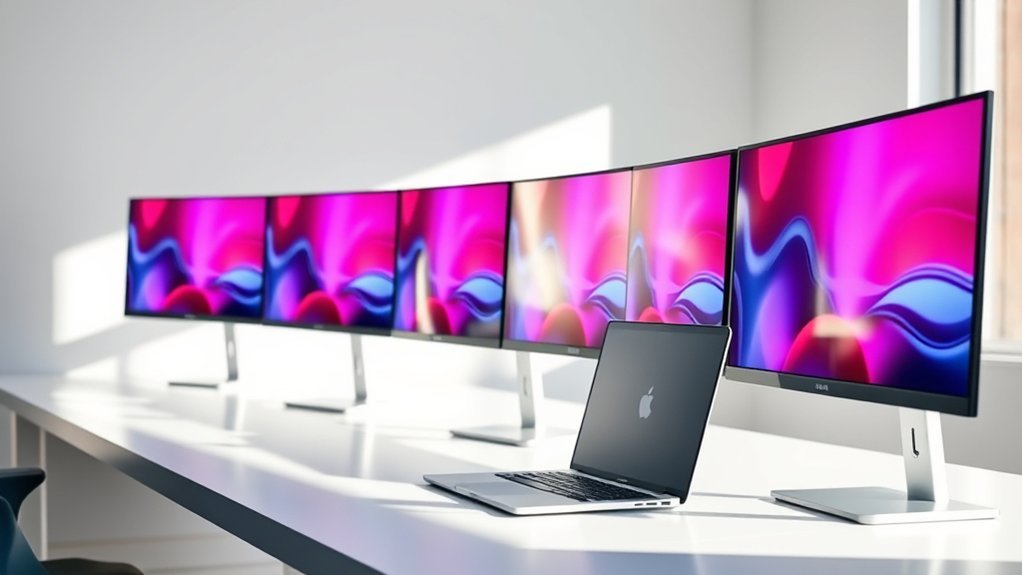
If you want a 34-inch curved monitor for your MacBook Pro in 2026, look for ultra-wide UWQHD screens with rich color accuracy and USB-C with at least 65W power delivery for seamless connectivity.
Consider high refresh rates from 100Hz up to 240Hz if you game or multitask heavily.
Features like HDR10, flicker-free tech, and ergonomic stands will protect your eyes during long use.
Keep exploring to find which models perfectly match your needs and workflow. There’s plenty to choose from, so take your time!
Dell 34″ Curved USB-C Monitor S3425DW
Experience immersive visuals with the Dell 34″ Curved USB-C Monitor S3425DW, designed to enhance your workspace with its expansive 21:9 ultrawide screen. Its curved VA panel reduces eye strain and provides wide 178-degree viewing angles, creating a comfortable and engaging viewing experience for long hours.
This monitor offers exceptional color accuracy with 99% sRGB and 95% DCI-P3 coverage, ensuring vibrant and true-to-life images. The 3440 x 1440 resolution delivers sharp details, making it ideal for creative work or detailed content consumption. Its 3000:1 contrast ratio enhances depth and clarity.
With a fast 120Hz refresh rate and a minimal 0.03ms response time, the S3425DW provides smooth motion and adaptive sync technology to prevent screen tearing during fast-paced visuals. It’s designed for seamless connectivity through USB-C with 65W power delivery, along with multiple HDMI and USB ports, supporting a variety of devices including MacBook Pro.
Maintenance is straightforward thanks to its anti-glare matte finish, which keeps reflections low and helps maintain screen clarity in various lighting conditions. The 300-nit brightness offers comfortable visibility in most indoor environments, though it may be less effective in very bright spaces.
Best for: users seeking a high-performance, immersive ultrawide monitor with excellent color accuracy and eye comfort, ideal for creative professionals, gamers, and MacBook Pro owners.
What We Like:
- Vibrant 3440 x 1440 resolution with wide color gamut coverage.
- Smooth 120Hz refresh rate and fast 0.03ms response time with adaptive sync.
- Versatile USB-C connectivity with 65W power delivery and multiple ports.
What We Don’t Like:
- 300-nit brightness may be insufficient in very bright environments.
- VA panel’s pixel response can be slower compared to IPS options.
- Limited 1-year warranty period.
SANSUI 34″ Curved UWQHD Gaming Monitor 200Hz
The SANSUI 34″ Curved UWQHD Gaming Monitor offers an immersive visual experience with its expansive 34-inch 1500R curved screen. This design reduces eye strain and enhances focus, making it easier to stay engaged during long gaming or work sessions. The crisp UWQHD resolution delivers clear and sharp images, improving detail visibility for both gamers and creative professionals.
With a rapid 200Hz refresh rate and 1ms response time, this monitor ensures ultra-smooth motion without blurring or lag. Variable refresh rate (VRR) support via HDMI 2.1 minimizes screen tearing, providing seamless gameplay and fluid video playback. These features tackle common issues like choppy visuals and motion artifacts.
Connectivity is versatile, featuring HDMI 2.1, DisplayPort 1.4, and multitasking modes like PIP/PBP. This flexibility allows easy connection to multiple devices, including MacBook Pro laptops, improving productivity by enabling simultaneous workflows. Its ergonomic stand offers tilt adjustment, supporting comfortable viewing angles.
Maintenance is straightforward, thanks to a robust design that balances size and stability. Blue light reduction technology helps reduce eye fatigue during extended use, promoting a healthier viewing environment. The monitor’s brightness may be limited in very bright rooms, but it excels in typical indoor settings.
Best for: Gamers and creative professionals seeking an immersive ultrawide display with ultra-smooth 200Hz refresh rates and vibrant color accuracy for both fast-paced gaming and detailed visual work.
What We Like:
- Ultra-smooth 200Hz refresh rate with 1ms response time and VRR support.
- Wide color gamut (130% sRGB, 97% DCI-P3) for vivid, sharp visuals.
- Multiple connectivity options including HDMI 2.1 and DisplayPort 1.4.
- PIP/PBP multitasking modes enhance productivity.
- Blue light reduction technology reduces eye strain.
What We Don’t Like:
- Brightness of 300 nits may be low for very bright environments.
- Limited ergonomic adjustments with only tilt functionality.
- Heavier weight and large size require ample desk space or sturdy mounting.
Samsung 34″ ViewFinity S50GC Ultra-WQHD Monitor
Experience enhanced productivity and immersive visuals with the Samsung 34″ ViewFinity S50GC Ultra-WQHD Monitor. Designed for MacBook Pro users, this ultrawide display offers a 3440×1440 resolution and a 21:9 aspect ratio that deliver crisp, detailed images ideal for multitasking and creative work. The inclusion of HDR10 and over 1 billion colors ensures vibrant and accurate color reproduction, helping you see every detail clearly.
This monitor supports smooth motion with a 100Hz refresh rate and AMD FreeSync, reducing screen tearing for a seamless viewing experience. Its multitasking capabilities are enhanced by Picture-in-Picture and Picture-by-Picture modes, allowing you to work on multiple inputs simultaneously. Connectivity options like HDMI and DisplayPort provide flexible setup choices for various devices.
Eye comfort is a priority with TUV-certified Intelligent Eye Care, Eye Saver Mode, and Flicker-Free technology, which help reduce strain during extended use. The sleek, borderless design fits well in dual-monitor setups, while energy-saving modes contribute to a more efficient workspace. Regular maintenance is straightforward, with easy cleaning and durable build quality ensuring long-term usability.
Best for: MacBook Pro users and professionals seeking a high-resolution ultrawide monitor with advanced multitasking and eye care features.
What We Like:
- Sharp, vibrant visuals with Ultra-WQHD resolution and HDR10
- Flexible multitasking through Picture-in-Picture and Picture-by-Picture
- Eye-friendly tech including TUV-certified Intelligent Eye Care
- Sleek, borderless design suitable for multi-monitor setups
What We Don’t Like:
- 5ms response time may not satisfy competitive gamers
- 100Hz refresh rate lower than some gaming-focused monitors
- Limited 1-year manufacturer warranty compared to other premium models
LG 34SR60QC-W 34″ QHD Curved Smart Monitor
LG’s 34SR60QC-W offers an immersive viewing experience with its 34-inch ultrawide curved display, designed to enhance productivity and creativity. The 3440×1440 QHD resolution paired with a 1800R curvature provides a wider field of view, making multitasking seamless and efficient. This monitor helps reduce eye strain by delivering smooth visuals with vibrant, accurate colors.
Its HDR10 support and 99% sRGB coverage ensure colors remain true and lively, ideal for detailed design work or media consumption. The sleek, frameless design fits well in any workspace, blending aesthetics with functionality. Maintenance is straightforward thanks to its durable build and easy-to-clean surface.
Connectivity is versatile, including two HDMI and three USB ports, allowing you to connect multiple devices effortlessly. Apple AirPlay 2 integration enables wireless casting, streamlining workflows for MacBook Pro users. The built-in smart webOS23 platform supports streaming apps, enhancing entertainment and productivity without additional devices.
With a 100Hz refresh rate, the monitor delivers smooth motion for everyday tasks and casual gaming. However, its audio quality may not satisfy those seeking premium sound, and competitive gamers might find the refresh rate limiting. The remote control is sold separately, which could add to the overall cost for full smart functionality.
Best for: Professionals and creatives needing an ultrawide curved monitor with vibrant color accuracy and versatile connectivity for multitasking and MacBook Pro integration.
What We Like:
- Large 34-inch ultrawide curved QHD display with precise color accuracy.
- Smart webOS23 with built-in streaming and Apple AirPlay 2 for wireless casting.
- Multiple connectivity options including HDMI and USB ports.
What We Don’t Like:
- Remote control sold separately, increasing total cost.
- Built-in speakers offer limited audio quality.
- 100Hz refresh rate may be insufficient for competitive gaming.
MSI PRO MP341CQ 34″ UWQHD Monitor
Experience a wider perspective with the MSI PRO MP341CQ, a 34-inch ultrawide monitor designed to enhance productivity and visual comfort. Its crisp 3440×1440 UWQHD resolution brings clarity to detailed work and immersive content. The 120Hz refresh rate, paired with FreeSync support, delivers smooth motion, reducing eye strain during fast-moving visuals.
The VA panel offers a broad 114% color gamut and HDR Ready capability, providing vivid and accurate colors that improve viewing quality for both professional tasks and entertainment. Its matte finish helps minimize glare, ensuring visibility in various lighting conditions.
Designed for long hours at the desk, this monitor features ergonomic tilt adjustments and TÜV Rheinland-certified eye care technologies. These elements combine to reduce eye fatigue and maintain comfort through extended use. Connectivity options include HDMI 2.0b and DisplayPort 1.4a, making it compatible with a variety of devices, including MacBook Pro.
Maintenance is straightforward, with a durable build and a screen surface that resists fingerprints and smudges, helping to keep the display clear with minimal effort. However, its brightness level may challenge use in very bright environments, and the single HDMI port limits connection flexibility.
Best for: professionals, gamers, and students seeking a large, immersive ultrawide monitor with smooth visuals and eye care features for extended use.
What We Like:
- Sharp 3440×1440 UWQHD resolution with smooth 120Hz refresh rate and FreeSync.
- Wide 114% color gamut and HDR Ready for enhanced color accuracy.
- TÜV Rheinland-certified eye care and ergonomic tilt for user comfort.
What We Don’t Like:
- Brightness of 250 cd/m² may be low for brightly lit rooms.
- Limited to one HDMI port, restricting multi-device connectivity.
- Built-in speakers provide basic sound quality compared to external options.
CRUA 34″ Ultrawide Curved UWQHD Monitor
Experience enhanced productivity and immersive visuals with the CRUA 34″ Ultrawide Curved UWQHD Monitor. Its expansive 3440×1440 resolution and 21:9 aspect ratio create a broad, clear workspace that helps you manage multiple tasks efficiently without constant window switching.
The monitor’s IPS panel ensures vibrant and accurate colors, covering 120% sRGB and 92% DCI-P3. This means your creative projects display true-to-life hues with consistent clarity from wide viewing angles. The curved 3800R screen design reduces eye strain by keeping your focus natural and comfortable during long sessions.
With a 100Hz refresh rate and AMD FreeSync technology, visuals remain smooth and tear-free, which benefits both video editing and casual gaming. The monitor includes built-in speakers and ergonomic tilt adjustments, allowing you to customize your setup for work or entertainment.
Maintenance is straightforward, requiring only gentle cleaning to keep the screen clear. Its versatile ports support seamless connectivity, making it an effective addition to your MacBook Pro or PC workspace.
Best for: Professionals, creatives, and multitaskers needing a wide, immersive display with accurate colors and smooth performance for productivity and entertainment.
What We Like:
- Expansive 21:9 aspect ratio with 3440×1440 resolution for multitasking
- High color accuracy with 120% sRGB and 92% DCI-P3 coverage
- Smooth visuals supported by 100Hz refresh rate and AMD FreeSync
What We Don’t Like:
- 350 cd/m² brightness may be insufficient in very bright settings
- 3ms response time might not meet competitive gamers’ needs
- Built-in speakers may lack quality for audiophile or professional audio work
SANSUI 34″ Ultrawide 240Hz Curved Gaming Monitor
The SANSUI 34″ Ultrawide 240Hz Curved Gaming Monitor offers a striking combination of speed and visual clarity designed to enhance your gaming and creative work. Its 34-inch curved 1500R VA panel delivers an immersive experience by wrapping the display around your field of view, reducing eye strain and increasing focus.
With a lightning-fast 1ms response time and a smooth 240Hz refresh rate, this monitor minimizes motion blur and input lag, providing crisp, fluid visuals essential for fast-paced gaming. The 3440×1440 UWQHD resolution ensures plenty of screen real estate and sharp image detail for multitasking and immersive gameplay.
Color accuracy is another strength, featuring 130% sRGB and 97% DCI-P3 coverage for vibrant, true-to-life colors. The matte screen reduces glare, improving visibility in different lighting conditions. Ergonomic tilt adjustments and VESA mount compatibility allow for comfortable positioning during extended sessions.
Connectivity is versatile, with dual HDMI 2.1 ports and DisplayPort 1.4 support, making it compatible with the latest consoles and PCs. Blue light filters and HDR400 support add eye comfort and enhanced visuals, though the high 450-nit brightness may require adjustment to prevent eye fatigue over long periods.
Best for: Gamers and content creators seeking an immersive ultrawide display with ultra-smooth 240Hz refresh rate and vibrant color accuracy for fast-paced and visually rich experiences.
What We Like:
- Ultra-fast 1ms response time and 240Hz refresh rate for smooth gameplay
- Wide color gamut with 130% sRGB and 97% DCI-P3 for vivid visuals
- Multiple connectivity options including HDMI 2.1 and DisplayPort 1.4
- Matte screen reduces glare for better viewing comfort
- Ergonomic tilt and VESA mount options enhance usability
What We Don’t Like:
- No built-in speakers, requiring separate audio devices
- High brightness of 450 nits may cause eye strain without adjustment
- Limited to 2K resolution at 240Hz, no native 4K support at high refresh rates
LG 34WR55QK-B 34″ UltraWide Curved Monitor
The LG 34WR55QK-B offers a large 34-inch UltraWide curved display that enhances your workspace by providing ample screen real estate. The 3440 x 1440 WQHD resolution delivers sharp images, making it easier to handle detailed tasks and multitasking without constant zooming or switching windows.
Its 21:9 aspect ratio and high contrast VA panel help improve visual clarity, while HDR10 support brings richer colors and deeper blacks. This combination reduces eye strain during long hours of use, offering a more comfortable viewing experience.
Connectivity is versatile with HDMI, DisplayPort, and USB-C ports. The USB-C connection supports 65W power delivery, simplifying your setup by charging devices and transmitting data through a single cable. The adjustable stand and nearly borderless design allow ergonomic positioning and minimize glare, enhancing comfort during extended use.
Maintenance is straightforward since the screen’s curved design naturally helps reduce reflections and fingerprints. Additional features like Reader Mode and Picture-by-Picture multitasking add practical functionality for professional and multimedia workflows.
Best for: Professionals and multimedia users seeking an immersive, high-resolution UltraWide curved monitor with versatile connectivity and ergonomic features for enhanced productivity and entertainment.
What We Like:
- Sharp 3440 x 1440 WQHD resolution with HDR10 for vivid visuals.
- USB-C port with 65W power delivery simplifies connectivity.
- Adjustable, borderless design reduces glare and improves comfort.
- VA panel with 3000:1 contrast ratio enhances image depth.
- Reader Mode and Picture-by-Picture support multitasking.
What We Don’t Like:
- 300 cd/m² brightness may be low for very bright environments.
- 100Hz refresh rate is limited for high-end gaming demands.
- One-year warranty might be short for some professional users.
Philips 34″ UltraWide Curved Monitor 346E2CUAE
The Philips 34″ UltraWide Curved Monitor 346E2CUAE transforms your workspace with its expansive 34-inch curved screen, offering a seamless view that reduces eye strain. Its 1500R curvature creates an immersive experience, ideal for multitasking or detailed creative projects. The UltraWide Quad HD resolution ensures sharp visuals, enhancing productivity and clarity.
Color accuracy is a key benefit, thanks to Ultra Wide-Color technology that covers 121.3% of the sRGB spectrum. This delivers natural and vibrant hues, essential for graphic design, photo editing, or video work. The display’s VA panel also provides wide viewing angles, keeping colors consistent from different positions.
Designed to handle fast-paced visuals, this monitor features a 100Hz refresh rate and a 1ms response time. Adaptive-Sync technology smooths motion, reducing blur and tearing, which benefits gamers and video editors alike. The USB-C port simplifies connectivity by supporting both power delivery and data transfer, minimizing cable clutter.
Maintenance is straightforward with a durable build, though the glossy finish may reflect bright light and require occasional cleaning. Weighing about 27.8 pounds, it stays stable on your desk but might need help for repositioning. Adjustable ergonomics allow comfortable setups tailored to your needs.
Best for: Creative professionals and gamers seeking a vibrant, immersive UltraWide display with high color accuracy and smooth performance.
What We Like:
- Large 34-inch curved UltraWide Quad HD display with immersive 1500R curvature.
- High color accuracy covering 121.3% sRGB and 99.5% NTSC for natural hues.
- Smooth motion handling with 100Hz refresh rate, 1ms response time, and Adaptive-Sync.
- USB-C port supports power delivery and data transfer for streamlined connectivity.
What We Don’t Like:
- Moderate 300 cd/m² brightness may struggle in very bright environments.
- Glossy finish can produce reflections requiring careful positioning.
- Heavier weight (27.8 lbs) makes repositioning less convenient.
34-Inch Curved Ultrawide WQHD Gaming Monitor (C345B)
Experience a truly immersive visual workspace with the 34-inch curved ultrawide monitor, designed to enhance both productivity and gaming. Its 3440 x 1440 WQHD resolution and 21:9 aspect ratio offer significantly more screen space, allowing you to multitask efficiently and enjoy expansive, sharp visuals. The curved design with a 1500R radius helps reduce eye strain during extended use, promoting comfort throughout long sessions.
This monitor’s VA panel delivers vibrant colors and deep contrast with a 1,000,000:1 ratio, making images and games appear richer and more detailed. Fast response times of 1ms MPRT combined with a refresh rate up to 165Hz ensure smooth, blur-free motion, ideal for fast-paced gaming and dynamic content. AMD FreeSync Premium further enhances the experience by eliminating screen tearing.
Connectivity is flexible with multiple ports, including 2 HDMI and 2 DisplayPorts, supporting various devices and setups. The sleek, frameless design with customizable LED backlighting adds a modern touch to any workspace or gaming station. Maintenance is straightforward, with durable materials that require simple cleaning to keep the display clear and vibrant.
Some users may find the curvature less suitable for general office work, and the monitor’s size and depth require ample desk space. However, its performance and immersive design make it a compelling choice for demanding visual tasks.
Best for: gamers, creative professionals, and multimedia users seeking a wide, high-resolution display with fast response times and versatile connectivity.
What We Like:
- Large 34-inch curved ultrawide screen for enhanced productivity and immersive visuals.
- Fast 1ms MPRT and up to 165Hz refresh rate with AMD FreeSync Premium for smooth gaming.
- Multiple connectivity options including 2 HDMI and 2 DisplayPorts.
- Sleek frameless design with customizable LED backlighting.
What We Don’t Like:
- Limited 1-year manufacturer warranty.
- Relatively heavy and deep, requiring ample desk space.
- 1500R curvature may not suit all non-gaming or office tasks.
Factors to Consider When Choosing a 34 Inch Curved Monitor for MacBook Pro
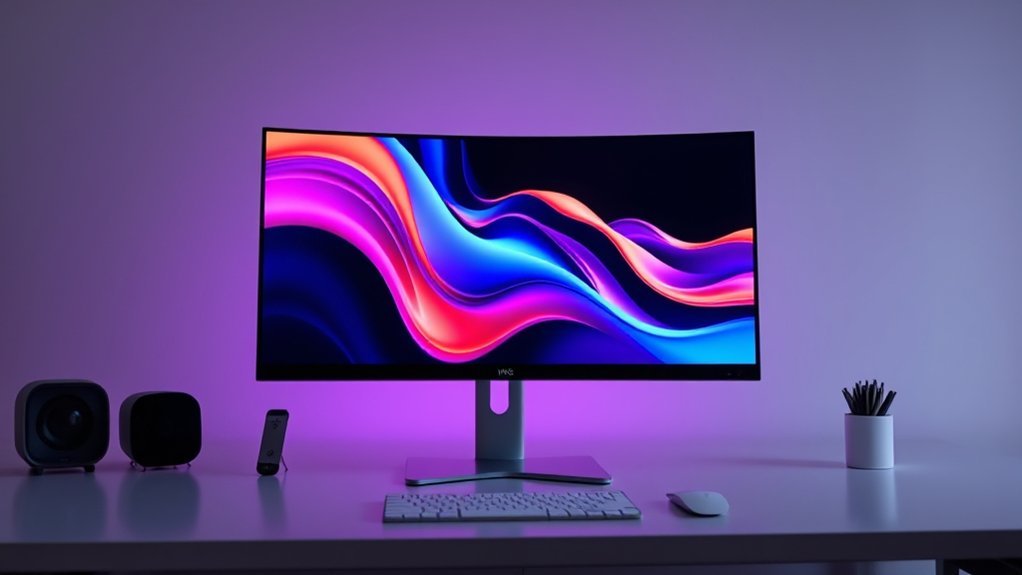
When choosing a 34 inch curved monitor for your MacBook Pro, you’ll want to focus on display resolution compatibility and color accuracy to guarantee stunning visuals. Don’t forget to check connectivity options and refresh rate to match your workflow and preferences.
Also, consider the screen size and curvature to get the most comfortable viewing experience. These factors can really make a difference when you’re working or relaxing in front of your screen.
Display Resolution Compatibility
Choosing a 34 inch curved monitor for your MacBook Pro means paying close attention to display resolution compatibility to guarantee sharp, clear visuals. Make sure the monitor supports a resolution of 3440 x 1440 pixels (UWQHD). This matches recent MacBook Pro outputs and helps avoid any scaling issues.
Also, check that your MacBook Pro’s available ports—USB-C, HDMI, or DisplayPort—can drive this resolution smoothly. It’s important that the monitor allows resolution adjustments compatible with macOS display scaling. That way, you get the best clarity without any distortion.
Color Accuracy Importance
Ensuring your 34 inch curved monitor delivers accurate colors will make a noticeable difference in your creative work. Whether you’re editing photos, producing videos, or designing graphics, precise color reproduction is essential.
Look for monitors that support wide color gamuts like sRGB 99% or DCI-P3 95% to experience vibrant, true-to-life hues. High color accuracy also prevents color shifts across viewing angles, maintaining consistency in your projects.
Choose displays with factory calibration or those that come pre-calibrated to save time on manual adjustments. Pay attention to color accuracy ratings such as Delta E values below 2, which signal minimal color deviation.
Prioritizing these factors guarantees your monitor faithfully represents colors, enhancing the quality and reliability of your creative output. It really makes all the difference when you want your work to stand out.
Connectivity Options Needed
How do you make sure your 34 inch curved monitor connects effortlessly with your MacBook Pro? First, look for compatible input ports like USB-C, HDMI, or DisplayPort to ensure seamless connection.
Prioritize monitors that support USB-C with power delivery of at least 65W, so your MacBook Pro stays charged while you work. Also, check if the monitor offers multiple connectivity options; this helps you hook up additional devices or peripherals without hassle.
Make sure the ports can handle high-resolution data transfer to keep your image quality crisp and performance smooth. If the monitor lacks native USB-C or specific ports, don’t worry—consider the availability of adapters or dongles so you can still connect your MacBook Pro easily without compatibility issues.
Refresh Rate Requirements
While many MacBook Pro users might settle for the standard 60Hz refresh rate, opting for a higher refresh rate like 100Hz or more can considerably enhance your experience, especially in gaming or video editing. A refresh rate of at least 100Hz guarantees smoother motion and reduces blur, which is essential for professional tasks like video editing or motion design.
If you’re into competitive gaming or working with high-frame-rate content, monitors with 120Hz or even 200Hz offer exceptional clarity and fluidity. Just make sure your MacBook Pro’s connection ports, such as USB-C or HDMI, support the monitor’s refresh rate to avoid compatibility issues.
Choosing the right refresh rate will keep visuals sharp and motion seamless during fast-paced work or play. It really makes a noticeable difference when things start moving quickly on screen.
Screen Size And Curvature
A 34-inch curved monitor offers you a wide, immersive workspace that’s perfect for multitasking and creative projects on your MacBook Pro. The 21:9 aspect ratio expands your horizontal screen space, letting you comfortably run multiple apps side-by-side or enjoy cinematic content.
When selecting curvature, consider the radius—typically between 1500R and 1800R. A smaller radius means a more pronounced curve, which reduces eye strain by minimizing the need for your eyes to move extensively across the screen.
This curvature also enhances viewing comfort and immersion. Make certain the monitor’s size and curve fit well with your desk setup and viewing distance to maintain superior visual clarity.
Choosing the right balance here will ensure a natural, comfortable, and productive experience every time you use your MacBook Pro.
Ergonomic Adjustment Features
Because you’ll likely spend hours in front of your 34-inch curved monitor, having ergonomic adjustment features is essential to maintain comfort and reduce strain. Look for monitors with adjustable height, tilt, and swivel options so you can customize your viewing angle to suit your posture.
Choose a monitor with a stand that allows smooth and easy adjustments to avoid unnecessary effort during long work sessions. Also, check for VESA mount compatibility, which lets you use ergonomic arms or wall mounts for even more flexible positioning.
Make sure the adjustment range fits your specific workspace and sitting position. These ergonomic features help minimize neck, shoulder, and eye strain, keeping you comfortable and productive whether you’re working or gaming for extended periods.
Eye Care Technologies
Ergonomic comfort goes hand in hand with protecting your eyes during long hours in front of a 34-inch curved monitor. When choosing one for your MacBook Pro, prioritize eye care technologies like blue light reduction and flicker-free screens to minimize strain.
Look for TÜV Rheinland certification or similar to guarantee safe blue light emission and flicker levels. Features such as adaptive brightness and ambient light sensors automatically adjust the screen based on your environment, reducing fatigue.
An anti-glare matte finish also helps by cutting down reflections and glare, so you won’t have to squint. Low blue light modes and flicker-free backlighting are essential for maintaining eye comfort during extended use.
These features help you stay productive and comfortable throughout your work sessions. It’s all about keeping your eyes happy while you get things done!
Built-in Audio Quality
How important is built-in audio quality when picking a 34-inch curved monitor for your MacBook Pro? It’s vital if you want a seamless multimedia experience without relying on external speakers.
You’ll want high-quality built-in speakers that deliver clear, spacious sound with enough bass and volume for both work and entertainment. Look for monitors with integrated stereo speakers to guarantee balanced audio across all frequencies.
Pay attention to the wattage and decibel range, as they indicate loudness and overall performance. Some monitors go further by offering wider frequency responses, deeper bass, or spatial sound features, making your listening experience more immersive.
Choosing a monitor with great built-in audio saves space and enhances convenience. It lets you enjoy your content right away, without extra setup or gear.
Frequently Asked Questions
Can I Mount These Monitors on a Wall?
Yes, you can mount these monitors on a wall if they have VESA mounting compatibility. Just make sure to check the monitor’s specs first.
Also, use a sturdy wall mount that’s designed to support their size and weight securely. That way, you’ll keep everything safe and stable.
Do These Monitors Support macOS Native Scaling?
Yes, these monitors support macOS native scaling.
That means you’ll get crisp text and UI elements without any distortion. Just tweak the display settings on your MacBook Pro, and macOS will take care of the scaling for you.
It’s pretty seamless and makes everything look sharp and clear.
What Are the Warranty Terms for These Curved Monitors?
You’ll typically get a 1-3 year warranty covering defects and hardware issues. Some brands offer extended plans or accidental damage protection.
Are These Monitors Compatible With Older Macbook Pro Models?
Yes, these monitors generally work with older MacBook Pro models, but you’ll need the right adapters or cables.
Make sure to check your MacBook’s ports and the monitor’s inputs to guarantee compatibility before buying.
It’s always a good idea to double-check so you don’t end up with something that won’t connect easily.
Can I Use These Monitors for Video Editing on Macbook Pro?
Yes, you can use these monitors for video editing on your MacBook Pro. They offer excellent color accuracy, wide color gamut, and high resolution.
This ensures your edits look professional and precise on a large, immersive curved screen. It’s a great setup for getting detailed work done comfortably.
Conclusion
When choosing a 34-inch curved monitor for your MacBook Pro, you want a blend of stunning visuals, smooth performance, and reliable connectivity. Any of these top picks will enhance your workspace and boost productivity.
Think about your specific needs—whether it’s gaming, design, or just general use—and pick a monitor that fits your style and budget. With the right choice, you’ll enjoy immersive viewing and seamless integration with your MacBook Pro every day.

- 10 Best Carpet Cleaners for 2026 - July 14, 2026
- 8 Best Caroma Electric Scooters for 2026 - July 13, 2026
- 10 Best Carbon Fiber Folding Electric Wheelchairs for 2026 - July 13, 2026
