
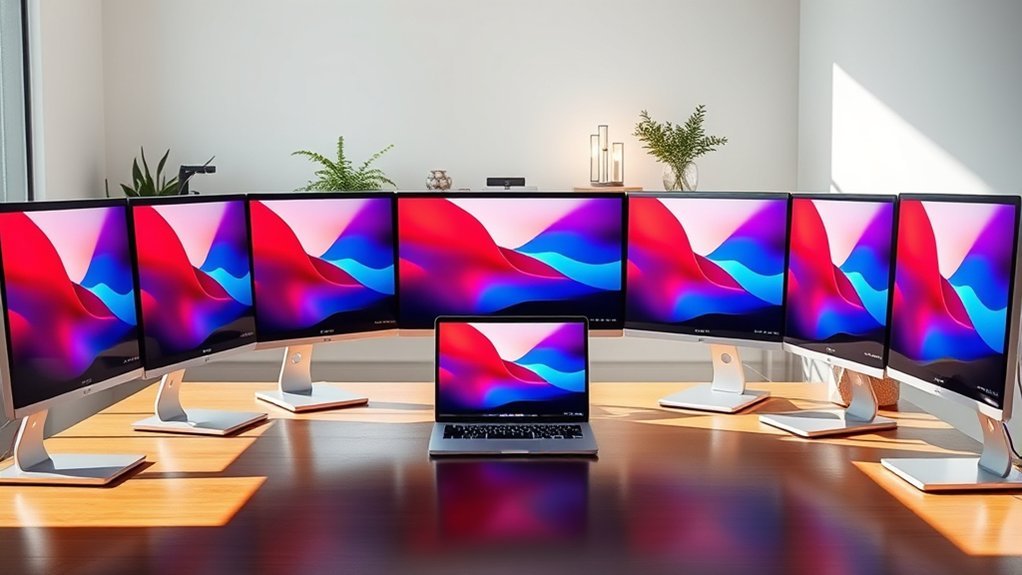
You’ll want a 27-inch monitor with 4K or QHD resolution, vibrant color accuracy, and wide viewing angles to match your MacBook Pro’s stunning display.
Look for USB-C or Thunderbolt ports with power delivery to charge your laptop seamlessly.
Monitors with ergonomic stands and eye comfort features keep you productive without strain.
Models like LG 27UP850K-W and INNOCN combine sleek design and performance perfectly.
Discover which options balance your workflow and visual needs best. It’s all about finding the right fit for you!
Dell 27″ 4K USB-C Monitor S2725QC
The Dell 27″ 4K USB-C Monitor S2725QC delivers sharp, vibrant visuals that elevate your workspace instantly. Its 3840 x 2160 resolution enhances clarity, making detailed tasks easier and reducing eye strain. The IPS panel offers a wide 178-degree viewing angle, ensuring consistent color and image quality from nearly any position.
Designed for seamless connectivity, the monitor’s single USB-C port handles video, data, and up to 65W of power delivery. This feature minimizes desk clutter and simplifies connections, especially for MacBook Pro users who need a streamlined setup. The matte finish reduces glare, helping you maintain focus even in bright environments.
ComfortView Plus technology helps filter out blue light, promoting eye comfort during long work sessions. The adjustable stand allows you to customize the monitor’s height and tilt for ergonomic use. This combination of features makes the monitor a reliable and practical tool for professionals.
Regular maintenance is straightforward—simply wipe the screen with a soft, dry cloth to keep the display clear. Its solid build quality ensures durability without demanding frequent upkeep.
Best for: professionals and creatives who require a color-accurate, high-resolution 27-inch monitor with versatile USB-C connectivity and eye comfort features for MacBook Pro users.
What We Like:
- Vivid 4K IPS display with wide viewing angles and 99% sRGB coverage
- Single USB-C port supports video, data, and 65W power delivery
- Matte finish and ComfortView Plus technology reduce glare and eye strain
What We Don’t Like:
- 120Hz refresh rate may not meet high-end gaming needs
- Only one USB-C port limits connectivity options without hubs
- 1-year warranty may be insufficient for long-term users
Dell 27″ 4K IPS Monitor S2725QS
The Dell 27″ 4K IPS Monitor S2725QS delivers exceptional clarity and color accuracy, making it ideal for creative work. Its 27-inch 4K UHD display ensures detailed visuals that help you see your projects with precision. The wide 178° viewing angles mean colors stay consistent, no matter where you sit.
This monitor supports a 120Hz refresh rate and a 0.03ms response time, reducing motion blur and screen tearing. AMD FreeSync Premium technology further smooths fast-moving images, enhancing the viewing experience for multimedia tasks and light gaming.
Designed for comfort during long hours, the S2725QS features ComfortView Plus, which reduces harmful blue light to protect your eyes. Its ergonomic stand allows easy adjustments for tilt and height, helping you maintain a healthy posture. The anti-glare matte screen minimizes reflections, improving visibility in various lighting conditions.
The sleek ash white design includes integrated speakers and multiple connectivity options like HDMI and DisplayPort. Maintenance is straightforward with easy access to ports and minimal cleaning required for the matte finish.
Best for: Creative professionals and multimedia enthusiasts needing a high-resolution, color-accurate display with smooth motion and ergonomic comfort.
What We Like:
- Vibrant 4K resolution with 99% sRGB coverage and wide viewing angles
- Smooth visuals with 120Hz refresh rate and AMD FreeSync Premium
- Eye-friendly ComfortView Plus and adjustable ergonomic design
- Anti-glare matte screen reduces reflections
- Multiple connectivity options including HDMI and DisplayPort
What We Don’t Like:
- Limited to a 1-year warranty
- Power consumption of 24.6 Watts may be higher than some alternatives
- Integrated speakers offer basic audio quality
Samsung 27″ Essential S3 Curved FHD Monitor
Experience a more comfortable and immersive viewing experience with the Samsung 27″ Essential S3 Curved FHD Monitor. Its 1800R curved screen gently wraps around your field of vision, reducing eye strain during long hours of use. The wide 178-degree viewing angles ensure consistent color and clarity from various positions, making it suitable for collaborative work or entertainment.
This monitor is designed to support smooth and responsive visuals with a 100Hz refresh rate and a 4ms response time. These features help minimize motion blur, which benefits both gaming and video editing tasks. Game Mode further enhances contrast and color accuracy, allowing you to see finer details in your content.
Eye comfort is prioritized through built-in blue light filtering and flicker-free technology, helping to reduce fatigue during extended screen time. Connectivity options include HDMI and D-sub ports, enabling easy connection to devices like your MacBook Pro. The slim, sleek design fits neatly into any workspace and also offers wall mounting flexibility.
Routine maintenance is straightforward due to its minimalistic design and durable build. While the Full HD resolution may not meet the demands of highly detailed graphic work, this monitor strikes a balance between performance and comfort for everyday use.
Best for: Users seeking a curved monitor that combines eye comfort with smooth performance for gaming, multimedia, and professional tasks.
What We Like:
- Immersive 1800R curved screen with wide 178-degree viewing angles
- Smooth 100Hz refresh rate and 4ms response time with Game Mode
- Blue light filtering and flicker-free technology for eye comfort
- Versatile connectivity via HDMI and D-sub ports
- Slim design with wall-mount support for flexible setup
What We Don’t Like:
- Full HD resolution may limit detailed graphic work
- Moderate brightness of 250 cd/m² not ideal for very bright rooms
- Lacks USB-C or modern connectivity options
Amazon Basics 27″ Full HD IPS Monitor
Experience vibrant visuals and flexible viewing with the Amazon Basics 27″ Full HD IPS Monitor. Designed to enhance your workspace, this monitor delivers sharp 1080p resolution and accurate colors that bring images to life. Its IPS panel offers wide 170-degree viewing angles, reducing color distortion from different positions.
The monitor’s sleek, tilt-adjustable stand lets you customize your setup for comfort and productivity. VESA mount compatibility adds versatility for different desk arrangements or wall mounting. Multiple connectivity options, including HDMI, DisplayPort, VGA, and USB 3.2 ports, simplify connecting your MacBook Pro and other devices.
Enjoy smoother motion with a 75Hz refresh rate and FreeSync support, which help minimize screen tearing during fast-moving visuals. Built-in speakers provide added convenience for everyday use without extra peripherals. Energy Star certification ensures efficient power use, making maintenance straightforward and cost-effective.
While the 1080p resolution supports clear images, it may not match the sharpness of higher-resolution displays. The 75Hz refresh rate improves on standard screens but isn’t geared for high-end gaming. Additionally, the 1500:1 contrast ratio offers decent but not deep blacks.
Best for: MacBook Pro users and professionals who need accurate colors, wide viewing angles, and versatile connectivity in an affordable 27-inch Full HD monitor.
What We Like:
- IPS panel with 170-degree wide viewing angles for consistent color.
- Multiple ports including HDMI, DisplayPort, VGA, and USB 3.2 for easy device connection.
- Adjustable stand and VESA mount compatibility for flexible setup.
- FreeSync support and 75Hz refresh rate for smoother visuals.
- Built-in speakers add convenience without extra accessories.
What We Don’t Like:
- 1080p resolution may lack sharpness compared to higher-res monitors.
- 75Hz refresh rate is only a modest upgrade over standard 60Hz.
- Contrast ratio of 1500:1 results in less deep blacks than some competitors.
BenQ MA270UP 27” 4K Monitor for MacBook
Experience sharp and vibrant visuals with the BenQ MA270UP 27” 4K monitor designed specifically for MacBook users. Its 27-inch IPS panel delivers crystal-clear 3840×2160 resolution, ideal for detailed professional and creative work. The integration of a P3 wide color gamut and Mac color tuning technology ensures your projects appear with accurate, true-to-life colors.
This monitor solves the common issue of mismatched colors between devices by providing consistent Mac-calibrated visuals. The 400-nit brightness and 2000:1 contrast ratio enhance clarity even in well-lit rooms. Eye care features like the blue light filter help reduce strain during long sessions, supporting healthier work habits.
Connectivity is seamless with dual USB-C ports that supply up to 90W of charging power. These ports also enable control over your MacBook’s brightness and volume directly from the monitor. The adjustable ergonomic stand allows you to customize your viewing angle with height, tilt, swivel, and pivot options, promoting comfort throughout the day.
Maintenance is straightforward thanks to the monitor’s durable design. However, the glossy screen finish may reflect light in bright spaces, and the 60Hz refresh rate limits its use for fast-paced gaming. Note that sound requires external speakers as there are no built-in audio options.
Best for: MacBook users needing a high-quality 4K display with accurate color reproduction and versatile connectivity for creative and professional tasks.
What We Like:
- Mac-calibrated P3 wide color gamut and color tuning for precise visuals
- Dual USB-C ports with 90W power delivery and Mac brightness/volume support
- Ergonomic stand with height, tilt, swivel, and pivot adjustments
What We Don’t Like:
- Glossy screen can cause reflections in bright environments
- 60Hz refresh rate is not ideal for high-frame-rate gaming
- No built-in speakers, requiring external audio devices
Samsung 27″ IPS Essential Monitor 100Hz (S30GD)
Experience smoother visuals and vivid colors with the Samsung 27″ IPS Essential Monitor, designed to enhance your daily computing and entertainment. Its 27-inch IPS panel delivers consistent colors and wide 178-degree viewing angles, ensuring clear images from almost any position.
The monitor’s 100Hz refresh rate combined with a 5ms response time helps minimize motion blur, making it easier to follow fast-moving scenes whether you’re gaming or watching videos. Eye Care technologies such as Blue Light Filter and Flicker-Free help reduce eye strain during long hours of use, promoting comfort and focus.
With a sleek, ultra-thin bezel design, this monitor fits neatly into any workspace. The tilt-adjustable stand allows you to find a comfortable viewing angle, while multiple connectivity options like HDMI and USB 3.0 support various devices for seamless integration.
Maintenance is straightforward due to its durable build and easy-to-clean screen surface. However, the 250-nit brightness may not be ideal for very bright environments, and the tilt-only stand limits ergonomic flexibility. The Full HD resolution delivers sharp visuals but may not meet preferences for higher resolution on a 27-inch display.
Best for: Gamers and creative professionals seeking a vibrant, smooth-display monitor with eye-care features and versatile connectivity.
What We Like:
- Smooth 100Hz refresh rate with 5ms response time for clear fast-motion visuals
- Wide 178-degree viewing angles from the 27-inch IPS panel
- Eye Care technologies reduce fatigue during extended use
- Sleek, ultra-thin bezel design fits into any workspace
- Multiple ports including HDMI and USB 3.0 for device flexibility
What We Don’t Like:
- Tilt-only stand limits ergonomic adjustments
- Brightness of 250 nits may be low for bright rooms
- Full HD resolution may not satisfy users seeking higher resolution on a 27-inch screen
LG 27-inch QHD IPS Monitor with USB-C PD
Experience sharp visuals and seamless connectivity with the LG 27-inch QHD IPS Monitor. Its 2560×1440 resolution and 99% sRGB color coverage deliver vibrant, accurate images that enhance both work and entertainment. The wide 178° viewing angles ensure consistent colors from almost any position.
This monitor simplifies your workspace with USB-C Power Delivery. It powers devices like the MacBook Pro with 15W while transferring data, reducing cable clutter and improving desk organization. The nearly borderless design fits neatly into any setup, enhancing your workspace aesthetics.
Smooth motion is guaranteed with a 100Hz refresh rate and 5ms response time, making it suitable for gaming and fast-paced tasks. Features like Dynamic Action Sync and Black Stabilizer improve visibility in dark scenes, helping you catch every detail.
The stand supports tilt adjustment for comfortable viewing, but ergonomic options are limited. Maintenance is straightforward thanks to its durable IPS panel and easy-to-clean surface.
Best for: Users seeking a vibrant, high-resolution monitor with smooth performance and convenient USB-C power delivery for an organized, efficient workspace.
What We Like:
- Crisp 27-inch QHD IPS display with accurate colors and wide viewing angles
- Smooth 100Hz refresh rate and quick 5ms response time for fluid visuals
- USB-C port powers devices and transfers data, minimizing cable clutter
What We Don’t Like:
- Brightness of 250 cd/m² may not suit very bright environments or HDR content
- Limited connectivity with only one HDMI and one USB 3.0 port
- Stand offers tilt adjustment only, lacking height or swivel options
INNOCN 27″ 4K USB-C Monitor with Speakers
The INNOCN 27″ 4K USB-C Monitor with Speakers offers a sharp and clear display that enhances your MacBook Pro experience. Its 27-inch IPS panel provides detailed 3840×2160 resolution with HDR400 support, ensuring vibrant colors and bright images. This makes it easier to work on detailed projects or enjoy high-quality media.
Designed for versatile connectivity, the monitor features USB-C with 65W power delivery, DisplayPort 1.4, and HDMI 2.1 ports. This flexibility allows seamless connection to multiple devices without clutter. The built-in speakers add convenience for casual audio needs, reducing the need for extra peripherals.
The adjustable stand and VESA mount support promote ergonomic comfort, letting you customize your setup to reduce strain during long hours. With a 60Hz refresh rate and 3ms response time, the display smoothly handles everyday tasks and casual gaming.
Maintenance is straightforward due to its durable design and easy-to-clean screen. While the 65-watt power consumption is moderate, it balances performance and energy use effectively. Overall, this monitor enhances productivity and multimedia enjoyment with practical features tailored for MacBook Pro users.
Best for: MacBook Pro users and creative professionals needing high-resolution visuals and flexible connectivity for work and multimedia tasks.
What We Like:
- Crisp 4K UHD display with HDR400 for vivid image quality
- USB-C port with 65W power delivery for simple device charging
- Adjustable ergonomic stand and VESA mount for comfortable setups
What We Don’t Like:
- 60Hz refresh rate may not satisfy high-end gamers
- Built-in speakers offer basic audio quality only
- 65W power consumption is higher compared to some energy-efficient models
LG 27UP850K-W 27″ 4K UHD IPS Monitor
Experience sharp, vibrant visuals with the LG 27UP850K-W, a 27-inch 4K UHD IPS monitor designed to enhance your creative and professional work. Its high color accuracy with 95% DCI-P3 coverage ensures your projects have true-to-life colors, making it easier to produce precise, consistent results.
This monitor’s DisplayHDR 400 support boosts brightness and contrast, allowing details to stand out even in challenging lighting conditions. The matte screen finish minimizes glare, reducing eye strain during long hours of use.
The adjustable ergonomic stand lets you set the perfect viewing angle for comfort, promoting better posture and reducing fatigue. Versatile connectivity options like USB-C with 90W power delivery simplify your workspace by charging your device and transferring data through a single cable.
Built-in speakers enhanced by Waves MaxxAudio provide decent audio quality for video calls or casual listening. While the 60Hz refresh rate is sufficient for most tasks, it may not meet the demands of high-refresh-rate gaming. Overall, this monitor balances professional-grade color fidelity and practical features to support both work and entertainment.
Best for: professionals and creatives seeking a vibrant 4K display with accurate color and versatile connectivity for work and entertainment.
What We Like:
- Accurate 27-inch 4K UHD IPS display with 95% DCI-P3 and DisplayHDR 400
- USB-C port with 90W power delivery simplifies connectivity and charging
- Adjustable ergonomic stand and matte finish reduce glare and improve comfort
What We Don’t Like:
- 60Hz refresh rate may not satisfy gamers wanting higher frame rates
- Built-in speakers may not replace dedicated audio systems
- Power consumption at 44 watts could be higher than some energy-efficient models
MSI PRO MP273Q 27-inch QHD Computer Monitor
Experience sharp visuals and precise color accuracy with the MSI PRO MP273Q, a 27-inch WQHD monitor designed to enhance professional workflows. Its 2560×1440 resolution paired with an IPS panel ensures crisp images and consistent color reproduction from wide 178° viewing angles. This clarity helps reduce eye strain during long hours of detailed work.
The monitor incorporates eye comfort features like flicker-free technology, low blue light certification, and an anti-glare surface. These elements combine to protect your vision, making it suitable for extended use in various lighting conditions. Its design supports ergonomic adjustments with tilt functionality and VESA mount compatibility, allowing you to create a comfortable and customized workspace.
Connectivity is straightforward with two HDMI ports and a DisplayPort 1.2a, enabling seamless integration with devices such as MacBook Pros. The 1ms response time and 75Hz refresh rate deliver smooth performance for everyday tasks, although it may not meet the demands of competitive gaming.
Maintenance is simple due to its durable build and easy-to-clean anti-glare screen, ensuring long-term usability. While brightness peaks at 250 cd/m², it performs best in indoor environments rather than bright outdoor settings.
Best for: Professionals and creatives needing a sharp, color-accurate 27-inch QHD monitor with ergonomic and eye comfort features for prolonged use.
What We Like:
- Crisp 2560×1440 IPS display with wide viewing angles and accurate colors
- Eye-friendly flicker-free technology and low blue light certification
- Versatile connectivity with dual HDMI and DisplayPort 1.2a
- Ergonomic tilt adjustment and VESA mount support for flexible setups
- Quick 1ms response time ensures smooth visual transitions
What We Don’t Like:
- Brightness limited to 250 cd/m², less ideal for very bright environments
- Refresh rate capped at 75Hz, not suitable for competitive gaming
- Tilt-only adjustment lacks height and swivel options, limiting ergonomic flexibility
Factors to Consider When Choosing a 27 Inch Monitor for MacBook Pro
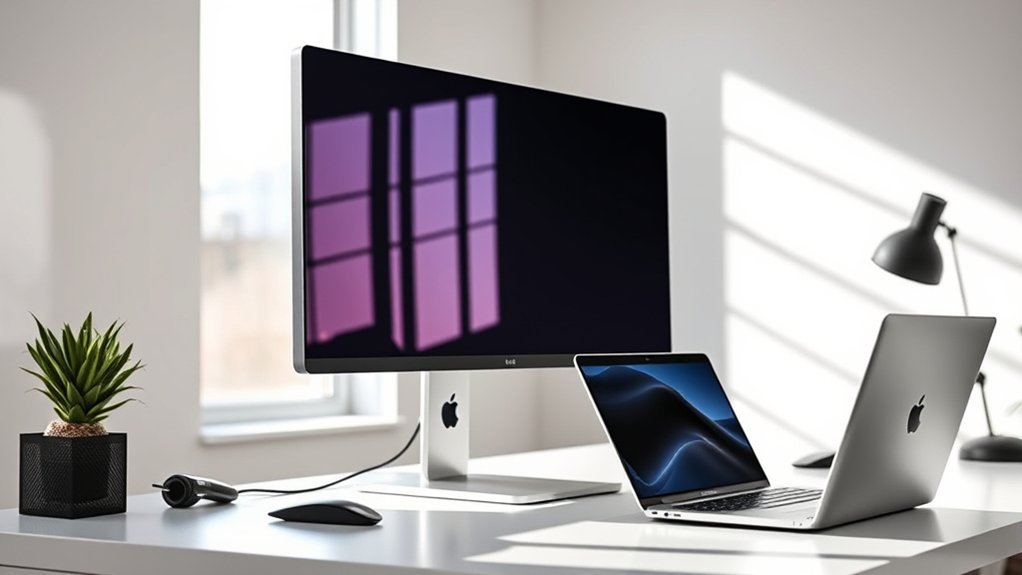
When choosing a 27 inch monitor for your MacBook Pro, focus on display resolution and color accuracy to get the best visuals. Make sure the monitor supports the right connections and power delivery for seamless compatibility.
Also, consider ergonomics and adjustability to keep your setup comfortable during long work sessions. It really makes a difference when you’re working for hours on end.
Display Resolution And Quality
Choosing the right 27-inch monitor for your MacBook Pro means prioritizing display resolution and quality to guarantee sharp, vibrant visuals. Opt for a 4K resolution (3840×2160) to get crisp, detailed images that truly make the most of your screen size.
Look for IPS panels since they provide wide viewing angles and maintain consistent image clarity from any position. This is great for both work and entertainment.
Pixel pitch, usually between 0.15 and 0.23 mm, plays a key role in how sharp the content appears—you want it low for better clarity.
Additionally, HDR support like HDR10 or HDR400 enhances contrast and brightness, making images more lifelike. Focusing on these factors ensures your monitor delivers stunning visuals without compromise.
Color Accuracy And Gamut
Color accuracy and gamut play a crucial role in how your 27-inch monitor displays images, especially if you’re working on tasks that demand precise color reproduction. Aim for a monitor with at least 99% sRGB coverage or higher to enjoy vibrant, true-to-life colors.
If you’re editing photos or videos professionally on your MacBook Pro, support for P3 or Adobe RGB color spaces is necessary. Look for factory calibration and color tuning technologies that guarantee precise colors right out of the box.
Also, pay attention to Delta E values—monitors with values below 2 deliver excellent color accuracy. Plus, HDR support like VESA DisplayHDR 400 or HDR10 enhances color depth and contrast, making your visuals more lifelike and immersive.
Prioritizing these aspects ensures your creative work looks exactly as intended. It’s definitely worth keeping them in mind when choosing your monitor.
Connectivity And Compatibility
Accurate color reproduction means little if your monitor can’t connect smoothly with your MacBook Pro. Make sure the monitor has USB-C or Thunderbolt ports to guarantee seamless connection and efficient data transfer. This setup helps you handle large files without lag.
Also, check if the monitor works well with macOS features like brightness and volume control directly from your Mac keyboard—this saves time and hassle. Compatibility with HDR and wide color gamuts like P3 or sRGB 99% enhances your visual experience while staying true to colors.
Don’t forget to confirm VESA mount support, so you can set up your workspace ergonomically. Prioritizing these connectivity and compatibility features will ensure your 27-inch monitor integrates perfectly with your MacBook Pro.
Power Delivery Support
While many monitors offer USB-C connectivity, you’ll want to verify the one you pick supports USB-C Power Delivery (PD) at a wattage high enough to charge your MacBook Pro effectively—typically 60W or more. Check the USB-C port specifications carefully to guarantee it can deliver the power your MacBook Pro model requires.
Choosing a monitor with higher PD, like 85W or 90W, helps provide ideal fast charging, especially for newer MacBook Pros. This not only keeps your laptop powered during use but also eliminates the need for a separate charger, simplifying your workspace.
Just make sure the monitor’s PD feature matches your MacBook’s charging specs to avoid under- or over-powering. That way, you ensure safe and efficient power delivery every time.
Ergonomics And Adjustability
When you spend long hours working on your MacBook Pro, having a 27-inch monitor with ergonomic adjustability becomes essential for comfort and productivity. Choose a monitor that offers adjustable height, tilt, swivel, and pivot to help you maintain a natural viewing angle and avoid neck or eye strain.
Look for stands that allow height changes of several inches and tilting angles from about -5° to +20°. VESA compatibility is a plus, letting you mount the monitor on arms or wall brackets to customize your workspace and save desk space.
Easy repositioning really helps reduce repetitive strain injuries and keeps you comfortable during extended sessions. Prioritizing these ergonomic features ensures your setup supports healthy posture and keeps you focused throughout your workday.
Eye Comfort Technologies
Adjusting your monitor’s position helps reduce physical strain, but protecting your eyes during long work sessions matters just as much. Look for monitors featuring blue light filters that reduce blue light exposure to 35% or less. This helps minimize digital eye fatigue without compromising color accuracy.
Flicker-free screens also play a key role in preventing eye strain by providing stable, consistent lighting. Many models offer Eye Care or ComfortView Plus modes that optimize brightness and color settings. These features work together to reduce visual discomfort.
You’ll appreciate adjustable display settings—brightness, contrast, and color temperature—that let you tailor the screen to your environment. Plus, HDR support and wide viewing angles maintain consistent image quality. So, your eyes won’t have to work overtime adjusting to shifting visuals throughout the day.
Design And Build Quality
Choosing a 27-inch monitor for your MacBook Pro means paying close attention to design and build quality, since these aspects directly affect both aesthetics and usability. You want a monitor crafted from premium materials like aluminum or reinforced plastic to assure durability.
Look for a sleek, minimalistic design that complements your MacBook Pro’s modern style. VESA compatibility is key if you prefer flexible mounting options, allowing secure attachment to stands or walls.
The stand should offer ergonomic adjustments—height, tilt, swivel, and pivot—to keep your viewing comfortable throughout long sessions. Additionally, an anti-glare matte finish helps reduce reflections, while solid construction withstands daily use.
Prioritizing these factors guarantees a monitor that not only looks great but performs reliably. It’s all about finding that perfect balance between style and functionality.
Frequently Asked Questions
How Do I Calibrate My 27-Inch Monitor for Color Accuracy on Macbook Pro?
You’ll open System Preferences, select Displays, then Color. Click Calibrate, follow the Display Calibrator Assistant, and adjust settings like gamma and white point.
For best results, use a hardware calibrator to guarantee precise color accuracy. It really makes a difference if you want your colors spot on.
Can I Use a 27-Inch Monitor as a Portable Display With My Macbook Pro?
You can’t really use a 27-inch monitor as a portable display since it’s bulky and requires external power.
For true portability, consider smaller, lightweight USB-C portable monitors designed specifically for on-the-go use with your MacBook Pro.
They’re way easier to carry around and set up whenever you need an extra screen on the move.
What Is the Average Lifespan of a 27-Inch Monitor Used With Macbook Pro?
You can expect a 27-inch monitor to last around 5 to 7 years with regular use. Proper care, like avoiding screen burn-in and dust, helps extend its lifespan when paired with your MacBook Pro.
Taking good care of your monitor really makes a difference. Just keep it clean and avoid leaving static images on the screen for too long. That way, your monitor will stay in great shape alongside your MacBook Pro.
Are There Any Specific Monitor Stands Recommended for 27-Inch Monitors and Macbook Pro?
You’ll want adjustable stands like the VIVO or Ergotron LX, which support 27-inch monitors and offer flexibility. They keep your MacBook Pro setup ergonomic and stable, letting you easily switch between sitting and standing positions.
These stands are great because they help reduce neck and eye strain. Plus, they make your workspace look neat and organized. It’s a simple upgrade that can make a big difference in how comfortable you feel while working.
How Do I Connect Multiple 27-Inch Monitors to a Single Macbook Pro?
You’ll connect multiple 27-inch monitors to your MacBook Pro using Thunderbolt or USB-C hubs with multiple display outputs.
First, make sure your MacBook supports multi-monitor setups. Then, you can daisy-chain compatible monitors or use docking stations for seamless connections.
It’s pretty straightforward once you have the right gear! Just plug everything in, and you’re good to go.
Conclusion
Choosing the right 27-inch monitor for your MacBook Pro means balancing resolution, color accuracy, and connectivity. Whether you want the vibrant 4K clarity of the Dell or LG models, the curved immersion of Samsung, or budget-friendly options like Amazon Basics, there’s something here for you.
Keep your workflow smooth with USB-C compatibility and crisp visuals. Pick the one that fits your needs, and you’ll boost your productivity and enjoyment effortlessly.

- 10 Best Carpet Cleaners for 2026 - July 14, 2026
- 8 Best Caroma Electric Scooters for 2026 - July 13, 2026
- 10 Best Carbon Fiber Folding Electric Wheelchairs for 2026 - July 13, 2026
