
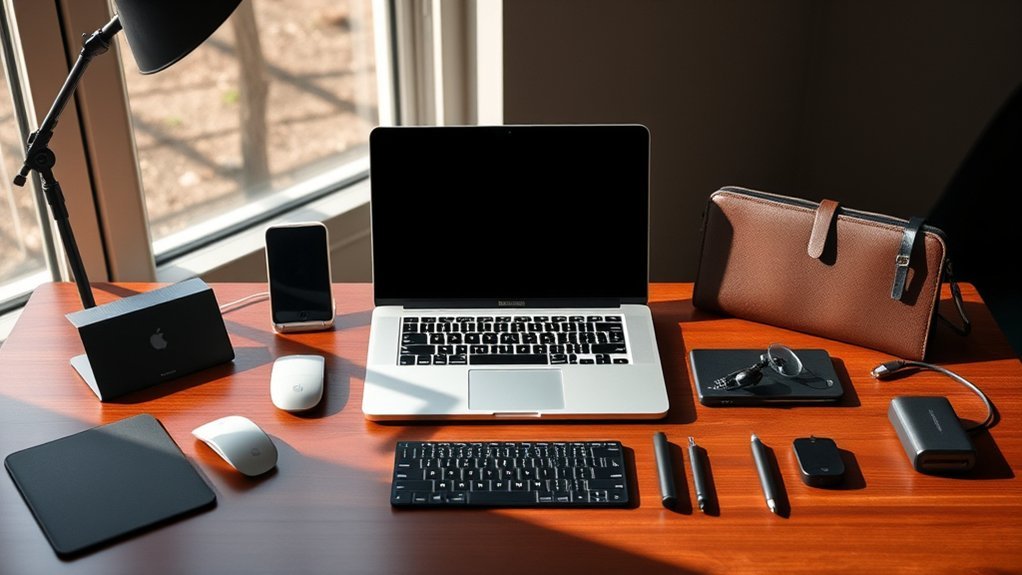
You’ll want protective cases like the BlueSwan or EooCoo Clear Hard Shell to guard your 14-inch MacBook Pro without adding bulk. Keep ports clean with ProElife or CaseBuy dust plugs, and enhance your screen with Supershieldz’s anti-glare protector or SightPro’s privacy filter.
For safe transport, tomtoc’s 360 Protective Sleeve works great. Add shortcut stickers or webcam covers for extra convenience and privacy.
Explore more top accessories that balance style, function, and protection perfectly for 2026. You’ll find just the right gear to make your MacBook Pro experience even better!
CaseBuy Dust Plug Covers for MacBook Pro
Keep your 2021 or newer MacBook Pro ports clean and well-protected with the CaseBuy Dust Plug Covers. These covers are designed to prevent dust, dirt, and spills from damaging your device’s essential ports. Their soft silicone material fits snugly, providing reliable protection without compromising your MacBook’s sleek, minimalist appearance.
The plugs are custom-made for 14- and 16-inch MacBook Pro models equipped with M1 to M5 Pro/Max chips, ensuring precise compatibility with HDMI, Thunderbolt, SDXC, MagSafe, and headphone ports. Their low-profile design blends seamlessly with your laptop, avoiding any residue or marks when removed.
Maintenance is simple—just wipe the plugs clean as needed to keep them looking fresh. The set also includes webcam covers, helping you maintain privacy alongside physical protection. All pieces come in a compact plastic case, making it easy to organize and store your dust plugs when not in use.
While these covers offer excellent protection against everyday debris and scratches, they provide limited defense against heavy impacts or drops. Careful handling is advised to avoid misplacing the small plugs.
Best for: MacBook Pro users with 14- or 16-inch 2021 or newer models who want to protect their ports and webcam while maintaining a sleek, minimalist look.
What We Like:
- Custom fit for 14- and 16-inch MacBook Pro models with M1 to M5 Pro/Max chips
- Soft silicone material protects ports without leaving residue
- Includes webcam covers for added privacy
- Comes in a convenient plastic storage case
What We Don’t Like:
- Limited compatibility outside specific MacBook Pro models
- Small plugs require careful handling to avoid loss
- Minimal protection against heavy impacts or drops
tomtoc 360 Protective Laptop Sleeve Set for 14-inch
Experience reliable protection with the tomtoc 360 Protective Laptop Sleeve Set designed for 14-inch devices. This sleeve offers military-grade defense against drops and shocks, ensuring your laptop stays safe during daily commutes or travel. Its unique CornerArmor Technology cushions vulnerable edges, reducing the risk of damage from accidental impacts.
The sleeve fits a range of laptops, including MacBook Pro models from 2021 to 2026, accommodating devices up to 14.2 inches. Its water-resistant exterior made from recycled polyester repels spills, keeping your device safe from moisture and minor accidents. This eco-friendly material also makes it easy to clean and maintain.
Alongside the protective sleeve, you get a compact accessory pouch featuring mesh pockets and a strap for securely holding Airtags or keys. This addition helps organize small essentials, streamlining your carry setup without adding bulk.
The design focuses on practical protection and convenience, making it suitable for everyday use. However, the size limit may not fit larger laptops, and the pouch might be small for users with multiple accessories.
Best for: Users seeking durable, eco-conscious protection for 14-inch laptops, especially recent MacBook Pro models.
What We Like:
- Military-standard drop protection with CornerArmor Technology
- Water-resistant, spill-resistant recycled polyester shell
- Compact accessory pouch with mesh pockets and a strap for keys or Airtags
What We Don’t Like:
- Fits devices only up to 14.2 inches, limiting use with larger laptops
- Accessory pouch may be too small for users with many peripherals
- Premium materials and features may increase cost compared to basic sleeves
Supershieldz MacBook Pro 14″ Anti-Glare Screen Protector
The Supershieldz MacBook Pro 14″ Anti-Glare Screen Protector offers a practical solution for users struggling with screen glare and fingerprints. Designed to enhance visibility, it reduces reflections in bright or reflective environments, allowing you to work comfortably without straining your eyes.
Crafted from high-quality Japanese PET film, this protector maintains true touch sensitivity and ensures flawless touchscreen accuracy. It fits perfectly on the 14-inch MacBook Pro, including the 2021 model, providing reliable protection without interfering with your device’s responsiveness.
With a 9H hardness rating, the screen protector guards against scratches, dust, and minor scrapes, preserving your MacBook’s display in everyday use. It removes cleanly without leaving any residue, making maintenance simple and hassle-free.
Its matte finish not only cuts down on fingerprints but also helps maintain screen clarity and durability. However, some users might notice a slight change in sharpness or color vibrancy due to this finish.
Best for: users of the 14-inch MacBook Pro (2021 model) who need a durable and precise anti-glare screen protector that reduces fingerprints and protects against scratches.
What We Like:
- Effectively reduces glare and fingerprints for clearer viewing.
- Preserves touch sensitivity and touchscreen accuracy.
- High scratch resistance with easy, residue-free removal.
What We Don’t Like:
- Limited compatibility, designed only for the 2021 14-inch MacBook Pro.
- Matte finish may slightly affect screen sharpness or color for some users.
- Requires careful installation to avoid bubbles or misalignment.
SightPro Magnetic Privacy Screen for MacBook Pro 14
Protecting your MacBook Pro 14-inch screen in public spaces is essential for privacy and comfort. The SightPro Magnetic Privacy Screen offers a simple solution by snapping on magnetically to MacBook Pro 14 models from 2021 to 2026. This design eliminates the need for adhesives, making attachment and removal quick and hassle-free.
The screen blocks side views effectively, so sensitive information stays visible only to you. At the same time, it maintains 95% front clarity, ensuring your display remains sharp and vibrant. This balance makes it ideal for professionals working in cafes, airports, or shared offices.
Beyond privacy, the screen reduces harmful blue light and UV rays, helping to protect your eyes during long work sessions. It’s lightweight and water-resistant, making it easy to carry and maintain. Cleaning is simple with the included cloth, and storing it safely is convenient with the supplied folder.
While the screen offers moderate scratch resistance with a 2H hardness rating, it may not withstand heavy impacts. Users can choose between glossy or matte finishes, though preferences for texture may vary.
Best for: Professionals, students, and travelers seeking a magnetic privacy filter tailored for the MacBook Pro 14-inch.
What We Like:
- Easy magnetic snap-on installation without adhesives
- Maintains clear front view with 95% clarity
- Reduces blue light and UV exposure for eye protection
- Lightweight and water-resistant for travel convenience
- Includes cleaning cloth and storage folder for maintenance
What We Don’t Like:
- Compatible only with 2021-2026 MacBook Pro 14 models
- 2H hardness offers moderate scratch resistance only
- Glossy or matte finishes may not satisfy all texture preferences
BlueSwan Hard Shell Case for MacBook Pro 14
Protect your MacBook Pro 14 with the BlueSwan Hard Shell Case, designed to deliver everyday protection without extra bulk. Its precise fit for 2021–2026 models, including M1 to M5 chips, ensures a secure, gap-free cover that safeguards your device from scratches and minor impacts.
The case features reinforced TPU bumpers that absorb shocks and protect vulnerable corners during accidental drops. A vented bottom panel promotes airflow, helping to keep your laptop cool during extended use or travel.
With a scratch-resistant matte finish, this shell resists fingerprints and smudges, maintaining your MacBook’s sleek and professional appearance. The clip-on design makes installation and removal quick and tool-free, while allowing easy access to all ports and smooth hinge movement.
Maintaining the case is simple—just wipe clean with a soft cloth to preserve its premium look. Its lightweight construction adds minimal weight, making it convenient for daily use without compromising portability.
Best for: Professionals and frequent travelers who need durable, lightweight protection for their MacBook Pro 14 without compromising its sleek design and functionality.
What We Like:
- Precise fit eliminates gaps and bulk for 2021-2026 MacBook Pro 14 models.
- Reinforced TPU bumpers and vented bottom enhance protection and cooling.
- Scratch-resistant matte finish reduces fingerprints and smudges.
- Easy clip-on design allows tool-free installation and full port access.
What We Don’t Like:
- Only compatible with MacBook Pro 14-inch models.
- Adds slight weight (0.32 kg) compared to no case.
- Clip-on cases may feel less secure under heavy impact than full enclosures.
USB C Hub Adapter for MacBook Pro/Air
Experience seamless connectivity with the USB C Hub Adapter designed specifically for MacBook Pro and Air models from 2016 to 2025. This adapter simplifies your workspace by consolidating multiple ports into a single, sleek device. It solves common connectivity issues by allowing you to connect various peripherals without hassle.
Crafted with a durable aluminum body, the hub complements your MacBook’s design while providing reliable performance. Its compact size makes it easy to carry and maintain, ensuring long-lasting use without adding bulk. You can quickly switch between devices and ports, enhancing your workflow efficiency.
The hub delivers 100W power to keep your MacBook charged during intensive use. It supports fast data transfers up to 40Gbps, perfect for moving large files swiftly. With HDMI and Thunderbolt 3 ports, you can connect high-resolution displays, though dual external monitors may not be supported on M1 chip models.
This adapter is ideal for users running macOS Sonoma 14 or later, ensuring compatibility with the latest system updates. While it covers most connectivity needs, it may not support some high-power devices, which could affect connection stability.
Best for: MacBook Pro and Air users (2016-2025) seeking a versatile hub for efficient device connections and fast charging.
What We Like:
- Supports multiple MacBook sizes with a sleek aluminum design
- Includes HDMI 4K@30Hz and Thunderbolt 3 5K@60Hz ports
- Provides 100W power delivery and up to 40Gbps data transfer speeds
What We Don’t Like:
- No support for dual external monitors on M1 MacBook models
- May not maintain stable connections with high-power devices
- Requires macOS 14 Sonoma or newer, limiting compatibility with older systems
Synerlogic Mac OS Shortcuts Sticker for MacBook
The Synerlogic Mac OS Shortcuts Sticker is designed to enhance your Mac experience by providing quick access to essential shortcuts. Its compact 3.25 x 3.25-inch size makes it a convenient reference tool that fits seamlessly on your MacBook Air, Pro, iMac, or Mac Mini. This sticker helps reduce time spent searching for commands, improving your workflow efficiency.
Crafted from laminated vinyl, the sticker offers durability and water-resistant protection, making it suitable for everyday use. The strong adhesive ensures it stays securely in place while allowing easy removal without damaging your device. Cleaning any light residue after removal is simple, maintaining your Mac’s pristine look.
Ideal for both beginners and power users, this sticker serves as a practical aid in mastering Mac shortcuts. Its minimalist design keeps your workspace tidy and avoids visual clutter. While it’s primarily intended for indoor use, it supports a wide range of Mac models—excluding some newer or smaller devices.
Best for: Mac users seeking a durable, easy-to-use reference tool that streamlines shortcut access and boosts productivity.
What We Like:
- Durable laminated vinyl with water-resistant properties
- Compatible with multiple Mac models including MacBook Air, Pro, iMac, and Mac Mini
- Strong adhesive for smooth application and easy removal
- Compact, minimalist design fits well on various Mac devices
What We Don’t Like:
- Not compatible with MacBook Neo or 11- and 12-inch MacBook models
- Adhesive may leave light residue requiring cleaning
- Primarily designed for indoor use, limiting outdoor application
ProElife Anti Dust Plug Set for MacBook Pro
Keep your MacBook Pro’s ports free from dust and spills with the ProElife Anti Dust Plug Set. Designed specifically for 2021 to 2026 MacBook Pro models, these plugs protect your device from everyday contaminants that can cause damage or reduce performance. This helps extend the lifespan of your laptop by preventing dirt buildup inside the ports.
The set includes seven silicone plugs tailored for 14.2-inch and 16.2-inch MacBook Pros with M1 through M5 chips, covering Pro and Max versions. Each plug fits securely, blocking debris without falling out during daily use. Their durable, flexible material also resists heat, ensuring reliable protection even in warmer environments.
Maintenance is simple since the plugs are washable and reusable. A quick clean keeps them free of dust and grime, making them practical for long-term use. Weighing just 11 grams, they add minimal bulk and are easy to handle whether at home, office, or school.
Using these plugs reduces the risk of port damage and keeps your MacBook Pro functioning smoothly. Their custom design means they won’t interfere with your workflow while offering dependable defense against spills and dust.
Best for: MacBook Pro users with 2021-2026 models seeking effective dust and spill protection for their laptop ports in everyday settings like home, office, or school.
What We Like:
- Custom silicone plugs offer durable, flexible, and heat-resistant protection
- Secure fit prevents plugs from falling out during use
- Washable and reusable for easy cleaning and maintenance
What We Don’t Like:
- Compatible only with MacBook Pro models from 2021 to 2026
- Limited to specific MacBook Pro sizes (14.2-inch and 16.2-inch)
- Small parts can be misplaced if not handled carefully
EooCoo Clear Hard Shell Case for MacBook Pro
Protect your 14-inch MacBook Pro with the EooCoo Clear Hard Shell Case, designed to offer precise protection without compromising style. This case fits models from 2021 to 2026, including those with M1 to M5 chips, ensuring a perfect match that keeps all ports and buttons accessible. Its clear polycarbonate material preserves your MacBook’s sleek appearance while shielding it from scratches, dust, and fingerprints.
The hard shell design snaps on easily, providing a secure fit that won’t slip or scratch your device during installation or daily use. Maintenance is simple—just wipe the surface to keep it looking clean and clear. Additionally, the included keyboard cover and screen protector extend protection, helping to guard against spills and wear.
This case is ideal for users who want to maintain their MacBook’s original look while adding durable protection. While it adds minimal bulk, it is designed for durability and long-term use. Note that it is only compatible with specific 14-inch MacBook Pro models from 2021 through 2026.
Best for: MacBook Pro owners seeking a clear, durable case with full device coverage and easy upkeep.
What We Like:
- Precise fit for 14-inch MacBook Pro (2021–2026) models
- Durable, crystal-clear polycarbonate resists scratches and fingerprints
- Includes keyboard cover and screen protector for full protection
- Easy snap-on installation without scratching the laptop
What We Don’t Like:
- Compatible only with select 14-inch MacBook Pro models
- Hard shell adds slight bulk compared to soft covers
- Return fees may apply if the case is damaged or misused
Yilador Ultra Thin Webcam Cover 3 Pack Black
Protecting your privacy has never been easier with the Yilador Ultra Thin Webcam Cover. This sleek accessory offers a simple yet effective way to block your device’s camera when it’s not in use. Its ultra-thin sliding design ensures you maintain privacy without bulky additions that disrupt your device’s appearance.
The cover measures just 0.03 inches thick and adheres securely to laptops, phones, and tablets. Installation is straightforward—just clean the surface, apply the cover, align it correctly, and slide it open or closed as needed. This ease of use makes it ideal for frequent video call users and remote workers.
Designed to blend seamlessly with your device, the cover is water-resistant and won’t interfere with functionality. Its strong adhesive holds firmly without causing damage or leaving residue, allowing for long-term use and smooth sliding action.
While it fits a wide range of devices, it is not compatible with MacBooks released after 2023 or devices with certain screen protectors. It also only covers front-facing cameras, so rear cameras remain exposed.
Best for: Individuals seeking a sleek, easy-to-install webcam cover to enhance privacy on laptops, phones, and tablets during remote work or video calls.
What We Like:
- Ultra-thin (0.03 inch) design that stays discreet and low-profile
- Strong adhesive ensures durability without residue
- Smooth sliding mechanism for quick camera access
- Compatible with many popular laptop and phone models
What We Don’t Like:
- Not compatible with MacBooks released after 2023
- Cannot be used with full-screen or notch-style tempered glass protectors
- Only suitable for front-facing cameras, not rear cameras
Factors to Consider When Choosing 14 Macbook Pro Accessories

When choosing accessories for your 14-inch MacBook Pro, you’ll want to guarantee they’re fully compatible with your device. Consider how much protection they offer without blocking ports or making installation difficult.
Focus on durable materials that maintain quality while keeping your MacBook accessible and safe. It’s all about finding the right balance between protection and convenience.
Compatibility With MacBook
Although the 14-inch MacBook Pro shares a common design, choosing accessories that fit your specific model is essential to guarantee seamless compatibility. Always pick accessories made specifically for the 14-inch MacBook Pro to ensure proper fit and function.
Check your MacBook’s release year and chip type—whether M1, M2, or M3—to avoid mismatches. It’s also important to confirm that the accessory supports your MacBook’s exact port configuration and dimensions.
For protective gear like cases or screen protectors, make sure they’re designed for your specific model. This way, you prevent any fit or coverage issues that can be frustrating.
Look for labels indicating compatibility with 2021–2026 14-inch MacBook Pro models. Taking these steps ensures your accessories work flawlessly with your MacBook without any unexpected problems.
Protection Level Offered
Ensuring your 14-inch MacBook Pro stays safe goes beyond just picking compatible accessories—you also need to take into account the level of protection they offer. Look for accessories that shield your device from drops, shocks, scratches, and dust.
Cases meeting military-grade standards or featuring shockproof padding provide superior defense for everyday mishaps. Hard shell cases made from durable polycarbonate offer solid scratch and impact resistance, while screen protectors with a 9H hardness rating guard against scratches and daily wear.
Consider accessories designed with water-resistant, spill-proof, or dust-proof qualities to protect your MacBook in different environments. By prioritizing these protective features, you’ll ensure your MacBook Pro remains in pristine condition, no matter where life takes you.
Material Durability And Quality
Because your 14-inch MacBook Pro deserves lasting protection, choosing accessories made from durable, high-quality materials is essential. Look for cases crafted from tough polycarbonate or reinforced TPU bumpers that absorb shocks and prevent cracks during drops.
Silicone dust plugs should be made from premium, heat-resistant silicone, so they keep their shape and function over time. Protective screens rated 9H hardness offer strong resistance against scratches and daily wear.
Opt for sleeves and cases made from eco-friendly, water-resistant fabrics to shield your device from spills and environmental damage while supporting sustainability. Prioritizing these material qualities guarantees your accessories stay reliable and protective, giving your MacBook Pro the durability it needs through everyday use.
Port Accessibility Maintained
When choosing accessories for your 14-inch MacBook Pro, you want to make sure none block or hinder access to its ports. Look for accessories with precise cutouts or slim profiles that keep USB-C, Thunderbolt, HDMI, and SD card slots fully accessible.
Protective cases or covers that are easy to remove or feature open designs help prevent interference during everyday use. Make certain the accessory matches your MacBook Pro’s exact port layout to avoid constant removal or adjustments.
Choosing add-ons that don’t add bulk or cover ports lets you connect peripherals seamlessly without sacrificing convenience or performance. Prioritizing port accessibility ensures your workflow stays smooth and uninterrupted.
That way, you can really maximize the power and versatility of your MacBook Pro without any hassle.
Ease Of Installation
Although powerful accessories can enhance your 14-inch MacBook Pro, you’ll want to pick ones that install quickly and easily without tools or complicated steps. Look for products with straightforward, tool-free installation to save time and avoid frustration.
Accessories featuring snap-on or slide mechanisms let you attach and remove them effortlessly. Choose items with flexible designs that adapt smoothly to your MacBook’s ports or surfaces, ensuring a snug fit.
Clear instructions or helpful tutorials make setup even simpler, so you don’t get stuck. Before buying, check customer reviews focused on installation ease—real user feedback can reveal common issues or handy tips.
Prioritizing these factors means you’ll spend less time setting up and more time enjoying your MacBook Pro accessories.
Design And Aesthetics
Choosing accessories that install easily is just one part of enhancing your 14-inch MacBook Pro experience. You’ll want to pick accessories that complement its sleek, minimalist design without adding bulk.
Look for slim profiles and low-profile features to keep your MacBook’s portability intact. Materials and finishes matter too—matte or transparent shells can match your MacBook’s color and texture, creating a seamless look.
Aim for minimalist, unobtrusive designs so your accessories don’t distract from the MacBook’s original aesthetics. Ensuring compatibility with Apple’s design language, including color schemes and surface finishes, helps maintain a cohesive and stylish setup.
Functionality And Features
Since your 14-inch MacBook Pro serves many purposes, you’ll want accessories that do more than just look good. Focus on multi-functional products that combine ports, protection, and privacy features to maximize usefulness.
Choose items made from high-quality materials like military-grade padding or durable polycarbonate to guarantee long-lasting protection. Make certain the accessories complement your MacBook’s slim design with low-profile covers or high transparency to keep its sleek appeal.
Prioritize ease of use by picking accessories that install and remove simply and fit your specific model and ports perfectly. Also, consider extras like screen protection, dust prevention, or privacy shielding, so one accessory can cover multiple needs efficiently.
This way, you’ll save time and hassle while enhancing your overall MacBook experience.
Warranty And Support
When you invest in accessories for your 14-inch MacBook Pro, make sure they come with a clear warranty that protects you against defects or damage for at least a year. Check if the warranty covers accidental damage or just manufacturer defects to understand potential repair costs.
Also, confirm the manufacturer offers responsive customer support to help with installation issues, product questions, or warranty claims. Look for detailed warranty information and contact options included in the packaging for easy post-purchase assistance.
It’s a good idea to review customer feedback to see how reliable the support is and how smoothly warranty claims are handled. Prioritizing strong warranty and support ensures your accessories stay functional and that you won’t be left stranded if problems arise.
Frequently Asked Questions
How Do I Clean My Macbook Pro Accessories Safely?
You should unplug your accessories first, then use a soft, lint-free cloth slightly dampened with water or isopropyl alcohol. Avoid harsh chemicals, and never spray liquids directly onto your MacBook Pro accessories to keep them safe and clean.
It’s best to take it slow and be gentle when cleaning. That way, you won’t accidentally damage anything. Just a little moisture on the cloth is enough to get the job done!
Are These Accessories Compatible With Older Macbook Pro Models?
Yes, many accessories work with older MacBook Pro models. But you’ll want to check specific compatibility, especially for ports and sizes.
Some newer accessories might require adapters or won’t fit perfectly with older versions. So, it’s a good idea to double-check before you buy.
Can I Use These Accessories With Other Apple Devices?
You can use many of these accessories with other Apple devices, especially those with USB-C or Lightning ports. Just check compatibility for specific products, though.
Some accessories are designed exclusively for the MacBook Pro’s unique features, so they might not work with everything else. It’s always good to double-check before you buy.
What Is the Warranty Period for These Macbook Pro Accessories?
The warranty period for most MacBook Pro accessories is typically one year, but some third-party products may offer longer coverage. You should check each item’s specific warranty details to guarantee you’re fully protected.
It’s always a good idea to double-check before you buy. That way, you know exactly what kind of coverage you’re getting.
Do These Accessories Affect Macbook Pro Battery Life?
Most accessories won’t affect your MacBook Pro’s battery life directly, but some, like external drives or hubs, might increase power consumption.
You’ll want to choose energy-efficient options to keep your battery lasting longer throughout the day. It’s all about finding the right balance!
Conclusion
Choosing the right accessories for your 14-inch MacBook Pro can make all the difference in protecting and enhancing your device. From dust plugs and protective sleeves to screen protectors and privacy screens, these top picks offer both style and functionality.
Think about your daily needs and preferences to find the perfect match. With the right gear, you’ll keep your MacBook Pro safe, sleek, and ready for anything in 2026.

- 10 Best Carpet Cleaners for 2026 - July 14, 2026
- 8 Best Caroma Electric Scooters for 2026 - July 13, 2026
- 10 Best Carbon Fiber Folding Electric Wheelchairs for 2026 - July 13, 2026
