
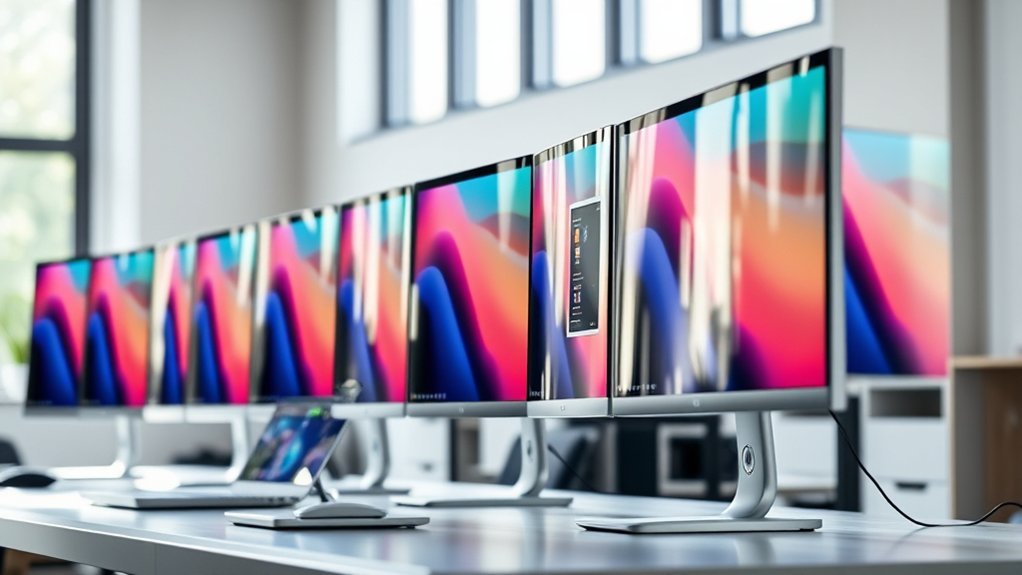
You’ll want widescreen monitors with superb color accuracy, crisp 4K or ultrawide resolutions, and USB-C connectivity that works seamlessly with your MacBook Pro.
Look for ergonomic designs with adjustable stands, eye-care features like blue light reduction, and HDR support for vivid visuals.
Curved screens help reduce eye strain and improve focus during long sessions.
If you need a setup that blends performance with comfort, exploring top picks tailored for professionals will give you the full scoop.
Dell 34-inch Curved USB-C Monitor S3425DW
Experience expansive, immersive visuals with the Dell 34-inch Curved USB-C Monitor S3425DW, designed to enhance your MacBook Pro setup. Its wide 21:9 aspect ratio and 3440 x 1440 resolution provide sharp, detailed images that improve multitasking and creative workflows. This monitor helps you see more at once, reducing the need for multiple screens.
The curved design reduces eye strain by keeping the entire screen within your natural field of view. Its anti-glare coating further enhances comfort during long hours of use. The monitor’s USB-C port allows for simple connection and charging of your MacBook Pro, minimizing cable clutter and improving workspace organization.
With a 120Hz refresh rate and ultra-low 0.03ms response time, this display delivers smooth visuals free from motion blur or tearing. Adaptive sync technology helps maintain consistent image quality, making it suitable for both work and entertainment. However, its 300-nit brightness might be less effective in very bright rooms or for those needing intense HDR performance.
Maintaining this monitor is straightforward thanks to its durable build and easy-to-clean screen. Its design balances performance with convenience, making it a practical addition to any professional or creative environment.
Best for: professionals and creatives seeking a large, immersive widescreen monitor with excellent color accuracy and seamless MacBook Pro USB-C connectivity for work and entertainment.
What We Like:
- Expansive 21:9 aspect ratio with sharp 3440 x 1440 resolution enhances productivity.
- USB-C connectivity with 65W power delivery simplifies setup and charging.
- High 120Hz refresh rate with ultra-low response time ensures smooth visuals.
- Curved, anti-glare screen reduces eye strain for extended use.
What We Don’t Like:
- 300-nit brightness may be insufficient in very bright environments.
- Limited warranty period compared to some competitors.
- Built-in speakers may not satisfy audiophiles needing high-quality sound.
Dell 27 Plus 4K USB-C Monitor (S2725QC)
Dell’s 27 Plus 4K USB-C Monitor (S2725QC) offers a powerful solution for professionals who demand crisp, detailed visuals. Its 27-inch 4K IPS panel delivers sharp images and vibrant colors, helping users see fine details clearly. This makes it ideal for tasks that require color accuracy and clarity.
The monitor’s ComfortView Plus technology reduces blue light emissions, which helps minimize eye strain during long work sessions. This feature ensures comfort without sacrificing color precision, making it easier to stay focused over time.
With a USB-C port supporting video, data transfer, and 65W power delivery, cable clutter is significantly reduced. This streamlined connectivity enhances workspace organization and makes the monitor especially convenient for MacBook Pro users and others needing a single-cable setup.
Designed with adjustable ergonomics and a matte finish, the monitor adapts to different work environments and lighting conditions. Adaptive sync technology smooths out motion, offering a pleasant viewing experience without distracting glare or flicker.
Best for: Professionals and creatives needing high-resolution visuals, accurate color, and efficient USB-C connectivity for MacBook Pro and similar devices.
What We Like:
- Sharp 27-inch 4K IPS display with 99% sRGB and HDR readiness
- ComfortView Plus reduces blue light for less eye strain
- USB-C port supports video, data, and 65W power delivery
- Adjustable ergonomics and matte finish for comfortable use
- Adaptive sync technology for smooth, glare-free viewing
What We Don’t Like:
- Limited to a 1-year warranty
- No built-in speakers beyond enhanced sound system
- Refresh rate capped at 120Hz, limiting ultra-smooth motion
LG 34SR60QC-W 34″ QHD Curved Smart Monitor
Experience immersive productivity and entertainment with the LG 34SR60QC-W, a 34-inch curved ultrawide monitor designed to enhance your visual workspace. Its QHD resolution and 21:9 aspect ratio provide expansive screen real estate, allowing you to view multiple windows or immersive content without strain. The 1800R curvature naturally aligns with your field of vision, reducing eye fatigue during extended use.
This smart monitor simplifies your setup by integrating webOS23, enabling direct streaming of popular apps like Netflix and Apple TV without additional devices. Wireless casting through Apple AirPlay 2 adds convenience, especially for MacBook Pro users looking for seamless compatibility. Multiple connectivity options, including two HDMI and three USB ports, support diverse peripherals and external devices.
Maintenance is straightforward with standard cleaning practices for curved screens, and the monitor’s design prioritizes user comfort and functionality. While the 100Hz refresh rate ensures smooth visuals for everyday tasks and casual gaming, it may not meet the demands of competitive gamers. Built-in speakers provide basic audio, though external sound systems may be preferable for premium sound quality.
Best for: Professionals and casual users seeking a versatile, immersive curved ultrawide monitor with built-in smart streaming and easy connectivity, particularly those using MacBook Pro laptops.
What We Like:
- Large 34-inch QHD curved display for expansive and detailed visuals
- Integrated webOS23 for smart streaming without extra devices
- Multiple ports and wireless Apple AirPlay 2 for versatile connectivity
- 1800R curvature reduces eye strain during long use
What We Don’t Like:
- Magic Remote sold separately, increasing total setup cost
- Built-in speakers offer basic audio quality
- 100Hz refresh rate may not satisfy competitive gamers requiring higher refresh rates
Samsung 34″ ViewFinity S50GC Ultra-WQHD Monitor
Experience exceptional visual clarity with the Samsung 34″ ViewFinity S50GC Ultra-WQHD monitor, designed to elevate your MacBook Pro experience. Its 3440×1440 resolution and 21:9 aspect ratio provide a wide, detailed workspace, reducing eye strain and enhancing productivity.
The monitor supports HDR10 and displays over a billion colors, ensuring vibrant, true-to-life images for creative work and media consumption. A 100Hz refresh rate combined with AMD FreeSync technology ensures smooth motion and minimal screen tearing, ideal for video editing or casual gaming.
Designed for efficiency, the nearly bezel-less frame allows seamless multi-monitor setups, while Picture-in-Picture and Picture-by-Picture modes simplify multitasking. Eye care features like Flicker-Free technology and blue light reduction help maintain comfort during extended use.
Maintenance is straightforward, with energy-saving technology keeping power consumption reasonable. Its sleek design and versatile connectivity options make it a practical addition to any professional workspace.
Best for: MacBook Pro users and professionals seeking a high-resolution ultrawide monitor with excellent multitasking and eye comfort features for creative and productivity tasks.
What We Like:
- Crisp Ultra-WQHD resolution with HDR10 and rich color depth
- Smooth 100Hz refresh rate paired with AMD FreeSync technology
- Efficient multitasking via Picture-in-Picture and Picture-by-Picture modes
- Nearly bezel-less design ideal for multi-monitor setups
- Eye care features that reduce strain during long sessions
What We Don’t Like:
- Only a 1-year manufacturer warranty available
- Power consumption around 50 Watts may be higher than some alternatives
- DisplayPort 1.2 and HDMI 2.2 inputs might limit future-proofing for newer standards
LG 27US500-W 27″ 4K UHD Monitor White
Experience precise color and sharp detail with the LG 27US500-W, a 27-inch 4K UHD monitor designed to enhance your creative workflow. Its IPS panel delivers vibrant visuals with a crisp 3840×2160 resolution, making it easier to work on detailed projects without straining your eyes. The wide 170-degree viewing angles ensure consistent color accuracy from different perspectives.
This monitor addresses glare issues effectively with its matte screen, allowing you to maintain focus even in bright environments. The ergonomic stand offers tilt adjustment, helping you find a comfortable viewing position during long work sessions. Its clean, borderless white design fits seamlessly into professional setups, especially complementing MacBook Pro users.
Connectivity is simple and versatile, featuring dual HDMI ports and a DisplayPort for easy integration with multiple devices. Adaptive sync with FreeSync smooths out visuals during video playback or light gaming, preventing distracting screen tearing. Maintenance is straightforward, with durable materials and eye-care features like Flicker Safe to reduce strain.
Best for: professionals and creatives seeking a 27-inch 4K UHD monitor with accurate colors, wide viewing angles, and ergonomic features for multimedia and productivity tasks.
What We Like:
- Sharp 3840×2160 resolution with wide 170-degree viewing angles.
- Matte IPS panel reduces glare for comfortable viewing.
- Multiple connectivity options including dual HDMI and DisplayPort.
- Adaptive sync with FreeSync for smooth playback.
- Ergonomic tilt stand and eye-care features enhance usability.
What We Don’t Like:
- 5 ms response time may not suit competitive gaming.
- Only a 1-year warranty period.
- Power consumption around 25 watts might be higher than some alternatives.
LG 27U631A-B 27″ QHD IPS Monitor with USB-C
Experience sharp visuals and reliable color accuracy with the LG 27U631A-B 27″ QHD IPS monitor. Its 2560×1440 resolution and 99% sRGB coverage deliver crisp, vibrant images that support detailed creative projects and enjoyable gaming sessions. The HDR10 capability enhances color depth, making every frame more lifelike and immersive.
This monitor addresses common workspace clutter with a USB-C port that powers devices like a MacBook Pro and transmits data through a single cable. This simplifies connectivity and reduces the number of wires needed on your desk. The sleek, borderless design complements any setup, while the ergonomic tilt feature allows you to adjust viewing angles for comfort during long hours of use.
Built for smooth performance, the 100Hz refresh rate and 5ms response time minimize motion blur. Adaptive FreeSync technology helps eliminate screen tearing, providing fluid visuals whether you’re working on detailed graphics or enjoying fast-paced games. However, the screen’s brightness of 250 cd/m² may not suit very bright environments, and the monitor offers only tilt adjustment without height or swivel options.
Best for: professionals and gamers who need a high-resolution, color-accurate display with versatile connectivity and smooth motion handling for creative work and entertainment.
What We Like:
- Sharp 27-inch QHD IPS panel with 99% sRGB and HDR10 for vibrant colors
- USB-C port for seamless charging and data transfer with fewer cables
- 100Hz refresh rate and FreeSync for smooth, tear-free visuals
What We Don’t Like:
- Brightness limited to 250 cd/m², less ideal for well-lit rooms
- Ergonomic options limited to tilt adjustment only
- Single HDMI port may restrict connections for multiple devices
LG 34U530A-W 34″ UltraWide WFHD Monitor White
Experience enhanced productivity with the LG 34U530A-W, a 34-inch UltraWide monitor designed to expand your workspace and streamline multitasking. Its large 21:9 display offers ample room to manage multiple windows, reducing the need for multiple screens and improving workflow efficiency.
The vibrant 2560 x 1080 IPS panel delivers accurate colors with 99% sRGB coverage and supports DisplayHDR 400, ensuring brighter visuals and better contrast. This makes it suitable for detailed tasks like video editing or content creation where color fidelity matters. The 100Hz refresh rate provides smooth motion, ideal for video calls and streaming without lag or stutter.
Connectivity is simple and versatile, with USB-C, HDMI, and DisplayPort options that minimize cable clutter and support various devices. The adjustable stand allows you to customize the viewing angle for ergonomic comfort during long work sessions. Narrow bezels enhance immersion and keep distractions to a minimum.
Maintenance is straightforward thanks to its sturdy build and easy-to-clean surface. Built-in speakers and the Switch app enable efficient screen splitting to further boost multitasking capabilities. However, the WFHD resolution may appear less sharp on this size, and its 5ms response time may not meet the needs of fast-paced gaming.
Best for: professionals and multitaskers seeking a wide, vibrant display with smooth visuals and versatile connectivity for productivity and entertainment.
What We Like:
- Large 34-inch UltraWide 21:9 IPS display with accurate colors and enhanced brightness.
- Multiple connectivity options including USB-C, HDMI, and DisplayPort.
- Adjustable ergonomic stand and narrow bezels for a comfortable, immersive setup.
- Built-in speakers and Switch app support for efficient multitasking.
What We Don’t Like:
- WFHD resolution may lack sharpness on a 34-inch screen.
- 5ms response time and 100Hz refresh rate may not satisfy competitive gamers.
- Limited to a 1-year warranty compared to some competitors.
Dell S2722DC 27″ WQHD Monitor with USB-C
Experience vivid visuals and streamlined connectivity with the Dell S2722DC, a 27-inch WQHD monitor designed to enhance your workspace. Its sharp 2560×1440 resolution combined with IPS technology ensures clear, vibrant images from wide viewing angles. This makes it easier to see fine details and maintain color consistency, ideal for creative tasks or everyday use.
The monitor’s USB-C port simplifies your setup by delivering video, data, and up to 65W of power through a single cable. This reduces desk clutter and keeps your devices charged without needing extra adapters. Adjustable ergonomic features like height, tilt, swivel, and pivot let you customize your viewing position, promoting comfort during long hours.
While the 75Hz refresh rate and 4ms response time provide smooth visuals for most applications, competitive gamers might find it limiting. Built-in speakers and flicker-free technology add convenience and reduce eye strain but may not meet high audio expectations or very bright environment needs due to the 350-nit brightness limit.
Best for: Professionals and MacBook Pro users who need a color-accurate, versatile 27-inch WQHD monitor with seamless USB-C connectivity and ergonomic flexibility.
What We Like:
- Crisp 2560×1440 resolution with wide viewing angles and 99% sRGB color accuracy
- USB-C port supports video, data transfer, and up to 65W charging in one cable
- Fully adjustable stand with height, tilt, swivel, and pivot options
- Ultra-thin bezels maximize usable screen space
What We Don’t Like:
- 75Hz refresh rate may not satisfy competitive gamers
- Built-in speakers lack high-end audio quality
- 350 nits brightness may be insufficient for very bright rooms or HDR content
MSI PRO MP341CQW 34″ UWQHD Monitor White
Experience vivid visuals and enhanced productivity with the MSI PRO MP341CQW, a 34-inch ultrawide monitor designed to elevate your workspace. Its curved QLED display with a 3440 x 1440 UWQHD resolution wraps your field of view, reducing eye movement and boosting focus during detailed tasks.
The 1500R curvature immerses you in an expansive workspace, ideal for multitasking and creative projects. This monitor’s fast 100Hz refresh rate and 1ms response time deliver smooth transitions and reduce motion blur, supporting both professional workflows and casual gaming.
Built to reduce eye strain, the MSI PRO MP341CQW includes blue light reduction technology, making it comfortable for extended use. Its white finish offers a sleek, modern look that complements your setup, while multiple ports like HDMI and DisplayPort provide flexible connectivity options.
Maintenance is straightforward with a glossy screen that requires gentle cleaning to avoid reflections and smudges. The monitor’s weight and VESA mount compatibility allow for stable placement or ergonomic adjustments according to your workspace needs.
Best for: Professionals and gamers seeking an immersive, color-accurate ultrawide display with fast performance and ergonomic flexibility.
What We Like:
- Large 34-inch curved QLED screen with UWQHD resolution and 1500R curvature.
- Smooth 100Hz refresh rate and quick 1ms response time for responsive visuals.
- Multiple connectivity options including HDMI, DisplayPort, and USB ports.
- Built-in blue light reduction for comfortable long sessions.
- Sleek white design that fits well in modern setups.
What We Don’t Like:
- HDMI ports limited to version 1.2a, restricting higher bandwidth support.
- Glossy screen finish can cause reflections in bright environments.
- Heavier weight around 22 pounds, which may challenge some mounting setups.
ASUS ProArt 34” Ultrawide Curved HDR Monitor
Experience the difference precise color accuracy can make with the ASUS ProArt 34” Ultrawide Curved HDR Monitor. Its expansive 34.1-inch curved display offers a wide 21:9 aspect ratio, providing an immersive workspace that enhances productivity and focus. The monitor’s 3440×1440 resolution delivers sharp visuals, making detailed creative projects easier to manage.
Designed with professionals in mind, this monitor comes factory pre-calibrated to ensure color precision with 100% sRGB and Rec. 709 coverage. This accuracy supports tasks where every shade matters, such as photo editing and video production. The Delta E<2 calibration minimizes color deviations, ensuring your work remains true to your vision.
Ergonomics play a key role in comfort during long hours. The ASUS ProArt monitor allows tilt, swivel, and height adjustments, reducing strain and promoting better posture. Eye care technologies and flicker-free operation help prevent fatigue, making extended sessions more manageable.
Connectivity options include USB-C with 96W power delivery, HDMI, DisplayPort, and an RJ45 LAN port. This variety supports seamless integration with multiple devices, including MacBook Pro setups. Maintenance is straightforward, thanks to the durable build and easy-to-clean screen surface.
Best for: Creative professionals and video editors who require precise color accuracy and an immersive ultrawide display for extended work sessions.
What We Like:
- Factory pre-calibrated with Delta E<2 for reliable color accuracy.
- Ergonomic adjustments with eye care and flicker-free technology.
- USB-C port with 96W power delivery for versatile connectivity.
What We Don’t Like:
- 60Hz refresh rate and 5ms response time may limit gaming performance.
- 300 cd/m² brightness could be insufficient for very bright environments.
- Large curved ultrawide design requires significant desk space.
Factors to Consider When Choosing a Widescreen Monitor for Macbook Pro
When choosing a widescreen monitor for your MacBook Pro, you’ll want to focus on display resolution and color accuracy. This helps guarantee sharp, vibrant visuals that really make your work pop.
Don’t forget to check connectivity options and refresh rates too. These should match your workflow and how you like to use your setup.
Plus, think about the screen size that fits your workspace. It should also enhance your productivity without feeling overwhelming.
Display Resolution Importance
Why does display resolution matter so much when choosing a widescreen monitor for your MacBook Pro? Higher resolution means sharper, more detailed images that boost productivity and visual clarity, especially for creative work.
A 4K or higher resolution monitor ensures crisp text and images, perfect for professional photo and video editing. Ultra-wide resolutions like UWQHD or 5K give you more screen space, making multitasking easier and expanding your workspace.
Matching your monitor’s resolution with your MacBook Pro’s Retina display guarantees ideal scaling, preventing blurriness or pixelation. Picking a resolution that meets or exceeds your MacBook Pro’s capabilities not only delivers stunning visuals but also future-proofs your setup.
Color Accuracy Needs
Although many factors influence your choice of widescreen monitor for a MacBook Pro, color accuracy stands out as essential—especially if you rely on precise visuals for creative work. You’ll want a monitor supporting a wide color gamut, like 99% sRGB or higher, ensuring true-to-life colors.
Look for displays with factory calibration and certifications such as Calman Verified or Delta E<2 to guarantee accurate colors right out of the box. IPS or QLED technology offers consistent color and wide viewing angles, making them excellent choices.
If your work demands enhanced color depth and contrast, opt for HDR support like HDR10. Finally, verify the monitor’s color profile compatibility with macOS to maintain consistent and reliable color reproduction during your workflow.
Connectivity Options Available
Because seamless connectivity enhances your workflow, choosing a widescreen monitor with the right ports is essential for your MacBook Pro. Look for models supporting USB-C or Thunderbolt for a direct, single-cable connection that simplifies your setup.
USB-C Power Delivery is a must-have, ideally providing at least 65W to keep your MacBook Pro charged while you work. If you use adapters or docks, verify compatibility with HDMI or DisplayPort inputs.
Also, pick a monitor that works smoothly with macOS, offering features like automatic detection and seamless scaling. Additional USB ports or audio jacks on the monitor can expand your device support, letting you connect peripherals without extra hubs.
Prioritizing these connectivity options ensures a streamlined, efficient workspace tailored to your MacBook Pro. It just makes everything easier and more efficient.
Refresh Rate Benefits
How does refresh rate impact your experience with a widescreen monitor for your MacBook Pro? A higher refresh rate, like 120Hz, makes motion smoother and cuts down on motion blur. This is especially helpful during fast-paced gaming or video editing.
Anything above 60Hz enhances visual fluidity, making animations and *changeovers* appear natural. If you spend long hours working, a higher refresh rate can *guarantee* reduced eye strain by providing more stable visuals.
For creative professionals handling high-frame-rate video, 100Hz or more ensures accurate playback and editing. Plus, a higher refresh rate boosts responsiveness, making multitasking across multiple windows seamless and efficient.
Choosing a widescreen monitor with a solid refresh rate will *considerably* improve your overall visual comfort and performance on your MacBook Pro. It’s definitely worth considering when you’re upgrading your setup!
Screen Size Preferences
Choosing the right screen size for your widescreen monitor can make a huge difference in your MacBook Pro experience. If you want an immersive setup for multitasking or creative work, larger screens around 34 inches are ideal. They provide ample horizontal space, especially if you opt for ultrawide aspect ratios like 21:9 or 32:9.
However, if your desk space is limited or you need portability, a more compact 27-inch monitor might suit you better. It still offers plenty of workspace but fits comfortably in smaller setups.
Always confirm your chosen monitor physically fits your desk to maintain comfortable viewing distances. Balancing screen size with your workspace and mobility needs helps you pick the perfect widescreen monitor that complements your MacBook Pro seamlessly.
Ergonomic Adjustment Features
When you spend long hours at your desk, having a widescreen monitor with ergonomic adjustment features can considerably reduce physical strain. Look for monitors offering adjustable height—ideally up to 130mm—to align the screen perfectly with your eye level.
Tilt ranges between -5 to +20 degrees let you find a comfortable angle, easing neck tension. Swivel capabilities from 90 to 180 degrees enable you to shift the display without awkward body positioning.
Pivot options also help if you prefer vertical orientation for coding or reading. Additionally, VESA compatibility is essential if you want to mount your monitor on an adjustable arm or wall mount, giving you even more flexibility.
Choosing a monitor with these features guarantees you stay comfortable and productive throughout your workday. It really makes a difference once you experience the comfort they provide!
Eye Comfort Technologies
Although you might not notice it right away, eye comfort technologies play an essential role in reducing strain during long hours in front of your widescreen monitor. Look for features like blue light reduction and flicker-free screens, which help minimize eye fatigue from extended use.
Monitors with adaptive brightness and ambient light sensors automatically adjust screen brightness to match your environment, enhancing comfort. Low blue light emission (≤35%) and anti-glare matte finishes reduce harmful glare and blue light exposure, promoting healthier viewing habits.
High refresh rates (75Hz or higher) combined with quick response times (1-5ms) ensure smoother visuals, easing eye strain during fast-moving content. Plus, ergonomic adjustments like tilt, height, and swivel let you maintain proper viewing angles, decreasing neck and eye discomfort as you work or create.
Compatibility With MacOS
Finding the right widescreen monitor for your MacBook Pro means ensuring full compatibility with macOS features. You’ll want a monitor that supports Thunderbolt or USB-C with Power Delivery to enable seamless charging and connectivity.
Check that the monitor’s firmware and drivers are optimized for macOS to avoid display glitches or connection issues. It’s also vital to confirm compatibility with macOS’s display scaling and resolution settings for sharp visuals and smooth workspace management.
If you rely on gestures or multi-touch features, make sure the monitor fully supports these macOS-specific functionalities. Finally, prioritize monitors offering accurate color calibration tailored for macOS.
This guarantees consistent, vibrant visuals, which is essential for creative work or any task requiring precise color fidelity.
Frequently Asked Questions
Can These Monitors Support Macbook Pro’s Native Resolution Without Scaling?
Yes, many widescreen monitors support your MacBook Pro’s native resolution without scaling. You’ll want to check for native 4K or 5K displays with proper macOS compatibility.
This helps guarantee crisp, sharp visuals without any distortion or scaling issues.
Do These Monitors Come With Built-In Speakers?
Most of these monitors don’t come with built-in speakers, so you’ll likely need external ones for better sound quality.
A few models include basic speakers, but they usually can’t match dedicated audio devices’ performance or volume.
If good sound matters to you, investing in separate speakers or headphones is the way to go.
Are These Monitors Compatible With macOS Night Shift and True Tone?
No, these monitors don’t directly support macOS Night Shift or True Tone. You’ll rely on your MacBook Pro’s display settings to adjust color temperature and brightness.
External monitors generally lack native integration with those features. So, while your Mac can tweak colors on its own screen, the monitors won’t automatically follow along.
What Are the Power Consumption Levels of These Monitors?
You’ll find most widescreen monitors consume between 20 to 50 watts during typical use, though some high-end models might go higher.
It’s a good idea to check each model’s specs to guarantee energy efficiency fits your needs and reduces power bills.
That way, you can make sure you’re not wasting electricity or money.
Can These Monitors Be Mounted on a VESA Arm or Stand?
Yes, most of these monitors support VESA mounting, so you can easily attach them to a VESA arm or stand.
Just check the specific model’s specs to verify compatibility and mounting hole pattern before purchasing. That way, you’ll be sure it fits perfectly.
Conclusion
When choosing a widescreen monitor for your MacBook Pro, focus on seamless USB-C connectivity, vibrant color accuracy, and the right size for your workspace. Whether you prioritize curved displays, 4K resolution, or ultra-wide screens, these options offer excellent compatibility and performance.
Pick one that fits your workflow and enhances your viewing experience. With the right monitor, you’ll boost productivity and enjoy stunning visuals every time you work or create.

- Top 5 Best Mini Laser Printer That Will Blow Your Mind! - September 20, 2026
- Best Low Cost Color Printer That Surprises Everyone! - September 20, 2026
- Discover the Best Inkjet Tank Printer for Ultra Quality Prints! - September 20, 2026
