

For 2026, you’ll want SD cards and adapters that offer speed, durability, and a perfect fit for your MacBook Pro.
Consider the Transcend JetDrive Lite for seamless expansion, or high-performance SanDisk Extreme PRO UHS-II cards for fast 4K video and photo work.
Pair them with reliable adapters like BaseQi or Apple’s USB-C reader for smooth transfers.
Choosing wisely means balancing capacity, durability, and compatibility to boost your workflow.
You can explore which options best match your needs and gear.
Transcend JetDrive Lite 1TB Expansion Card for MacBook
The Transcend JetDrive Lite 1TB Expansion Card offers a practical solution for MacBook Pro users seeking extra storage without added bulk. It fits flush into the built-in SD card slot on 2021 to 2024 MacBook Pro models, including those with the latest M-series chips. This design keeps your device sleek and portable, avoiding any protrusion or inconvenience.
With read speeds up to 95 MB/s and write speeds reaching 75 MB/s, the expansion card supports smooth backups and media storage. Its robust construction uses advanced COB technology, making it water- and shock-resistant. This ensures your data remains protected even in challenging environments.
Maintenance is simple since the card slides directly into the SD slot—no tools or adapters are needed. It’s lightweight and designed for easy plug-and-play use, allowing you to expand your storage quickly and efficiently. However, while the speed is fast for many tasks, it may not match the performance of some external SSDs.
Best for: MacBook Pro users from 2021 to 2024 who want a sleek, tool-free way to expand their storage with reliable, high-speed performance and durable design.
What We Like:
- Fits flush into built-in SD card slot without protrusion
- Durable, water- and shock-resistant design
- Easy plug-and-play installation
- Fast read/write speeds suited for backups and media
What We Don’t Like:
- Write speeds slower than some external SSDs
- Compatible only with MacBook Pro models having built-in SD card slots
- Class 6 speed rating may not suit users needing ultra-high transfer rates
BaseQi Aluminum UHS-II microSD Adapter for MacBook Pro
Experience effortless storage expansion with the BaseQi Aluminum UHS-II microSD Adapter designed specifically for MacBook Pro models. This adapter fits seamlessly into 14- and 16-inch MacBook Pros from 2021 to 2024, providing additional internal storage without any bulk. Its flush design ensures it does not protrude, maintaining the sleek profile of your device.
Crafted from durable aluminum, the adapter matches the MacBook’s premium look and feel. It supports microSD cards up to 2TB, allowing you to store large media libraries or important backups easily. The adapter uses USB Type-C connectivity, enabling fast data transfers and smooth compatibility with macOS features like Time Machine.
Maintenance is simple since the adapter fits securely in your MacBook, reducing the risk of damage or loss. Its compact design means no external clutter, keeping your workspace clean and organized. While performance depends on the microSD card quality, the adapter reliably expands your storage options without adding external devices.
Best for: Users of 2021-2024 MacBook Pro 14- and 16-inch models who need a clean, high-capacity internal storage solution without external accessories.
What We Like:
- Sleek, flush aluminum design integrates perfectly with MacBook Pro aesthetics
- Supports up to 2TB microSD cards with UHS-I and UHS-II compatibility
- Fast USB Type-C connectivity with macOS support, including Time Machine backups
What We Don’t Like:
- Performance varies based on the microSD card used
- Limited compatibility to MacBook Pro 14- and 16-inch models from 2021 to 2024 only
- Single microSD slot limits multi-card use or redundancy options
SanDisk 1TB Extreme PRO SDXC UHS-II Card
Professionals and prosumers seeking fast and reliable storage will find the SanDisk 1TB Extreme PRO SDXC UHS-II Card a valuable tool. Its high-speed performance supports smooth capture of burst shots and time-lapse sequences, helping you maintain your creative flow without interruptions.
This card is designed to withstand tough conditions, being drop, water, temperature, magnetic, and X-ray proof. Such durability ensures your data stays protected during demanding shoots or travel, reducing the risk of loss.
With a V60 rating, it enables steady recording of cinema-quality 6K and 4K UHD videos at 60MB/s. This makes it suitable for high-resolution video projects, offering consistent performance that professionals require.
Managing storage is straightforward with 1TB capacity, providing ample space for extensive photo and video libraries. The included RescuePRO Deluxe service helps recover files when needed, adding a layer of security to your valuable data.
Best for: Professionals and prosumers who need high-speed, durable, and reliable storage for high-resolution photography and cinema-quality video recording.
What We Like:
- Durable design with comprehensive protection against drops, water, temperature, magnetic fields, and X-rays.
- Supports high-quality 6K and 4K UHD video recording with consistent V60 performance.
- Fast data transfer speeds for efficient file offloading and uninterrupted shooting.
- Includes 2-year file recovery service for added data security.
What We Don’t Like:
- Actual usable storage is slightly less than the advertised 1TB capacity.
- Premium features and capacity come at a higher price point.
- Video recording performance may vary depending on the host device and file specifics.
SanDisk 128GB Extreme PRO SDXC Memory Card
The SanDisk 128GB Extreme PRO SDXC Memory Card offers fast and reliable storage designed for demanding media tasks. It handles high-resolution files smoothly, making it easier to manage 4K UHD videos and burst photography without delays. This card helps reduce wait times, so your creative workflow stays uninterrupted.
With transfer speeds up to 200MB/s for reading and 90MB/s for writing, it supports quick file offloads and real-time recording. Its 128GB capacity provides ample space for large projects, letting you focus on capturing content rather than managing storage space. The card’s UHS Speed Class 3 (U3) and Video Speed Class 30 (V30) ratings guarantee consistent performance during video recording.
Built to withstand tough conditions, this memory card is temperature-proof, waterproof, shock-proof, and x-ray-proof. These features ensure durability and reliability even in challenging environments. Maintenance is minimal, as the card is made to resist damage and preserve data integrity over time.
Compatible with a wide range of devices, including MacBook Pro workflows, it offers versatile use. However, performance depends on the host device, so pairing it with compatible equipment is essential to fully benefit from its speed and video class.
Best for: Professional photographers and videographers who require fast, durable storage for 4K UHD video and burst photography in demanding settings.
What We Like:
- Fast read speeds up to 200MB/s and write speeds up to 90MB/s.
- Durable design resistant to temperature, water, shock, and x-rays.
- Large 128GB capacity suitable for high-resolution files.
- UHS Speed Class 3 (U3) and Video Speed Class 30 (V30) support smooth 4K recording.
What We Don’t Like:
- Performance varies depending on host device and file types.
- Higher cost compared to standard SD cards.
- Requires compatible devices to achieve maximum speed and video class benefits.
SanDisk 128GB Extreme PRO SD UHS-I Card
The SanDisk 128GB Extreme PRO SD UHS-I Card is designed to meet the demanding needs of high-resolution video capture. It delivers fast read speeds up to 250MB/s and write speeds up to 170MB/s, reducing wait times and avoiding interruptions during 4K UHD and Full HD slow-motion recording. This ensures your footage stays smooth and reliable.
Its robust construction protects against dust, water, temperature extremes, and X-rays, making it ideal for use in challenging environments. You can confidently take it on outdoor shoots without worrying about damage. The card also supports efficient data transfer with Sandisk QuickFlow technology, helping you save time during media management.
Maintenance is straightforward, as the card is compatible with SDXC devices and comes with software to help organize your files. Its compact size fits easily into your camera or device, allowing seamless integration into your workflow. While the 128GB capacity offers plenty of space, write speeds may be slightly lower than larger models.
Overall, this card combines speed, durability, and ease of use to improve your productivity when handling large media files.
Best for: Professional photographers and videographers needing fast, reliable storage for high-resolution 4K UHD and Full HD slow-motion video capture and smooth media management.
What We Like:
- Fast read speeds up to 250MB/s enhance transfer and preview times
- Durable design resists dust, water, temperature changes, and X-rays
- Sandisk QuickFlow technology streamlines data transfers
- Compact size fits easily in SDXC-compatible devices
What We Don’t Like:
- Write speeds on the 128GB model may be slightly lower than larger capacities
- Limited to SDXC-compatible devices, restricting older hardware use
- Higher cost compared to standard SD cards due to advanced features
Anker 2-in-1 USB-C SD Card Reader
The Anker 2-in-1 USB-C SD Card Reader offers a practical solution for quickly accessing both standard and micro SD cards. Its dual card slots handle various formats like SDXC, SDHC, MicroSDXC, and UHS-I. This flexibility helps you manage different media files without needing multiple adapters.
Designed with portability in mind, this card reader is compact and lightweight. It fits neatly alongside other devices without adding clutter. The USB-C connection ensures fast data transfers up to 5 Gbps, speeding up your workflow and reducing wait times.
Maintenance is simple due to its durable build and plug-and-play design. There are no complicated drivers to install, so it works smoothly across many operating systems. However, it does not support simultaneous use of both slots, so you’ll need to transfer cards one at a time.
While it lacks extra features like card write protection or LED indicators, its straightforward functionality makes it a reliable tool for everyday data transfer needs. The USB-C-only connection means you might require adapters for older devices without USB-C ports.
Best for: Users who need a compact, versatile USB-C card reader for seamless data transfers with both standard and micro SD cards on modern laptops and smartphones.
What We Like:
- Supports multiple SD and Micro SD formats including SDXC and UHS-I.
- Fast transfer speeds up to 5 Gbps for efficient file management.
- Compact, lightweight design that’s easy to carry and use.
What We Don’t Like:
- USB-C only connectivity may require adapters for some devices.
- Does not allow simultaneous use of both card slots.
- Lacks additional features like write protection or LED activity indicators.
SanDisk 128GB Extreme PRO SDXC Card
Professionals seeking fast and reliable storage will find the SanDisk 128GB Extreme PRO SDXC Card an excellent solution. Its high-speed performance helps reduce waiting times when transferring large files, making it suitable for demanding tasks like 4K UHD video capture and burst mode photography. This ensures smoother workflows and less downtime.
The card is designed to withstand challenging conditions. It is waterproof, shock-proof, temperature-proof, and X-ray proof, which protects your data in harsh environments. This durability lets you focus on your creative work without worrying about damage during shoots or travel.
Maintenance is straightforward since the card is compatible with most SDXC devices, including popular laptops like the MacBook Pro. Its 128GB capacity offers ample space for many high-resolution images and videos, but users with very large storage needs may find it limiting.
Overall, the SanDisk Extreme PRO balances speed, durability, and compatibility, making it a dependable choice for professionals who require consistent performance in the field.
Best for: Photographers and videographers needing fast, reliable storage for 4K UHD video and high-speed burst photography in tough environments.
What We Like:
- High read speeds up to 170MB/s and write speeds up to 90MB/s.
- Robust, protective design against water, shock, temperature, and X-rays.
- Broad compatibility with SDXC devices for easy integration.
What We Don’t Like:
- Discontinued model, which may limit availability and support.
- Performance can vary based on host device and interface.
- 128GB capacity may not suffice for very large projects.
Anker 7-in-1 USB-C Hub with 4K HDMI
The Anker 7-in-1 USB-C Hub with 4K HDMI is designed to solve connectivity challenges for MacBook Pro users. It combines multiple essential ports into a single compact device, allowing you to connect various peripherals without hassle. This hub eliminates the need to carry multiple adapters, streamlining your workspace.
You can easily connect external displays, USB devices, and memory cards with its 4K HDMI output, two USB-A ports, USB-C port, and dual card readers. It supports fast data transfers up to 5 Gbps, ensuring efficient file management. Pass-through charging up to 85W keeps your MacBook powered while you work.
Its lightweight plastic design enhances portability, making it convenient for on-the-go use. The hub is compatible with macOS and other devices, providing broad usability. While it lacks Ethernet and audio ports, it covers the essentials for most users.
Maintenance is straightforward—just keep it clean and store it safely to prevent damage. The plastic construction offers easy handling but may feel less premium than metal alternatives. Overall, it provides a practical and reliable way to expand your MacBook Pro’s connectivity.
Best for: MacBook Pro users and other laptop or tablet owners who need multiple high-speed ports and 4K HDMI output in a compact, portable hub.
What We Like:
- Includes seven versatile ports, supporting a wide range of devices.
- Fast data transfer speeds up to 5 Gbps for efficient workflow.
- Pass-through charging up to 85W keeps laptops powered during use.
- Compact and lightweight design enhances portability.
- Compatible with macOS and various other devices.
What We Don’t Like:
- HDMI output limited to 4K at 30Hz, which may not meet all display needs.
- Plastic build may feel less durable compared to metal hubs.
- Lacks Ethernet and audio ports, reducing connectivity options.
Apple USB-C to SD Card Reader
The Apple USB-C to SD Card Reader offers a streamlined solution for fast, high-quality media transfers. Designed to work seamlessly with USB-C enabled Apple devices, it eliminates the hassle of slow or incompatible connections. This reader supports UHS-II speeds, allowing quick transfer of large photo and video files, saving valuable time.
Its compact and thoughtful design measures just 6.14 x 2.64 x 0.71 inches, ensuring it won’t block adjacent ports. This makes it easy to use alongside other peripherals without interference. The reader accepts a wide range of SD cards, including newer UHS-II and older models, providing flexibility for photographers and videographers with diverse media needs.
Maintenance is simple due to the sturdy build and minimal moving parts, reducing the risk of damage during regular use. However, its small size means it can be easy to misplace if not handled carefully. The reader is limited to USB-C enabled Apple devices, which may reduce its usefulness for users with other platforms.
This device addresses the common challenge of transferring high-resolution media quickly and reliably, making it a practical tool for creative professionals who prioritize efficiency and compatibility.
Best for: photographers, videographers, and creative professionals who need fast, reliable transfers of high-resolution media files to USB-C enabled Apple devices.
What We Like:
- Supports high-speed UHS-II card transfers for fast data movement
- Compact design that doesn’t block adjacent USB-C ports
- Compatible with a wide range of SD cards, including older models
What We Don’t Like:
- Limited to USB-C enabled Apple devices, reducing cross-platform compatibility
- Small size can be easy to misplace
- Requires a nonstandard battery, which may be inconvenient
Anker 7-in-1 USB-C Hub with 4K HDMI
Experience seamless connectivity with the Anker 7-in-1 USB-C Hub with 4K HDMI, designed to expand your MacBook Pro or USB-C laptop’s capabilities without adding bulk. This hub simplifies connecting multiple devices simultaneously, helping you stay productive without juggling adapters. Its compact and lightweight metal design fits neatly into your workspace, making it easy to carry and maintain.
The hub’s 7-in-1 functionality addresses common connectivity challenges by combining HDMI output, USB-A ports, USB-C data transfer, and card readers in one device. You can enjoy crisp 4K video at 60Hz on external displays, while charging your laptop efficiently with up to 85W power delivery. The built-in SD and TF card readers provide quick access for photographers and content creators.
Maintenance is straightforward due to the durable metal casing, which resists wear and keeps the hub looking clean with minimal effort. However, the hub requires compatible laptops that support USB-C with DP Alt Mode and Power Delivery to unlock all features. Note that data transfer speeds max out at 5Gbps, which may be limiting for some users.
This hub is ideal for those needing a reliable, portable solution to enhance their device connections without extra clutter. It balances convenience, performance, and durability in a single, versatile accessory.
Best for: users who need a compact, versatile USB-C hub to expand connectivity and charging options on their MacBook Pro or other USB-C/Thunderbolt-enabled laptops.
What We Like:
- Supports 4K HDMI output at 60Hz for clear, high-definition video.
- Multiple ports including USB-A, USB-C data, and SD/TF card readers.
- Up to 85W USB-C power delivery for efficient charging.
- Compact metal design that is both durable and portable.
What We Don’t Like:
- Maximum data transfer speed limited to 5Gbps.
- Requires USB-C ports with DP Alt Mode and Power Delivery for full functionality.
- No Ethernet port for wired internet connectivity.
Factors to Consider When Choosing a MacBook Pro SD Card
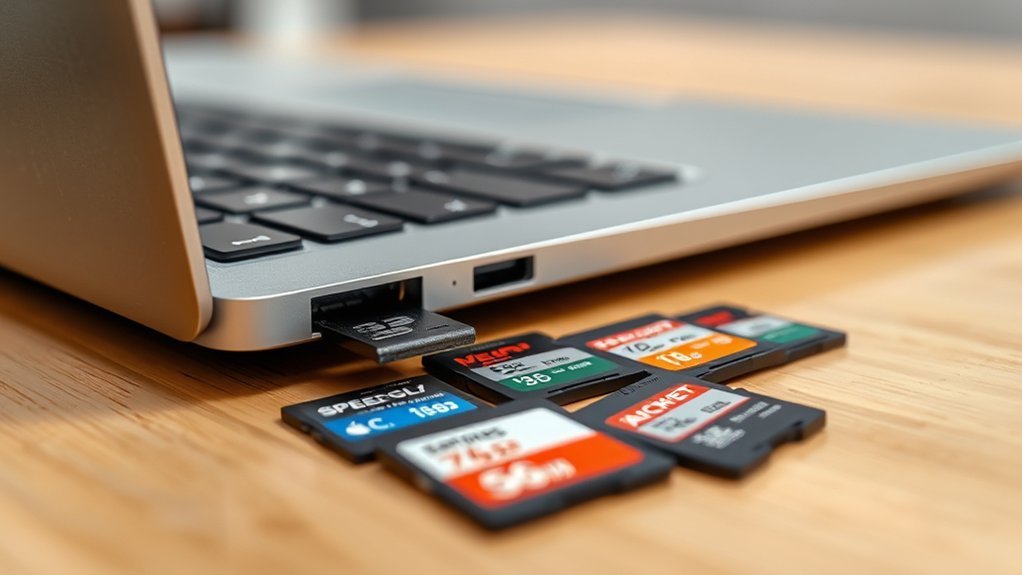
When choosing an SD card for your MacBook Pro, you’ll want to check compatibility to guarantee it works seamlessly. Consider storage capacity and look for fast read and write speeds to keep up with your workflow.
Don’t forget the physical design and durability to protect your data and fit your device perfectly. It’s all about making sure your SD card matches your needs and keeps your work running smoothly.
Compatibility With MacBook
Although choosing an SD card for your MacBook Pro might seem straightforward, confirming compatibility with your specific model is crucial for peak performance. First, check your MacBook Pro’s model year since older versions may have different slot configurations.
Next, make sure the SD card or adapter supports UHS-II or higher to keep up with your MacBook’s fast data transfer speeds. Also, confirm that the card or reader works smoothly with macOS to avoid any hiccups.
Don’t overlook the physical size—your SD card or adapter must fit perfectly into the slot without blocking other ports. Finally, verify compatibility with your MacBook’s connection type, whether it’s Thunderbolt, USB-C, or an SD card slot, to ensure reliable and efficient operation every time.
Storage Capacity Options
Since your MacBook Pro’s SD card slot supports varying maximum storage capacities, you’ll want to choose a card that fits both your device’s limits and your needs. Depending on your model, the slot can handle cards from 128GB up to 2TB.
If you work with high-resolution photos or 4K videos, opting for a 1TB or 2TB card makes sense to avoid running out of space. For casual use, smaller capacities like 256GB or 512GB might suffice and save you money.
Just make sure your MacBook Pro supports the card’s capacity, as some models have restrictions. Balancing your storage needs against your budget will help you pick the right SD card without overspending on unused space.
Read And Write Speeds
Because you’ll often be transferring large media files, choosing an SD card with high read and write speeds is vital for your MacBook Pro. Cards with UHS-II and V60 ratings guarantee minimum sustained write speeds of 60MB/s, essential for smooth 4K video recording and continuous burst photography.
Faster write speeds reduce waiting times and prevent lag during recording or shooting sessions. On the other hand, high read speeds let you quickly access and open your media files, speeding up your workflow and making data offloading more efficient.
Physical Design And Fit
When choosing an SD card for your MacBook Pro, you’ll want one that fits perfectly without sticking out or feeling loose. Look for cards or adapters designed to sit flush within the built-in slot. Matching or staying smaller than its original dimensions is key.
A slim, compact profile ensures seamless integration with your laptop’s sleek design. Also, pay attention to the material—aluminum or high-quality plastic complements the MacBook Pro’s premium finish nicely.
The card should slide in and out smoothly without forcing it. This helps prevent damage to both the port and the card.
Most importantly, pick a product that fits snugly to avoid accidental disconnections while you work. Prioritizing these design factors guarantees a hassle-free and elegant user experience with your MacBook Pro’s SD card.
Durability And Protection
Beyond fitting neatly into your MacBook Pro, an SD card must also stand up to daily wear and environmental challenges. You want a card that resists water, dust, shock, and even X-rays to keep your data safe.
Look for rugged construction with protective coatings or casings made from materials like aluminum or reinforced plastic. These features help the card endure drops and temperature fluctuations without compromising performance.
Choosing an SD card tested and certified for durability guarantees it can handle harsh conditions you might encounter. By prioritizing durability and protection, you avoid data loss and keep your MacBook Pro workflow uninterrupted, no matter where your projects take you.
Durable SD cards give you peace of mind and reliable use over time. It’s definitely worth investing in one that can keep up with your busy, on-the-go lifestyle.
Warranty And Support
Although you might focus on speed and durability, don’t overlook the importance of warranty and support when choosing an SD card for your MacBook Pro. Make sure the card or adapter comes with at least a one-year manufacturer warranty to protect you from defects or damages.
Check if the product offers customer support, like live help or technical assistance, so you can quickly resolve any issues. It’s always good to have someone to talk to when things go wrong.
Carefully review what the warranty covers, including any exclusions, so you know exactly what’s protected. Also, confirm if there’s an easy return policy—typically within 30 days—for unopened or faulty items.
Finally, choose products that provide clear documentation of warranty terms and support channels. This way, you can get help without any hassle when you need it.
Ease Of Installation
Since compatibility varies between MacBook Pro models, you’ll want to guarantee your SD card or adapter fits perfectly with your specific device’s card reader slot. Choose cards or adapters that support plug-and-play functionality, so you can install them quickly without extra software.
Look for designs that sit flush or integrate seamlessly, avoiding any protrusions that could make insertion or removal tricky. The installation process should be simple—ideally, just slide the card in without needing tools or technical skills.
Also, pick options with clear, straightforward instructions or user-friendly features that simplify setup. By focusing on these factors, you’ll ensure your MacBook Pro SD card is easy to install and ready to use right away, saving you time and hassle.
Price And Value
When choosing a MacBook Pro SD card, you should weigh the price against its storage capacity, speed, and durability to determine if it offers good value. Check if the cost aligns with these specs and compare similar cards to find competitive pricing.
Don’t forget to factor in warranty length and customer support, as longer coverage can boost your investment’s value. Also, consider any extra expenses like adapters needed for your MacBook Pro.
Before making a decision, review customer feedback to see if the SD card delivers reliable performance for its price. By balancing these factors, you’ll choose an SD card that meets your needs without overspending or sacrificing quality.
Frequently Asked Questions
How Do SD Card Speeds Impact Video Editing on Macbook Pro?
SD card speeds directly impact your video editing by affecting how quickly files transfer and load. Faster speeds mean smoother playback, quicker rendering, and less lag.
This helps you work efficiently without frustrating delays on your MacBook Pro. So, having a fast SD card can really make a difference when you’re editing videos.
Can Macbook Pro Recognize SD Cards Formatted in NTFS?
No, your MacBook Pro won’t natively recognize SD cards formatted in NTFS. You’ll need third-party software or reformat the card to a Mac-compatible format like exFAT or APFS for seamless use and file access.
It’s a bit of a hassle, but once you switch to a compatible format, things get a lot easier. Or, if you prefer, there are apps that let your Mac read and write NTFS without reformatting.
Are There Any Warranty Differences Among SD Card Brands for Macbook Pro?
Yes, warranty coverage varies among SD card brands. Some offer limited lifetime warranties, while others provide shorter periods.
You should check each brand’s specific warranty terms to guarantee you get reliable protection for your MacBook Pro SD card. It’s always good to know exactly what you’re covered for before making a purchase.
How to Safely Eject SD Cards on a Macbook Pro?
You eject SD cards safely by dragging their icon to the Trash or right-clicking and selecting “Eject.”
You can also click the eject button next to the card in Finder’s sidebar before physically removing it from your MacBook Pro.
It’s a simple step, but it helps keep your data safe and prevents any damage to the card. Just take a moment to eject properly, and you’re good to go!
Do SD Cards Affect Macbook Pro Battery Life During Use?
SD cards use minimal power, so they won’t noticeably affect your MacBook Pro’s battery life during use.
You can keep them inserted without worrying about draining your battery considerably while transferring or accessing files. It’s really not something to stress over.
Conclusion
Choosing the right SD card for your MacBook Pro can seriously boost your productivity and storage. Whether you want blazing speeds with SanDisk Extreme PRO or seamless expansion with Transcend JetDrive Lite, there’s an option that fits your needs.
Don’t forget to take into account compatibility, speed, and capacity before buying. With the right card, you’ll enjoy smooth transfers and plenty of space for your projects.
Ready to upgrade? Your perfect MacBook Pro SD card is just a click away!

- Best Low Cost Color Printer That Surprises Everyone! - September 20, 2026
- Discover the Best Inkjet Tank Printer for Ultra Quality Prints! - September 20, 2026
- Best Laser Printer for Mac: Top Picks You Can’t Miss! - September 20, 2026
