
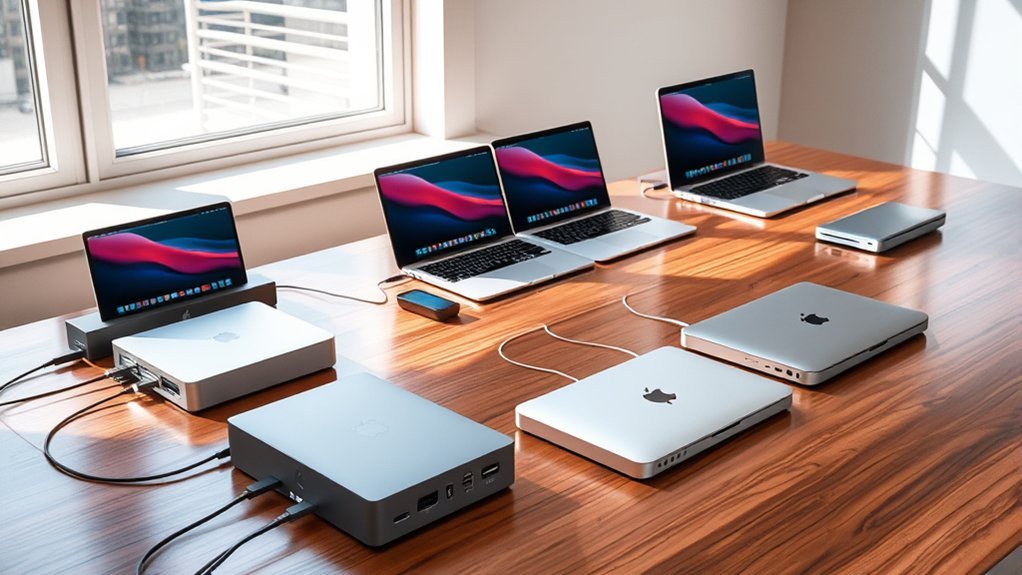
If you’re looking for the best docking stations for your MacBook Pro in 2026, you’ll want one that supports multiple 4K monitors, reliable charging, and plenty of ports.
Options like the TobenONE 18-in-2 deliver dual display support and up to 100W power delivery, while others like the Belkin Thunderbolt 4 offer top-tier data speeds and port variety.
Your choice depends on your MacBook model and workflow needs, and there’s plenty more detailed info ahead to help you decide.
MacBook Pro 9-in-1 Docking Station Adapter
The MacBook Pro 9-in-1 Docking Station Adapter is designed to expand the connectivity options of your MacBook Pro or Air. It addresses the common issue of limited ports by providing a versatile hub that supports multiple devices simultaneously. This adapter is ideal for professionals who need to connect external displays, storage devices, and wired networks without hassle.
Its compact aluminum design not only complements your MacBook’s aesthetics but also ensures effective heat dissipation during extended use. The dock delivers stable wired internet through its Ethernet port and supports fast charging with 100W USB-C Power Delivery, keeping your device powered throughout busy workdays.
Maintenance is straightforward thanks to its durable build and solid-state connections, reducing wear from frequent plugging and unplugging. The dual HDMI ports allow connection to 4K monitors, enhancing productivity with high-resolution displays, though they support a 30Hz refresh rate.
While this adapter enhances workflow efficiency, it is not compatible with MacBook models that feature only one USB-C Thunderbolt 3 port. It also does not support Apple USB SuperDrive, which may limit peripheral options.
Best for: Professionals and creatives using 2017-2021 MacBook Pro or Air models who need versatile connectivity, fast charging, and reliable wired internet for their demanding workflows.
What We Like:
- Wide range of nine ports supporting dual HDMI 4K displays and multiple USB options
- 100W USB-C Power Delivery for efficient charging during use
- Sleek, lightweight aluminum body with good heat dissipation
- Stable Ethernet connection for reliable wired networking
What We Don’t Like:
- Incompatible with MacBook models having only one USB-C Thunderbolt 3 port
- Does not support Apple USB SuperDrive
- Dual HDMI ports limited to 4K at 30Hz refresh rate
Anker 5-in-1 USB-C Hub with 4K HDMI
The Anker 5-in-1 USB-C Hub offers a practical solution for users needing to expand their laptop’s connectivity. It combines multiple ports in a compact design, allowing seamless connection to external devices without bulk. This hub helps simplify your workspace by reducing cable clutter while maintaining essential functions.
With a dedicated 4K HDMI port, it supports crisp external display output at up to 30Hz, enhancing presentations and media viewing. The hub’s USB-C PD-IN port enables pass-through charging up to 85W, so your laptop stays powered during intensive use. Data transfers are efficient, reaching speeds up to 5 Gbps through the USB ports.
Designed for use with macOS, Windows, and ChromeOS, the hub fits well into a variety of setups, especially for MacBook Pro and Air users. However, it does not support Linux systems, which limits its compatibility for some. The device requires an external charger for power delivery, which is not included.
Maintenance is straightforward due to its solid build and minimal moving parts, making it a reliable accessory for daily use. Its lightweight and portable form factor ensures easy transport for mobile work environments.
Best for: users who need a versatile, portable USB-C hub with 4K HDMI support and fast file transfer for MacBook Pro, MacBook Air, Dell, and other compatible laptops.
What We Like:
- Supports 4K HDMI output at up to 30Hz for high-quality external display streaming.
- Provides up to 85W pass-through charging to power laptops while using the hub.
- Compact, lightweight design with multiple ports (USB-C data, USB-A, and charging) for versatile connectivity.
What We Don’t Like:
- Not compatible with Linux operating systems.
- USB-C ports do not support video output; only the HDMI port handles external display.
- Requires an external charger for pass-through charging (charger not included).
Belkin Thunderbolt 4 Docking Station 14-in-1
Belkin’s Thunderbolt 4 Docking Station 14-in-1 is designed to streamline your workspace with high-speed connectivity and versatile device support. It solves the challenge of managing multiple peripherals and displays, enabling a cleaner, more efficient setup. This dock lets you connect various devices with ease while keeping your laptop charged.
The dock supports up to three 4K monitors at 60Hz, although macOS users can extend only two displays. It delivers fast data transfer speeds of up to 40Gbps, ensuring smooth file sharing and device communication. A single USB-C connection provides up to 96W of power, reducing cable clutter and keeping your laptop energized.
Built with professional use in mind, it includes a 2.5Gb Ethernet port for reliable, high-speed wired networking. The dock supports both Thunderbolt 4 and USB-C devices and allows daisy-chaining, making it flexible for expanded workstation setups. Its robust design includes safety features and sustainable packaging for peace of mind.
Maintenance is straightforward as the dock requires minimal intervention beyond occasional cable checks. Its larger size might need consideration for compact desks, but it offers a comprehensive solution for complex connectivity needs.
Best for: Professionals and power users who require fast charging, multiple high-resolution display support, and dependable wired networking in a flexible and expandable workstation.
What We Like:
- Supports triple 4K monitors at 60Hz (two on macOS) with diverse port options
- Provides up to 96W laptop charging via one USB-C connection
- High data transfer rates of up to 40Gbps for efficient workflows
- Includes a 2.5Gb Ethernet port for stable, high-speed networking
- Supports daisy-chaining for flexible workstation expansion
What We Don’t Like:
- macOS limits extended displays to two, reducing multi-monitor capacity
- Larger form factor may take up considerable desk space
- Premium pricing may not suit casual users with simpler needs
TobenONE 18-in-2 Dual Monitor MacBook Docking Station
The TobenONE 18-in-2 Dual Monitor MacBook Docking Station offers a smart solution for MacBook users needing to expand their workspace efficiently. It allows connection to dual 4K monitors at 60Hz through HDMI or USB-C, making multitasking and presentations smoother. This docking station enhances productivity by supporting multiple peripherals simultaneously without sacrificing performance.
Its design includes seven USB ports, combining high-speed USB-C and USB-A options, along with a 2.5G Ethernet port. These features ensure fast data transfers and a stable internet connection, which is essential for demanding workflows. The integrated SD 4.0 card reader adds convenience for transferring photos and videos quickly.
Power management is handled by a robust 150W adapter that delivers up to 100W charging for MacBooks while supporting fast charging for other devices. This keeps your setup organized without needing multiple chargers. The compact and sleek build helps maintain a clean, clutter-free desk environment.
Maintenance is straightforward due to its durable construction and simple plug-and-play design. However, users should note compatibility limits with certain Mac models and lack of Windows support, which may restrict its versatility.
Best for: MacBook Pro and Air users wanting to connect dual 4K monitors and multiple peripherals while maintaining fast charging and reliable data transfer.
What We Like:
- Supports dual 4K@60Hz monitors via HDMI or USB-C for enhanced multitasking.
- Seven USB ports including high-speed USB-C/A for versatile device connections.
- 2.5G Ethernet port ensures stable, high-speed internet access.
- Powerful 150W adapter with up to 100W MacBook charging and fast device charging.
- Compact and sleek design minimizes desk clutter.
What We Don’t Like:
- Incompatible with Windows laptops and some Mac models like Mac Studio, Mac mini, Mac Pro, and iMac.
- Dual monitor support may be limited on some M1, M2, and M3 MacBook models.
- Restricts use to Apple ecosystem devices, limiting broader connectivity options.
TobenONE 16-in-2 MacBook Docking Station Dual 4K
Experience seamless multitasking with the TobenONE 16-in-2 MacBook Docking Station, designed to enhance your workspace efficiency. It supports dual 4K@60Hz displays on most MacBook Pro and Air models from 2016 to 2026, providing crisp visuals and expanding your screen real estate. For users with M1, M2, or M3 base chip MacBooks, it offers single display support to maintain compatibility.
This docking station features 16 versatile ports, including USB, HDMI, Ethernet, SD card readers, and an audio jack, enabling you to connect multiple devices effortlessly. The integrated 87W power delivery keeps your MacBook charged during intensive work sessions, minimizing downtime and improving productivity.
Compact and portable, the dock is easy to maintain and fits neatly into any workspace. Its built-in Gigabit Ethernet port ensures a stable and fast internet connection, essential for remote work or streaming. While it exclusively supports MacBooks and requires a separate power adapter, its robust design meets the demanding needs of Mac users.
Best for: MacBook users seeking a versatile docking station with dual 4K display support, extensive connectivity options, and reliable power delivery for enhanced productivity.
What We Like:
- Dual 4K@60Hz display support for most MacBook Pro/Air models (2016-2026).
- Wide range of 16 ports for connecting multiple peripherals.
- 87W power delivery to charge MacBooks during use.
- Built-in Gigabit Ethernet for stable internet connectivity.
- Compact, portable design suitable for various workspaces.
What We Don’t Like:
- Compatible only with MacBooks, excluding Windows and Chrome systems.
- M1/M2/M3 base chip MacBooks support only a single external display.
- Does not include a power supply; requires separate purchase or existing adapter.
Anker 8-in-1 USB-C Dual Monitor Docking Station
The Anker 8-in-1 USB-C Dual Monitor Docking Station is designed to enhance your workspace by supporting dual 4K monitors, making multitasking more efficient. It solves the common problem of limited ports on laptops by providing multiple connections in a compact unit. This dock allows seamless integration of two HDMI displays, although macOS users should note it mirrors screens at 30Hz instead of extending at 60Hz.
Beyond video, the docking station offers reliable Ethernet connectivity and convenient SD and microSD card readers, reducing the need for extra adapters. Its multiple USB-A ports enable you to connect various peripherals like keyboards, mice, and external drives easily. The lightweight design makes it simple to carry and maintain, fitting well into any mobile or desktop setup.
Charging is streamlined with pass-through support up to 85W, keeping your laptop powered during use. However, to achieve optimal charging speeds, a separate 100W USB-C Power Delivery charger and cable are required. This dock is compatible with MacBook Pro models and other laptops featuring USB-C, USB4, or Thunderbolt, ensuring broad usability.
Best for: users who need to connect dual 4K monitors and multiple peripherals to their USB-C or Thunderbolt laptops, especially MacBook and Windows users seeking a compact, versatile docking solution with fast charging.
What We Like:
- Supports dual 4K displays via HDMI with 85W pass-through charging
- Includes Ethernet, SD/microSD card readers, and multiple USB-A ports
- Compact and lightweight design for easy portability
- Broad compatibility with MacBook Pro and other USB-C/Thunderbolt laptops
What We Don’t Like:
- macOS limits dual monitor output to mirrored display at 30Hz
- Not compatible with Linux operating systems
- Requires separate 100W USB-C PD charger and cable for best charging performance
Thunderbolt 19-in-1 Dock for MacBook M1-M4
The Thunderbolt 19-in-1 Dock is designed to enhance your MacBook’s connectivity with ease and efficiency. It allows users to connect up to three 4K@60Hz monitors simultaneously, overcoming typical Mac OS multi-display limitations. This makes it ideal for professionals who need expansive screen real estate for multitasking or creative work.
This dock consolidates 19 ports—including USB 2.0, USB 3.0/3.2, SD and Micro SD card slots, Ethernet, and combined audio/mic jacks—into a single Thunderbolt 3+ connection. This setup reduces cable clutter and keeps your workspace neat without sacrificing functionality. The compact and sturdy design ensures it fits comfortably on any desk.
Power delivery is another key benefit, with 100W supplied to your laptop and fast charging available for mobile devices. This helps keep your devices powered without the need for multiple adapters. Maintenance is straightforward, as the dock’s solid build requires only occasional cleaning to keep ports dust-free.
Keep in mind, the dock requires a Thunderbolt 3 or higher port and works best with a high-end CPU and at least 16GB of RAM for optimal performance. It does not charge laptops directly through the included USB-C cable and adapter, which may affect some setups.
Best for: MacBook users and professionals needing to connect multiple 4K monitors and expand peripheral connectivity through a single Thunderbolt 3+ port.
What We Like:
- Supports triple 4K@60Hz displays, expanding screen capabilities beyond Mac OS limits
- Offers 19 diverse ports, minimizing the need for multiple adapters
- Delivers 100W power to laptops and fast charges mobile devices
- Compact, sturdy design reduces desk clutter
What We Don’t Like:
- Requires Thunderbolt 3 or higher port, limiting compatibility
- Does not directly charge laptops via included USB-C cable and adapter
- Optimal performance depends on a high-end CPU and minimum 16GB RAM
MacBook USB-C Docking Station with Dual HDMI
Experience seamless connectivity and productivity with the USB-C Docking Station featuring Dual HDMI outputs. This compact device addresses the common challenge of limited ports on MacBook Pro and Air models, enabling users to effortlessly connect multiple peripherals and displays. Its plug-and-play design ensures quick setup without the need for additional software, making it ideal for busy professionals.
Designed specifically for MacBook Pro (2016-2020) and Air (2018-2020), the dock supports dual 4K@60Hz HDMI monitors, allowing users to expand their workspace efficiently. However, MacBooks with M1 or M2 chips can only utilize one external 4K monitor, which is an important consideration when planning multi-display setups.
Beyond video output, this docking station offers three USB 3.0 ports and SD/TF card readers, facilitating fast data transfer and easy access to various media. Its 100W power delivery port keeps your MacBook charged throughout the day, although this port does not support data transmission.
Maintenance is straightforward due to its solid build and stable performance. The dock’s compact size makes it a practical choice for professionals who need a reliable, portable solution for enhanced connectivity and charging on the go.
Best for: Professionals and creatives using compatible MacBook models who require multiple high-resolution displays, rapid data transfer, and convenient charging in a compact, plug-and-play docking station.
What We Like:
- Supports dual 4K@60Hz HDMI outputs for extended display setups (except on M1/M2 MacBooks).
- Includes multiple USB 3.0 ports and SD/TF card readers for versatile connectivity.
- Offers 100W power delivery to maintain MacBook charging during use.
- Plug-and-play operation without driver installation.
- Compact design suitable for mobile professionals.
What We Don’t Like:
- Limited to one external 4K monitor on MacBooks with M1 or M2 chips.
- Power delivery port only supports charging, not data transfer.
- Compatibility restricted to specific MacBook Pro (2016-2020) and Air (2018-2020) models.
Anker Prime 14-Port Docking Station with Dual 4K
Experience seamless productivity with the Anker Prime 14-Port Docking Station designed for extensive connectivity needs. This dock offers a robust solution for users requiring dual 4K display support, allowing crystal-clear visuals through its dual HDMI ports. It connects effortlessly with MacBook Pro and a wide range of laptops via USB-C, USB4, and Thunderbolt interfaces.
The dock’s powerful charging capabilities enable you to charge up to four devices simultaneously with a total output of 160W, including three USB-C ports that support up to 100W each. This makes it ideal for managing multiple gadgets without clutter or power concerns. Data transfer speeds reach up to 10Gbps, ensuring quick file sharing and smooth workflow.
Designed with versatility in mind, it includes Ethernet and audio ports to cover all connectivity bases. However, users should note that on macOS, both external monitors mirror content instead of extending displays, and ultra-wide 5120×1440 resolution monitors are not supported. The dock is not compatible with Linux systems.
Maintenance is straightforward thanks to its sturdy build and reliable connections, making it a practical choice for professional setups that demand speed and flexibility without compromise.
Best for: Professionals and power users who need extensive connectivity, dual 4K display support, and simultaneous charging for multiple devices across various laptop brands.
What We Like:
- Supports dual 4K displays via dual HDMI for sharp, high-resolution visuals.
- High power delivery with 160W total output to charge multiple devices at once.
- Compatible with USB-C, USB4, and Thunderbolt connections across Windows and ChromeOS.
- Fast data transfer speeds up to 10Gbps.
- Includes Ethernet and audio ports for comprehensive connectivity.
What We Don’t Like:
- macOS users experience mirrored displays instead of extended screens.
- Does not support ultra-wide 5120×1440 resolution monitors.
- Incompatible with Linux operating systems.
iVANKY FusionDock 12-in-2 MacBook Pro Docking Station
The iVANKY FusionDock 12-in-2 is designed to enhance your MacBook Pro setup with powerful dual 4K@144Hz display support. It effortlessly handles the demands of M4 and M5 MacBook models by enabling seamless connection to two high-resolution monitors. This makes multitasking and creative work more efficient and visually immersive.
For earlier MacBook versions like M1 to M3, the dock supports a single 4K@144Hz display, providing crisp visuals and smooth performance. Its versatile design includes multiple ports to connect essential peripherals, reducing clutter and simplifying your workspace. The two HDMI ports, four USB 3.0 slots, and card readers cater to various device needs without constant swapping.
Maintenance is straightforward thanks to its compact and sturdy build, which fits neatly on any desk and withstands daily use. The dock’s 150W power adapter ensures your MacBook Pro stays charged with up to 96W output, maintaining productivity without interruptions. With compatibility starting from macOS 10.12, it integrates smoothly into your existing setup.
While it excels in connectivity and display support, users with M1 to M3 MacBooks are limited to a single external display. Additionally, card transfer speeds are moderate, and the dock does not support Windows or smart home devices. Overall, it offers a balanced mix of functionality and durability tailored for MacBook users.
Best for: MacBook Pro users, especially with M4 or M5 models, who require high-resolution dual display support and versatile connectivity in a compact docking station.
What We Like:
- Supports dual 4K@144Hz displays on M4/M5 MacBooks.
- Multiple ports including HDMI, USB 3.0, and SD/TF card slots.
- 150W power adapter providing up to 96W laptop charging.
- Compact, durable design fits well in any workspace.
What We Don’t Like:
- Single display support on M1, M2, M3, and MacBook Neo models.
- No compatibility with Windows or smart home devices.
- SD/TF card transfer speeds limited to 104Mb/s.
Factors to Consider When Choosing a Docking Station for MacBook Pro

When picking a docking station for your MacBook Pro, you’ll want to make sure it’s fully compatible with your model. Check the variety of ports, display support, power delivery, and how fast it can transfer data.
These factors will guarantee your setup works smoothly and meets all your needs. It’s all about finding the right fit that makes your workflow easier and more efficient.
Compatibility With MacBook
How do you guarantee a docking station works perfectly with your MacBook Pro? First, make sure it supports your specific model’s year and size, whether 13, 15, or 16 inches.
Next, check if it matches your MacBook’s ports—Thunderbolt 3/4, USB-C, or HDMI—so you get the connectivity you need.
Also, confirm compatibility with your MacBook’s chip type, especially if you have an Apple Silicon M1 or M2, since some docks don’t fully support them.
Don’t forget to see if the dock requires extra drivers or if it’s plug-and-play with macOS for hassle-free use.
Finally, verify that the docking station supports your current macOS version to avoid any functionality issues down the line.
Port Variety And Types
Why settle for a docking station with limited ports when your MacBook Pro can handle so much more? Look for a docking station that offers a variety of ports—HDMI, USB-A, USB-C, SD card readers, and Ethernet—to connect all your peripherals seamlessly.
The types of ports you get determine compatibility with monitors, external drives, and network connections, so choose one that supports both legacy devices and the latest standards. Multiple port types let you connect several devices at once, boosting your workflow efficiency.
Don’t overlook high-speed ports like USB 3.0 or Thunderbolt 3/4, which provide the fast data transfer you need for large files and high-res media. Picking a docking station with diverse, high-quality ports future-proofs your setup and maximizes your MacBook Pro’s potential.
Display Support Options
Although choosing a docking station might seem straightforward, ensuring it supports your MacBook Pro’s display capabilities is essential. You need to confirm it can handle the maximum number of external monitors your MacBook supports, whether that’s dual or triple displays.
Check the resolution and refresh rate compatibility—such as 4K at 60Hz or even 144Hz—to guarantee smooth visuals. Make sure the dock works with your specific MacBook Pro model, especially if you have an M1, M2, or Intel chip, since display support differs among them.
Also, verify if it supports mirror and extended display modes to fit your workflow. Finally, consider whether the dock uses native ports or DisplayLink technology, as this impacts video quality and reliability.
Power Delivery Capacity
When choosing a docking station for your MacBook Pro, you’ll want to prioritize its Power Delivery capacity to guarantee efficient charging. Make certain the dock supports at least 100W Power Delivery, as this ensures fast, reliable charging that meets your MacBook’s requirements.
Check that the Power Delivery port matches your MacBook’s charging specs to avoid underpowered charging, which can slow your workflow. Also, verify the dock can handle powering your MacBook and other connected peripherals simultaneously without compromising charging speed.
If you often use power-intensive apps or connect multiple high-demand devices, consider docks with higher wattages like 85W or 96W to maintain performance. Lower Power Delivery ratings may lead to slower charging, especially during heavy workloads, so choose wisely to keep your MacBook fully charged and ready.
Data Transfer Speeds
How fast your data moves through a docking station can make a huge difference in your productivity. When choosing a docking station for your MacBook Pro, consider the data transfer speeds it offers.
USB 3.0 ports handle speeds up to 5 Gbps, which works well for everyday tasks. But if you regularly work with large files or high-resolution media, you’ll want to opt for USB-C or Thunderbolt 3/4 ports instead. These can deliver speeds up to 40 Gbps, making a noticeable difference.
Also, don’t forget to check the card reader’s transfer rates. High-end SD and Micro SD slots can reach up to 312 MB/s.
Faster transfer speeds mean less waiting and smoother workflows, especially if you’re into professional editing or handling data-heavy projects. So, prioritize these specs to make sure your docking station keeps up with your demands.
Build Quality And Design
Since you’ll likely use your docking station daily, build quality and design play an essential role in your overall experience. Choose a docking station crafted from durable materials like aluminum or high-quality plastic to guarantee it withstands everyday wear and tear.
Look for secure port connections that won’t loosen or fail over time, providing reliable performance. A compact and lightweight design makes it easier for you to carry and use the dock in different work environments.
Plus, a sleek, aesthetically pleasing design that complements your MacBook Pro can really enhance your workspace’s look. Don’t forget to think about heat dissipation features, such as vented or metallic exteriors.
These help prevent overheating during extended use, so your docking station stays cool and efficient.
Frequently Asked Questions
Are Docking Stations Compatible With Older Macbook Pro Models?
Yes, you’ll find many docking stations compatible with older MacBook Pro models, especially those with USB-C or Thunderbolt ports. Just check the specs to guarantee it supports your MacBook’s connections and features before buying.
It’s pretty straightforward once you know what ports your MacBook has. That way, you can pick a docking station that fits perfectly and works without any hassle.
Can I Charge My Macbook Pro While Using a Docking Station?
Yes, you can charge your MacBook Pro while using a docking station. Most docks provide power delivery through USB-C, so it’s pretty convenient.
Just make sure your docking station supports enough wattage for your specific MacBook Pro model. That way, you won’t run into any power issues.
Do Docking Stations Support External GPU Connections?
Yes, some docking stations support external GPU connections through Thunderbolt 3 or 4 ports. You’ll need a compatible eGPU enclosure, but your MacBook Pro can boost graphics performance for demanding tasks using these setups.
It’s a great way to get extra power without buying a whole new laptop. Just make sure your docking station and eGPU are compatible with each other and your MacBook Pro.
How Do Docking Stations Affect Macbook Pro Battery Life?
Docking stations can help preserve your MacBook Pro’s battery by providing power directly, reducing internal battery drain.
However, heavy use of connected devices may still increase overall power consumption. So, keep an eye on your setup to manage battery life effectively.
Are There Docking Stations Specifically for Macbook Air Models?
Yes, you’ll find docking stations designed specifically for MacBook Air models. They cater to its thinner design and port layout, ensuring compatibility and ideal performance.
These docks avoid the bulk or unnecessary features that are more suited for larger MacBook models. So, you get just what you need without any extra hassle.
Conclusion
When choosing a docking station for your MacBook Pro, consider your specific needs—whether you want multiple 4K displays, extra USB ports, or Thunderbolt support. Each option on this list offers unique features to boost your productivity and connectivity.
Think about the ports you’ll use most and your workspace setup. With the right docking station, you’ll expand your MacBook Pro’s capabilities effortlessly.
This will make your workflow smoother and more efficient every day.

- Best Commercial Label Printer: Top Picks You Can’t Miss! - September 19, 2026
- Top Tricks to Choose the Best Colour Label Printer Today! - September 19, 2026
- Discover the Best Color Multifunction Printer Today! - September 19, 2026
